


PCIe 5.0 vs PCIe 4.0 for Cinematic Story Games in SA
PCIe 5.0 and PCIe 4.0 differ most in lane support, compatibility, and upgrade value for cinematic story games. SA buyers should match the choice to their actual hardware and games.
Read moreA raspberry pi starter kit for a complete beginner maker bundles the board with a power supply, case, microSD card and cables so you can build your first project without hunting for parts separately.
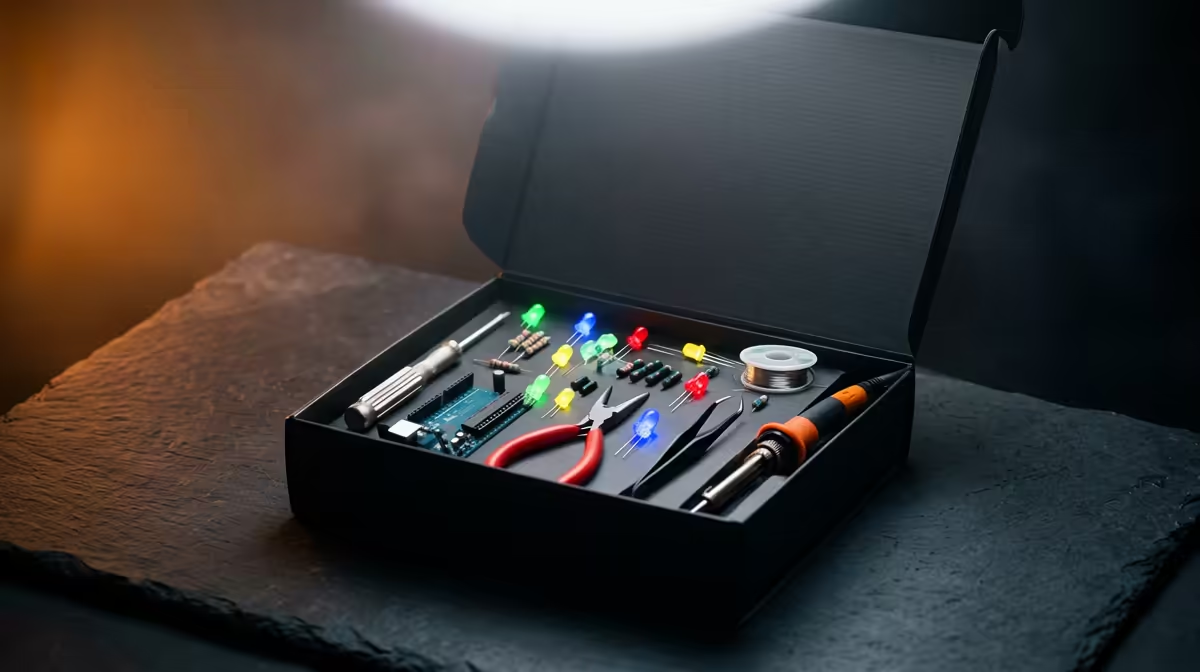
Buying a bare Raspberry Pi board and then discovering you also need a power supply, a case, a microSD card, cooling, and the right cables is how a lot of first projects stall before they start. A Raspberry Pi starter kit bundles all of that into one box, so you can go from delivery to a booted desktop in an afternoon instead of placing three separate orders and waiting on each. For a complete beginner, that single decision removes most of the friction that puts people off.
A good beginner starter kit pairs a Raspberry Pi 5 (the 8GB model is the comfortable choice) with a case, a proper 27W USB-C power supply, active cooling, a microSD card pre-loaded with Raspberry Pi OS, and micro-HDMI cables. The Pi 5 draws more power than older boards, so the right power supply is the one spec you must not skimp on.
The point of a kit is that nothing is missing on day one. A complete bundle should include the board itself, a case to protect it and route airflow, a USB-C power supply rated for the board, a heatsink and usually a small fan because the Pi 5 runs warm under load, a microSD card already imaged with the operating system, and the micro-HDMI to HDMI cables you need to reach a monitor. The pre-loaded card matters more than it sounds: flashing an OS yourself is not hard, but having it done means your very first boot lands you on a working desktop with no extra steps.
The power supply is the part beginners most often get wrong. The Pi 5 is noticeably more power-hungry than its predecessors and expects a 27W USB-C supply to run reliably with peripherals attached. A phone charger you had lying around will often cause brownouts, random reboots, and corrupted SD cards, which feel like the board is faulty when it is really just underfed. A kit that bundles the matched supply sidesteps the whole problem.
If you would rather start with a board that needs no assembly at all, the mini PC range at Evetech offers a no-fuss compact machine that is ready to use out of the box.
The current board to build around is the Raspberry Pi 5, which is a real step up in speed over the Pi 4 and handles a desktop, a browser, and light coding comfortably. RAM is the main choice. For a complete beginner who wants headroom to grow, the 8GB version is the sensible pick: it runs a desktop and multiple browser tabs without strain and leaves room to experiment with heavier projects later. Smaller-RAM versions cost less and are fine for single-purpose builds like a retro console or a sensor logger, but if this is your one board to learn on, the extra memory is worth it.
Storage is the other consideration. The bundled microSD card gets you started, but cards wear out under heavy write activity. If you move on to a project that writes constantly, such as a small server, plan to add a more durable card or external storage down the line.
Kits vary, so check the contents list rather than assuming. The features that distinguish a genuinely beginner-friendly kit are a pre-imaged microSD card, a power supply that explicitly matches the Pi 5's 27W requirement, and active cooling rather than a bare heatsink. A case with a built-in fan keeps the board cool enough to hold its top speed during longer tasks, which a passive heatsink alone may not.
Watch for kits that pad the price with parts you do not need yet, or that skimp on the power supply to hit a lower headline figure. The cooling and the power supply are where quality counts. A larger pre-loaded card, around 64GB or 128GB, is a nice convenience but not essential, since you can always swap or expand storage later. Buy locally where you can so warranty and support are straightforward, and you can check which compact boards and small-form-factor options are currently available through the PC best sellers at Evetech.
Having a goal makes the kit pay off faster. Good first projects for a beginner include setting up the Pi as a simple desktop computer for browsing and coding, building a retro game console, running a network-wide ad blocker, or wiring up a basic sensor that logs temperature or humidity. Each of these uses the parts a starter kit already includes and teaches you the basics of the operating system, the command line, and connecting hardware. The learning curve is gentle because the enormous Raspberry Pi community means almost every beginner question already has a clear, free answer online.
Start with one project, get it working end to end, and the rest of the platform opens up from there. The board you learned on does not go to waste either; it becomes the dedicated machine for whatever you built, while you move the next idea onto a fresh card.
You can buy the board alone, but a complete beginner is far better served by a kit. Buying separately means sourcing a matched power supply, case, cooling, microSD card, and cables yourself, and getting any one of them wrong, especially the power supply, leads to frustrating problems. A kit removes that risk.
The Pi 5 draws more power than older models and expects a 27W USB-C supply. An underpowered charger causes brownouts, unexpected reboots, and SD card corruption that look like hardware faults. A kit with the correct supply included avoids this entirely.
The 8GB model is the comfortable all-rounder for someone learning, giving room for a desktop, browser tabs, and a range of projects. Lower-RAM versions are cheaper and fine for single-purpose builds, but 8GB leaves the most headroom to grow.
Yes, the bundled card is enough to install the OS and run early projects. Cards do wear under constant writing, so if you later build something that writes data continuously, plan to add a more durable card or external storage.
Plenty for a first run: a desktop computer, a retro game console, a network ad blocker, a media player, or a simple sensor logger. All of these work with the parts a starter kit includes and have well-documented beginner guides thanks to the large Raspberry Pi community.
Whether you want a board to tinker with or a ready-to-go small machine, Evetech has both. Explore the mini PC range at Evetech (https://www.evetech.co.za/PC-Components/mini-pcs-194) to find the right first computer for learning, building, and growing into bigger projects.
You can buy the board alone, but a complete beginner is far better served by a kit. Buying separately means sourcing a matched power supply, case, cooling, microSD card, and cables yourself, and getting any one of them wrong, especially the power supply, leads to frustrating problems. A kit removes that risk.
The Pi 5 draws more power than older models and expects a 27W USB-C supply. An underpowered charger causes brownouts, unexpected reboots, and SD card corruption that look like hardware faults. A kit with the correct supply included avoids this entirely.
The 8GB model is the comfortable all-rounder for someone learning, giving room for a desktop, browser tabs, and a range of projects. Lower-RAM versions are cheaper and fine for single-purpose builds, but 8GB leaves the most headroom to grow.
Yes, the bundled card is enough to install the OS and run early projects. Cards do wear under constant writing, so if you later build something that writes data continuously, plan to add a more durable card or external storage.
Plenty for a first run: a desktop computer, a retro game console, a network ad blocker, a media player, or a simple sensor logger. All of these work with the parts a starter kit includes and have well-documented beginner guides thanks to the large Raspberry Pi community.
PCIe 5.0 and PCIe 4.0 differ most in lane support, compatibility, and upgrade value for cinematic story games. SA buyers should match the choice to their actual hardware and games.
Read more
ATX 3.1 vs ATX 3.0 for streaming on Twitch and YouTube buyers - what changes is mostly about compatibility, budget, upgrade path, and setup fit. SA buyers should check device support and real needs before expecting a clear win from either option.
Read more
OLED vs Mini-LED for video editing in 4k is mainly about fit, features, compatibility, cost, and upgrade path, not one automatic winner. SA buyers should match the choice to the setup.
Read more
The real world difference between IPS and VA for streaming on Twitch and YouTube is colour consistency versus contrast. For SA creators, match the panel to OBS previews, chat visibility, camera work, and long editing sessions after live streams.
Read more
IPS vs OLED for Couch Co-Op Gaming comes down to contrast, motion, burn-in care, refresh needs, desk use, and game type. SA buyers should match the choice to their setup instead of assuming one option always wins.
Read more
FSR 4 and FSR 3.1 affect competitive esports only if they preserve clarity, latency, and stable frame pacing. SA players should compare response feel, motion quality, and support in the specific titles they grind.
Read more
Wi-Fi 7 vs Wi-Fi 6e for cinematic story games comes down to router support, latency goals, device compatibility, and coverage. SA buyers should match the choice to the real network setup.

The real world difference between PCIe 5.0 and PCIe 4.0 for MMO and live-service games is usually about loading, patches, and headroom. SA players should weigh NVMe speed, GPU lanes, CPU limits, and platform cost.

Windows 11 gaming laptop dead pixel checks begin with a full-screen colour test. This how to fix dead pixel windows 11 gaming laptop guide helps SA users compare settings, drivers, external screens, and warranty routes.

AM5 motherboard stuck pixel fixes in South Africa start with panel, cable, GPU output, and Windows checks. Use a clean test path before blaming the motherboard or replacing screen hardware.

FPS drops blamed on a wireless mouse often point to input, driver, USB, network, or system-load checks. Use a quick SA-friendly troubleshooting flow to isolate software, firmware, thermals, storage, and game settings before replacing hardware.

How to fix fps drops on steam deck starts with power profile, shader cache, storage health, and per-game settings. For South Africa, check charger quality, heat, and download stability before assuming the handheld needs repair. Retest after updates.

How to fix low FPS after an RTX 5080 build upgrade starts with driver cleanup, display settings, thermals, and power mode. For SA gamers, verify GPU usage, PCIe speed, RAM profile, and CPU limits before changing parts.

Hollow Knight Silksong at 4K needs a GPU matched to settings, VRAM, CPU balance, and monitor goals. Use this SA guide to compare tiers without treating FPS target or prices as fixed.
How to fix FPS drops after a Ryzen 9 9950X3D starts with BIOS, chipset, EXPO, power, and GPU driver checks. It helps isolate upgrade stutter on high-end SA gaming rigs before you change hardware, reinstall Windows, or retune cooling.
PCIe 5.0 and PCIe 4.0 differ most in lane support, compatibility, and upgrade value for cinematic story games. SA buyers should match the choice to their actual hardware and games.
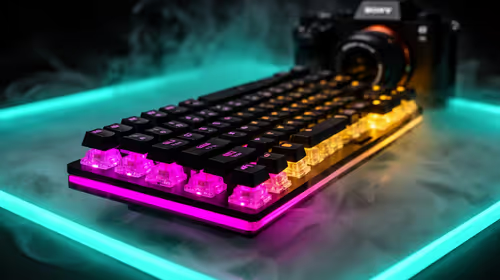
FPS drops Windows 11 mechanical keyboard issues can come from USB polling, keyboard utilities, power settings, or overlays. This gaming checklist helps test input-device causes before deeper GPU or CPU troubleshooting.
ATX 3.1 vs ATX 3.0 for streaming on Twitch and YouTube buyers - what changes is mostly about compatibility, budget, upgrade path, and setup fit. SA buyers should check device support and real needs before expecting a clear win from either option.