


Humidity Damage to PC Components: Recovery Guide
Humidity Damage to PC Components: Recovery Guide. Everything you need to know with SA pricing, step-by-step instructions & expert recommendations.
Read moreCan a business projector display 3D content using HDMI? Discover if your boardroom setup supports immersive 3D presentations and what hardware you actually need to make it work effectively for your next meeting. 📽️✨
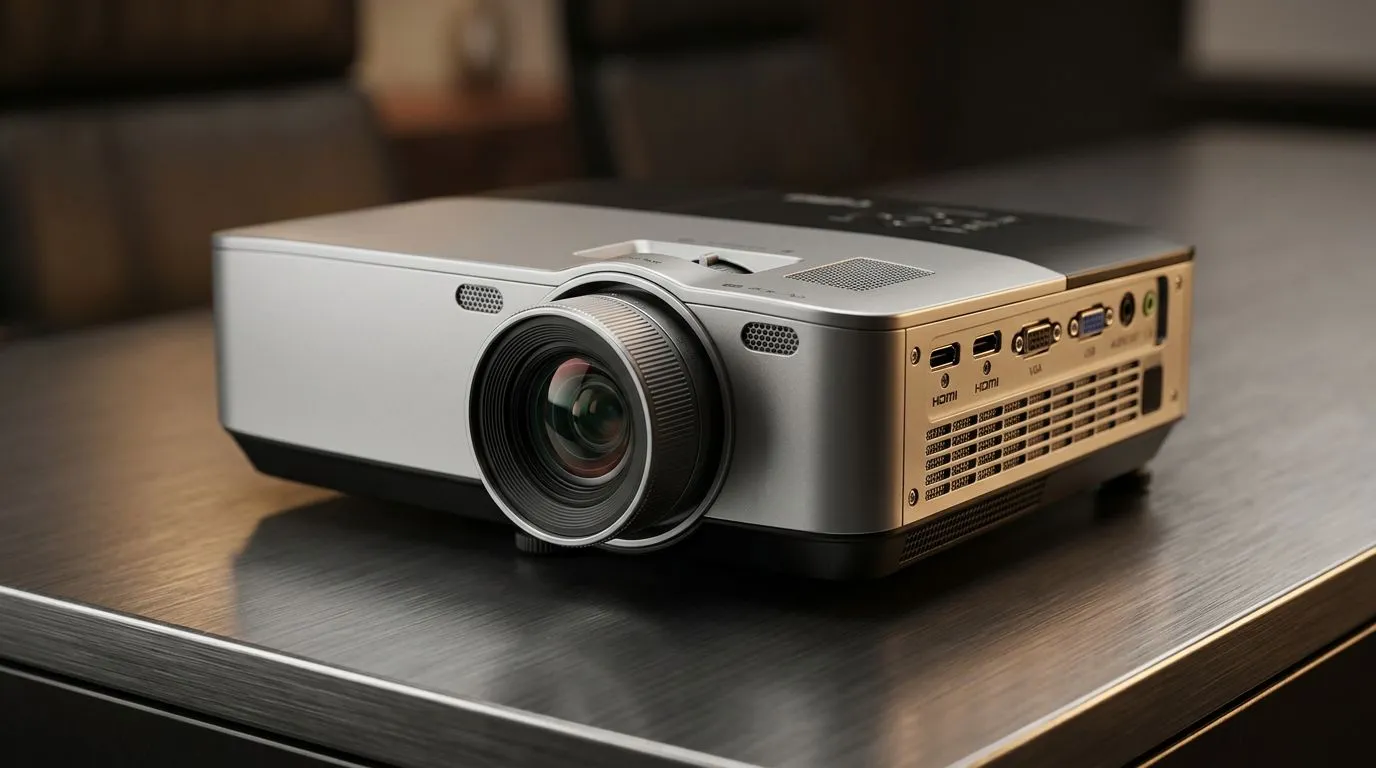
South African gamers and office power users ask the same question when they’re hunting a projector… “Will this thing do 3D, or is it just marketing?” If you want the big-screen feeling for movies, presentations, and even immersive demos, the answer is: sometimes yes, but only under the right setup. 🇿🇦
In this guide, we’ll break down how 3D works on projectors, what to check before you buy, and which models brands tend to support. Then we’ll help you land a projector that fits your room, budget, and expectations. 🔧
Yes, some business projectors can display 3D content, but it depends on the projector’s 3D technology and your playback source.
Most 3D-capable projectors fall into one of these camps:
Before you assume a projector is “3D ready”, confirm it supports a known format (commonly related to 3D video signalling). If the product page doesn’t clearly list 3D support and the method (active or
passive), treat it as a no.
Even with a 3D-capable projector, you still need a compatible source device and cable:
A common buyer surprise: the projector supports 3D, but you still need glasses. If they’re sold separately, factor that into your budget.
On a 3D-capable projector, test in a bright room first to understand how “pop” changes with ambient light. If you’re using it for evening movie sessions or presentations, aim for controlled lighting and place the projector to keep the screen filling most of your wall. That reduces perceived dimness and makes the 3D effect feel more natural. "
3D is more demanding than “regular” projection. Here’s what matters most:
In 3D mode, the image can look dimmer because each eye gets its own view. That means brightness matters more than you think, especially in South African homes and offices where daylight can be intense.
If you want to compare models properly, check the product specs for brightness, then read real-use reviews. For shopping, start with Evetech’s projector listings and filter by brand or price.
3D looks best when the screen is large enough to feel immersive, but not so large that the image loses clarity. Measure your wall distance and confirm throw ratio or recommended image size from the projector details.
If you’re unsure what fits your space, start broad: all projectors on Evetech
Let’s make this real with a couple of SA-friendly scenarios.
A 3D projector can be great here… if you’re okay with:
If your household watches mostly mainstream streaming, you may get more enjoyment from a higher brightness “2D-first” projector. 3D becomes a bonus rather than the main event.
If you’re using 3D for short clips, product demos, or training sessions, it’s often worth it because the payoff is immediate. Just make sure your content pipeline is consistent:
Here’s the honest part… gaming “3D” support varies heavily by game, platform, and how the projector expects the signal. Instead of gambling, confirm:
If you can’t verify those points from the product specs, lean toward a projector with excellent 2D performance first. You’ll be happier day-to-day.
Use this before you hit “buy”:
3D is awesome when it’s plug-and-play… and frustrating when it’s “almost compatible.” Keep it simple and verify the essentials.
Ready to Find Your Perfect Match? The Mac vs Windows debate is complex, but for maximum power, choice, and value in South Africa, Windows is hard to beat. Explore our massive range of laptop specials and find the perfect machine to conquer your world.
No. While HDMI cables can carry 3D signals, the projector itself must be specifically engineered with 3D-ready hardware, such as DLP Link or IR emitter support.
Beyond a 3D-ready projector, you need 3D-compatible active shutter glasses and a source device that supports 3D output over HDMI 1.4 or higher.
Standard high-speed HDMI cables are generally sufficient, but the projector and source device must handshake to support specific 3D frame-packing formats.
Boardroom 3D presentations are uncommon due to the requirement for specialized glasses and the high ambient light interference which often degrades 3D effects.
Check the manufacturer's manual for '3D-ready' or 'Full 3D' specifications and verify if the menu settings offer options for side-by-side or frame-packing modes.
Most standard office projectors lack the high refresh rates and 3D processing chips required to interpret and display 3D Blu-ray or streaming content.
Humidity Damage to PC Components: Recovery Guide. Everything you need to know with SA pricing, step-by-step instructions & expert recommendations.
Read more
Gamer Spending Trends April : Complete Setups. Clear setup instructions with SA-specific considerations, troubleshooting tips & recommended components.
Read more
Setting Up DDR5 32GB Kit. Tested & verified settings for best FPS and visual quality on SA hardware budgets.
Read more
Tech Setup Guide for SPU Res Students. Clear setup instructions with SA-specific considerations, troubleshooting tips & recommended components.
Read more
Monster Hunter Wilds Ultrawide Support: 21:9 and. Clear setup instructions with SA-specific considerations, troubleshooting tips & recommended components.
Read more
Apple iPad Durability Guide: Cases, Screen. Practical breakdown of costs, regulations & whether it makes financial sense for SA buyers.
Read more
AMD RX 9050 XT: Rumoured Specs, Price & Release. SA-focused analysis with local pricing data, real-world insights & actionable buying advice.

Can RTX 4080 Super Run AI Workloads for SA Developers Detailed answer with SA data, expert analysis & practical recommendations for local buyers.

Can RTX 4090 Run AI Workloads for SA Developers Detailed answer with SA data, expert analysis & practical recommendations for local buyers.

Top Settings for Intel Arc B580 at Ultrawide 1440p picks evaluated on performance, value & SA availability with current Rand pricing from Evetech.

RTX 4060 CS2 Low Settings at 1080p: FPS Results. Real-world benchmark data, FPS numbers & performance analysis. What SA gamers can actually expect.

Visual Artifacts: Possible GPU Issue Issue #1. Diagnosis steps, proven fixes & when to seek professional help. SA-specific support info included.

Can the RTX 4090 Handle 1440p 144Hz Gaming. Performance testing verdict with real data & practical recommendations for SA buyers.

Top ASUS GPU Under R15000 picks evaluated on performance, value & SA availability with current Rand pricing from Evetech.

GTA 6 Max Settings on RTX 5070. Tested & verified settings for best FPS and visual quality on SA hardware budgets.

Cyberpunk 2077 Max Settings on RTX 5080. Tested & verified settings for best FPS and visual quality on SA hardware budgets.

Starfield Max Settings on RTX 5070 Ti. Tested & verified settings for best FPS and visual quality on SA hardware budgets.

Top RTX 5090 Under R5000 picks evaluated on performance, value & SA availability with current Rand pricing from Evetech.