


Humidity Damage to PC Components: Recovery Guide
Humidity Damage to PC Components: Recovery Guide. Everything you need to know with SA pricing, step-by-step instructions & expert recommendations.
Read moreCharge gaming laptop via USB-C safely and effectively — learn required wattage, compatible USB-C PD chargers, cable specs, and tips to avoid throttling ⚡💻
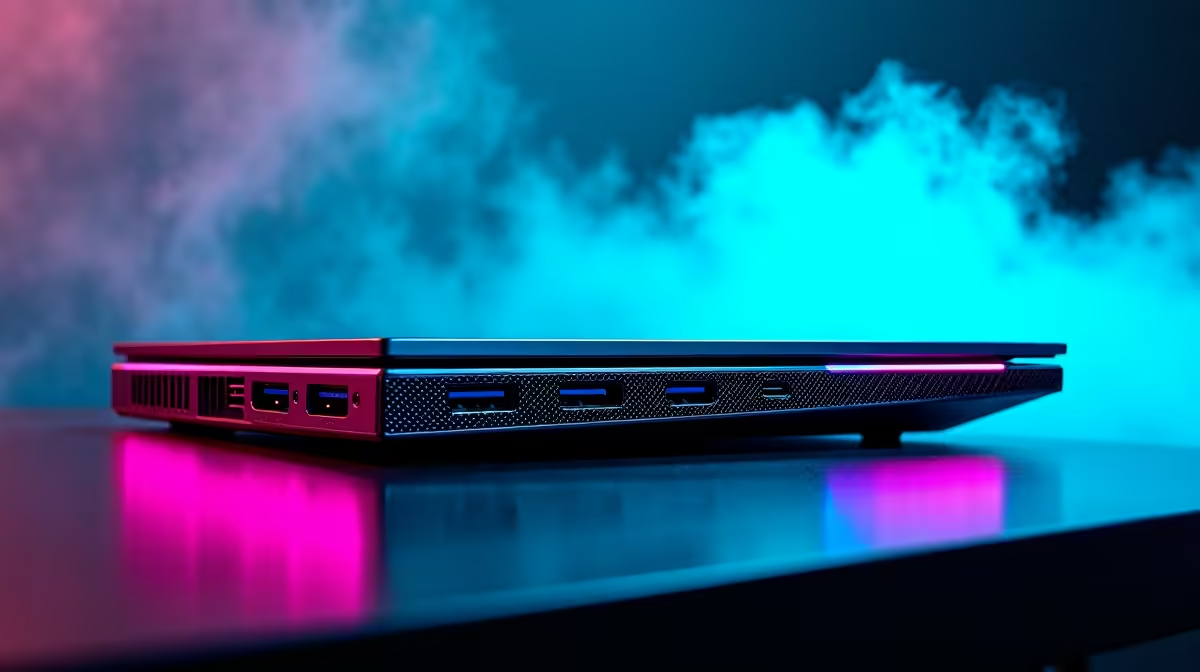
Tired of lugging around that monstrous, brick-like charger for your gaming laptop? Imagine powering up your rig with a sleek, universal USB-C cable, just like your phone! For South African gamers on the move, the dream of a single, versatile charger is tantalising. But before you ditch your old power brick, understanding how to charge a gaming laptop via USB-C, especially the crucial wattage, is key to keeping your frames high and your battery healthy. Let's dive in. ⚡
USB-C has revolutionised connectivity, offering high-speed data transfer, video output, and, most importantly for us, power delivery (PD). This means one port can do it all. For a gaming laptop, this convenience is a game-changer for portability, allowing you to potentially use a single charger for multiple devices. But there's a catch: not all USB-C chargers are created equal, especially when your machine demands serious juice for intense gaming sessions.
Finding the right external charger for your gaming setup can sometimes feel like a quest, but Evetech offers a wide selection, including options that won't break the bank, with various chargers available under R1000.
When you want to charge your gaming laptop via USB-C, wattage is the single most critical factor. Gaming laptops, with their powerful CPUs and GPUs, are incredibly power-hungry. A standard phone charger, typically 15-30W, simply won't cut it. Most gaming laptops require anywhere from 100W to 240W, sometimes even more, especially when under heavy load.
Connecting an underpowered USB-C charger will likely result in one of three scenarios:
Always refer to your gaming laptop's official specifications or the original charger's label to find its required wattage. This number is your guiding star when looking for a compatible USB-C PD charger. Don't guess!
For a comprehensive look at various power solutions, you can always explore the full range of PC component chargers on Evetech.
USB Power Delivery (USB-PD) is the technology that allows USB-C to deliver higher wattages. Modern USB-C PD 3.0 supports up to 100W, while the newer PD 3.1 standard pushes this to a staggering 240W. If your gaming laptop supports USB-C charging, it will likely specify the required PD wattage. Ensure your chosen USB-C charger matches or exceeds this wattage for optimal performance, especially when you're deep in an Elden Ring boss fight!
So, how do you find the perfect USB-C charger to power your gaming laptop?
Using an incorrect or low-quality charger can have serious consequences. Beyond performance issues, an incompatible charger can stress your laptop's battery, shorten its lifespan, or even damage internal components. Always opt for chargers with safety certifications and from reputable manufacturers. Brands like Promate, for example, offer a range of reliable Promate chargers that prioritise both performance and safety. ✨
The ability to charge your gaming laptop via USB-C is a fantastic step towards a more streamlined and portable gaming experience for South Africans. While it requires a bit of homework to ensure you're matching the wattage correctly, the convenience of a single, powerful charger is undeniable. Just remember: wattage is king. Equip yourself with the right knowledge and the right charger, and you'll be gaming on the go, unburdened by bulky power bricks. 🚀
Ready to Power Up Your Portable Gaming? Don't let a dead battery cut short your winning streak. Explore Evetech's extensive range of laptop chargers and power solutions to find the perfect high-wattage USB-C PD charger or traditional adapter for your gaming laptop today. Keep the power flowing and the frames high!
Yes. Many modern gaming laptops support USB-C Power Delivery, but you must match the charger’s wattage to the laptop’s requirement for reliable performance.
Typical gaming laptops need 65W to 230W. Check your laptop’s spec; high-performance models often require 100W or more via USB-C PD.
It may charge slowly or only maintain battery level. Low-watt chargers can cause throttling and reduced performance under load.
Choose chargers that advertise USB-C Power Delivery at the wattage your laptop requires and support PD PPS if your laptop lists it.
No. Use USB-C cables rated for high current (typically 5A) or cables that explicitly support power delivery to your laptop’s wattage.
Yes. Underpowered USB-C chargers can trigger thermal or CPU/GPU throttling. Use the correct wattage to maintain peak performance.
Some high-capacity power banks support 100W+ USB-C PD and can run laptops briefly, but runtime and performance vary by bank and laptop wattage.
Humidity Damage to PC Components: Recovery Guide. Everything you need to know with SA pricing, step-by-step instructions & expert recommendations.
Read more
Gamer Spending Trends April : Complete Setups. Clear setup instructions with SA-specific considerations, troubleshooting tips & recommended components.
Read more
Setting Up DDR5 32GB Kit. Tested & verified settings for best FPS and visual quality on SA hardware budgets.
Read more
Tech Setup Guide for SPU Res Students. Clear setup instructions with SA-specific considerations, troubleshooting tips & recommended components.
Read more
Monster Hunter Wilds Ultrawide Support: 21:9 and. Clear setup instructions with SA-specific considerations, troubleshooting tips & recommended components.
Read more
Apple iPad Durability Guide: Cases, Screen. Practical breakdown of costs, regulations & whether it makes financial sense for SA buyers.
Read more
AMD RX 9050 XT: Rumoured Specs, Price & Release. SA-focused analysis with local pricing data, real-world insights & actionable buying advice.

Can RTX 4080 Super Run AI Workloads for SA Developers Detailed answer with SA data, expert analysis & practical recommendations for local buyers.

Can RTX 4090 Run AI Workloads for SA Developers Detailed answer with SA data, expert analysis & practical recommendations for local buyers.

Top Settings for Intel Arc B580 at Ultrawide 1440p picks evaluated on performance, value & SA availability with current Rand pricing from Evetech.

RTX 4060 CS2 Low Settings at 1080p: FPS Results. Real-world benchmark data, FPS numbers & performance analysis. What SA gamers can actually expect.

Visual Artifacts: Possible GPU Issue Issue #1. Diagnosis steps, proven fixes & when to seek professional help. SA-specific support info included.

Can the RTX 4090 Handle 1440p 144Hz Gaming. Performance testing verdict with real data & practical recommendations for SA buyers.

Top ASUS GPU Under R15000 picks evaluated on performance, value & SA availability with current Rand pricing from Evetech.

GTA 6 Max Settings on RTX 5070. Tested & verified settings for best FPS and visual quality on SA hardware budgets.

Cyberpunk 2077 Max Settings on RTX 5080. Tested & verified settings for best FPS and visual quality on SA hardware budgets.

Starfield Max Settings on RTX 5070 Ti. Tested & verified settings for best FPS and visual quality on SA hardware budgets.

Top RTX 5090 Under R5000 picks evaluated on performance, value & SA availability with current Rand pricing from Evetech.