


Humidity Damage to PC Components: Recovery Guide
Humidity Damage to PC Components: Recovery Guide. Everything you need to know with SA pricing, step-by-step instructions & expert recommendations.
Read moreTransform your console into a dev machine! 💻 We explore the reality of coding on handheld gaming PC setups in 2025. Discover the best foldable keyboards, docks, and software tweaks to boost productivity on devices like the ROG Ally and Legion Go while traveling.
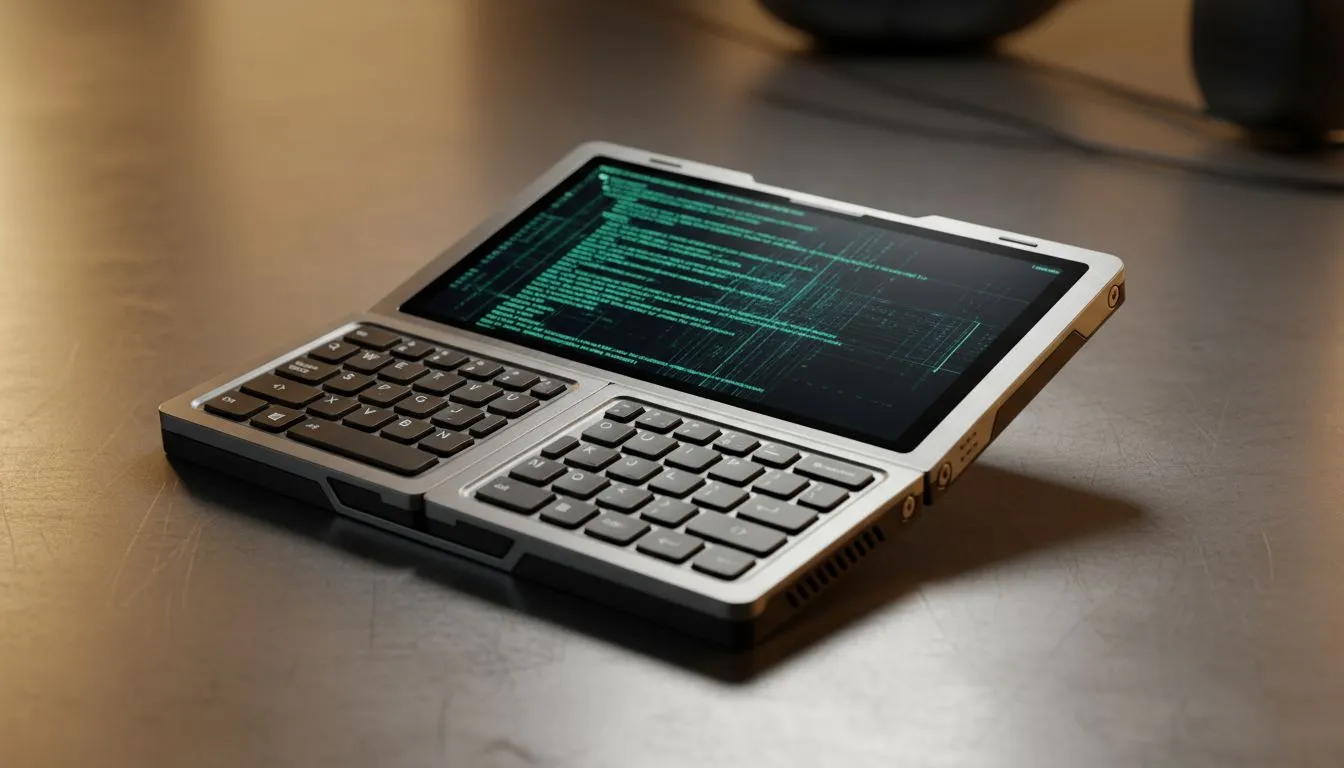
Imagine compiling code while waiting for your order at a crowded Mugg & Bean... or debugging a script during a Stage 4 blackout without lugging a heavy workstation around. It sounds wild, but coding on a handheld gaming PC is becoming a legitimate productivity hack in 2025. These devices aren't just for slaying dragons; they are pocket-sized powerhouses ready for VS Code.
Let’s be real... typing on a 7-inch screen sounds painful at first glance. But the secret isn't using the on-screen keyboard; it's the architecture. Unlike mobile tablets, modern handheld gaming consoles run full Windows 11.
This means you aren't limited to "mobile versions" of apps. You are running full x86 architecture. Node.js, Python, Docker containers, and Git work exactly as they do on your desktop. With a compact 60% mechanical keyboard and a portable mouse, you have a fully functional dev environment that fits in a small sling bag. 🚀
Not all handhelds are created equal when it comes to productivity. The screen size and processor architecture matter immensely when you're staring at lines of syntax.
If you need space for split-screen coding and documentation, the Lenovo Legion Go is a top contender. Its massive 8.8-inch display offers significantly more vertical space for code, and the detachable controllers reveal a hidden "FPS mode" that doubles as a vertical mouse—perfect for quick edits without carrying extra peripherals.
For those who prioritise a lightweight form factor that's easy to whip out on the Gautrain, the ASUS ROG Ally series remains a favourite. The Variable Refresh Rate (VRR) screen makes scrolling through thousands of lines of code incredibly smooth, reducing eye strain during those late-night crunch sessions.
While AMD dominates the space, some developers prefer Intel's architecture for specific compiler optimisations. The MSI Claw brings the Core Ultra processor to the palm of your hand, offering strong single-core performance which can speed up build times for certain languages.
To make this setup work, you need to tweak your environment. Since screen real estate is premium, you can't waste pixels on bulky UI elements.
coding on a small handheld screen, use Visual Studio Code's 'Zen Mode' (Shortcut: Ctrl+K Z). This removes all toolbars and sidebars, letting your code take up 100% of the display. Combine this with a slightly larger font size (14px-16px) to reduce eye strain while maintaining focus.
Is a handheld going to replace your triple-monitor desktop setup? No. But for the South African developer who needs to stay productive during travel or power outages, it is a surprisingly capable backup. It turns "downtime" into "uptime"—and you can still play Cyberpunk 2077 when the work is done. ✨
Ready to Code Anywhere? Whether you need raw power for compiling or a portable rig for gaming on the go, we have the hardware to match your lifestyle. Explore our range of handheld gaming PCs and take your productivity to the next level.
Yes. Devices like the ROG Ally run Windows 11, allowing you to install VS Code, Git, and compilers, creating a capable coding on handheld gaming PC environment.
For true mobility, a tri-fold Bluetooth keyboard with a trackpad is ideal. It balances portability with the tactile feedback needed for long typing sessions.
A 7-inch screen is tight for split-screen work but usable for single-window tasks. Many users utilize portable USB-C monitors or AR glasses to expand their workspace.
A compact USB-C hub is essential. It provides pass-through charging and ports for peripherals, turning your handheld into a stable desktop replacement anywhere.
Productivity tasks consume less power than gaming. You can expect 3-5 hours of battery life while text editing, depending on screen brightness and background processes.
The Lenovo Legion Go offers a larger 8.8-inch screen and a kickstand, making it the superior choice for visibility and ergonomics when working without an external monitor.
Humidity Damage to PC Components: Recovery Guide. Everything you need to know with SA pricing, step-by-step instructions & expert recommendations.
Read more
Gamer Spending Trends April : Complete Setups. Clear setup instructions with SA-specific considerations, troubleshooting tips & recommended components.
Read more
Setting Up DDR5 32GB Kit. Tested & verified settings for best FPS and visual quality on SA hardware budgets.
Read more
Tech Setup Guide for SPU Res Students. Clear setup instructions with SA-specific considerations, troubleshooting tips & recommended components.
Read more
Monster Hunter Wilds Ultrawide Support: 21:9 and. Clear setup instructions with SA-specific considerations, troubleshooting tips & recommended components.
Read more
Apple iPad Durability Guide: Cases, Screen. Practical breakdown of costs, regulations & whether it makes financial sense for SA buyers.
Read more
AMD RX 9050 XT: Rumoured Specs, Price & Release. SA-focused analysis with local pricing data, real-world insights & actionable buying advice.

Can RTX 4080 Super Run AI Workloads for SA Developers Detailed answer with SA data, expert analysis & practical recommendations for local buyers.

Can RTX 4090 Run AI Workloads for SA Developers Detailed answer with SA data, expert analysis & practical recommendations for local buyers.

Top Settings for Intel Arc B580 at Ultrawide 1440p picks evaluated on performance, value & SA availability with current Rand pricing from Evetech.

RTX 4060 CS2 Low Settings at 1080p: FPS Results. Real-world benchmark data, FPS numbers & performance analysis. What SA gamers can actually expect.

Visual Artifacts: Possible GPU Issue Issue #1. Diagnosis steps, proven fixes & when to seek professional help. SA-specific support info included.

Can the RTX 4090 Handle 1440p 144Hz Gaming. Performance testing verdict with real data & practical recommendations for SA buyers.

Top ASUS GPU Under R15000 picks evaluated on performance, value & SA availability with current Rand pricing from Evetech.

GTA 6 Max Settings on RTX 5070. Tested & verified settings for best FPS and visual quality on SA hardware budgets.

Cyberpunk 2077 Max Settings on RTX 5080. Tested & verified settings for best FPS and visual quality on SA hardware budgets.

Starfield Max Settings on RTX 5070 Ti. Tested & verified settings for best FPS and visual quality on SA hardware budgets.

Top RTX 5090 Under R5000 picks evaluated on performance, value & SA availability with current Rand pricing from Evetech.