

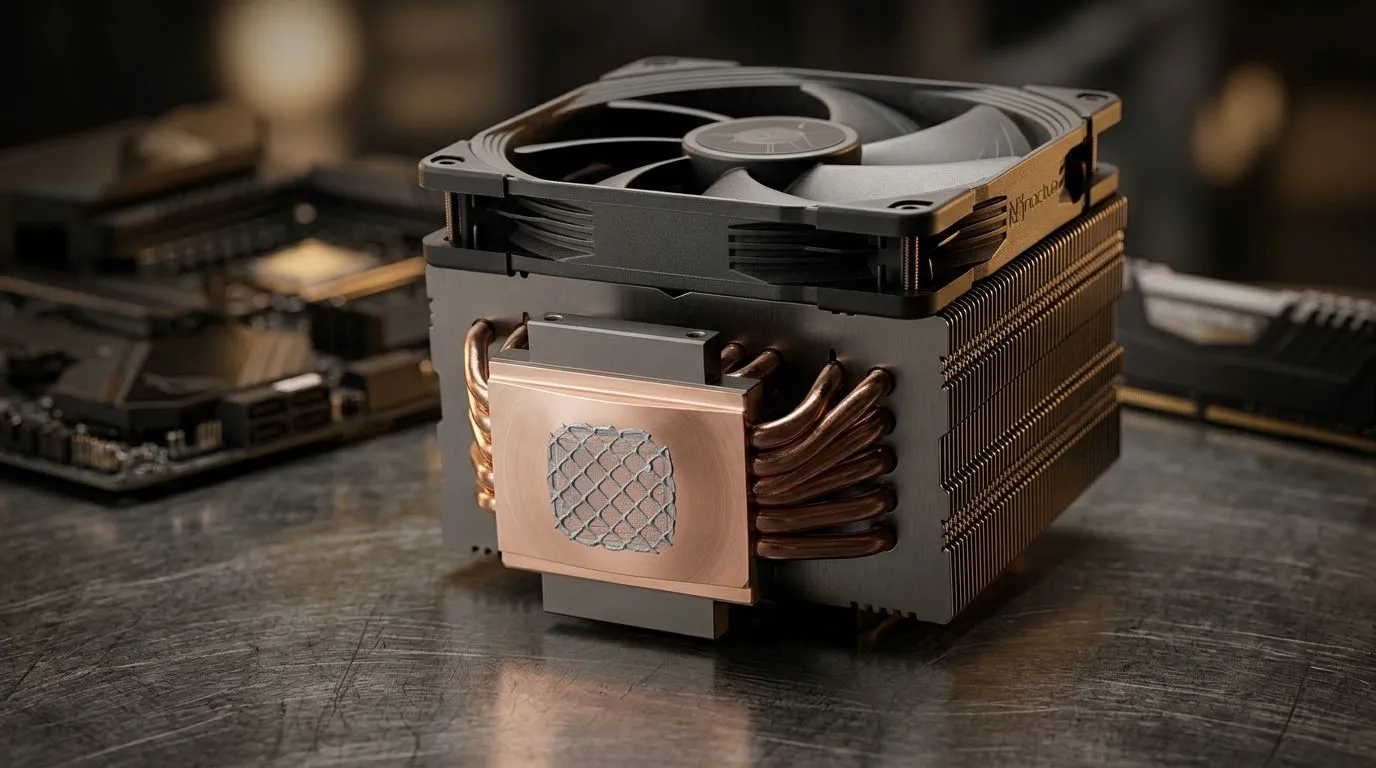
Convex Cold Plates With Thermal Paste for Better CPU Cooling: Why South African PC Builders Care
If your CPU temps creep up during Warzone raids, Cyberpunk sessions, or a long CS2 grind, it usually isn’t “bad luck”. It’s often contact. Convex cold plates, paired with the right thermal paste application, can help improve heat transfer between your CPU’s heat spreader and the cooler.
In this Deep Dive, we’ll break down what convex cold plates actually do, why thermal paste matters, and how to avoid the most common install mistakes… so you get cooler gaming and quieter fans. 🔧⚡
Convex Cold Plates With Thermal Paste for Better CPU Cooling: What’s the Difference?
A convex cold plate is slightly “bulged” rather than perfectly flat. Depending on your CPU’s heat spreader (the metal top under the cooler), that curvature can change how pressure distributes across the paste layer.
In practical terms:
- Thermal paste is meant to fill microscopic surface gaps.
- Better contact usually means lower thermal resistance.
- Lower thermal resistance means your CPU runs closer to its ideal temperature under load.
If you’re trying to tune a build for better sustained performance, the cooler’s design plus correct paste application can matter as much as “brand hype”.
For cooler compatibility, it helps to start by choosing the right cooler type. If you’re browsing options, Evetech keeps a deep selection here:
Convex Cold Plates With Thermal Paste for Better CPU Cooling: Choosing the Right Cooler Type
Many gamers in South Africa choose air cooling because it’s straightforward and reliable. Others go liquid (AIO) because it’s often great for noise and thermals in performance builds.
If you’re leaning liquid, start with the right category:
And if you’ve got a brand preference, you’ll want to filter early to avoid wasted clicks:
Brands like Deepcool are also popular with value-focused builders who want solid performance without going overboard:
Size matters: 240mm vs 360mm radiators
AIO radiator size affects airflow headroom. More surface area can help keep temperatures lower at lower fan speeds. If you’re comparing configurations:
The paste is the “gap filler”
Even with a convex plate, thermal paste still needs to be applied correctly. Too little and you get dry spots. Too much and you can create a thick layer that doesn’t transfer heat efficiently.
So the goal isn’t “more paste”. The goal is a thin, even spread.
Convex Cold Plates With Thermal Paste for Better CPU Cooling: Installation Steps That Actually Work
Here’s a real-world, South African-typical checklist for a stable, cool-running CPU. ⚙️✨
Before you mount anything
- Clean the old paste properly (especially if you’re reusing a cooler).
- Use isopropyl alcohol and a lint-free wipe.
- Don’t touch the cleaned surface with bare fingers after.
Applying thermal paste with convex plates
For convex cold plates, many builders use a “small pea” or a tight dot in the centre. The logic is simple: mount pressure spreads the paste outward.
Avoid these mistakes:
- Spreading paste with a finger before mounting… that often adds uneven thickness.
- Over-torquing the mounting screws. Follow the cooler’s instructions and tighten gradually in a cross pattern.
Mounting pressure: the part most people rush
Install evenly. If one side tightens more than the other, the paste layer thickness can vary across the contact area. That can raise temps under load.
Productivity Pro Tip 🔧
On your next cooler install, take 30 seconds to plan your cable routing before mounting the radiator or air cooler. When cables tug the block or cover the fan headers, you end up re-opening the case later… which means re-cleaning and re-applying paste. Keep your airflow path clean and your install one-and-done.
Watch the temps, not the myths
After installation, monitor temps during your usual gaming load.
- If temps improve after the first few minutes but stabilise too high, paste or mounting contact is often the culprit.
- If temps spike immediately, you may have insufficient contact, uneven mounting, or the wrong cooler position.
Convex Cold Plates With Thermal Paste for Better CPU Cooling: Common Cooling Myths (And What to Do Instead)
Let’s clear up the usual confusion.
“Convex means it’s always worse”
Not necessarily. Convex contact can match better with how some heat spreaders sit, depending on the CPU and cooler mounting pressure. The key is correct paste thickness and even pressure.
“More thermal paste is safer”
More paste can actually be worse. A thicker paste layer can raise thermal resistance. The “correct” amount is the amount that creates a thin, uniform film after mounting.
“Air bubbles mean you’re doomed”
Modern pastes are formulated to spread under pressure. Still, rushing the install can lead to uneven paste thickness. Slow down, mount evenly, and check fan operation.
Convex Cold Plates With Thermal Paste for Better CPU Cooling: When Upgrading Helps Most
You don’t always need a full rebuild. Sometimes the simplest move is upgrading your cooler to match your CPU’s heat output and your case airflow.
If you’re gaming at higher settings or running longer sessions, your CPU cooler needs to sustain performance, not just win a quick benchmark.
Start by picking:
- Air vs AIO based on your noise tolerance and case space
- Radiator size (240mm vs 360mm) for sustained cooling headroom
- A cooler that fits your motherboard and CPU socket
Then do a careful paste application with even mounting pressure.
Ready to Find Your Perfect Match? Whether you’re building a Ryzen or Intel gaming rig, getting CPU cooling right can change your whole experience. Explore our massive range of CPU coolers and choose the setup that fits your case, your temps, and your budget in South Africa.











