


AIO Liquid 240mm Setup and Configuration: Complete Tutorial
AIO Liquid 240mm Setup and Configuration. Clear setup instructions with SA-specific considerations, troubleshooting tips & recommended components.
Read moreCore Ultra 7 265K Temperature Guide: Normal Range. Complete product range with SA pricing, key specs & recommendations for different budgets.
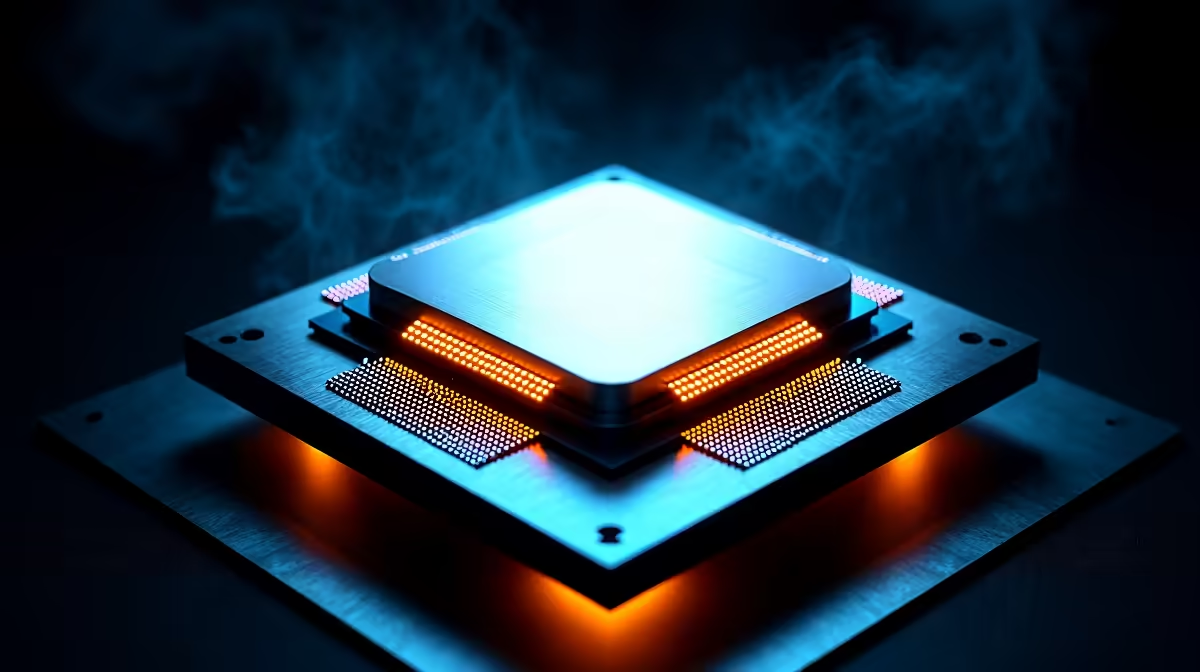
South African summers are notoriously brutal on PC hardware. When the ambient room temperature pushes past 30 degrees, keeping your rig chilled becomes a real challenge. If you recently upgraded to Intel's latest powerhouse, you might be wondering if your thermal readings are safe. Welcome to our Core Ultra 7 265K temperature guide. We will help you understand normal ranges and share proven cooling tips.
Intel designed the Core Ultra series to push performance boundaries. At idle, you should see temperatures sitting between 35 and 45 degrees Celsius. Under a heavy gaming load or rendering task, those numbers will naturally spike.
To keep an eye on these metrics, download reliable monitoring software. Programs like HWMonitor or Core Temp are free and incredibly accurate. Checking these stats regularly helps you spot cooling issues early.
Hitting 75 to 85 degrees is perfectly normal for this silicon. It is only when you constantly hover above 95 degrees that thermal throttling occurs. This slows down your system to prevent long-term damage. If you are shopping for the latest Intel processors, knowing these thermal limits ensures you get the maximum lifespan out of your investment.
Our local climate plays a massive role in hardware thermals. A PC running in a stiflingly hot room in Pretoria will naturally run hotter than one in an air-conditioned office.
Unlike mobile setups where thermal limits are tightly controlled... such as those found in modern high-performance laptops... desktop CPUs have much more thermal headroom. However, you still need to actively manage your airflow. Letting heat build up inside your chassis will degrade performance over time.
Additionally, frequent load shedding can disrupt your cooling. When the power drops unexpectedly, residual heat stays trapped inside the case.
You do not need to spend thousands of ZAR to keep your system cool. Sometimes, small adjustments make the biggest difference for your Core Ultra 7 265K temperatures.
The stock cooler simply will not cut it for high-end chips. Upgrading to a premium liquid AIO or a massive dual-tower air cooler is essential. Browse through reliable CPU cooling solutions to find a unit rated for the Ultra 7's massive power draw. Proper thermal paste application is just as crucial. A pea-sized drop in the centre of the chip is usually all you need.
Always ensure your PC case has a positive air pressure setup. Having more intake fans than exhaust fans prevents dust buildup and feeds your components a steady stream of cool air.
If tweaking fan curves and applying thermal paste sounds daunting, let the experts handle it. Our technicians optimise airflow and cable management perfectly in all our custom gaming PC deals.
Every system is stress-tested to ensure temperatures stay well within the safe zone. If you need something ready to plug and play right now, exploring assembled pre-built PC deals guarantees you get a rig that runs cool right out of the box.
Ready to Keep Your System Frosty? Thermal throttling shouldn't ruin your gaming sessions. For maximum power, choice, and value in South Africa, Evetech is hard to beat. Explore our massive range of PC upgrades and find the perfect hardware to conquer the heat.
Core Ultra 7 265K Temperature Guide: Nor available at Evetech.co.za with local warranty and fast delivery.
Core Ultra 7 265K Temperature Guide: Nor - check Evetech for latest stock and SA pricing.
Depends on your use case. Core Ultra 7 265K Temperature offers good value at current Rand pricing.
AIO Liquid 240mm Setup and Configuration. Clear setup instructions with SA-specific considerations, troubleshooting tips & recommended components.
Read more
Setting Up DDR5 64GB Kit. Tested & verified settings for best FPS and visual quality on SA hardware budgets.
Read more
Overwatch 2 Setup Guide Gamers. Clear setup instructions with SA-specific considerations, troubleshooting tips & recommended components.
Read more
R and RStudio on Mac: Data Science Setup Guide. Clear setup instructions with SA-specific considerations, troubleshooting tips & recommended components.
Read more
NVIDIA Broadcast Setup with GPU: Streamer Guide. Clear setup instructions with SA-specific considerations, troubleshooting tips & recommended components.
Read more
OBS Studio on Mac: Streaming and Recording Setup. Clear setup instructions with SA-specific considerations, troubleshooting tips & recommended components.
Read more
AMD RX 9050 XT: Rumoured Specs, Price & Release. SA-focused analysis with local pricing data, real-world insights & actionable buying advice.

Can RTX 4080 Super Run AI Workloads for SA Developers Detailed answer with SA data, expert analysis & practical recommendations for local buyers.

Can RTX 4090 Run AI Workloads for SA Developers Detailed answer with SA data, expert analysis & practical recommendations for local buyers.

Top Settings for Intel Arc B580 at Ultrawide 1440p picks evaluated on performance, value & SA availability with current Rand pricing from Evetech.

RTX 4060 CS2 Low Settings at 1080p: FPS Results. Real-world benchmark data, FPS numbers & performance analysis. What SA gamers can actually expect.

Visual Artifacts: Possible GPU Issue Issue #1. Diagnosis steps, proven fixes & when to seek professional help. SA-specific support info included.

Can the RTX 4090 Handle 1440p 144Hz Gaming. Performance testing verdict with real data & practical recommendations for SA buyers.

Top ASUS GPU Under R15000 picks evaluated on performance, value & SA availability with current Rand pricing from Evetech.

GTA 6 Max Settings on RTX 5070. Tested & verified settings for best FPS and visual quality on SA hardware budgets.

Cyberpunk 2077 Max Settings on RTX 5080. Tested & verified settings for best FPS and visual quality on SA hardware budgets.

Starfield Max Settings on RTX 5070 Ti. Tested & verified settings for best FPS and visual quality on SA hardware budgets.

Top RTX 5090 Under R5000 picks evaluated on performance, value & SA availability with current Rand pricing from Evetech.