


GPU Setup Guide for SA Gamers
GPU Setup Guide Gamers. Clear setup instructions with SA-specific considerations, troubleshooting tips & recommended components.
Read moreCPU cooler compatibility — • Audit socket differences • Explain mounting parts • Help pick compatible coolers. Understand Intel and AMD mounting standards to avoid fit issues and boost cooling performance. 🔧🖥️
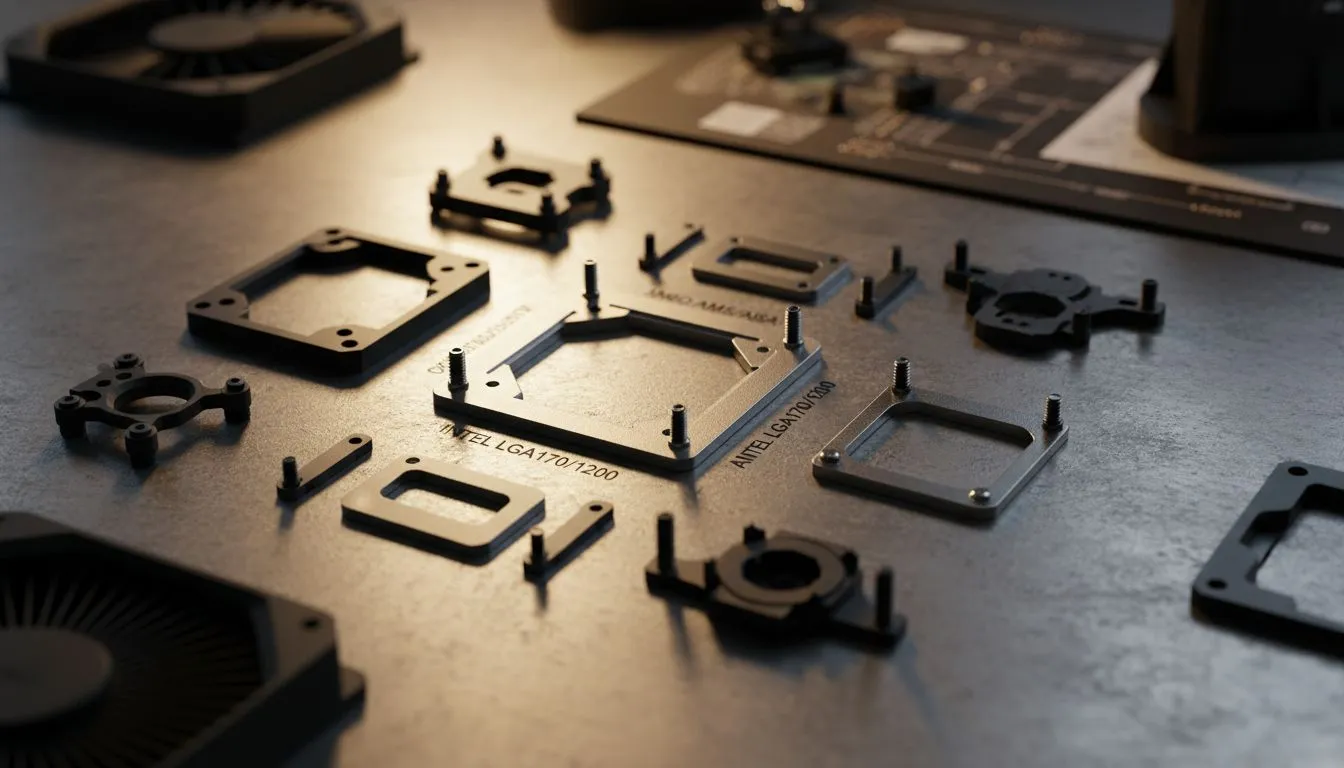
Building a custom PC in South Africa is an exciting journey. You have picked your processor and a sleek motherboard. Now, you need to keep things cool. Nothing stalls a build faster than realizing your bracket does not fit. Understanding CPU Cooler Compatibility: Intel vs AMD Mounting Standards Explained is the first step to a successful assembly. It ensures your hardware stays safe and performs at its peak.
When you browse our comprehensive range of CPU coolers, you will notice various socket types listed. These sockets are the physical interfaces on your motherboard. Intel and AMD use different designs... which means they require specific mounting hardware to secure the heatsink. 🔧
Intel uses a Land Grid Array (LGA) system. The pins are on the motherboard... not the processor. This design requires a specific backplate that sits behind the motherboard. For modern gamers, the LGA 1700 socket is the current standard for 12th, 13th, and 14th Gen chips.
If you are looking for a reliable Air Cooler for an Intel build, check the box for LGA 1700 support. Older coolers might need a separate bracket kit to fit the newer hole spacing. Intel mounting usually involves four standoffs and a top-down pressure plate. It is a precise system that ensures even contact across the Integrated Heat Spreader (IHS).
Always tighten your cooler screws in a cross pattern. Turn each screw a few times then move to the opposite corner. This ensures the thermal paste spreads evenly. It also prevents putting too much stress on one side of the CPU socket... which could lead to boot issues or memory errors.
AMD historically used a Pin Grid Array (PGA) for AM4. However, with the AM5 platform, they switched to LGA. The good news for South African builders is that many AM4 coolers work perfectly on AM5. This is because AMD kept the hole spacing consistent for many designs. 🚀
Many 120mm fan air coolers use the plastic clips found on AMD motherboards. These clips make installation fast. Other high-end coolers require you to remove the plastic brackets and use the stock metal backplate. Always keep your original motherboard parts... you might need them later if you upgrade your cooling solution.
Most modern manufacturers include "universal" mounting kits. These kits come with different sets of screws and spacers for both brands. For example, Deepcool air cooling solutions often include clearly labelled bags for Intel and AMD. This takes the guesswork out of the process.
If you are on a budget, EINAREX air coolers offer great value while maintaining wide compatibility. Always verify the TDP (Thermal Design Power) of your CPU before buying. A cooler might fit the socket... but it must also be able to dissipate the heat your specific processor generates. ⚡
Before you hit the checkout button, double-check these three things. First, confirm the socket type (e.g., AM5 or LGA 1700). Second, check the RAM clearance... some large coolers overhang the memory slots. Finally, ensure your chassis has enough "CPU Cooler Height" clearance. Most mid-tower cases in SA support up to 160mm.
Getting the mounting right ensures your ZAR investment lasts for years. Proper contact leads to lower temperatures and higher frame rates. ✨
Ready to Find Your Perfect Match? Understanding mounting standards is the key to a quiet and powerful PC. Whether you are team Blue or team Red, we have the thermal solution for you. Explore our massive range of CPU coolers and find the perfect match to keep your rig running cool under pressure.
CPU cooler compatibility means matching cooler brackets, backplates, and hole spacing to socket mounting standards so the cooler fits and cools correctly.
Not always. Intel and AMD can use different hole patterns; check your socket type and manufacturer specs for socket mounting compatibility.
Sometimes. Many coolers work across sockets with the correct bracket or adapter—verify backplate compatibility and mounting kit availability first.
Check the cooler spec sheet and manufacturer compatibility list, measure hole spacing, or follow 'how to check cpu cooler compatibility' guides for your socket.
A mounting bracket secures the cooler and ensures even pressure. The right bracket prevents damage and ensures thermal contact per cooler bracket compatibility guide.
Yes — many universal cooler mounting kits adapt older coolers to newer sockets, but confirm compatibility and build quality before use.
Yes. Incorrect mounting or incompatible backplates can reduce contact and pressure, harming thermal transfer and overall cooling performance.
GPU Setup Guide Gamers. Clear setup instructions with SA-specific considerations, troubleshooting tips & recommended components.
Read more
When Will the RTX 6090 Launch in South Africa Detailed answer with SA data, expert analysis & practical recommendations for local buyers.

Top Valorant Settings for RTX 5070: FPS Optimisation picks evaluated on performance, value & SA availability with current Rand pricing from Evetech.

RDNA 3.5 Graphics in Ryzen AI 400? Can You Game. Plain-English explanation of what it means, why it matters & how it affects your buying decisions in SA.

GPU Price Index : December Report. Current stock data & price tracking for SA buyers. See what is available and where prices are heading.

Core i5-14600K + B760 + RTX 5060 Build Under. Full parts list, Rand pricing & expected performance. Build confidently with SA-available components.

RX 7600 Apex Legends at 4K: FPS Benchmark. Real-world benchmark data, FPS numbers & performance analysis. What SA gamers can actually expect.

RX 7900 XTX GTA 6 at 4K: FPS Benchmark & Optimal. Real-world benchmark data, FPS numbers & performance analysis. What SA gamers can actually expect.

Head-to-head comparison of RTX 5070 vs RX 9070 XT: Gaming Performance for SA gamers. Performance benchmarks, Rand pricing & which delivers better value.

Top Laptop with Ryzen 5 + RTX 4090 Laptop: Picks picks evaluated on performance, value & SA availability with current Rand pricing from Evetech.

Top Budget GPU for Marvel Rivals picks evaluated on performance, value & SA availability with current Rand pricing from Evetech.

Valorant Settings on RTX 5070: Performance. Real-world benchmark data, FPS numbers & performance analysis. What SA gamers can actually expect.

Top Budget GPU for Assassins Creed Shadows picks evaluated on performance, value & SA availability with current Rand pricing from Evetech.