


RTX 4060 Ti Throttling Under Load: SA Temperature Guide
RTX 4060 Ti Throttling Under Load: Temperature. Everything you need to know with SA pricing, step-by-step instructions & expert recommendations.
Read moreCPU overheating with a 120mm liquid cooler still happening? Here are the most common causes, quick checks, and fixes to reduce temps fast and keep gaming stable. 🔧🔥
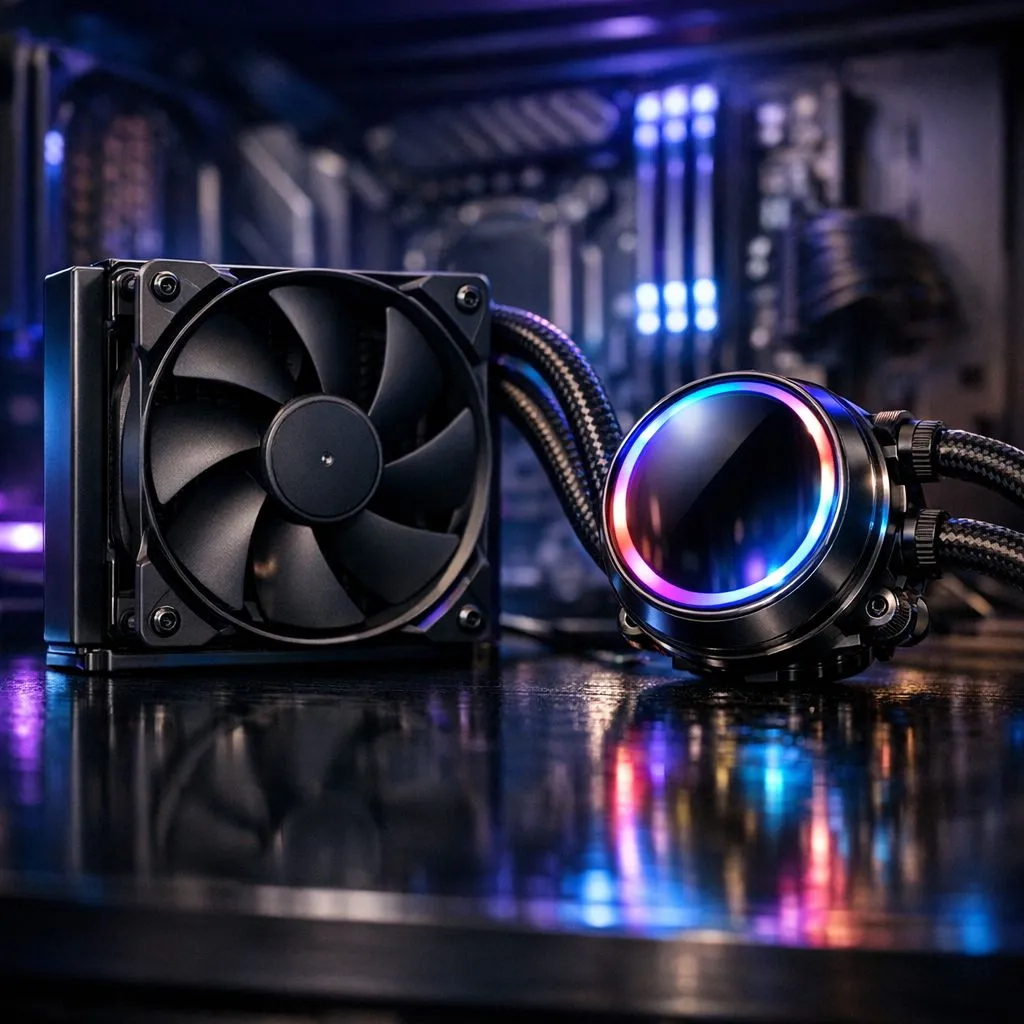
CPU Overheating With a 120mm Liquid Cooler: Fix It Fast — sounds dramatic, but it’s fixable. South African gamers who picked a compact AIO often hit high temps during long sessions. Before you panic, check mounting, pump speed and airflow. Small radiators need tidy airflow and good fans to move heat off the block quickly. 🔧
Start with the basics: is the pump running and is the radiator clean? If the pump RPM is low or the loop has a tiny air pocket, temperatures spike. Also inspect case intake and exhaust for clogged filters or reversed fans. Swap filters or reorient fans to create a straight airflow path. For easy fan replacements and comparisons, browse Evetech’s case fans to find higher static-pressure options suitable for AIO rads.
A 120mm radiator survives only if matched with a strong fan. Consider premium models from trusted makers; Evetech’s Corsair selection includes quiet, high-static options that push air through dense fins. If space allows, test purpose-built 120mm high-static fans first. You can also search the store specifically for 120mm fans to compare airflow, noise and RPM figures.
Some builders lean towards Deepcool kits for solid value and reliable pumps; others prioritise silence or looks. If RGB matters, filter for models with lighting effects — see the range filtered by RGB. If you want pure thermal performance, pick options with no lighting to save cost and reduce controller overhead. ✨
Replace old thermal paste, retorque the mounting screws in a cross pattern, and run the pump at full speed for a controlled stress test. Inspect cable routing so nothing blocks airflow across the radiator. If you’re still hot under load, a larger radiator helps; consider a 140mm solution or cases that support bigger rads. Browse compatible 140mm fans and cases before committing. 🚀
If basic fixes don’t help, it’s time to decide whether to replace the AIO. Persistent high temps with a verified pump and clean rad suggest the radiator is undersized or the pump is failing. Upgrade to a larger AIO or switch to an air cooler for simpler maintenance. Sellers at Evetech can advise on compatibility; bring case and motherboard details if you shop or use chat for recommendations.
Replace thermal paste with a high-quality compound, tighten mounting screws evenly, and test pump and fan speeds in BIOS or your motherboard utility. If temperatures fall, keep the configuration; if not, upgrade to a larger radiator.
Ready to Find Your Perfect Match? The Mac vs Windows debate is complex, but for maximum power, choice, and value in South Africa, Windows is hard to beat. Explore our massive range of laptop specials and find the perfect machine to conquer your world.
Common causes include poor cooler mounting pressure, incorrect thermal paste application, weak pump or fan settings in BIOS, or blocked radiator airflow.
Verify the pump is powered and recognized, confirm radiator fans spin, check BIOS fan curves, and confirm the CPU cooler mount is tight and level.
If temps spike soon after install, remove and reapply paste with the right method and clean both surfaces thoroughly before reinstalling the cooler.
Both can work, but airflow direction must match your case pressure setup. Ensure unobstructed intake or exhaust and keep radiator fans unobstructed.
Incorrect pump speed control, overly aggressive fan curves, or disabling CPU fan control can limit cooling performance. Set pump to a suitable constant or curve.
Yes. Higher-watt CPUs and heavy workloads can exceed a 120mm AIO’s capacity, so you may need better airflow, tuning, or a larger radiator.
Idle overheating often points to mounting issues, pump not running, wrong headers, or a BIOS fan/pump configuration problem rather than workload.
You may see sudden performance drops, lower boost clocks during load, and frequent temperature spikes near your thermal limit.
RTX 4060 Ti Throttling Under Load: Temperature. Everything you need to know with SA pricing, step-by-step instructions & expert recommendations.
Read more
Apex Legends Max Settings on RTX 4080. Tested & verified settings for best FPS and visual quality on SA hardware budgets.
Read more
GPU Buying Guide. Everything you need to know with SA pricing, step-by-step instructions & expert recommendations.
Read more
GPU Terms Guide. Everything you need to know with SA pricing, step-by-step instructions & expert recommendations.
Read more
AMD Adrenalin Download & Setup Guide: GPU. Clear setup instructions with SA-specific considerations, troubleshooting tips & recommended components.
Read more
Back-to-School GPU Buying Guide. Everything you need to know with SA pricing, step-by-step instructions & expert recommendations.
Read more
Can RTX 4080 Super Run AI Workloads for SA Developers Detailed answer with SA data, expert analysis & practical recommendations for local buyers.

Can RTX 4090 Run AI Workloads for SA Developers Detailed answer with SA data, expert analysis & practical recommendations for local buyers.

Top Settings for Intel Arc B580 at Ultrawide 1440p picks evaluated on performance, value & SA availability with current Rand pricing from Evetech.

RX 7600 Overclocking Guide: Safe OC Settings for. Real-world benchmark data, FPS numbers & performance analysis. What SA gamers can actually expect.

RTX 4060 CS2 Low Settings at 1080p: FPS Results. Real-world benchmark data, FPS numbers & performance analysis. What SA gamers can actually expect.

Visual Artifacts: Possible GPU Issue Issue #1. Diagnosis steps, proven fixes & when to seek professional help. SA-specific support info included.

Can the RTX 4090 Handle 1440p 144Hz Gaming. Performance testing verdict with real data & practical recommendations for SA buyers.

Top ASUS GPU Under R15000 picks evaluated on performance, value & SA availability with current Rand pricing from Evetech.
RTX 4060 Ti Throttling Under Load: Temperature. Everything you need to know with SA pricing, step-by-step instructions & expert recommendations.
Apex Legends Max Settings on RTX 4080. Tested & verified settings for best FPS and visual quality on SA hardware budgets.
GPU Buying Guide. Everything you need to know with SA pricing, step-by-step instructions & expert recommendations.
GPU Terms Guide. Everything you need to know with SA pricing, step-by-step instructions & expert recommendations.