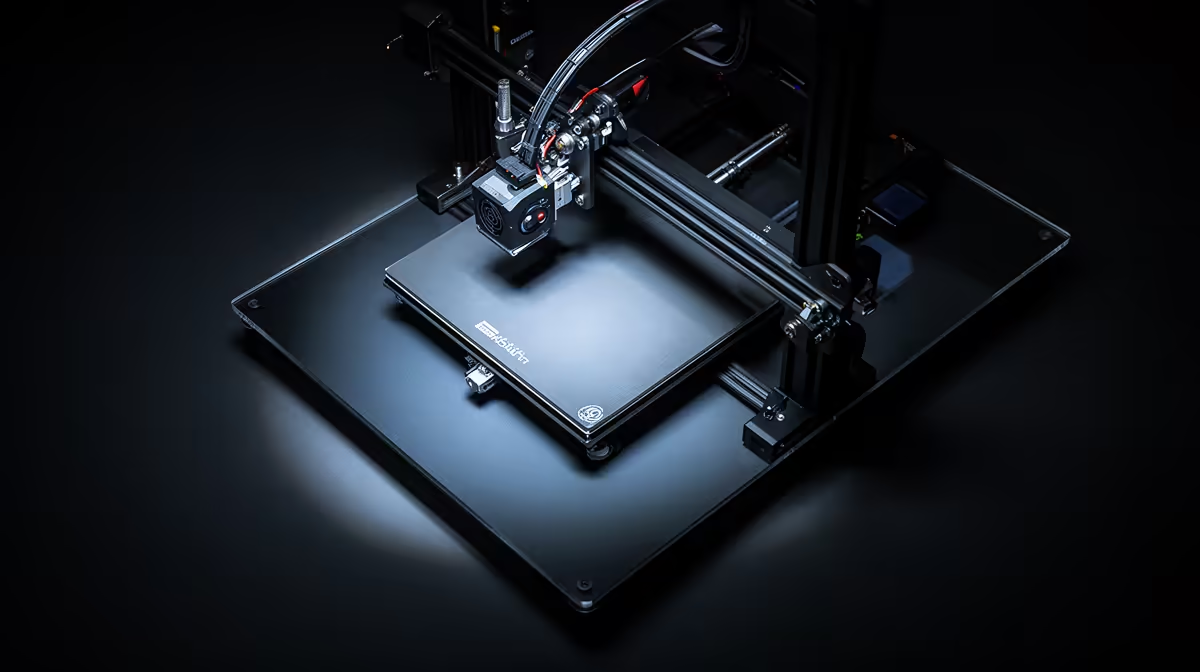
Spend R5,499 on your first printer and the choice usually narrows to two names that dominate South African shelves: Creality and Anycubic. The Creality vs Anycubic budget FDM question is really a question about how much fiddling you want to do before your first clean print, because both brands sit comfortably under R6,000 yet take noticeably different approaches to getting you there.
Quick Answer
For a first printer under R6,000, the Creality Ender-3 V3 SE at around R5,499 is the easier starting point thanks to its direct-drive extruder and CR Touch automatic bed levelling. An Anycubic Kobra-class machine in the same band matches it on price and often edges ahead on out-of-box speed, so the pick comes down to whether you value hands-off setup or faster default prints.
What "budget FDM" actually buys you in 2026
FDM (fused deposition modelling) printers melt a plastic filament and lay it down layer by layer. At the sub-R6k tier you are getting a single-extruder, open-frame machine with a heated bed of roughly 220 x 220 mm and a sensible top speed. The difference between brands at this price is rarely the headline spec. It is the small quality-of-life features that decide whether your first week is rewarding or maddening.
You will find both ranges, plus filament and spares, in the dedicated 3D printer section at Evetech, which makes it easy to compare current stock side by side rather than guessing from spec sheets alone.
Auto-levelling: the feature that saves your sanity
Bed levelling is the single biggest cause of failed first prints. A nozzle too far from the bed lays filament that will not stick; too close and it scrapes. The Ender-3 V3 SE uses a CR Touch probe that maps the bed surface and compensates automatically, so you skip the paper-shimming ritual that older budget machines demanded. Anycubic's Kobra line uses its own auto-levelling system that works on the same principle. Both remove the worst beginner frustration, but the Creality implementation is widely regarded as the most forgiving for someone who has never touched a printer.
Extruder type: direct drive versus the older approach
The Ender-3 V3 SE ships with a direct-drive extruder, meaning the motor that pushes filament sits right above the nozzle. That gives you better control over flexible filaments like TPU and crisper retraction, which reduces stringing. Some Kobra-class machines also run direct drive, so check the exact model before you buy, because this is the spec that most affects print quality on a budget rig.
Print quality and speed compared
Out of the box, an Anycubic Kobra-class printer often runs a higher default speed profile, so your first benchmark prints finish faster. Creality counters with very consistent layer adhesion and a tuned slicer profile that produces clean results without you touching a single setting. In practice both will produce a presentable Benchy and usable functional parts. The honest summary is that neither brand wins outright on quality at this price. You are choosing between Creality's gentler learning curve and Anycubic's slightly quicker default throughput.
Noise, footprint and the SA practical bits
Both machines are open-frame, so expect some fan and stepper-motor noise. Neither is loud enough to be a problem in a bedroom or home office. Power draw is modest, which matters when you are running multi-hour prints. Filament is the recurring cost, and standard 1.75 mm PLA is widely stocked locally, so you will not be hunting for exotic supplies.
Build volume, ecosystem and upgrade path
At this price the build area is similar across both brands, roughly 220 x 220 mm in the base, which is plenty for figurines, brackets, phone stands and most beginner projects. You only feel the limit when you start printing large single-piece models, and by then you will know whether printing has become a serious hobby.
The bigger long-term consideration is the ecosystem. Creality is the most widely used brand among hobbyists, so when something goes wrong a quick search usually turns up a fix, a profile, or a printable upgrade part. That community depth is genuinely valuable for a beginner who will hit the odd snag. Anycubic has a strong following too, just a slightly smaller one for this class of printer.
Both machines accept a steady stream of upgrades: better bed surfaces, silent mainboards, all-metal hotends and improved cooling ducts. You do not need any of these to get started, but it is reassuring to know your first printer can grow with you rather than becoming a dead end after a few months.
Your first week with either printer
Expect a short learning curve regardless of brand. The auto-levelling does the hard part, but you will still learn to season the bed for adhesion, dial in your first-layer height, and recognise when a print is failing early enough to cancel it. None of this is difficult, and both printers ship with a sample model so you get a win on day one.
The realistic path for a beginner is the same on either machine: assemble it, run the auto-level, print the supplied test model, then move on to free models from the big print-sharing sites. Within a week you will be producing useful parts and starting to understand which settings matter. The printer that gets you there with the least frustration is the one worth buying, and for most first-timers that is the more hands-off Creality.
Which one is right for you
Pick the Creality Ender-3 V3 SE if this is your very first printer and you want the shortest path from box to first successful print. Its auto-levelling and direct-drive combination is the most beginner-proof setup at R5,499. Choose an Anycubic Kobra-class machine if you have watched a few build videos, want faster default print times, and are comfortable doing minor tuning to get the best out of it.
If you plan to print regularly, budget for spare nozzles, a glass or PEI bed surface and a roll or two of quality filament from the start. Those small extras have a bigger effect on day-to-day results than the badge on the frame. A quick look through the accessories best-seller list is a useful way to size up what other builders are adding to their kit.
Frequently Asked Questions
Is the Creality Ender-3 V3 SE good for a complete beginner?
Yes. The CR Touch auto-levelling and direct-drive extruder remove the two most common beginner failure points, so most users get a clean print within the first session. It is one of the most forgiving FDM printers in the sub-R6k band.
Can I print TPU and other flexible filaments on these?
A direct-drive machine like the Ender-3 V3 SE handles TPU better because the motor sits close to the nozzle, reducing the slack that causes jams. Confirm the Anycubic model you are eyeing is also direct drive if flexibles matter to you.
Which prints faster out of the box?
Anycubic Kobra-class printers usually ship with a more aggressive default speed profile, so first prints finish quicker. Creality can match those speeds after a profile tweak, but its stock settings favour reliability over raw pace.
What ongoing costs should I plan for?
Filament is the main recurring cost, with standard 1.75 mm PLA widely available. Budget for occasional nozzle replacements and a quality bed surface, as both have a noticeable effect on print success.
Are spares and filament easy to get in South Africa?
Yes. Both brands are commonly stocked locally, and standard nozzles, belts and PLA are easy to source, so you will not be left waiting weeks for a basic replacement part.
Ready to start printing? Browse the full lineup of beginner-friendly FDM machines, filament and spares at https://www.evetech.co.za/components/3d-printers-130 and find the sub-R6k printer that matches how much tinkering you actually want to do.