


Starfield Max Settings on RTX 5070: Complete Guide
Starfield Max Settings on RTX 5070. Tested & verified settings for best FPS and visual quality on SA hardware budgets.
Read moreCrucial BX500 specs broken down: clear read/write speed numbers, SATA form factor details, endurance and upgrade tips to boost performance quickly. 📊⚡
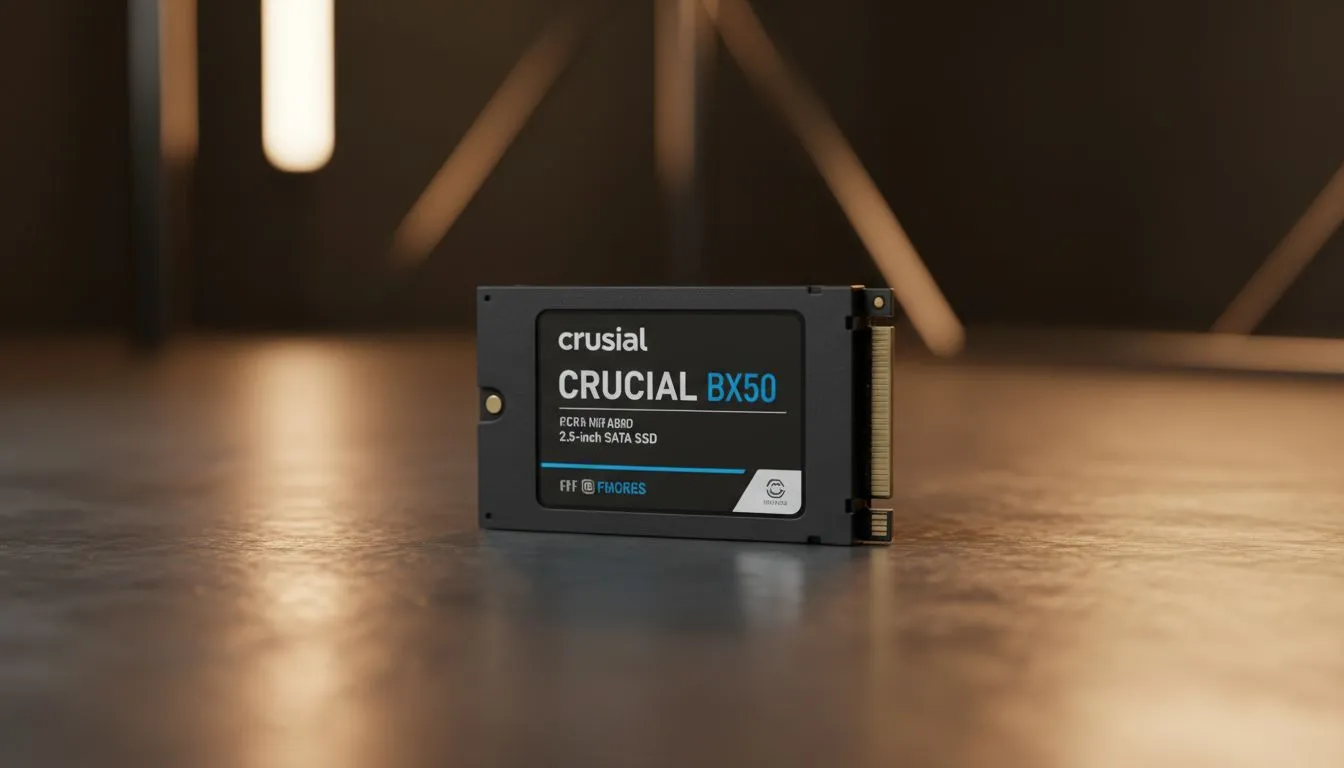
Is your PC feeling like a relic from the early 2000s? We have all been there... waiting for Windows to boot while the kettle finishes boiling. If you want a snappy experience without breaking the bank, the Crucial BX500 is your best bet. Let's dive into the Crucial BX500 specs: Read speed, Write speed & Form Factor to see why this drive is a local favourite. ⚡
Upgrading your storage is the single most effective way to optimise an ageing system. While many enthusiasts look toward high-end NVMe options, the humble SATA SSD remains the king of compatibility. If you are looking to buy solid state drives for an older laptop or a budget desktop build, this drive should be at the top of your list. It offers a reliable bridge between old-school mechanical tech and modern speed.
When we talk about the BX500, we are looking at sequential read speeds of up to 540MB/s and sequential write speeds of up to 500MB/s. Compared to a standard hard drive that might struggle to hit 100MB/s... the difference is night and day. Your boot times will drop from minutes to seconds. Apps will launch almost instantly. 🚀
While these speeds are impressive for SATA, some users might need even more bandwidth for heavy video editing or massive file transfers. In those cases, you might want to explore PCI Express NVMe drives which offer much higher ceilings. For the absolute enthusiasts, we even stock the latest Gen 5 NVMe storage solutions for bleeding-edge performance. However, for 90% of South African users, the BX500 provides more than enough "oomph" for daily tasks.
Always leave about 10% to 15% of your SSD capacity empty. SSDs use a process called wear levelling to distribute data across cells. If the drive is completely full, it can't move data around efficiently, which might lead to slower write speeds and a shorter lifespan over time.
The Crucial BX500 specs: Read speed, Write speed & Form Factor are designed around the 2.5-inch SATA standard. This is the classic "laptop drive" size. It fits perfectly into almost any desktop case or older notebook. If you have a stack of old games or movies and need to take them on the road, you might prefer an external SSD range for easy portability.
For those who travel often between Johannesburg and Cape Town, having a portable external drive is a lifesaver for keeping your data safe. But for internal upgrades, the BX500 remains a staple. It is a simple plug-and-play affair that does not require fancy heatsinks or complex configurations.
At Evetech, we believe in giving you choices. While Crucial is a fantastic brand, we also carry a massive variety of alternatives. You can find high-quality ADATA SSDs that offer similar value propositions. If you have a preference for other industry giants, we have plenty of Western Digital options available too.
Many of our customers also swear by Kingston drives for their legendary reliability in the South African market. Whether you are spending R500 or R5,000... the goal is the same: getting rid of those frustrating loading icons forever. ✨
Ready to Speed Up Your System? Don't let a slow hard drive hold you back from greatness. Whether you need the reliability of the BX500 or the blistering speed of a new NVMe, we have the stock you need at the best prices in SA. Explore our massive range of SSD specials and transform your PC performance today.
The Crucial BX500 delivers up to 540 MB/s sequential read and up to 500 MB/s sequential write on SATA models; actual bx500 read speed varies by capacity and system.
The BX500 is a 2.5-inch SATA SSD, using the SATA III interface—ideal for most laptops and desktop drive bays that accept a 2.5-inch SATA drive.
The BX500 suits everyday use and gaming with faster boot and load times, but it’s not ideal for heavy sustained writes compared to NVMe drives.
Endurance depends on capacity; the BX500 has modest TBW values—check the product TBW spec to match your write-heavy needs and endurance expectations.
Yes. The BX500 2.5-inch SATA SSD upgrades older laptops that support 2.5-inch SATA drives; confirm drive thickness and SATA interface compatibility first.
The BX500 is a budget option with lower sustained write speeds and endurance than the MX500, which offers stronger performance and reliability.
Synthetic benchmarks show peak bx500 read/write numbers, but real-world tasks may be slower due to system bottlenecks and smaller cache sizes.
Starfield Max Settings on RTX 5070. Tested & verified settings for best FPS and visual quality on SA hardware budgets.
Read more
When Will the RTX 6090 Launch in South Africa Detailed answer with SA data, expert analysis & practical recommendations for local buyers.

Top Valorant Settings for RTX 5070: FPS Optimisation picks evaluated on performance, value & SA availability with current Rand pricing from Evetech.

RDNA 3.5 Graphics in Ryzen AI 400? Can You Game. Plain-English explanation of what it means, why it matters & how it affects your buying decisions in SA.

GPU Price Index : December Report. Current stock data & price tracking for SA buyers. See what is available and where prices are heading.

Core i5-14600K + B760 + RTX 5060 Build Under. Full parts list, Rand pricing & expected performance. Build confidently with SA-available components.

RX 7600 Apex Legends at 4K: FPS Benchmark. Real-world benchmark data, FPS numbers & performance analysis. What SA gamers can actually expect.

RX 7900 XTX GTA 6 at 4K: FPS Benchmark & Optimal. Real-world benchmark data, FPS numbers & performance analysis. What SA gamers can actually expect.

Head-to-head comparison of RTX 5070 vs RX 9070 XT: Gaming Performance for SA gamers. Performance benchmarks, Rand pricing & which delivers better value.

GPU Setup Guide Gamers. Clear setup instructions with SA-specific considerations, troubleshooting tips & recommended components.

Top RTX 5090 Under R12000 picks evaluated on performance, value & SA availability with current Rand pricing from Evetech.

Call of Duty Warzone 2 Settings on RX 7600. Real-world benchmark data, FPS numbers & performance analysis. What SA gamers can actually expect.

GTA 6 Settings on RTX 5070 Ti: Performance. Real-world benchmark data, FPS numbers & performance analysis. What SA gamers can actually expect.