


GTA 6 Max Settings on RTX 5070: Complete Guide
GTA 6 Max Settings on RTX 5070. Tested & verified settings for best FPS and visual quality on SA hardware budgets.
Read more• Compare desktop vs surveillance hard drives • Explain workload and reliability • Recommend drives and capacities • Tips for selection and setup ✅ Desktop vs surveillance hard drives explained: learn differences, performance, and reliability to pick the right HDD for PCs or NVRs. 🛠️
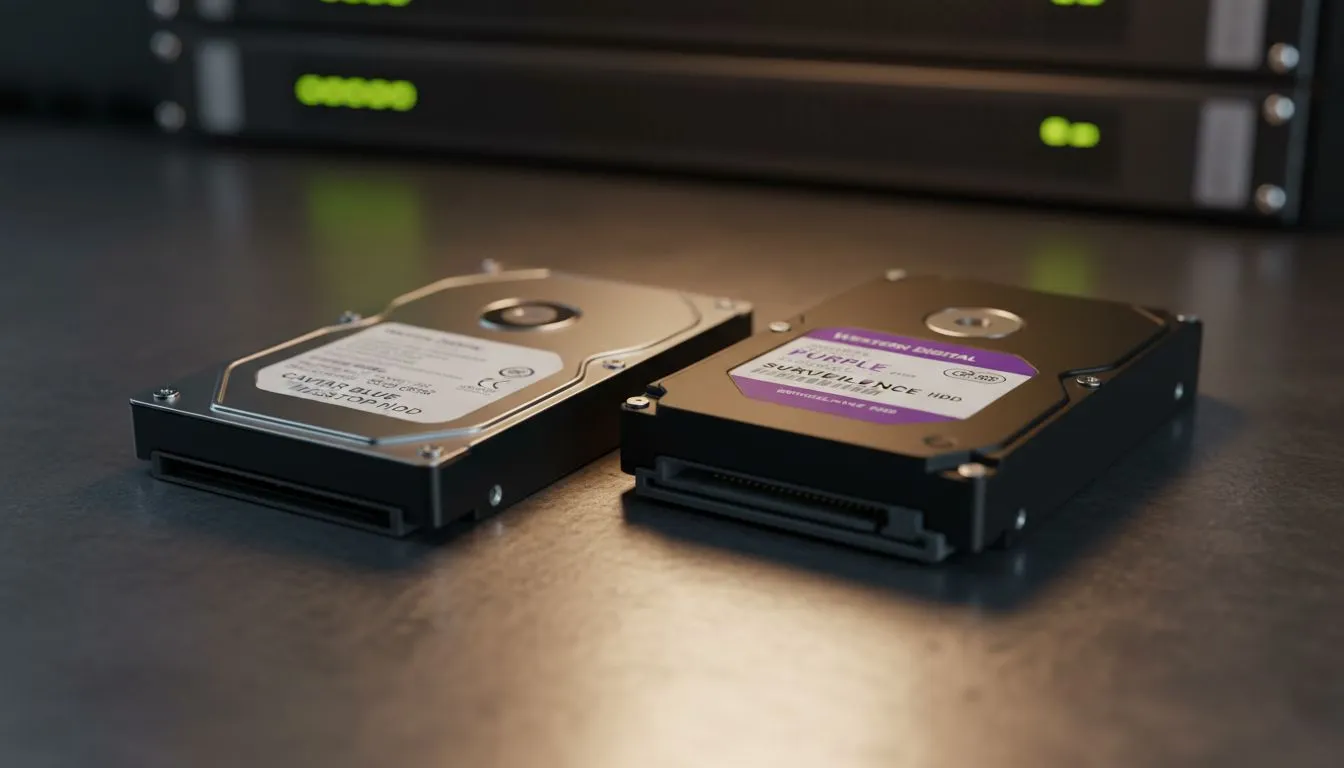
Ever stared at two hard drives that look identical but have wildly different prices? Choosing between a desktop vs surveillance hard drive isn't just about the ZAR in your wallet. It's about how your data lives. Pick the wrong one, and you might find your security footage stuttering or your gaming PC lagging when it matters most... 🔧
Desktop drives are the standard workhorses for home PCs and gaming rigs. They are designed for "burst" workloads. This means they expect to be busy while you are working or gaming, then sit idle or power down. They are perfect for running applications where you need quick access to files.
If you want to truly optimise your system speed, many users now choose to buy solid state drives for their primary OS partition. For those who value long-standing reliability in this category, Western Digital remains a top-tier choice for South African builders.
Surveillance drives are built for a completely different lifestyle. These drives never sleep. They are engineered to stay powered on 24/7, constantly writing data from multiple security camera streams simultaneously.
While a desktop drive might struggle with the heat and constant vibration of a multi-drive DVR system, surveillance drives thrive there. However, if you are looking for a way to quickly transfer these large video files to another station, you might consider high-speed external SSDs to save time.
The real magic happens in the firmware. Desktop drives are designed to stop and retry if they encounter a data error... this is great for a spreadsheet, but bad for live video. A surveillance drive will often skip a corrupt bit of data to keep recording the live stream without a pause.
For high-performance gaming where every millisecond counts, brands like ADATA SSDs provide the necessary response times that mechanical surveillance drives simply cannot match. ⚡
Always check your drive's workload rating. Desktop drives are usually rated for 55TB per year, while surveillance drives can handle up to 180TB per year. If you are a heavy content creator in SA, using a surveillance drive for your raw footage archives can actually be a clever way to ensure longevity.
Not everyone needs an internal solution. If you are frequently moving between a home office and a studio, looking at an external form factor drive is often the most practical route.
For the absolute cutting edge of speed, the latest Gen 5 NVME drives represent the pinnacle of modern storage technology. They leave traditional mechanical drives in the dust for boot times and asset loading. 🚀
If you are building a gaming PC or a standard office workstation, stick to desktop-class drives or SSDs. They are tuned for the read/write patterns of modern software. If you are setting up a 16-channel 4K camera system at your business, the surveillance drive is non-negotiable. Using the wrong tool for the job might save a few Rand today... but it could cost you your data tomorrow.
Ready to Find Your Perfect Match? The Desktop vs Surveillance debate is complex, but for maximum power, choice, and value in South Africa, Evetech has the right drive for you. Explore our massive range of storage specials and find the perfect machine to conquer your world.
Surveillance HDDs are built for 24/7 write-heavy recording, higher workload ratings, and vibration resistance; desktop HDDs prioritize burst performance for general PC use.
You can, but a desktop HDD may fail sooner under 24/7 recording. For reliability use a 24/7 surveillance hard drive or NAS-rated drive for NVRs.
Yes. Surveillance drives handle sustained writes and multiple streams, making them ideal for multi-camera systems and heavy continuous recording.
Workload rating shows annual TB written capacity. Choose surveillance or NAS drives with higher workload ratings for constant recording or heavy writes.
Not necessarily. Surveillance HDDs offer competitive capacities but optimize firmware for sequential writes and reliability over peak random IO speed.
Look for 24/7 support, vibration tolerance, workload rating, error recovery controls, and firmware tuned for streaming to ensure long-term surveillance reliability.
For mixed use, pair a high-capacity desktop HDD for general storage with a dedicated surveillance HDD or NAS drive for continuous camera recording.
GTA 6 Max Settings on RTX 5070. Tested & verified settings for best FPS and visual quality on SA hardware budgets.
Read more
Cyberpunk 2077 Max Settings on RTX 5080. Tested & verified settings for best FPS and visual quality on SA hardware budgets.
Read more
Starfield Max Settings on RTX 5070 Ti. Tested & verified settings for best FPS and visual quality on SA hardware budgets.
Read more
AMD RX 9050 XT: Rumoured Specs, Price & Release. SA-focused analysis with local pricing data, real-world insights & actionable buying advice.

Can RTX 4080 Super Run AI Workloads for SA Developers Detailed answer with SA data, expert analysis & practical recommendations for local buyers.

Can RTX 4090 Run AI Workloads for SA Developers Detailed answer with SA data, expert analysis & practical recommendations for local buyers.

Top Settings for Intel Arc B580 at Ultrawide 1440p picks evaluated on performance, value & SA availability with current Rand pricing from Evetech.

RTX 4060 CS2 Low Settings at 1080p: FPS Results. Real-world benchmark data, FPS numbers & performance analysis. What SA gamers can actually expect.

Visual Artifacts: Possible GPU Issue Issue #1. Diagnosis steps, proven fixes & when to seek professional help. SA-specific support info included.

Can the RTX 4090 Handle 1440p 144Hz Gaming. Performance testing verdict with real data & practical recommendations for SA buyers.

Top ASUS GPU Under R15000 picks evaluated on performance, value & SA availability with current Rand pricing from Evetech.
GTA 6 Max Settings on RTX 5070. Tested & verified settings for best FPS and visual quality on SA hardware budgets.
Cyberpunk 2077 Max Settings on RTX 5080. Tested & verified settings for best FPS and visual quality on SA hardware budgets.
Starfield Max Settings on RTX 5070 Ti. Tested & verified settings for best FPS and visual quality on SA hardware budgets.

Top RTX 5090 Under R5000 picks evaluated on performance, value & SA availability with current Rand pricing from Evetech.