Supercharge Your Frames: DLSS 3 vs FSR 3 Frame Rate Analysis for SA Gamers
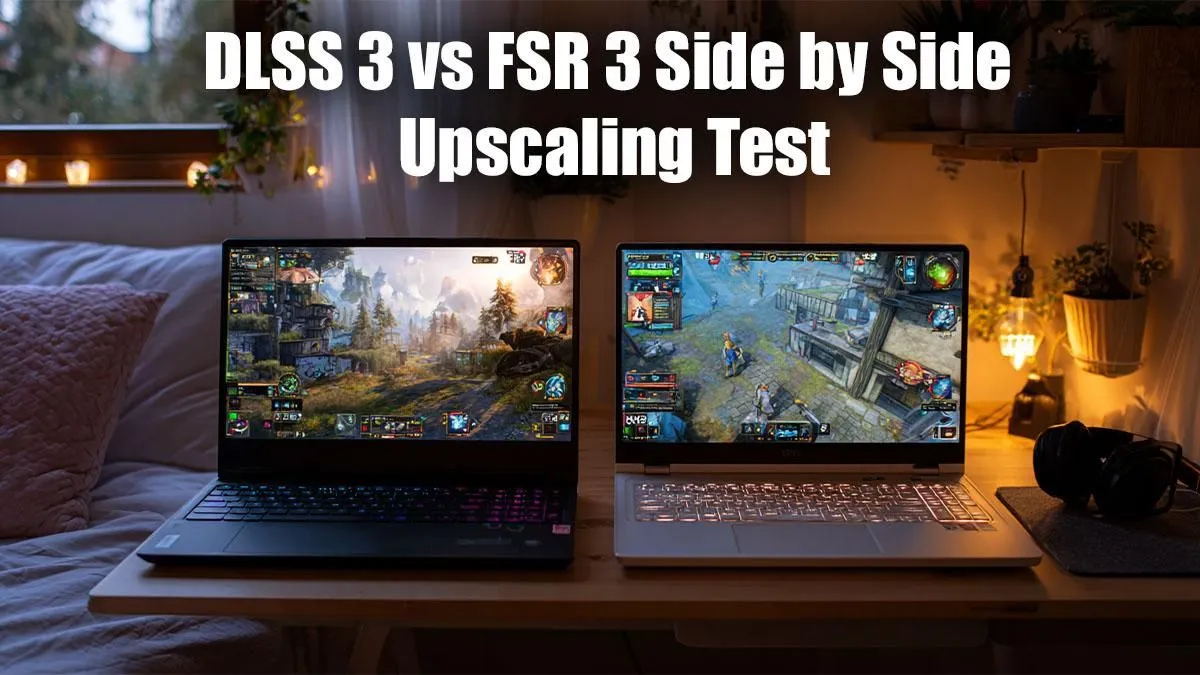
Struggling to hit those buttery-smooth frame rates in your favourite AAA titles? You're not alone. South African gamers, from the casual weekend warrior to the hardcore esports hopeful, constantly seek that competitive edge and immersive experience. Thankfully, modern graphics technologies offer incredible solutions. We’re diving deep into DLSS 3 vs FSR 3: Frame Rate Analysis to help you understand which upscaling and frame generation tech can unlock your rig's true potential. Get ready to transform your gameplay from choppy to sublime. 🚀
Understanding the Magic: NVIDIA DLSS 3
NVIDIA's Deep Learning Super Sampling (DLSS) has been a game-changer for years, using AI to render frames at a lower resolution and then intelligently upscaling them to look sharp at your native resolution. DLSS 3 takes this a monumental step further with its groundbreaking Frame Generation technology. Exclusive to NVIDIA's RTX 40 Series GPUs, DLSS 3 doesn't just upscale existing frames; it creates entirely new, high-quality frames using AI, inserting them between traditionally rendered frames. This means a direct, significant boost to your effective frame rate.
Think of it like this: your GPU renders frame A, then frame B. DLSS 3's Frame Generation inserts an AI-generated frame A' between them. The result? A much higher FPS count, often doubling or even tripling performance in supported titles. This is a massive win for those chasing high refresh rates on their monitors, ensuring smooth visuals even in graphically demanding scenarios.
Optimise Your Experience
Always ensure your graphics drivers are up-to-date! Both DLSS 3 and FSR 3 performance can be significantly impacted by outdated drivers. Check NVIDIA GeForce Experience or AMD Adrenalin Software regularly for the latest updates.
AMD's Open Approach: FSR 3 Frame Rate Analysis
AMD's FidelityFX Super Resolution (FSR) is a formidable competitor, and FSR 3 builds on its predecessor's success with its own Frame Generation technology, known as AMD Fluid Motion Frames (AFMF). Unlike DLSS 3, FSR 3 is designed to be open-source and hardware-agnostic, meaning it can run on a wider range of GPUs – not just AMD's own, but also NVIDIA and even older generations. This inclusivity is a huge plus for many gamers.
FSR 3 also works by generating interpolated frames to boost your frame rate. While the underlying AI model might differ from NVIDIA's, the goal is the same: deliver more frames per second for a smoother gaming experience. For gamers on a budget or those with slightly older hardware, FSR 3 offers an accessible pathway to higher performance without needing a brand-new, top-tier GPU. Imagine getting a significant FPS bump on your current rig, extending its lifespan and enjoyment!
Looking for a powerful machine that supports these incredible technologies? Check out the latest laptop specials for sale in South Africa at Evetech.
Key Differences: DLSS 3 vs FSR 3 Frame Rate Analysis in Action
When we talk about DLSS 3 vs FSR 3 frame rate analysis, several key distinctions emerge:
- Hardware Exclusivity: DLSS 3 requires an NVIDIA RTX 40 Series GPU. FSR 3, while performing best on newer AMD RDNA 3 GPUs, is compatible with a much broader range of hardware, including older AMD cards and NVIDIA cards. This means if you're rocking an AMD laptop on special, FSR 3 is likely your go-to.
- Image Quality & Latency: Early analyses often show DLSS 3 having a slight edge in image quality, particularly in complex scenes, due to its AI-driven approach and reliance on motion vectors from the GPU's tensor cores. However, FSR 3 is rapidly closing the gap. Both technologies introduce a tiny amount of latency due to the frame generation process, but both also offer anti-lag solutions (NVIDIA Reflex, AMD Anti-Lag+) to mitigate this, making the experience feel responsive.
- Game Support: Both technologies require game developers to integrate them. DLSS 3 has seen rapid adoption in many major titles, while FSR 3 is also gaining traction, particularly given its broader compatibility.
Choosing between the two often comes down to the hardware you own or plan to purchase. If you're eyeing the crème de la crème of performance and have an Intel laptop on special with an RTX 40-series GPU, DLSS 3 is an incredible option. If flexibility and wider compatibility are your priorities, FSR 3 shines.
Real-World Impact: What This Means for Your Gaming
Imagine playing Cyberpunk 2077 or Alan Wake 2 at max settings with ray tracing enabled, and instead of dipping to 30-40 FPS, you're consistently hitting 80-100+ FPS. That's the power these technologies bring. For competitive gamers, higher frame rates mean less input lag and a smoother visual experience, which can be the difference between a headshot and a miss. For single-player enthusiasts, it means deeper immersion, free from distracting stutters and visual hitches. ✨
Consider upgrading your rig to experience these benefits firsthand. Evetech regularly features the best gaming laptop deals that pack the latest GPUs supporting both DLSS 3 and FSR 3.
Ultimately, both DLSS 3 and FSR 3 are fantastic advancements that are democratising high-performance gaming. They allow more gamers to enjoy visually stunning titles at fluid frame rates, pushing the boundaries of what's possible on current hardware. The competition between these two titans only benefits us, the gamers, driving innovation and making our virtual worlds even more spectacular.
Elevate Your Game Today!
Ready to experience gaming like never before with mind-blowing frame rates? Don't miss out on the latest tech. Shop now at Evetech for performance that leaves lag in the dust.