


Complete Guide: Setting Up Monitor Light
Setting Up Monitor Light. Tested & verified settings for best FPS and visual quality on SA hardware budgets.
Read moreDo dual 120mm fans improve CPU cooling and noise? We'll compare airflow vs static pressure, RPM, and case layout to help you choose the right setup for quieter, cooler performance. 🔧🌬️
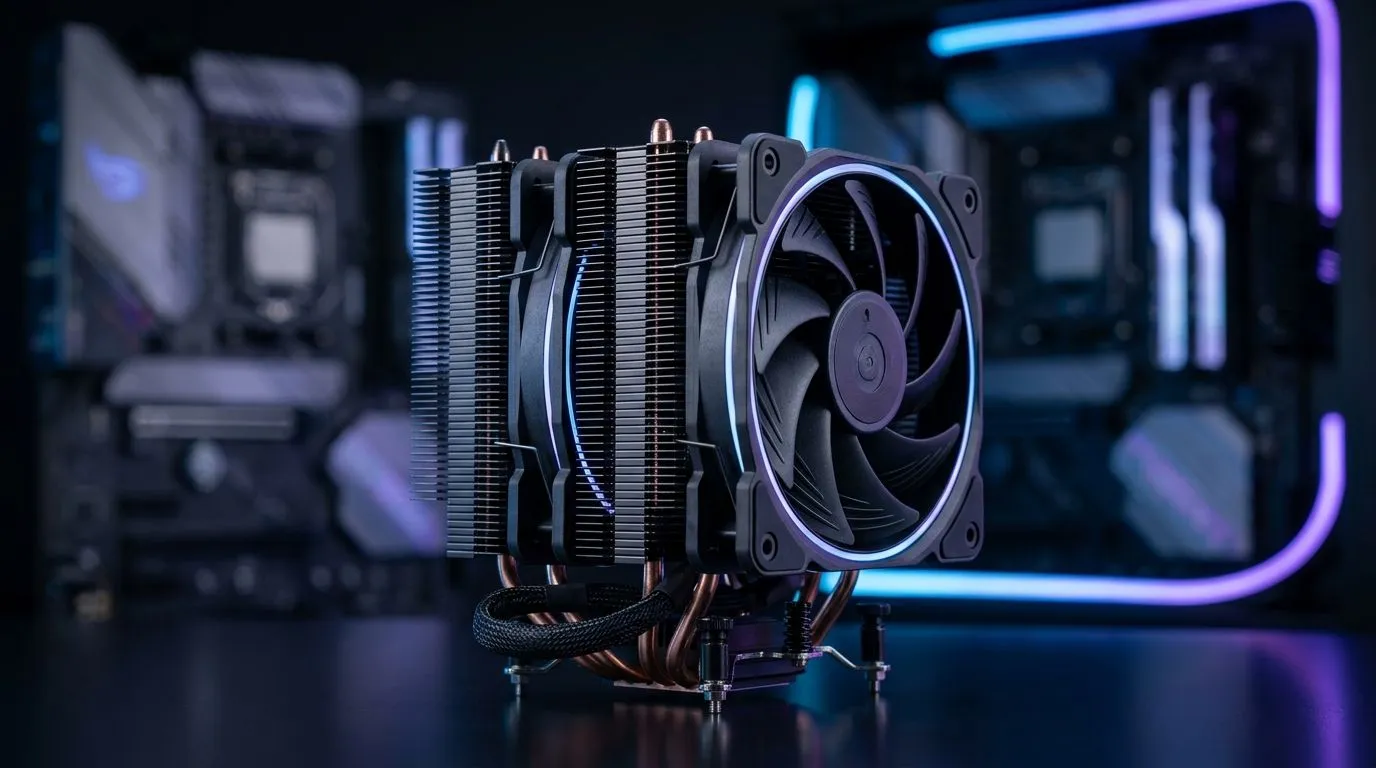
South African gamers and PC builders… you’ve probably wondered this in the middle of an FPS grind. Do dual 120mm fans cool better, or do they just add more noise to your room in summer? 🔧 If you’re shopping for an air cooler, the fan layout matters more than most people think. But “more fans” isn’t automatically “better thermals”. Let’s unpack the trade-offs in a way that helps you buy once, stress less.
A dual-fan air cooler typically means two 120mm fans moving more total air than a single-fan version. In general, more airflow can help reduce CPU temperatures, especially under sustained loads like gaming sessions and streaming. The catch? Fan speed (RPM), fan blade design, and heat sink fin quality often determine whether you hear the improvement or just feel the vibration.
Cooling vs noise is usually a balancing act:
For a curated look at air cooler options, you can browse Evetech’s CPU cooler selection here: Compare CPU coolers on Evetech
Not every dual 120mm setup will sound the same, even at identical CPU loads. Your choice should start with air cooler type and cooling size.
Evetech lists a range of options under: Air coolers at Evetech
If your goal is “cooler and calmer”, filter specifically for 120mm fan configurations: 120mm fan air coolers
Here’s what to look for before you decide:
If you’re shopping a specific brand style, you can also explore: Deepcool air coolers
And for another line-up option: EINAREX air coolers
In real gameplay, you want the CPU to avoid sustained high boost. When temps are lower, many systems ramp fans less aggressively. That’s how you get the “dual fans are quieter” outcome… if the cooler design is good and your case airflow supports it. ⚡
the day you install your cooler, do a quick two-step check: tighten mounting evenly (cross pattern) and confirm the fan direction is correct for airflow. Then run one short CPU stress test while watching temperatures and fan behaviour. If fans surge instantly, your airflow path may be blocked (front intake dust or blocked vents), not the cooler’s fault.
Because we’re in South Africa, summer heat matters. A cooler that performs well in a cool room might struggle when the room temperature rises. Before assuming you need an upgrade, try these first:
If you’re considering switching from a single-fan to dual 120mm model, your best bet is comparing coolers side-by-side on Evetech, then selecting based on your case, CPU, and noise tolerance. ✨
Ready to Find Your Perfect Match? The Mac vs Windows debate is complex, but for maximum power, choice, and value in South Africa, Windows is hard to beat. Explore our massive range of laptop specials and find the perfect machine to conquer your world.
Usually yes, if the cooler and case airflow benefit. Dual 120mm fans can move more air at similar RPM, improving dual-fan CPU cooling performance.
If the cooler needs higher static pressure or the case airflow is restricted, dual fans may not help much. Fan placement and radiator style matter.
They can be. Two fans often achieve the same airflow at lower RPM, which can reduce fan noise levels compared with one faster fan.
Static pressure helps through dense heatsinks and radiators, while airflow helps in open spaces. For dual 120mm CPU cooling, match fan type to the cooler.
Aim for a balance via fan curves. Many builds stay comfortable at moderate RPM if the fans have good pressure and the case has clean intake/exhaust flow.
Often it does. Intake/exhaust balance, unobstructed vents, and radiator clearance can outperform adding fans if your airflow path is poor.
Not fully. If thermal paste application or cooler mounting is wrong, better fans won't compensate. Re-seat and re-paste before upgrading.
If temperatures are unchanged after adding a fan, the limiting factor may be static pressure, fin density, or case airflow. Check both CPU temp deltas and noise.
Setting Up Monitor Light. Tested & verified settings for best FPS and visual quality on SA hardware budgets.
Read more
Assassins Creed Shadows Ultrawide Support: 21:9. Clear setup instructions with SA-specific considerations, troubleshooting tips & recommended components.
Read more
Complete Gaming Setup Guide for the Collector. Clear setup instructions with SA-specific considerations, troubleshooting tips & recommended components.
Read more
Will the Steam Deck 2 Have an OLED Screen? Leaked. Plain-English explanation of what it means, why it matters & how it affects your buying decisions in SA.
Read more
Setting Up Ultrawide 144Hz. Tested & verified settings for best FPS and visual quality on SA hardware budgets.
Read more
Kingdom Come: Deliverance 2 Ultrawide Support. Clear setup instructions with SA-specific considerations, troubleshooting tips & recommended components.
Read more
When Will the RTX 6090 Launch in South Africa Detailed answer with SA data, expert analysis & practical recommendations for local buyers.

Top Valorant Settings for RTX 5070: FPS Optimisation picks evaluated on performance, value & SA availability with current Rand pricing from Evetech.

RDNA 3.5 Graphics in Ryzen AI 400? Can You Game. Plain-English explanation of what it means, why it matters & how it affects your buying decisions in SA.

GPU Price Index : December Report. Current stock data & price tracking for SA buyers. See what is available and where prices are heading.

Core i5-14600K + B760 + RTX 5060 Build Under. Full parts list, Rand pricing & expected performance. Build confidently with SA-available components.

RX 7600 Apex Legends at 4K: FPS Benchmark. Real-world benchmark data, FPS numbers & performance analysis. What SA gamers can actually expect.

RX 7900 XTX GTA 6 at 4K: FPS Benchmark & Optimal. Real-world benchmark data, FPS numbers & performance analysis. What SA gamers can actually expect.

Head-to-head comparison of RTX 5070 vs RX 9070 XT: Gaming Performance for SA gamers. Performance benchmarks, Rand pricing & which delivers better value.

Starfield Max Settings on RTX 5070. Tested & verified settings for best FPS and visual quality on SA hardware budgets.

Top RX 7800 XT Model Under R8,000 picks evaluated on performance, value & SA availability with current Rand pricing from Evetech.

RTX 5070 Valorant Optimised Settings: Graphics. Real-world benchmark data, FPS numbers & performance analysis. What SA gamers can actually expect.

Top Laptop with Core i7 + RX 7700S: Picks picks evaluated on performance, value & SA availability with current Rand pricing from Evetech.