

Why a Dual-Monitor Setup on a Standing Desk Elevates Your Gaming Station ⚡
South African gamers know that having the right gear is essential for winning. Imagine boosting your productivity and in-game awareness with a dual-monitor setup on a standing desk. It’s no longer a luxury but a necessity for serious players and tech buyers aiming for comfort, space management, and sleek aesthetics. Combining a rear mount and proper cable management creates an ergonomic station designed to slay long sessions without neck strain or clutter.
Setting Up Your Dual-Monitor Station with Rear Mounts
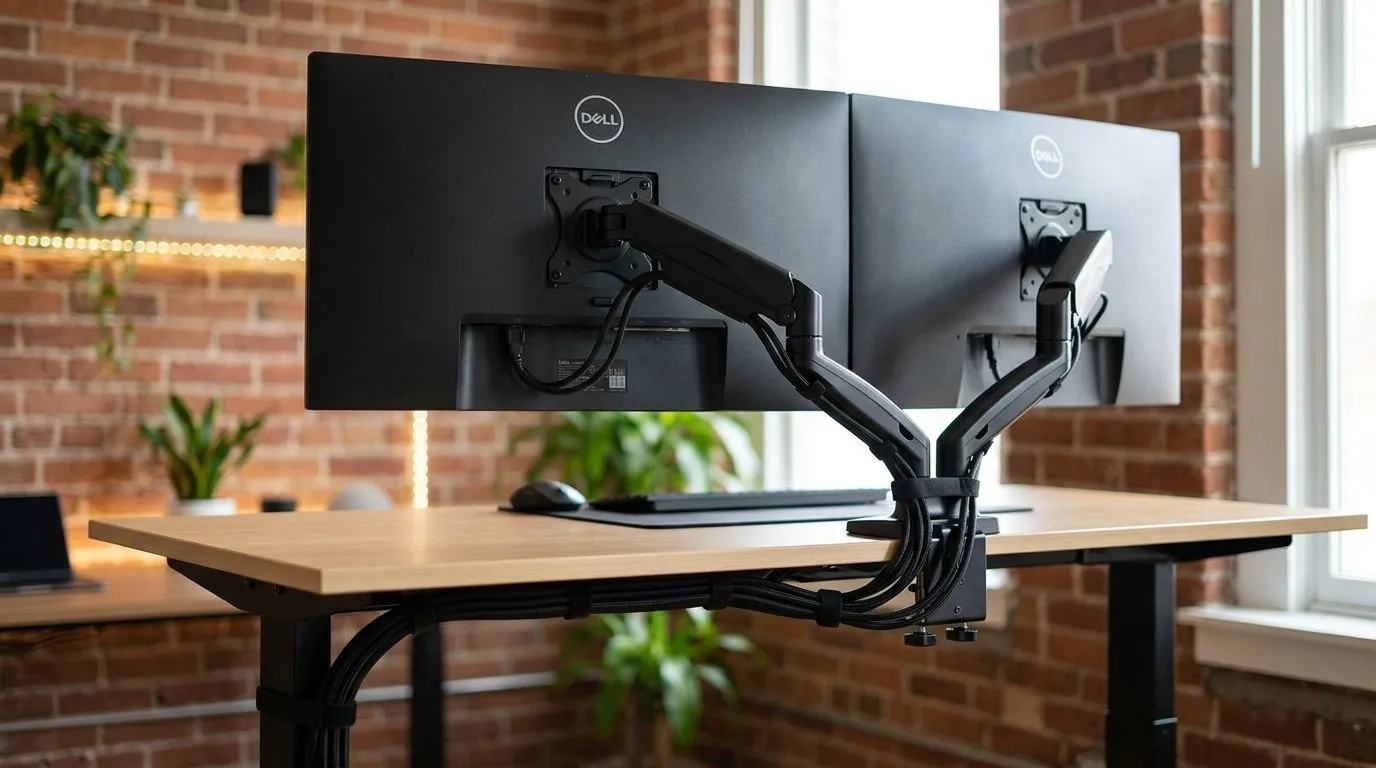
Most gamers worry about desk clutter and poor cable runs spoiling their setup’s vibe. A rear mount for your dual monitors fixes that by holding screens firmly and allowing for adjustable angles. This positioning frees up desk space, perfect for your keyboard, mouse, and other gaming essentials.
Opt for sturdy mounts compatible with your desk type. Standing desks often have thicker frames, so ensure the mounts accommodate those specs for stability. Rear mounting also aligns well with gaming desks designed specifically for this purpose. For high-quality options, check out the selection of gaming desks at Evetech tailored for solid mounts and stands.
Mastering Cable Management on a Standing Desk for Clean Gaming
Cable chaos kills immersion. Proper cable management means routing wires neatly to prevent wear and unsightly tangles. Use cable trays under the desk or adhesive clips at the back. This approach not only protects cables but keeps your desk clean and your setup visually striking.
Standing desks with adjustable height make managing cables trickier, but pairing them with flexible cable sleeves helps. You won’t have to worry about cables snagging when you switch between sitting and standing modes.
For desks designed with cable management in mind, explore AutoFull gaming desks that come with built-in channels and hooks to make this effortless.
Pro Tip: Elevate Comfort and Clarity
Place your dual monitors at eye level using rear mounts to reduce neck strain when standing. Plus, orient screens with a slight inward angle for easy multitasking and competitive edge.
Why Choose a Standing Gaming Desk for Dual Monitors?
Standing desks encourage better posture and circulation during marathon gaming or work sessions. Adding a dual-monitor setup maximises your visual real estate, letting you keep chat, streams, or strategy guides open while focused on the main game.
South Africans investing in durable desks can find fantastic brands like Arozzi offering height-adjustable desks designed with gamers in mind—combining ergonomic design, cable management solutions, and sturdy frames for rear mounts.
And if you want a robust, minimalist look paired with solid build quality, Nitro gaming desks deliver excellent performance and value in South African Rands (ZAR).
Final Thoughts on Setting Up Your Ultimate Desk
Setting up a dual-monitor configuration on a standing desk with a rear mount and smart cable management improves comfort, efficiency, and style. Don’t overlook the impact of quality components and desks designed for gamers. Your eyes, neck, and fingers will thank you after long hours in front of your rig.
When you build with care, your setup becomes more than just hardware — it's your personal command centre. ⚙️
Upgrade Your Gaming Station Today Ready to level up your dual-monitor setup and standing desk game? Discover the perfect gaming desks and mounts for your epic station—Shop now at Evetech and get everything you need to slay in style.










