


GPU Setup Guide for SA Gamers
GPU Setup Guide Gamers. Clear setup instructions with SA-specific considerations, troubleshooting tips & recommended components.
Read moreWant dual-sided ARGB fan lighting that makes your build easier to see through glass? This guide explains visibility gains and cleaner RGB layouts for smoother, more vibrant look. ✨🔆
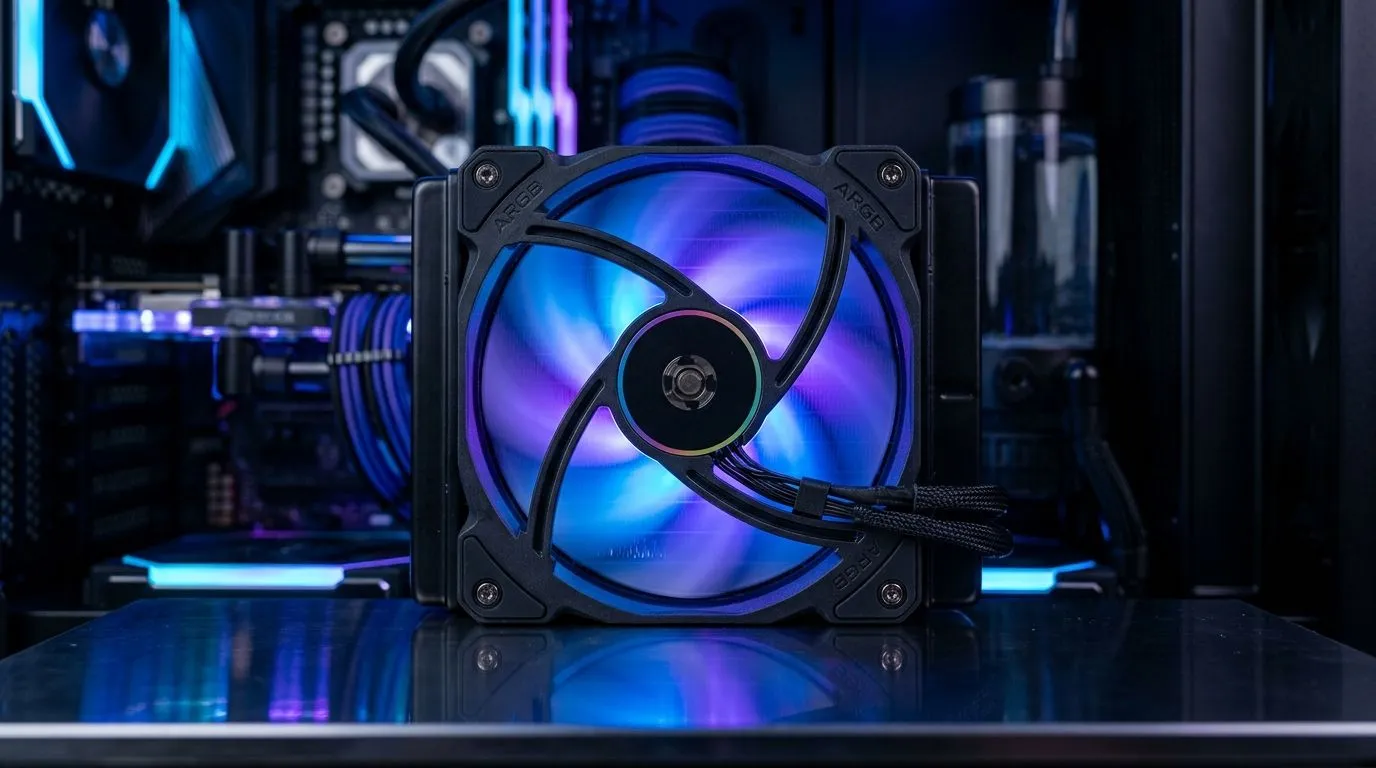
South African gamers love two things… big frames and big style. If your PC case has a glass side panel, those inner components can look amazing or… strangely flat. The culprit is often simple: airflow fans that don’t match your lighting. When the blades and inner frame fall into shadow, your build loses depth.
That is where Dual-Sided ARGB Fan Lighting for Glass Panel Visibility becomes more than a feature. It is the difference between “nice PC” and “that rig looks expensive.” ✨
Most standard case fans light primarily from one side. Dual-sided ARGB fans add lighting coverage on both the front and back of the fan stack. The result is more even glow through mesh, blades, and the internal frame.
In practical terms:
If you are shopping in the Evetech case-fans section, you can explore a wide selection of options here: case fans on Evetech.
For brand-focused buyers, start narrowing down:
ARGB is only half the story. The other half is the lighting mode set and whether you want constant colour or reactive patterns. If your goal is “visibility first,” look for fan listings that highlight RGB/ARGB effect options.
Here are good starting filters in the same fan category:
A quick micro-story from the lab… we have seen builds where fans were technically “bright,” but most of the light ended up on the wrong surfaces. If your case has a thick glass panel and deep front intake, favour rear and side lighting coverage. That is where dual-sided helps you avoid dead zones.
Install your fans first with the panel off, then run a quick ARGB test cycle. Use a flashlight to spot shadow pockets behind the motherboard tray. Adjust fan orientation (arrow direction) and cable routing before you seal it up.
Even the best lighting will look average if airflow or mounting is wrong. Measure your case fan mounts and choose the right diameter. If you are building around a typical mainstream layout, size filters help a lot.
Start with these options:
Remember: bigger fans can move more air at lower noise, while smaller fans may need more RPM to match airflow. If you are tuning for smooth gaming sessions, aim for airflow that keeps temps steady, then let ARGB bring the drama. ⚡
Before checkout, confirm:
If your goal is glass-panel visibility, dual-sided lighting is a smart path. It is simpler than trying to compensate with extra light sources later. 🚀
Ready to Find Your Perfect Match? Lighting and thermals both matter, but getting the right fans for your case is what makes the difference. Explore our massive selection of case fans and ARGB-ready options on Evetech, then upgrade with confidence. Shop case fans on Evetech and find the perfect fit for your build.
Yes. Dual-sided ARGB fan lighting improves visibility from front and rear angles, reducing dark gaps and making LEDs pop through tempered glass.
They can. With more even illumination around the fan edges, dual-sided ARGB helps your RGB layout appear balanced and less “patchy” across the case.
Aim the LED-lit face toward the viewing side and keep light paths clear of cable clutter. Stagger intake/exhaust patterns to avoid competing zones.
Usually yes if your fans are ARGB addressable and use a compatible 5V 3-pin header. Check for controller support and verify signal type before connecting.
ARGB supports addressable zones and smoother effects, while basic RGB typically shows fewer preset colors. ARGB often looks richer through glass.
Yes. Diffusers and blade translucency spread light more evenly, which improves the glass-panel visibility and reduces harsh LED hotspots.
If you want a standout glass-panel look with simpler visual consistency, they’re often worth it. Just plan cabling and confirm ARGB compatibility.
Route ARGB and power cables behind the motherboard tray, use ties for gentle bends, and keep the light path unobstructed for a cleaner RGB layout.
GPU Setup Guide Gamers. Clear setup instructions with SA-specific considerations, troubleshooting tips & recommended components.
Read more
When Will the RTX 6090 Launch in South Africa Detailed answer with SA data, expert analysis & practical recommendations for local buyers.

Top Valorant Settings for RTX 5070: FPS Optimisation picks evaluated on performance, value & SA availability with current Rand pricing from Evetech.

RDNA 3.5 Graphics in Ryzen AI 400? Can You Game. Plain-English explanation of what it means, why it matters & how it affects your buying decisions in SA.

GPU Price Index : December Report. Current stock data & price tracking for SA buyers. See what is available and where prices are heading.

Core i5-14600K + B760 + RTX 5060 Build Under. Full parts list, Rand pricing & expected performance. Build confidently with SA-available components.

RX 7600 Apex Legends at 4K: FPS Benchmark. Real-world benchmark data, FPS numbers & performance analysis. What SA gamers can actually expect.

RX 7900 XTX GTA 6 at 4K: FPS Benchmark & Optimal. Real-world benchmark data, FPS numbers & performance analysis. What SA gamers can actually expect.

Head-to-head comparison of RTX 5070 vs RX 9070 XT: Gaming Performance for SA gamers. Performance benchmarks, Rand pricing & which delivers better value.

Top Laptop with Ryzen 5 + RTX 4090 Laptop: Picks picks evaluated on performance, value & SA availability with current Rand pricing from Evetech.

Top Budget GPU for Marvel Rivals picks evaluated on performance, value & SA availability with current Rand pricing from Evetech.

Valorant Settings on RTX 5070: Performance. Real-world benchmark data, FPS numbers & performance analysis. What SA gamers can actually expect.

Top Budget GPU for Assassins Creed Shadows picks evaluated on performance, value & SA availability with current Rand pricing from Evetech.