

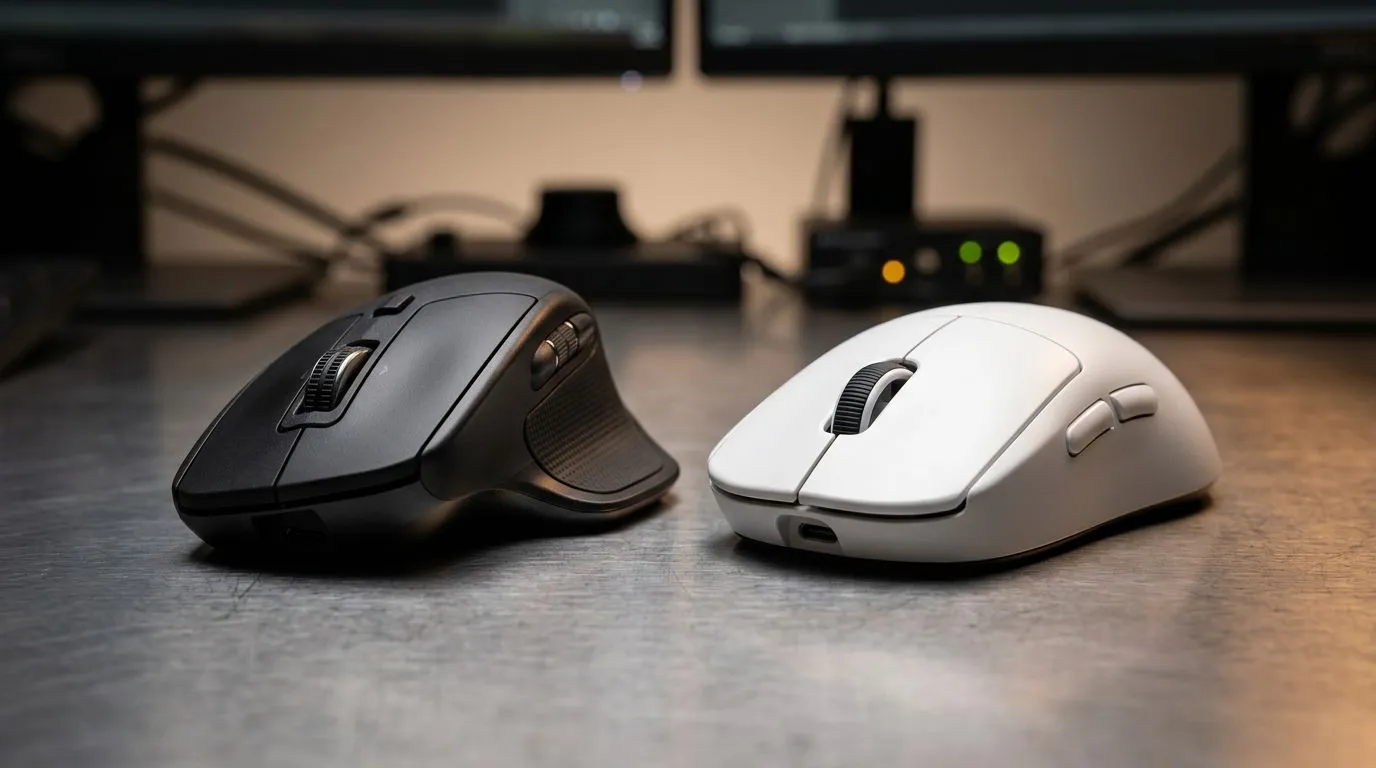
Ergonomic vs Symmetrical Mouse Design for Long Sessions: the real difference you feel
If you game for hours, your mouse becomes a tool… not just a controller. After a few marathon sessions, the “small” design choices show up as wrist strain, fingertip fatigue, and weird grip shifts. That’s why the ergonomic vs symmetrical mouse design for long sessions question matters. It’s not about hype. It’s about comfort, control, and staying consistent when your aim needs to stay sharp. 🎮✨
Ergonomic vs Symmetrical Mouse Design for Long Sessions: how shape affects your hand
Ergonomic mice are built with a more “handed” curve, usually for a natural palm rest and a more supported wrist angle. Symmetrical mice are straighter and balanced left-to-right, letting different grips sit more evenly. The outcome depends on how you hold your mouse day to day.
Grip styles and why they matter
- Palm grip: Many people prefer ergonomic shapes because the contours can support the palm during long sessions.
- Claw grip: Symmetrical designs often feel easier to adjust, especially if you switch between aiming styles.
- Finger tip grip: Weight placement and button reach matter as much as the body shape.
A quick micro-test? Try your normal grip for 2 minutes. Then take note: does your wrist feel bent inward, or does it stay neutral? Ergonomic mice often reduce that inward bend for some users. Symmetrical mice may keep your wrist aligned if you already use a neutral angle.
The “long session” checklist (do this before you buy) 🔧
Look at these basics, because they influence comfort more than you think:
- Button placement: If buttons are too far, you’ll compensate with finger tension.
- Mouse height: Too tall can lift your wrist. Too low can force a pinch grip.
- Weight balance: Heavy mice can fatigue your fingers. Lighter mice can feel twitchy without control.
Productivity Pro Tip ✨
Use a 5-minute warm-up before your first ranked match. Do slow mouse sweeps and a few controlled aim drills with your normal DPI. If you feel hand tension early, your grip is already fighting the shape, and that’s a sign to adjust or consider a different design type.
Ergonomic vs Symmetrical Mouse Design for Long Sessions: choosing wired or wireless
Comfort is the goal, but connection stability and cable drag matter too. Wired setups typically remove battery worries and can help you avoid latency anxiety. Wireless can be totally fine for gaming, but you’ll want good power management and a consistent experience.
Wired mice for focus and consistency
If you want dependable play without charging cycles, start with wired options. Browse wired gaming mice here: wired mouse options. ✅
Wireless mice for clean desks (and fewer snags)
If your desk is tight or you hate cable routing, wireless is a valid move. Check the wireless mouse range and pick one that fits your grip and weight preference. ⚡
Don’t ignore the accessories
Sometimes the mouse is perfect… until the pad, feet, or surface friction makes it feel wrong. If you’re dialing in comfort, also consider mouse accessories. These small changes can reduce the “grind” that causes hand fatigue.
Ergonomic vs Symmetrical Mouse Design for Long Sessions: budget-smart buying in South Africa
Price matters, especially when you’re upgrading mid-year. The trick is matching the design to your hand, not just the brand. Start by scanning current promotions, then narrow down based on grip fit.
If you’re hunting a deal, check gaming mouse deals. 💸 You can also compare models in the wider gaming mouse collection to find the shape that supports long sessions.
One final thought… if you’re switching grips during play, you’re likely compensating for shape. Pick the mouse that makes your hand feel relaxed at minute five, not minute fifty. 🚀
Ready to Find Your Perfect Match? The Mac vs Windows debate is complex, but for maximum power, choice, and value in South Africa, Windows is hard to beat. Explore our massive range of laptop specials and find the perfect machine to conquer your world.











