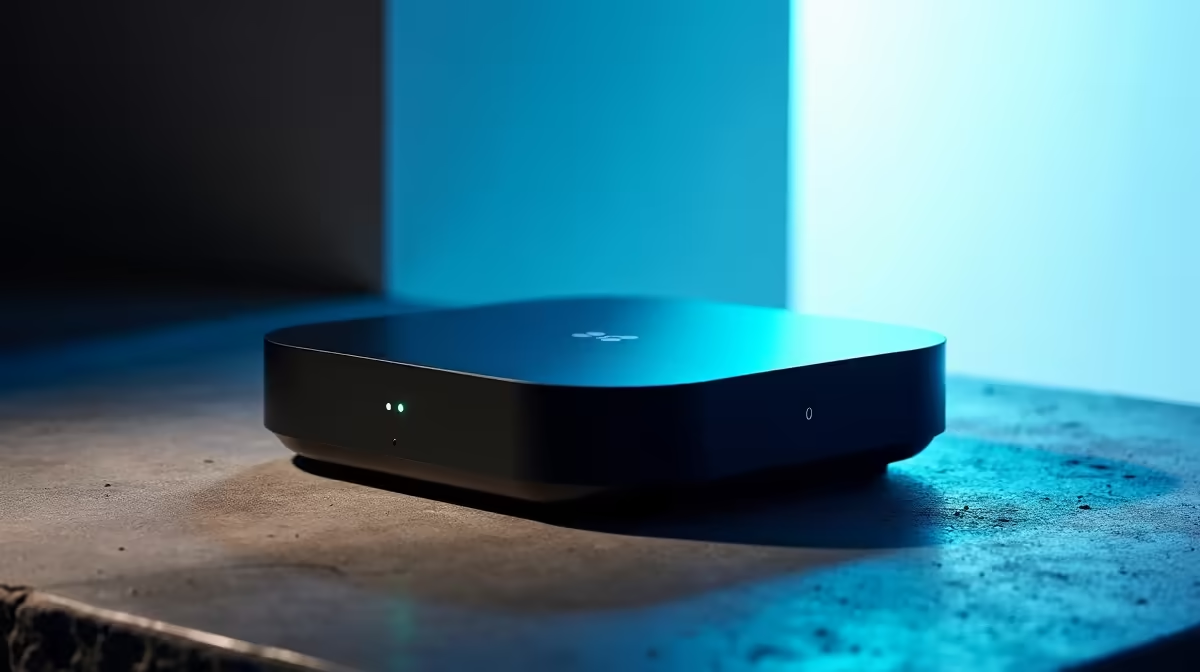
Most smart camera systems quietly assume you will pay a monthly fee forever to keep your footage. The Eufy HomeBase 3 is built on the opposite idea: store everything locally, run the smart detection on the device itself, and skip the subscription entirely. With expandable storage up to 16TB and on-device face recognition, it has become one of the more compelling options for South African households tired of recurring camera bills.
Quick Answer
The Eufy HomeBase 3 is a local storage hub that holds up to 16TB of camera footage and runs face recognition on the device, with no monthly subscription required. Optional cloud backup exists if you want a second copy, and a newer PoE camera range extends the ecosystem. It suits SA homes that want subscription-free security with room to grow.
What the HomeBase 3 actually is
The HomeBase 3 is the brain of a Eufy camera system. Cameras connect to it, and it handles recording, storage and the smart processing that decides what is a person, a familiar face or just a passing car. Rather than streaming everything to a remote server, the hub keeps your video at home and only sends what you choose to view to your phone.
That local-first design is the whole point. Your footage lives in your house, on storage you control, and the analysis happens on hardware you own. There is no ongoing fee to access your own recordings, which over a few years adds up to meaningful savings compared with subscription cameras.
Local storage up to 16TB
Out of the box the HomeBase 3 includes built-in storage, and crucially it accepts an internal drive upgrade, expandable up to 16TB. That is a large amount of video, enough to keep weeks or months of continuous and event recordings depending on how many cameras you run and at what resolution.
Why local storage matters in SA
Keeping footage local has practical benefits beyond cost. It does not depend on your internet connection to record, so even if your fibre drops, the cameras keep saving to the hub. On capped or shaved home connections, not uploading every clip to the cloud also saves a surprising amount of data over a month. And because the video never leaves your property by default, there is a clear privacy advantage.
Expanding the storage
The upgrade path means you can start with the included capacity and add a larger drive later as your needs grow or as you add cameras. Planning for the full 16TB ceiling is worth it if you intend to run several high-resolution cameras with long retention.
On-device face recognition
The HomeBase 3 introduced local AI processing strong enough to run face recognition on the hub itself rather than in the cloud. You can teach it the faces of family members, and it learns to distinguish known people from strangers over time.
In practice this means smarter notifications. Instead of a generic "motion detected" every time someone walks past, you get alerts that tell you whether it was a familiar face or an unknown visitor. That cuts down on the alert fatigue that makes people ignore their camera notifications, and it makes the genuinely important alerts stand out.
Because the recognition runs locally, the biometric data stays on your hub rather than being processed on a remote server. For privacy-conscious owners, that is a significant reassurance.
The expanding camera ecosystem
Part of what makes the HomeBase 3 worth considering now is that the ecosystem around it keeps growing. It supports a mix of camera types, and a newer PoE (Power over Ethernet) range has expanded the options.
PoE cameras draw power and carry their video over a single Ethernet cable, which suits a permanent, wired installation where you want reliability and no battery to recharge. Alongside those, battery-powered wireless cameras remain handy for spots where running a cable is impractical. The HomeBase 3 can act as the hub for a blend of both, letting you wire up the key entry points and use battery cameras for the awkward corners.
That flexibility matters for SA homes, which vary enormously from a wired-up freestanding house to a flat where drilling cable runs is not an option. Being able to mix battery and PoE cameras under one subscription-free hub is a strong practical advantage. If you are planning a setup, it is worth browsing the wider home security and smart device range to compare camera types and resolutions before committing to a layout.
How it compares to a traditional NVR
Some buyers weigh the HomeBase 3 against a conventional NVR (Network Video Recorder) setup. A traditional NVR records from wired cameras to a dedicated box, and it works well but tends to be more involved to install and configure, and the smart-detection features are often basic.
The HomeBase 3 sits in a friendlier middle ground. It gives you local recording like an NVR, but with consumer-grade setup through a phone app, on-device AI detection, and the option to mix wireless and wired cameras. For a household rather than a commercial site, it is generally simpler to live with while still keeping footage on-premises.
Optional cloud backup
Local storage is the default, but the HomeBase 3 also offers optional cloud backup for owners who want a second copy of important footage off-site. That guards against the rare case of the hub itself being stolen or damaged. It is genuinely optional, so you are not forced into a subscription to use the system, but the choice is there if belt-and-braces redundancy matters to you.
Who it is for
The HomeBase 3 makes the most sense for SA households that want serious home security without a recurring monthly fee, value keeping footage on their own property, and want room to grow from a couple of cameras to a fuller system over time. The subscription-free model and expandable storage reward people who plan to keep the system for years.
It is less suited to someone who wants a single, simple plug-in camera and nothing more, since the hub-based approach shines once you have several cameras. But for anyone building out real coverage of a home, the combination of local storage, local face recognition and a mixed battery-and-PoE camera lineup is hard to beat on value. To see what pairs well with it, the popular accessories and add-ons section is a useful place to plan mounts, cabling and spares.
Frequently Asked Questions
Does the Eufy HomeBase 3 need a monthly subscription?
No. It stores footage locally on the hub, so there is no required monthly fee to access your recordings. Optional cloud backup is available if you want an off-site copy, but it is not mandatory.
How much footage can the HomeBase 3 store?
It is expandable up to 16TB with an internal drive upgrade, which is enough for weeks or months of recordings depending on your camera count and resolution. You can start with the included capacity and expand later.
Does face recognition run in the cloud?
No, the HomeBase 3 runs face recognition locally on the hub. That keeps the biometric data on your own device and lets it send smarter alerts that tell familiar faces from strangers.
Can I mix battery and PoE cameras?
Yes. The HomeBase 3 supports a blend of wireless battery cameras and the newer PoE range, so you can wire up key entry points and use battery cameras where cabling is impractical. That flexibility suits a wide range of SA homes.
How does it compare to an NVR?
It offers local recording like an NVR but with easier app-based setup, on-device AI detection, and support for both wired and wireless cameras. For a household, it is generally simpler to manage while still keeping footage on your property.
Planning subscription-free home security with room to grow? Explore cameras and smart security gear to build around a local-storage hub at https://www.evetech.co.za/PC-Components/smart-home-appliances-344.