


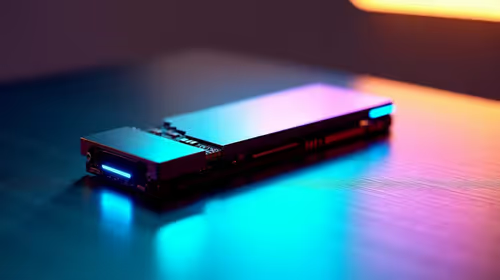
PCIe 5.0 vs PCIe 4.0 for Cinematic Story Games in SA
PCIe 5.0 and PCIe 4.0 differ most in lane support, compatibility, and upgrade value for cinematic story games. SA buyers should match the choice to their actual hardware and games.
Read moreFacing the Windows 11 upgrade on a tight budget has a smarter first move: enable Microsoft account sync to trigger free consumer ESU and stay patched at zero cost until October 2026. Budget-conscious SA buyers gain a full year to save toward a Windows 11 machine

Staring down the move to Windows 11 with no spare cash is a common spot to be in, and the smartest first move costs nothing at all. Before you buy anything, you can keep a Windows 10 machine fully patched and secure right up to 13 October 2026 by enrolling in the free consumer Extended Security Updates programme. That single step buys you a full year of breathing room to plan an affordable Windows 11 upgrade on your own timeline rather than under pressure.
Enrol your Windows 10 PC in the free consumer ESU programme by signing in with a Microsoft account and activating settings backup, and you stay secure at zero cost until 13 October 2026. Use that year to save toward an affordable Windows 11 machine starting around the R8,000 mark.
The cheapest safe path is not buying a new PC tomorrow, it is staying patched while you save. Microsoft offers consumer ESU for Windows 10, and three enrolment routes exist. The free option is turning on Windows Backup so your account settings are kept in sync through your Microsoft account. The paid alternatives are redeeming 1,000 Microsoft Rewards points or covering a one-off charge of around 30 US dollars. For most people on a tight budget, the backup-sync method is the one to use, since it costs nothing.
Your device must be running Windows 10 version 22H2 in the Home, Pro, Pro Education or Workstation edition. You also need to sign into a Microsoft account rather than a local account, because enrolment is tied to that account. Once you are on 22H2 and signed in, the enrolment prompt appears in Windows Update.
ESU delivers critical and important security patches only. It does not add features, and it ends on 13 October 2026. Treat it as a security bridge, not a permanent home. The point is to stay protected while you plan the real move.
With a year of cover secured, you can budget calmly. The cheapest sensible new machines start around R8,000, and a compact mini PC is often the value sweet spot for everyday computing, web, documents and media, because it skips the cost of a large tower and discrete graphics you may not need. These small boxes ship with Windows 11 ready to go and meet its hardware requirements out of the box, which sidesteps the TPM and CPU compatibility headaches that block many older desktops. The mini PC range at Evetech is a practical starting point for a budget-first Windows 11 jump.
Unofficial workarounds to install Windows 11 on unsupported machines exist, but they leave you on a configuration Microsoft does not guarantee to update, which defeats the security goal. If your current PC genuinely meets the Windows 11 requirements, upgrading it in place is free and the obvious choice. If it does not, the ESU year plus a modest new machine is the safe, supported route.
Use the months ESU gives you to watch for the right machine at the right price rather than panic-buying. Decide what you actually do on the PC, since a light user needs far less than a gamer or creator, and that honesty keeps the spend down. When you are ready to compare real configurations, current best-seller data at Evetech reflects which Windows 11 machines local buyers are finding worthwhile at each price point.
When R8,000 to R12,000 is your envelope, these are the trade-offs that matter most.
An SSD of any size will make a new budget machine feel faster than a much larger mechanical hard drive. Always confirm the machine ships with an SSD, even a modest 256GB one, before anything else. A machine that boots in under ten seconds is more useful daily than one with a large slow drive.
8GB is the practical minimum for Windows 11 plus a browser and document app running at once. 16GB is noticeably more comfortable if your budget can stretch to it, particularly if you keep many tabs open while working. On a very tight budget, 8GB is fine; plan to upgrade later rather than buying a machine with less.
Budget machines with discrete graphics cards spend part of their cost on a component you will rarely use if your work is documents, browsing and video. An integrated-graphics machine at the same price point usually has faster storage or more RAM, both of which matter more for typical daily work.
Certified-refurbished business laptops and desktops are another avenue worth considering on a tight budget. A refurbished machine from a reputable South African seller at R7,000 to R9,000 often outperforms a new entry-level unit at the same price, because business-grade hardware starts with better components. Confirm the machine ships with a valid Windows 11 licence and a warranty before buying.
Before committing to any purchase, run the PC Health Check tool on your current Windows 10 machine. Some machines that appear old pass the Windows 11 requirements, particularly if they were business-class hardware when new. A processor, TPM 2.0 and Secure Boot check takes two minutes and could save you the whole cost of a new PC. Only if your current machine genuinely fails those checks does the ESU-plus-replace plan apply.
Yes, if you enable Windows Backup so your settings are kept in sync through a Microsoft account, enrolment costs nothing. The Rewards-points and paid options exist as alternatives, but the sync route is free for ordinary home users.
Consumer ESU runs through 13 October 2026. After that date no further security updates arrive, so your plan should have you on Windows 11 hardware before then.
Yes, enrolment requires signing in with a Microsoft account. A local account will trigger a prompt to sign in before you can enrol.
If your machine meets Windows 11's requirements, the upgrade itself is free. The cost only appears when older hardware fails those checks and you need a new, compatible machine.
Affordable new PCs begin around R8,000, and a mini PC often delivers the best value for everyday use because it omits parts a light user does not need while still shipping with Windows 11.
Lock in the free ESU year first, then upgrade on your terms. When you are ready, the mini PCs at Evetech offer a budget-friendly, Windows 11-ready path that skips the compatibility headaches of older hardware.
Yes, if you enable Windows Backup so your settings are kept in sync through a Microsoft account, enrolment costs nothing. The Rewards-points and paid options exist as alternatives, but the sync route is free for ordinary home users.
Consumer ESU runs through 13 October 2026. After that date no further security updates arrive, so your plan should have you on Windows 11 hardware before then.
Yes, enrolment requires signing in with a Microsoft account. A local account will trigger a prompt to sign in before you can enrol.
If your machine meets Windows 11's requirements, the upgrade itself is free. The cost only appears when older hardware fails those checks and you need a new, compatible machine.
Affordable new PCs begin around R8,000, and a mini PC often delivers the best value for everyday use because it omits parts a light user does not need while still shipping with Windows 11.
PCIe 5.0 and PCIe 4.0 differ most in lane support, compatibility, and upgrade value for cinematic story games. SA buyers should match the choice to their actual hardware and games.
Read more
ATX 3.1 vs ATX 3.0 for streaming on Twitch and YouTube buyers - what changes is mostly about compatibility, budget, upgrade path, and setup fit. SA buyers should check device support and real needs before expecting a clear win from either option.
Read more
OLED vs Mini-LED for video editing in 4k is mainly about fit, features, compatibility, cost, and upgrade path, not one automatic winner. SA buyers should match the choice to the setup.
Read more
The real world difference between IPS and VA for streaming on Twitch and YouTube is colour consistency versus contrast. For SA creators, match the panel to OBS previews, chat visibility, camera work, and long editing sessions after live streams.
Read more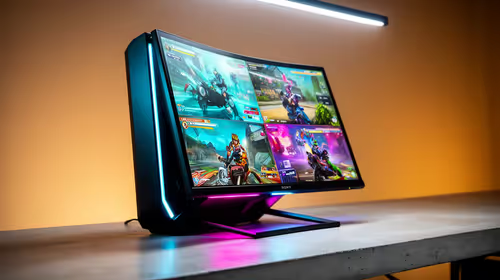
IPS vs OLED for Couch Co-Op Gaming comes down to contrast, motion, burn-in care, refresh needs, desk use, and game type. SA buyers should match the choice to their setup instead of assuming one option always wins.
Read more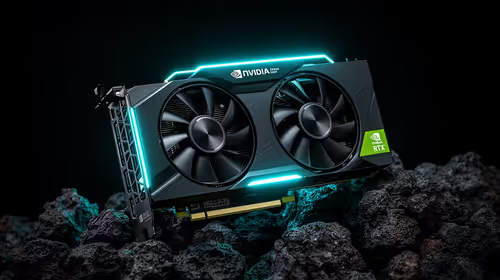
FSR 4 and FSR 3.1 affect competitive esports only if they preserve clarity, latency, and stable frame pacing. SA players should compare response feel, motion quality, and support in the specific titles they grind.
Read more
Wi-Fi 7 vs Wi-Fi 6e for cinematic story games comes down to router support, latency goals, device compatibility, and coverage. SA buyers should match the choice to the real network setup.

The real world difference between PCIe 5.0 and PCIe 4.0 for MMO and live-service games is usually about loading, patches, and headroom. SA players should weigh NVMe speed, GPU lanes, CPU limits, and platform cost.

Windows 11 gaming laptop dead pixel checks begin with a full-screen colour test. This how to fix dead pixel windows 11 gaming laptop guide helps SA users compare settings, drivers, external screens, and warranty routes.

AM5 motherboard stuck pixel fixes in South Africa start with panel, cable, GPU output, and Windows checks. Use a clean test path before blaming the motherboard or replacing screen hardware.

FPS drops blamed on a wireless mouse often point to input, driver, USB, network, or system-load checks. Use a quick SA-friendly troubleshooting flow to isolate software, firmware, thermals, storage, and game settings before replacing hardware.

How to fix fps drops on steam deck starts with power profile, shader cache, storage health, and per-game settings. For South Africa, check charger quality, heat, and download stability before assuming the handheld needs repair. Retest after updates.

How to fix low FPS after an RTX 5080 build upgrade starts with driver cleanup, display settings, thermals, and power mode. For SA gamers, verify GPU usage, PCIe speed, RAM profile, and CPU limits before changing parts.

Hollow Knight Silksong at 4K needs a GPU matched to settings, VRAM, CPU balance, and monitor goals. Use this SA guide to compare tiers without treating FPS target or prices as fixed.
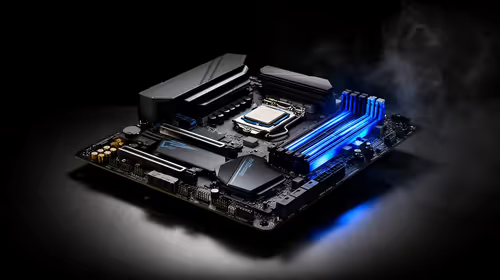
How to fix FPS drops after a Ryzen 9 9950X3D starts with BIOS, chipset, EXPO, power, and GPU driver checks. It helps isolate upgrade stutter on high-end SA gaming rigs before you change hardware, reinstall Windows, or retune cooling.
PCIe 5.0 and PCIe 4.0 differ most in lane support, compatibility, and upgrade value for cinematic story games. SA buyers should match the choice to their actual hardware and games.

FPS drops Windows 11 mechanical keyboard issues can come from USB polling, keyboard utilities, power settings, or overlays. This gaming checklist helps test input-device causes before deeper GPU or CPU troubleshooting.
ATX 3.1 vs ATX 3.0 for streaming on Twitch and YouTube buyers - what changes is mostly about compatibility, budget, upgrade path, and setup fit. SA buyers should check device support and real needs before expecting a clear win from either option.