Run a local model for ten minutes and watch the tokens-per-second graph sag. That dip is laptop thermal throttling, and under sustained AI load it is brutal, because inference pins every core at full tilt with none of the idle gaps a game gives the cooling system. Junction temperatures climb to 95 to 100 degrees Celsius, the chip cuts clocks to protect itself, and your throughput drops by 20 to 40 percent for the rest of the session. A cooling stand will not turn a thin ultrabook into a workstation, but it buys back real, measurable headroom.
Quick Answer
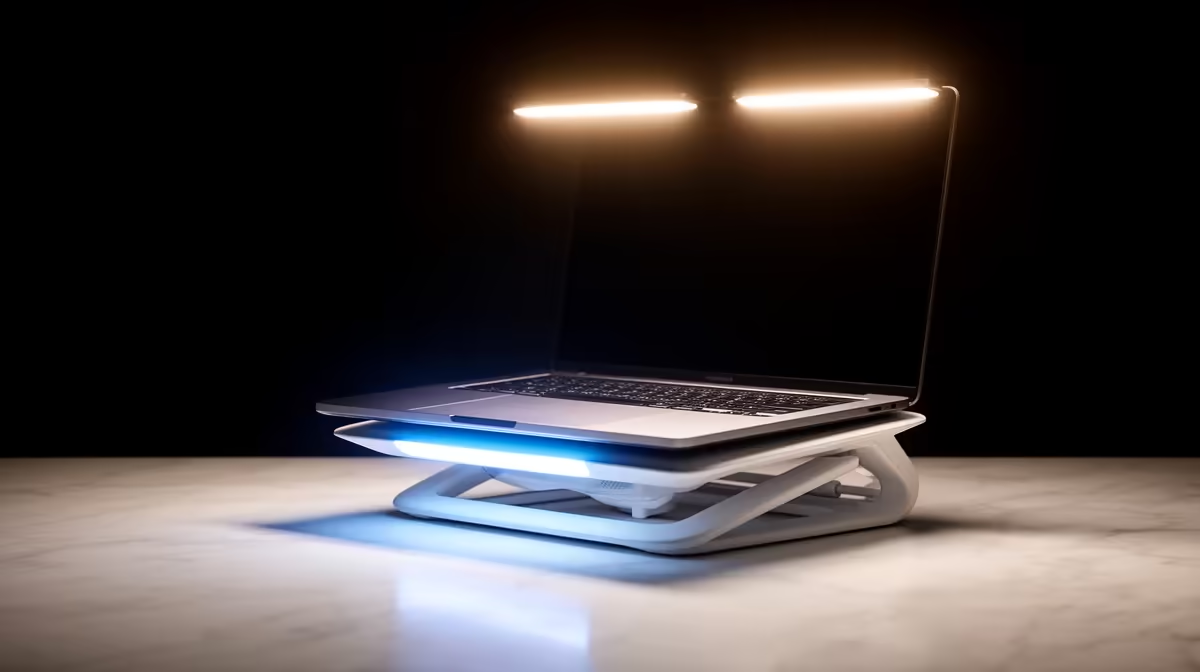
A cooling stand that lifts the chassis 2 to 3cm and pushes air across the underside can delay throttling onset from roughly 10 minutes to 20-plus, and active semiconductor pads have shown 10 to 17 degree drops on sustained loads. Budget around R400 to R1,500 for a solid stand. It is the cheapest meaningful gain you can make for local AI on a laptop.
Why AI Load Throttles Worse Than Gaming
Games are bursty. Frames render, the GPU spikes, then there are quiet stretches loading assets or waiting on input, and the cooling system catches up in those gaps. Local inference has no gaps. A language model decoding tokens, or a diffusion model denoising, holds the CPU and GPU near 100 percent continuously for as long as the job runs.
That continuous draw is the problem. Heat that a laptop sheds fine in 30-second bursts simply accumulates over a 20-minute generation. Thin chassis with a single shared heat pipe hit the throttle point fastest, sometimes inside a minute of sustained prompt processing, while laptops with vapour chambers hold clocks far longer.
What Throttling Actually Costs You
When silicon reaches its thermal limit it drops voltage and frequency to stay safe. On a sustained AI run that typically lands as a 20 to 40 percent throughput loss after the first 10 to 15 minutes. A model generating 30 tokens per second cold can settle near 18 to 22 once it is heat-soaked.
The Hidden Tax: Time and Wear
Slower tokens mean longer jobs, and longer jobs mean more time spent at high temperature, which compounds across a working day of coding assistants, batch summarisation, or local image generation. Heat also ages components, so a laptop kept cooler tends to hold its performance and battery health longer.
Where a Stand Helps and Where It Cannot
A stand attacks one specific bottleneck: starved intake airflow. Most laptops breathe through vents on the underside, and a flat desk partly blocks them. Lift the chassis and feed it cool air, and the heat pipes work closer to spec. What a stand cannot do is beat physics. Air cooling can only pull surface temperature down toward room temperature, never below it, so a passively weak laptop will still throttle eventually, just later and less severely.
Choosing a Cooling Stand for Sustained Inference
Not every cooler is built for hours of full load. For AI work, weigh these factors.
Airflow Over Aesthetics
Prioritise large, high static-pressure fans that move real volume under the intake vents, not a thin pad with token RGB. A raised aluminium stand with two or three proper fans aimed at the intakes outperforms a flat lit panel.
Active Semiconductor Pads
Thermoelectric or semiconductor cooling pads actively pump heat away rather than only moving air, and on sustained tasks they have shown 10 to 17 degree improvements over airflow alone. They cost and weigh more, but for a machine that runs inference all day they can be the difference between holding clocks and crawling.
Ergonomics and Noise
A stand that tilts the keyboard also improves your posture for long sessions. Check noise too, since a screaming fan next to a quiet model is its own kind of distraction.
If a cooling stand only narrows the gap and your workloads keep growing, the honest answer may be a machine purpose-built for the job. Evetech's AI-ready PCs are specced with the sustained-load thermals and VRAM that laptops struggle to match, and the top-selling systems list is a fast way to see what other local-AI builders are picking right now.
Which Laptop Designs Throttle Fastest
Not all laptops are equal at sustained load, and knowing which category yours falls into sets realistic expectations for what a cooling stand can achieve.
Thin ultrabooks with a single shared heat pipe are the worst-case scenario. There is one thermal path from CPU to heatsink to fan, and once the pipe saturates, everything throttles together. These machines can hit their ceiling inside five minutes of continuous inference. A stand helps by feeding cool air through the intakes, but the gap between supported and unsupported thermals is smaller here than on any other chassis.
Mid-range gaming laptops with dual heat pipes and a vapour chamber behave much better. The heat spreads across a wider contact area before it enters the pipe, so sustained loads take longer to soak the system. A good stand extends useful run time noticeably here.
Workstation-class laptops with large radiator arrays and multiple fans come closest to desktop-like sustained behaviour. They still throttle eventually under continuous inference, but the onset can be delayed past 30 or 40 minutes, and a stand primarily stops warm intake air from making a comfortable situation worse.
Practical Tips to Hold Clocks Longer
Pair the stand with a few free wins. Set a sane power profile rather than maximum performance if your task is throughput-bound, clean dust from the vents regularly, and run in a cooler room when you can, since intake air temperature sets the floor. Undervolting, where supported, lowers heat at the same performance and stacks neatly with better airflow.
Frequently Asked Questions
Does a cooling stand actually stop thermal throttling?
It delays and reduces throttling rather than eliminating it. Lifting the chassis and feeding the intakes can push the onset from around 10 minutes to 20 or more, and active pads can drop temperatures 10 to 17 degrees, but a thermally weak laptop will still throttle under long enough load.
How much performance does AI throttling cost?
On sustained inference, expect a 20 to 40 percent drop in throughput once the laptop heat-soaks after 10 to 15 minutes. A cooler chassis holds clocks higher for longer, recovering much of that loss.
Is a fan stand or a semiconductor pad better for AI work?
For all-day inference, an active semiconductor pad usually wins because it pumps heat away instead of only moving air, showing larger temperature drops on sustained loads. A good fan stand is cheaper, lighter, and still a clear improvement over a bare desk.
Will a laptop ever match a desktop for local AI?
Not under sustained load. Desktops have the airflow, cooler mass, and VRAM to hold full clocks indefinitely, while laptops trade thermal capacity for portability. A stand closes part of the gap but not all of it.
What temperature is too hot for sustained AI inference?
Most laptop silicon begins throttling around 95 to 100 degrees Celsius. Seeing those numbers within minutes of a run is the signal that cooling is your bottleneck and a stand or pad will pay off.
If a cooling stand only buys back part of the performance you need, it may be time for hardware built for the job. Compare purpose-built AI PCs at Evetech and run your models without the throttle tax.