


Humidity Damage to PC Components: Recovery Guide
Humidity Damage to PC Components: Recovery Guide. Everything you need to know with SA pricing, step-by-step instructions & expert recommendations.
Read moreFreeSync explained for every South African gamer! 🎮 Discover how AMD's adaptive sync technology eliminates screen tearing and stutter for ultra-smooth gameplay. Learn if it's the right choice for your setup and how to get the most out of your gaming monitor. Say goodbye to lag!
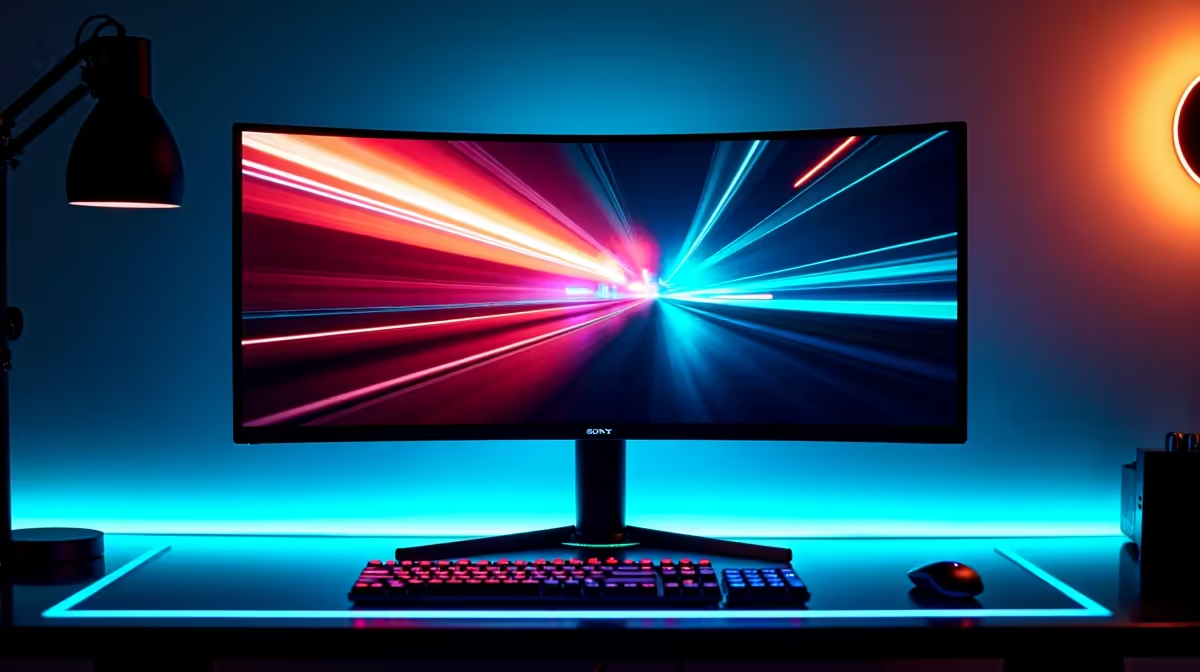
You’re lining up the perfect headshot in Apex Legends. The final circle is closing. Suddenly, your screen jitters and tears, a jagged line ripping across the action. You miss the shot... game over. Sound familiar? That frustrating visual glitch is screen tearing, and for South African gamers, there’s a powerful, affordable solution. This guide explains FreeSync, the technology designed to give you that buttery-smooth gameplay you crave, without breaking the bank.
At its core, FreeSync is a clever piece of technology from AMD that solves a communication problem. Your graphics card produces frames at a variable rate, while your monitor refreshes its image at a fixed rate (like 60, 144, or 240 times per second). When these two are out of sync, you get visual artefacts.
Screen Tearing: Happens when your monitor tries to display two different frames at once. Stuttering: Occurs when the graphics card is slower than the monitor, causing jerky motion.
FreeSync explained simply: It allows a compatible monitor to dynamically adjust its refresh rate to match the exact frame rate your graphics card is outputting, moment by moment. The result? A perfectly synchronised, seamless visual experience. It’s the key to unlocking fluid motion, making the right PC monitor feel incredibly responsive.
Translating tech talk into tangible benefits is what matters. With a FreeSync-enabled setup, you’ll immediately notice:
Whether you're a competitive esports player or a solo adventurer exploring vast open worlds, this technology is a must-have. You can see the difference across our range of gaming monitors designed for every type of player.
Once you have a compatible monitor and GPU, enabling FreeSync is simple. Dive into your AMD Radeon Software (or NVIDIA Control Panel for G-Sync Compatible displays), head to the 'Display' tab, and just toggle AMD FreeSync to 'On'. Make sure it's also enabled in your monitor's on-screen display (OSD) menu!
Not all FreeSync is created equal. AMD offers three tiers to match different performance levels and budgets, helping you choose the perfect display.
This is the baseline standard. It eliminates screen tearing and stuttering for significantly smoother gameplay. It's a fantastic entry point for any gamer.
This tier steps things up. To get the "Premium" badge, a monitor must support:
The top dog. This includes all the benefits of Premium but adds a crucial component: optimised HDR (High Dynamic Range) support. It ensures you get incredible colour and contrast without the input lag that can sometimes come with HDR gaming. This is the tier for you if you're pairing your rig with stunning, high-resolution 4K monitors for the ultimate visual feast.
Getting started is easier and more affordable than ever. Here’s a quick checklist:
With prices in ZAR becoming more competitive, now is the perfect time to find great monitor deals and make the upgrade. You can even find the technology on portable monitors for smooth gaming on the go. 🚀
Ready for Tear-Free Gaming? Screen tearing and stutter are relics of the past. For smooth, responsive, and immersive gaming in South Africa, a FreeSync monitor is one of the best upgrades you can make. Explore our massive range of gaming monitors and find the perfect display to conquer your world.
FreeSync is AMD's adaptive sync technology. It matches your monitor's refresh rate to your GPU's frame rate to prevent screen tearing and stuttering for smoother visuals.
Absolutely. For competitive and immersive gaming, FreeSync provides a tear-free, fluid experience, which is a major advantage. It is widely available and cost-effective.
Yes, many FreeSync monitors are "G-Sync Compatible." This means you can enable adaptive sync features on them even with a compatible NVIDIA GeForce GPU.
Both technologies eliminate screen tearing. The main difference is that FreeSync is an open standard, making monitors cheaper, while G-Sync is NVIDIA's proprietary tech.
You'll need to use a DisplayPort or HDMI cable that supports the feature. Most modern monitors that come with FreeSync will include the appropriate cable.
FreeSync Premium builds on the base tier by guaranteeing a minimum 120Hz refresh rate at 1080p resolution and adding Low Framerate Compensation (LFC) for smoother play.
While its main goal is to stop screen tearing, FreeSync can help reduce input lag compared to using V-Sync, which often adds noticeable delay to your controls.
Humidity Damage to PC Components: Recovery Guide. Everything you need to know with SA pricing, step-by-step instructions & expert recommendations.
Read more
Gamer Spending Trends April : Complete Setups. Clear setup instructions with SA-specific considerations, troubleshooting tips & recommended components.
Read more
Setting Up DDR5 32GB Kit. Tested & verified settings for best FPS and visual quality on SA hardware budgets.
Read more
Tech Setup Guide for SPU Res Students. Clear setup instructions with SA-specific considerations, troubleshooting tips & recommended components.
Read more
Monster Hunter Wilds Ultrawide Support: 21:9 and. Clear setup instructions with SA-specific considerations, troubleshooting tips & recommended components.
Read more
Apple iPad Durability Guide: Cases, Screen. Practical breakdown of costs, regulations & whether it makes financial sense for SA buyers.
Read more
AMD RX 9050 XT: Rumoured Specs, Price & Release. SA-focused analysis with local pricing data, real-world insights & actionable buying advice.

Can RTX 4080 Super Run AI Workloads for SA Developers Detailed answer with SA data, expert analysis & practical recommendations for local buyers.

Can RTX 4090 Run AI Workloads for SA Developers Detailed answer with SA data, expert analysis & practical recommendations for local buyers.

Top Settings for Intel Arc B580 at Ultrawide 1440p picks evaluated on performance, value & SA availability with current Rand pricing from Evetech.

RTX 4060 CS2 Low Settings at 1080p: FPS Results. Real-world benchmark data, FPS numbers & performance analysis. What SA gamers can actually expect.

Visual Artifacts: Possible GPU Issue Issue #1. Diagnosis steps, proven fixes & when to seek professional help. SA-specific support info included.

Can the RTX 4090 Handle 1440p 144Hz Gaming. Performance testing verdict with real data & practical recommendations for SA buyers.

Top ASUS GPU Under R15000 picks evaluated on performance, value & SA availability with current Rand pricing from Evetech.

GTA 6 Max Settings on RTX 5070. Tested & verified settings for best FPS and visual quality on SA hardware budgets.

Cyberpunk 2077 Max Settings on RTX 5080. Tested & verified settings for best FPS and visual quality on SA hardware budgets.

Starfield Max Settings on RTX 5070 Ti. Tested & verified settings for best FPS and visual quality on SA hardware budgets.

Top RTX 5090 Under R5000 picks evaluated on performance, value & SA availability with current Rand pricing from Evetech.