

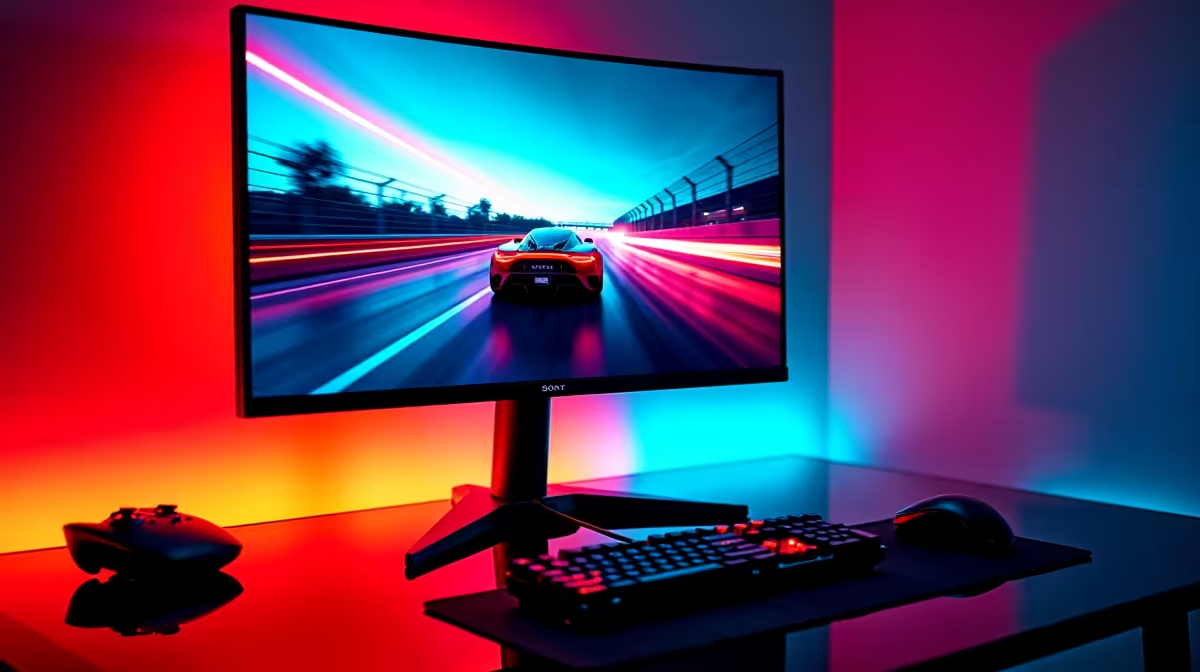
Staring down the sights in Apex Legends, you line up the perfect shot… and then it happens. A jagged, horizontal line slices across your screen, ruining your aim and getting you sent back to the lobby. That, my friend, is screen tearing. It’s the ultimate immersion-breaker. For gamers in South Africa, the fix lies in a technology called adaptive sync, but that leads to the big question: in the FreeSync vs G-Sync South Africa debate, which side should you be on?
Understanding the Enemy: Screen Tearing and Stutter
Before we pick a team, let's quickly diagnose the problem. Screen tearing occurs when your graphics card's frame rate (the speed it sends out new images) doesn't match your monitor's refresh rate (the speed it displays them). The monitor tries to display two different frames at once, creating that ugly tear. Stuttering is the opposite, where your GPU can't keep up, causing a jerky, laggy picture.
Adaptive sync technology forces your monitor to match its refresh rate to your GPU's output in real-time. The result? Buttery-smooth gameplay, just as the developers intended. ✨ Both FreeSync and G-Sync do this, but they take different paths to get there.
Team Red's Champion: AMD FreeSync
AMD's FreeSync is an open-standard technology, which means any monitor manufacturer can implement it without paying licensing fees to AMD. This is its biggest advantage, especially for budget-conscious gamers.
Because it's cheaper to implement, you'll find FreeSync on a massive range of PC monitors, from entry-level 1080p screens to high-end 4K beasts. This competition keeps prices down, making it easier to find amazing PC monitor deals that won't break the bank.
There are three tiers to look out for:
- FreeSync: The basic version that prevents tearing.
- FreeSync Premium: Adds Low Framerate Compensation (LFC) to keep things smooth even when your FPS drops below the monitor's minimum refresh rate, plus a guaranteed 120Hz refresh rate at 1080p.
- FreeSync Premium Pro: Includes everything from Premium, plus HDR (High Dynamic Range) optimisation for more vibrant colours and better contrast.
Team Green's Titan: NVIDIA G-Sync
NVIDIA's G-Sync is a proprietary technology. For a long time, this meant monitors had to include a special NVIDIA hardware module to work, which added a significant cost. This module provides exceptional quality control, ensuring a flawless, flicker-free experience across the entire refresh rate range.
This strict certification process is why G-Sync monitors have a reputation for being the "no-compromise" option among the best gaming monitors available. However, the game has changed recently.
NVIDIA now offers tiers as well:
- G-Sync Compatible: These are essentially top-tier FreeSync monitors that NVIDIA has tested and certified to work well with their graphics cards. This is the big news, as it opens up a world of more affordable options for NVIDIA users.
- G-Sync: The classic version with the dedicated hardware module for a premium experience.
- G-Sync Ultimate: The absolute best of the best, featuring the advanced G-Sync processor and cutting-edge HDR support.
NVIDIA Pro Tip 🔧
If you have an NVIDIA graphics card and a FreeSync monitor, you might be in luck! Open the NVIDIA Control Panel, go to "Set up G-SYNC," and check the box for "Enable G-SYNC, G-SYNC Compatible." If your monitor works well, you've just unlocked smooth gaming without paying the premium.
The Mzansi Showdown: FreeSync vs G-Sync for South African Gamers
Alright, let's get down to the brass tacks. For a gamer sitting in Cape Town, Joburg, or Durban, which technology makes more sense? The FreeSync vs G-Sync South Africa decision really boils down to three things: your graphics card, your budget, and your desired experience.
Your Graphics Card is the Deciding Factor
This is the simplest part of the equation:
- If you have an AMD Radeon GPU: Go for a FreeSync monitor. It’s the native technology, it’s affordable, and it works perfectly.
- If you have an NVIDIA GeForce GPU: You have a choice. You can go for a premium G-Sync monitor for guaranteed performance, or save some Randelas by choosing a "G-Sync Compatible" monitor.
Budget and Value Reign Supreme
In South Africa, price matters. G-Sync monitors with the dedicated hardware module carry a definite price premium. For most gamers, a high-quality FreeSync or G-Sync Compatible monitor offers 95% of the performance for a fraction of the cost. That saving could be put towards a better GPU, more RAM, or even just more games. Whether you're chasing the immersion of curved monitors or the crisp detail of 5K and 4K monitors, there's an adaptive sync option for your wallet.
Don't Forget the Details
Your setup isn't complete without the right gear. A high-quality DisplayPort or HDMI cable is crucial for adaptive sync to work properly, so don't skimp on your monitor accessories. And if you're a gamer on the go, even some modern portable monitors now feature FreeSync for smooth gaming away from your main rig. 🚀
So, Which One Should You Choose?
The G-Sync vs FreeSync South Africa debate isn't about a single winner. It's about finding the winner for you.
Choose FreeSync (or a G-Sync Compatible monitor) if:
- You have an AMD graphics card.
- You have an NVIDIA card and want the best bang-for-your-buck.
- You want the widest possible selection of monitors at every price point.
Choose a dedicated G-Sync monitor if:
- You have an NVIDIA graphics card and want the absolute best, most consistent performance.
- Budget is not your primary concern.
- You want the peace of mind that comes with NVIDIA's rigorous hardware certification.
Ultimately, the blurring of lines with "G-Sync Compatible" is a huge win for all gamers in South Africa. It means more choice, better prices, and smoother gameplay for everyone.
Ready to Banish Screen Tearing for Good? The FreeSync vs G-Sync choice depends on your rig and your budget, but the end goal is always flawlessly smooth gameplay. Explore our massive range of gaming monitors and find the perfect screen to elevate your experience.











