

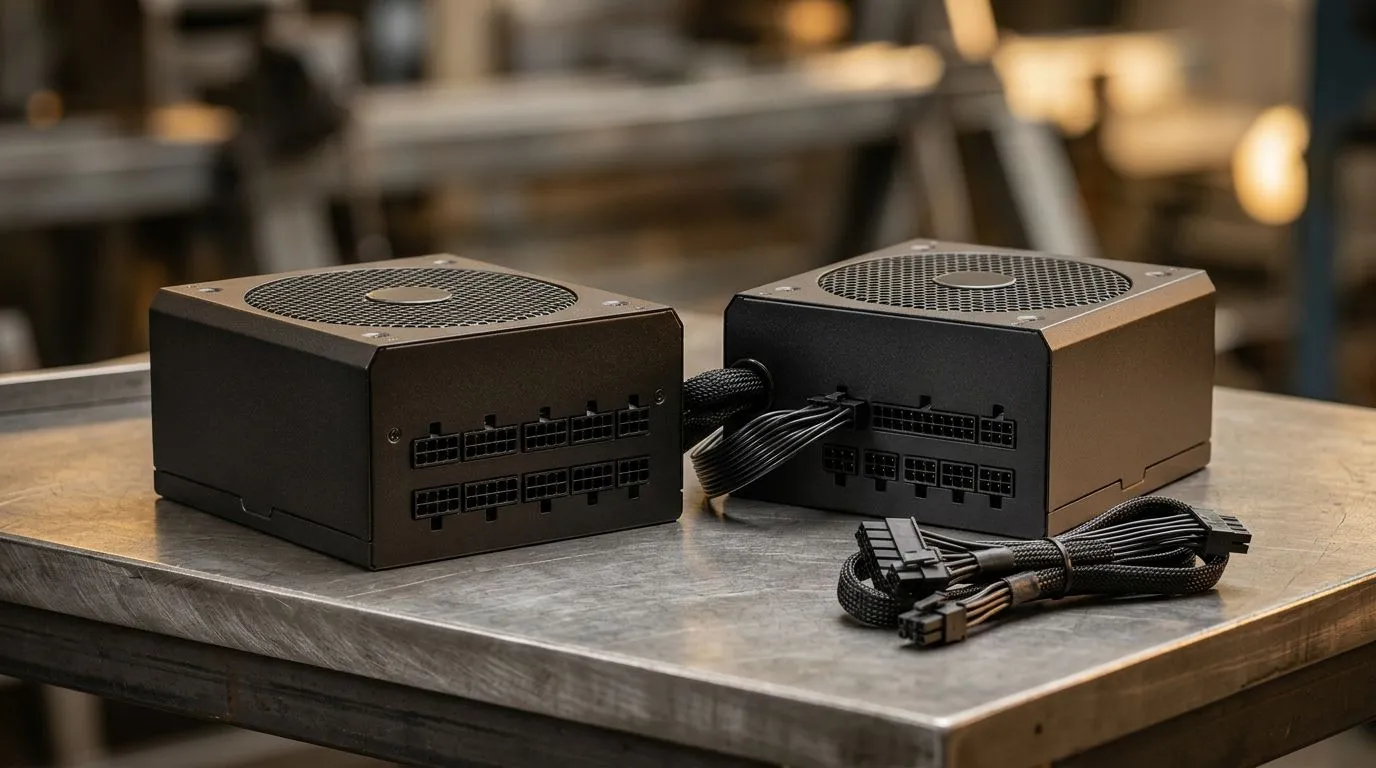
Fully Modular vs Semi-Modular Power Supplies for Cable Management
If your PC case looks like a charger graveyard, the PSU choice is probably part of the problem. South African gamers know the struggle... too many cables, too little space, and zero patience after a long load-shedding session. The good news? Choosing between a fully modular and semi-modular power supply can make cable management cleaner, airflow better, and upgrades far less stressful. 🔧
Modular Power Supply Basics for Cleaner Builds
A power supply does one job first: deliver stable power to your components. But from a build-quality perspective, the cabling matters just as much. With a modular PSU, some or all cables detach from the unit, which means you only install what your system actually needs.
A fully modular power supply lets you remove every cable, including the 24-pin motherboard and EPS CPU leads. A semi-modular PSU keeps the most essential cables attached, while the rest are optional. That difference sounds small... until you're kneeling beside your case, trying to hide excess cables behind a side panel that barely closes.
For builders who want a neater setup without overspending, browsing Evetech’s Corsair power supply range is a solid starting point.
Fully Modular Power Supplies for Maximum Cable Management
Fully modular units are ideal if you care about presentation, airflow, or frequent hardware upgrades. Because every cable is removable, you can plan your build from scratch and keep only the leads you need. That usually means less clutter in the PSU shroud and easier routing behind the motherboard tray.
This matters most in compact cases, windowed builds, and RGB-heavy rigs where messy cabling stands out immediately. It also makes maintenance simpler. Need to swap a GPU? You can remove only the relevant cable, not half the wiring loom.
A fully modular PSU also gives experienced builders more flexibility when customising cable sleeves or replacing stock leads with aftermarket sets. If you’re shopping around different brands, Evetech’s Corsair power supply selection filtered by GAMDIAS options can help you compare styles and pricing in one place.
Semi-Modular Power Supplies for Value and Simplicity
Semi-modular PSUs keep the core cables permanently attached, which can be helpful for first-time builders. You still get reduced clutter because the secondary cables only go in if you need them. That means less cost, less complexity, and fewer chances of forgetting a cable during assembly.
For many South African buyers, that balance is the sweet spot. If you're building a straightforward gaming PC and you want tidy cable management without paying premium prices, semi-modular is often the practical choice.
You can also narrow your search by efficiency and find 80 PLUS-rated options on Evetech when you want a PSU that pairs clean cabling with better energy efficiency. That’s especially useful when you’re trying to keep heat and electricity costs under control.
Cable Management Tips That Actually Help
Cable management is not just about looks. Good routing can improve airflow, make dusting easier, and reduce build anxiety later.
Start with the motherboard tray
Run cables behind the tray where possible. Use the case cut-outs to keep visible cables short and direct.
Group cables by destination
Keep GPU, CPU, and front-panel cables separated. It makes troubleshooting much easier later.
Use Velcro straps first
Zip ties are fine, but Velcro is easier to adjust when you upgrade. That flexibility saves time.
Cable Management Pro Tip 🔧
Hide excess PSU cable length in the PSU shroud or drive bay area, not in front of fans. A few extra minutes of routing can improve airflow and make your build look far cleaner.
Don’t force awkward bends
A cable that is too tightly bent can stress connectors. Give each line a natural path.
Which PSU Type Should South African Gamers Choose?
If you want the cleanest possible build and you enjoy customising every detail, fully modular is the better fit. If you want simpler installation and better value, semi-modular is often the smarter buy.
Here’s the short version:
- Choose fully modular if you build often, care about visuals, or want the easiest cable routing.
- Choose semi-modular if you want a tidy PC without paying extra for complete cable freedom.
- Prioritise wattage and quality first... then choose the modularity level that suits your case and budget.
In real-world terms, the best PSU is the one that fits your hardware now and leaves enough headroom for future upgrades. A neat cable layout is great, but stable power and the right wattage matter more.
Cable Management and Build Quality Go Hand in Hand
A clean PC is easier to live with. It stays cooler, it’s simpler to clean, and it looks far better through a tempered-glass panel. For gamers and creators who keep their rigs for years, the modular PSU choice can quietly shape the whole experience.
So if you’re building a new machine or refreshing an older one, think beyond wattage alone. Consider how much space you have, how often you upgrade, and how much time you want to spend wrestling cables after work.
Ready to Find Your Perfect Match? The Mac vs Windows debate is complex, but for maximum power, choice, and value in South Africa, Windows is hard to beat. Explore our massive range of laptop specials and find the perfect machine to conquer your world.










