


GPU Setup Guide for SA Gamers
GPU Setup Guide Gamers. Clear setup instructions with SA-specific considerations, troubleshooting tips & recommended components.
Read moreChoosing a gaming chair for work from home in South Africa? Get the right support, adjustability, and breathability for long sessions—without back pain. ✅🪑
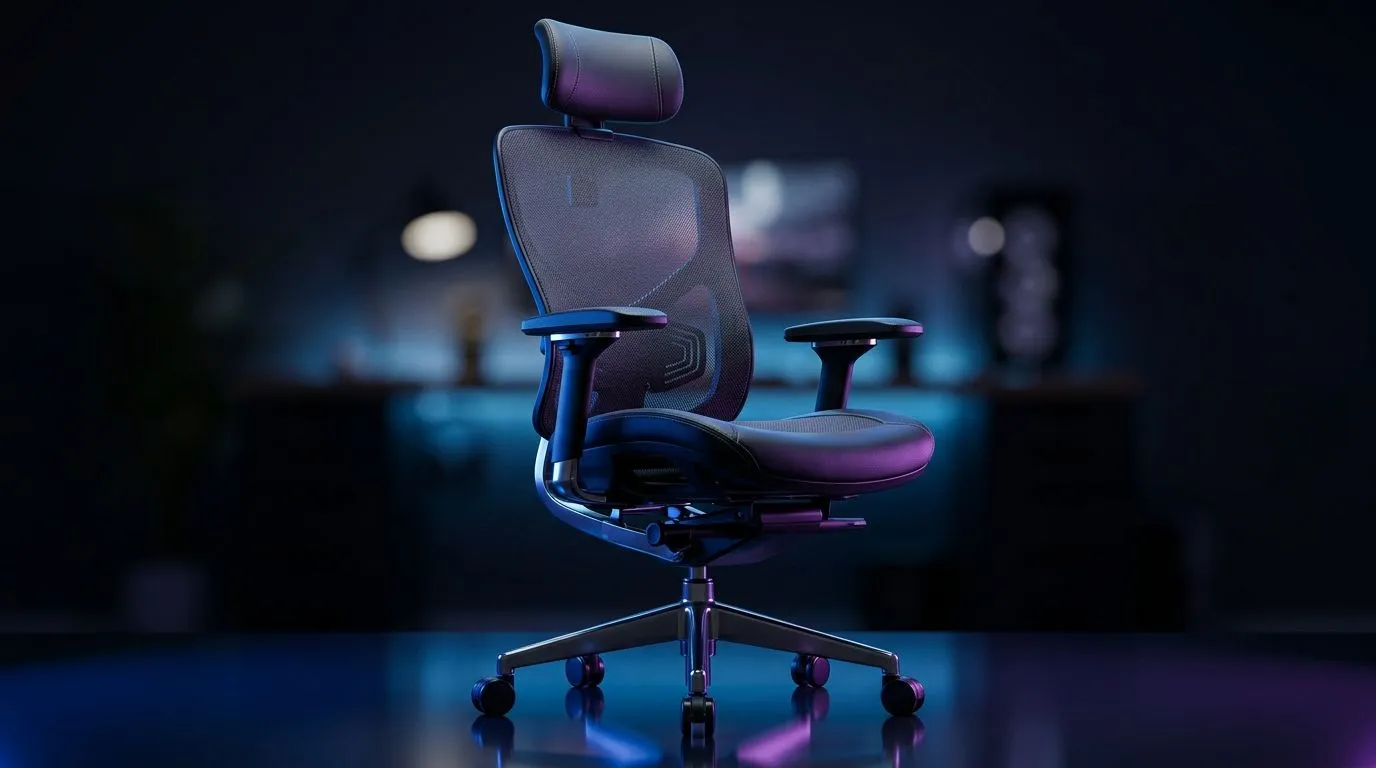
Working from home sounds simple until your lower back starts objecting by 11am. If you spend long hours on calls, spreadsheets, or evening gaming sessions, the chair you choose matters more than most buyers realise. A good gaming chair for work from home in South Africa should support your posture, fit your body, and hold up to daily use... without making your workspace feel like a race track.
The best part? You do not need to overthink it. Focus on a few real-world features, and you can avoid the common trap of buying for looks alone.
Ergonomics is just a fancy word for how well the chair supports the way you sit. For home workers, that usually means proper lumbar support, an adjustable backrest, and armrests that do not force your shoulders upward.
A chair with good lumbar support helps maintain the lower spine’s natural curve. That can make a long day feel less punishing. Seat height adjustment is also essential, especially if your desk setup is not perfectly matched to your body.
If you often switch between typing, meetings, and gaming, a reclining backrest can be surprisingly useful. It lets you shift position during the day, which helps reduce stiffness.
When choosing a chair for long work-from-home sessions, test whether your feet rest flat on the floor with your knees close to a 90-degree angle. That simple check often tells you more than the marketing does.
Durability should be near the top of your list. A chair that looks premium but flexes, squeaks, or peels after a few months is not great value.
Look for a sturdy frame, a reliable base, and a weight rating that suits your body size. Upholstery also matters. PU leather is easy to wipe down, but breathable fabric can feel better in warmer rooms. That matters in many South African homes, especially when summer heat kicks in.
If you want a wider, more office-friendly feel, compare desk setups and seating space together. For example, pairing your chair with a practical workspace like an available gaming desk option can help you judge whether the overall setup actually fits your room.
Not every buyer needs the same chair. A competitive gamer who streams at night will prioritise different things from someone taking Zoom calls all day.
Here is a simple way to think about it:
Prioritise lumbar support, adjustable armrests, and a seat that does not feel too narrow.
Look for a chair that reclines comfortably, with enough cushioning for long sessions.
Measure the floor space first. Oversized chairs can dominate a room and make movement awkward.
If you like more premium styling, the AutoFull gaming desk range may help you build a matching setup that feels coherent, not cluttered.
When shopping in South Africa, the best value often comes from comparing the features that affect comfort every single day. That includes:
A chair with all the right features may cost more upfront, but it can save you from replacing a cheap model later. That is the real hidden cost many people overlook.
If you are building a more focused gaming-and-work setup, browse the Arozzi gaming desk options to see how a larger desk can support better chair positioning and monitor placement.
Some details look minor until you use the chair every day. Headrest shape, armrest height, and seat firmness all change how a chair feels after hour three. Even the base design matters if you move around a lot during the day.
One overlooked point is desk compatibility. A chair can only do so much if the desk height forces your shoulders up. If you are comparing full setup upgrades, the Nitro desk selection is worth a look alongside chair choices so the whole station works together.
The right chair is the one that supports your routine, fits your room, and keeps you comfortable through both work and play. Do not buy on colour alone. Do not buy because the side bolsters look aggressive. Buy for posture, adjustability, and long-term comfort.
If you spend hours at a desk, treat the chair as part of your productivity gear. That mindset usually leads to better choices, and fewer regrets.
Ready to Find Your Perfect Match? The Mac vs Windows debate is complex, but for maximum power, choice, and value in South Africa, Windows is hard to beat. Explore our massive range of laptop specials and find the perfect machine to conquer your world.
Prioritise adjustable lumbar support, seat height, armrest adjustability, breathable materials, and stable recline for long work sessions.
Yes—when they offer proper back support, adjustable armrests, and seat depth. These features help reduce strain during daily typing.
Aim for feet flat on the floor (or a proper footrest) and a seat depth that supports your thighs without pressing behind your knees.
Look for adjustable lumbar support so you can match your spine curve. Lock it in before you start long sessions.
If you work in warm conditions, breathable mesh helps airflow and comfort. Pair it with good cushioning for all-day support.
They do. Adjustable armrests keep your shoulders relaxed and help maintain proper wrist alignment for smoother work at your desk.
Set height, lumbar, and recline correctly. Take short breaks, keep screens at eye level, and ensure your posture stays supported.
Check warranty length, weight capacity, and part quality. Look for solid base construction and test controls for smooth adjustments.
GPU Setup Guide Gamers. Clear setup instructions with SA-specific considerations, troubleshooting tips & recommended components.
Read more
When Will the RTX 6090 Launch in South Africa Detailed answer with SA data, expert analysis & practical recommendations for local buyers.

Top Valorant Settings for RTX 5070: FPS Optimisation picks evaluated on performance, value & SA availability with current Rand pricing from Evetech.

RDNA 3.5 Graphics in Ryzen AI 400? Can You Game. Plain-English explanation of what it means, why it matters & how it affects your buying decisions in SA.

GPU Price Index : December Report. Current stock data & price tracking for SA buyers. See what is available and where prices are heading.

Core i5-14600K + B760 + RTX 5060 Build Under. Full parts list, Rand pricing & expected performance. Build confidently with SA-available components.

RX 7600 Apex Legends at 4K: FPS Benchmark. Real-world benchmark data, FPS numbers & performance analysis. What SA gamers can actually expect.

RX 7900 XTX GTA 6 at 4K: FPS Benchmark & Optimal. Real-world benchmark data, FPS numbers & performance analysis. What SA gamers can actually expect.

Head-to-head comparison of RTX 5070 vs RX 9070 XT: Gaming Performance for SA gamers. Performance benchmarks, Rand pricing & which delivers better value.

Top Laptop with Ryzen 5 + RTX 4090 Laptop: Picks picks evaluated on performance, value & SA availability with current Rand pricing from Evetech.

Top Budget GPU for Marvel Rivals picks evaluated on performance, value & SA availability with current Rand pricing from Evetech.

Valorant Settings on RTX 5070: Performance. Real-world benchmark data, FPS numbers & performance analysis. What SA gamers can actually expect.

Top Budget GPU for Assassins Creed Shadows picks evaluated on performance, value & SA availability with current Rand pricing from Evetech.