


Glorious Keyboard Switches Explained: Which Switch Is Right for You?
Glorious Keyboard Switches Explained: Which. Plain-English explanation of what it means, why it matters & how it affects your buying decisions in SA.
Read moreA high gaming monitor refresh rate is key to fluid, tear-free gameplay. But what do 120Hz, 144Hz, or even 240Hz really mean for you as a South African gamer? This guide breaks down the tech behind Hz, its impact on performance, and how to choose the perfect monitor. 🚀 Level up your visual experience! 🎮
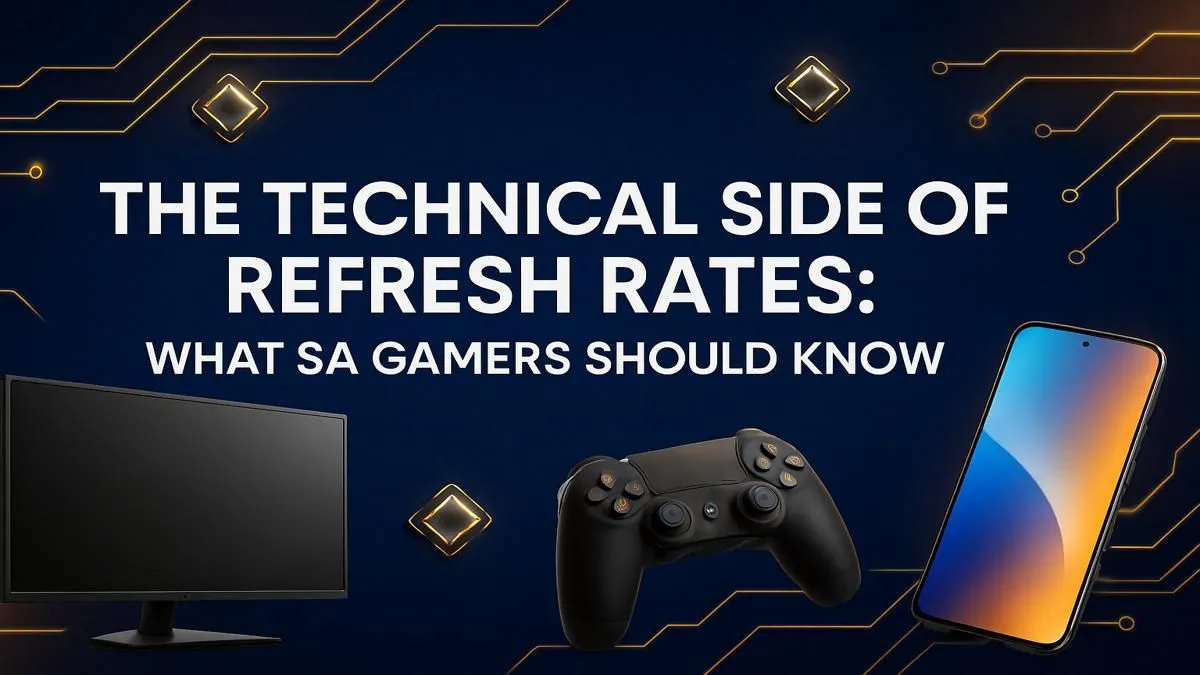
Ever felt like you shot first but still lost the gunfight in Valorant? Your internet connection might be solid, but your screen could be letting you down. For South African gamers, understanding your gaming monitor refresh rate is key to gaining a competitive edge. It’s not just a fancy number on a box; it’s the secret to buttery-smooth visuals and lightning-fast reactions. Let's break down what it means and why it matters for your rig. 🚀
Think of your monitor like a high-tech flipbook. The refresh rate, measured in Hertz (Hz), is simply how many times per second the screen can draw a new image. A 60Hz monitor redraws the picture 60 times a second, while a 144Hz monitor does it 144 times. The more images you see per second, the smoother the motion appears.
It’s important not to confuse this with Frames Per Second (FPS), which is how many frames your graphics card is producing. The two work together. Your GPU renders the frames, and your monitor displays them. For the best experience, you want your FPS to be at or above your monitor's refresh rate. This is one of the most crucial specs to understand across all modern PC monitors.
Absolutely. While the jump from 30Hz to 60Hz was massive, the leap to 120Hz and beyond is where competitive gamers find their edge. Here’s why a high gaming monitor refresh rate is so vital:
Imagine you’re in the final circle in Apex Legends. With a 144Hz monitor, tracking that fast-moving Valkyrie against the sky is crisp and easy. On a 60Hz screen? She might just be a blurry mess, and that's the difference between a win and a trip back to the lobby.
So, what's the right refresh rate for you? It depends on your games and your budget.
Still perfectly fine for slower-paced single-player games, strategy titles, or general productivity. But for competitive shooters like CS2 or Warzone, it will put you at a noticeable disadvantage.
This is the new baseline for any serious gamer in South Africa. The difference from 60Hz is immediately obvious and delivers a massive competitive advantage without completely breaking the bank. For most people, a 144Hz monitor offers the best performance for the price, and you can often find incredible value in our best PC monitor deals.
This is the top tier. If you're a dedicated esports athlete or a hardcore enthusiast who demands the absolute lowest input lag and smoothest motion possible, this is your target. Just remember, you’ll need a beast of a PC to consistently push the 240+ FPS needed to take full advantage of this high refresh rate.
Your shiny new 240Hz monitor is useless if your graphics card can only push 70 frames per second (FPS). Before you upgrade your display, make sure your GPU is up to the task. Use an in-game FPS counter to check your performance. The goal is to have your FPS match or exceed your monitor's refresh rate for the smoothest experience.
While a high monitor refresh rate is critical, it's not the only thing that matters. To build the perfect setup, you need to balance it with other key features.
A monitor's resolution determines its sharpness. Pushing a high refresh rate is easier at 1080p than it is on demanding, high-resolution 4K and 5K monitors, which require a top-end graphics card. For many gamers, 1440p (QHD) at 144Hz or 165Hz is the perfect balance of clarity and performance.
Also, consider features like immersive curved monitors that fill your peripheral vision, or even handy portable monitors for your next LAN party. Getting the right combination of specs is key to unlocking your true gaming potential.
Ready to See the Difference? Choosing the right gaming monitor refresh rate can feel complex, but it's one of the biggest upgrades you can make for a smoother, more responsive experience. From budget-friendly 144Hz heroes to pro-level 360Hz beasts, we've got the screen for your rig. Explore our massive range of gaming monitors and find the perfect display to dominate the competition.
For most gamers, 144Hz is the sweet spot, offering a significant fluidity boost over 60Hz. Competitive players often prefer 240Hz or higher for maximum responsiveness.
Absolutely. A higher refresh rate reduces motion blur, lowers input lag, and provides a smoother visual experience, making it easier to track fast-moving targets.
To benefit from a 144Hz monitor, your GPU must be powerful enough to consistently produce 144 frames per second (FPS) in the games you play at your desired resolution.
Refresh rate (Hz) is how many times the screen updates per second. Response time (ms) is how quickly a pixel can change color. Both are crucial for clear, smooth gaming.
They work together. G-Sync and FreeSync are adaptive sync technologies that match your monitor's refresh rate to your GPU's frame rate, eliminating screen tearing.
While playable, a 60Hz monitor is considered entry-level today. For fast-paced games like FPS or racing titles, a higher refresh rate monitor provides a clear advantage.
Glorious Keyboard Switches Explained: Which. Plain-English explanation of what it means, why it matters & how it affects your buying decisions in SA.
Read more
Winter Keyboard Buying Guide. Everything you need to know with SA pricing, step-by-step instructions & expert recommendations.
Read more
Keyboard Buying Guide. Everything you need to know with SA pricing, step-by-step instructions & expert recommendations.
Read more
LGBTQ+ Gamers Keyboard Guide: January Edition. Everything you need to know with SA pricing, step-by-step instructions & expert recommendations.
Read more
Keyboard Maintenance Guide Gamers. Everything you need to know with SA pricing, step-by-step instructions & expert recommendations.
Read more
Accessibility Focused Keyboard Guide: January. Everything you need to know with SA pricing, step-by-step instructions & expert recommendations.
Read more
Snapdragon X2 NPU Explained: How 80 TOPS Changes. Plain-English explanation of what it means, why it matters & how it affects your buying decisions in SA.

HBM? High Bandwidth Memory Used in GPUs and AI. Plain-English explanation of what it means, why it matters & how it affects your buying decisions in SA.

How much should you spend on sim racing accessories in South Africa for a realistic setup? We break down budgets by quality tiers, so you buy smart gear and avoid overspending 🎮💸

G-Sync and FreeSync? Variable Refresh Rate. Plain-English explanation of what it means, why it matters & how it affects your buying decisions in SA.

AMD Laptop: Value. SA-focused analysis with local pricing data, real-world insights & actionable buying advice.

How MacBook Neo Handles 30+ Chrome Tabs with Only. SA-focused analysis with local pricing data, real-world insights & actionable buying advice.

Why Apple Put 8GB RAM in MacBook Neo: The A18 Pro. SA-focused analysis with local pricing data, real-world insights & actionable buying advice.

Upgrade your work laptop with a New Motherboard. Step-by-step instructions with SA-specific tips, common pitfalls to avoid & expert recommendations.

MacBook Pro 16-Inch M5 Max: Complete Specs,. Everything you need to know with SA pricing, step-by-step instructions & expert recommendations.

Travelling With a MacBook: Travellers. Everything you need to know with SA pricing, step-by-step instructions & expert recommendations.

Back-to-School Parent Guide: Laptops. Everything you need to know with SA pricing, step-by-step instructions & expert recommendations.

MacBook Air 13-Inch M5: Complete Specs, Features. Everything you need to know with SA pricing, step-by-step instructions & expert recommendations.