


GTA 6 Max Settings on RTX 5070: Complete Guide
GTA 6 Max Settings on RTX 5070. Tested & verified settings for best FPS and visual quality on SA hardware budgets.
Read moreHDMI to VGA vs HDMI to HDMI: pick the best option for backward compatibility and fewer signal issues. See what works with monitors, laptops, and older projectors—fast and reliable ✅🔌
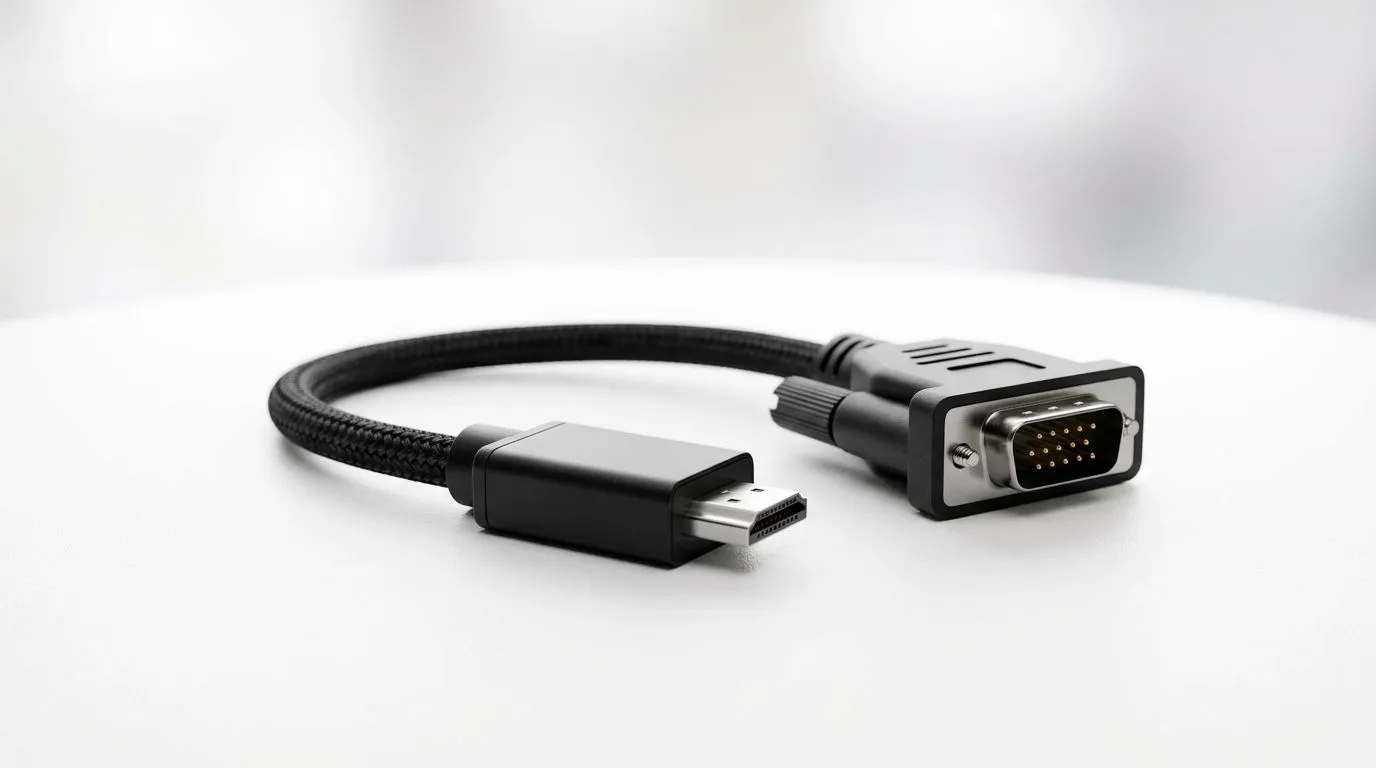
If you’ve ever plugged a console, laptop, or PC into a monitor and been met with a blank screen… you’re not alone. In South Africa, this happens constantly because people mix “looks similar” cables, different ports, and mismatched signal types.
So let’s make it simple. In this guide, we’ll break down HDMI to VGA vs HDMI to HDMI: Compatibility Guide so you can buy the right cable (or adapter), avoid wasted trips, and get your gaming running fast… not later.
At a high level, HDMI and VGA are not the same video format.
This is why many “my HDMI to VGA adapter didn’t work” stories end with the wrong type of adapter… not a bad monitor.
With HDMI to HDMI:
If you’re running a console or a modern PC, this is typically your best bet for quality and ease.
With HDMI to VGA:
Practical SA example: You’ve got an older 1080p office monitor at home. Your laptop only has HDMI. You buy a basic adapter expecting magic… but your monitor never syncs. That usually points to an adapter that cannot convert the signal properly.
Reliable shopping approach: when buying HDMI to VGA conversion, look for “active” or “converter” wording, and confirm both ends are supported by the product description.
Before you purchase anything, run this quick checklist on your exact gear:
If you can go HDMI → HDMI, do it. Fewer conversion steps means fewer “no signal” moments.
This matters more for desktops than laptops, but the rule is simple: use the graphics output your system actually supports for the resolution you want.
VGA is older and often limits what you can realistically push. HDMI-to-HDMI can typically support higher resolutions and refresh rates more reliably.
Quick fixes:
If you’re using an HDMI to VGA converter:
Analogue connections can introduce colour and sharpness differences. If picture quality matters (especially for competitive play), HDMI to HDMI is usually the cleaner choice.
If you’re upgrading a modern gaming rig, try to match ports:
Buying the right lead is half the battle. Here’s how to approach it like a pro:
If you’re building a full desk setup, it’s often cheaper to buy multiple accessories together. Evetech regularly runs gaming accessory offers and bundles, so you can consolidate your spend.
For example, browse the latest gaming accessories and related add-ons here: Gaming accessories deals at Evetech
If you’re also shopping for monitor-adjacent gear and desk upgrades, you can explore a broader section here: Buy gaming accessories at Evetech
And if you prefer category filters, try: Gaming accessories category listing
Use this mini rule-of-thumb:
you’re switching inputs often (console + PC + laptop), label your monitor inputs with a sticky note. Example: “HDMI 1 = PC”, “HDMI 2 = Console”. Then keep one known-good HDMI cable plugged in where possible. It sounds basic, but it prevents the most common mistake: selecting the wrong input and assuming your cable is faulty.
Most compatibility problems come down to one truth: HDMI and VGA don’t “just work” the same way. When you match digital to digital (HDMI to HDMI), you get the smooth experience. When you must go digital to analogue (HDMI to VGA), you need the right active conversion hardware, plus the correct monitor input.
If you want fewer headaches and faster setup times, buy based on your ports first… not on the cable shape.
Ready to Find Your Perfect Match? The Mac vs Windows debate is complex, but for maximum power, choice, and value in South Africa, Windows is hard to beat. Explore our massive range of laptop specials and find the perfect machine to conquer your world.
Often yes. HDMI to VGA is not a pure cable swap and may require an active HDMI to VGA adapter to convert the signal reliably.
In many cases, yes for video, but compatibility depends on the adapter and the monitor's VGA input. HDMI audio support is usually limited.
If your display or device supports HDMI input, HDMI to HDMI preserves signal integrity more often than HDMI to VGA conversions.
Many adapters support up to common VGA-era resolutions, but performance varies by adapter. Check the advertised resolution before buying.
Common causes include wrong adapter type (active vs passive), cable seating, incorrect input selection, or missing device resolution settings.
Typically, HDMI to VGA does not carry audio because VGA is video-only. Use separate audio output if you need sound.
Yes with the right adapter, but expect resolution and refresh-rate limits. Some consoles also require specific output settings.
Choose HDMI to HDMI when available to reduce compatibility problems and maintain better video quality compared with HDMI-to-VGA conversion.
GTA 6 Max Settings on RTX 5070. Tested & verified settings for best FPS and visual quality on SA hardware budgets.
Read more
Cyberpunk 2077 Max Settings on RTX 5080. Tested & verified settings for best FPS and visual quality on SA hardware budgets.
Read more
Starfield Max Settings on RTX 5070 Ti. Tested & verified settings for best FPS and visual quality on SA hardware budgets.
Read more
AMD RX 9050 XT: Rumoured Specs, Price & Release. SA-focused analysis with local pricing data, real-world insights & actionable buying advice.

Can RTX 4080 Super Run AI Workloads for SA Developers Detailed answer with SA data, expert analysis & practical recommendations for local buyers.

Can RTX 4090 Run AI Workloads for SA Developers Detailed answer with SA data, expert analysis & practical recommendations for local buyers.

Top Settings for Intel Arc B580 at Ultrawide 1440p picks evaluated on performance, value & SA availability with current Rand pricing from Evetech.

RTX 4060 CS2 Low Settings at 1080p: FPS Results. Real-world benchmark data, FPS numbers & performance analysis. What SA gamers can actually expect.

Visual Artifacts: Possible GPU Issue Issue #1. Diagnosis steps, proven fixes & when to seek professional help. SA-specific support info included.

Can the RTX 4090 Handle 1440p 144Hz Gaming. Performance testing verdict with real data & practical recommendations for SA buyers.

Top ASUS GPU Under R15000 picks evaluated on performance, value & SA availability with current Rand pricing from Evetech.
GTA 6 Max Settings on RTX 5070. Tested & verified settings for best FPS and visual quality on SA hardware budgets.
Cyberpunk 2077 Max Settings on RTX 5080. Tested & verified settings for best FPS and visual quality on SA hardware budgets.
Starfield Max Settings on RTX 5070 Ti. Tested & verified settings for best FPS and visual quality on SA hardware budgets.

Top RTX 5090 Under R5000 picks evaluated on performance, value & SA availability with current Rand pricing from Evetech.