


Starfield Max Settings on RTX 5070: Complete Guide
Starfield Max Settings on RTX 5070. Tested & verified settings for best FPS and visual quality on SA hardware budgets.
Read moreHeatpipe design for reducing thermal throttling can keep CPU boost clocks stable under load. Learn how heatpipes, contact quality, and airflow work together to protect performance. 🔥❄️
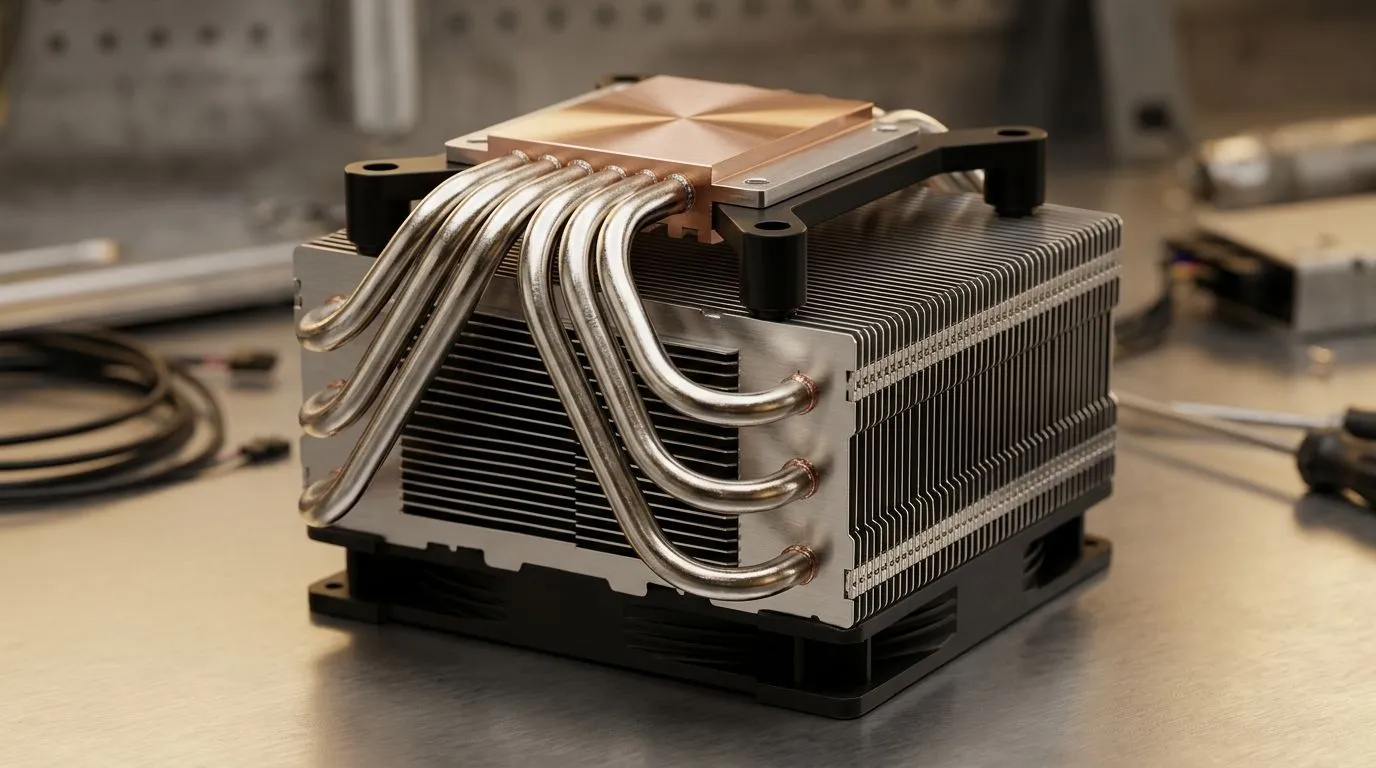
If your FPS drops mid-match, it’s often not your aim… it’s heat. 🔥 In South Africa’s warm summers, CPU temperatures can climb fast, and thermal throttling quietly steals clock speed. The fix isn’t always a “bigger cooler”. Sometimes it’s smarter design inside the cooler, like heatpipes, and how they move heat from your CPU to the fins.
In this Deep Dive, we’ll break down how Heatpipe Design for Reducing Thermal Throttling actually works, what to look for when you shop, and how to pair it with the right cooler for your setup.
Heatpipes are sealed copper (or copper-based) tubes filled with a working fluid. When the CPU hotspot heats one end, the fluid evaporates, then travels to cooler fins where it condenses back to liquid. That constant cycle moves heat efficiently, instead of relying only on direct conduction.
Why this helps throttling:
What to look for when choosing a cooler:
Evetech’s CPU cooler selection makes it easy to compare air coolers by type and fan size, which is useful if you’re trying to dial in stable temps for gaming. Start here: browse CPU coolers.
If you want a straightforward route, filter specifically to air coolers. Shop air coolers.
Then consider fan size. A common sweet spot is 120mm fans, especially in mid-tower cases where you want decent static pressure without turning your PC into a jet engine. If you’re aiming for that balance, check: 120mm fan air coolers.
Even the best heatpipe design can’t overcome bad airflow. Here’s what tends to work in real South African builds:
On Windows, use the built-in Task Manager plus a reliable temp monitor (from your motherboard software or a trusted system tool) to watch CPU package temperature during a 10-minute gaming loop. If temps climb steadily and stay near your throttling range, you likely need improved airflow or a cooler with better heatpipe heat spreading rather than just more fans.
If you’ve had issues with past coolers (noise, clearance, or weak performance under load), it’s worth narrowing by known brands. For example, if you want to compare options, you can filter to: Deepcool air coolers.
And if your shortlist includes budget-to-midrange value picks, also look at: EINAREX air coolers.
Heatpipe design helps most when you’re dealing with sustained CPU load. Think: long multiplayer matches, streaming, multitasking with Discord and browser tabs, and modern game engines that spike hard.
So before you spend, ask yourself: will your CPU mostly idle, or will it run warm for hours? If it’s the second one, Heatpipe Design for Reducing Thermal Throttling becomes a real performance lever, not marketing.
Ready to Find Your Perfect Match? If you’re chasing stable performance in South African conditions, the right CPU cooler is a smart place to start. Explore our massive range of CPU coolers and find the best fit for your CPU, case, and budget. Shop Evetech’s laptop specials and upgrade your setup today.
Heatpipes move heat from the CPU to the heatsink faster and more evenly, which helps maintain lower temperatures and reduce thermal throttling during sustained loads.
Both matter. Thermal paste affects contact transfer at the CPU interface, while heatpipe design affects heat spreading and dissipation to the heatsink and airflow.
Yes. If airflow through the heatsink is weak or blocked, the heat can’t be rejected efficiently, causing temperatures to rise and throttling to reappear despite good heatpipes.
Check sustained benchmarks, monitor clocks and temperatures, and look for fast temp ramps with falling boost clocks—often a sign of inadequate heat transfer or dissipation.
Often. More effective heatpipe layout and sufficient capacity can improve heat transport and reduce hotspots, which can help stabilize boost performance under load.
Sometimes. Vapor chambers can spread heat more uniformly, but the system still depends on cooler design, contact quality, and heatsink airflow.
You can often improve throttling by cleaning heatsink fins, refreshing thermal paste only if allowed, using a cooling pad, and optimizing fan curves and airflow.
If your paste is dried out or contact is poor, repasting can help. But if heat rejection is the real limitation, addressing airflow and cooling design may deliver bigger gains.
Starfield Max Settings on RTX 5070. Tested & verified settings for best FPS and visual quality on SA hardware budgets.
Read more
When Will the RTX 6090 Launch in South Africa Detailed answer with SA data, expert analysis & practical recommendations for local buyers.

Top Valorant Settings for RTX 5070: FPS Optimisation picks evaluated on performance, value & SA availability with current Rand pricing from Evetech.

RDNA 3.5 Graphics in Ryzen AI 400? Can You Game. Plain-English explanation of what it means, why it matters & how it affects your buying decisions in SA.

GPU Price Index : December Report. Current stock data & price tracking for SA buyers. See what is available and where prices are heading.

Core i5-14600K + B760 + RTX 5060 Build Under. Full parts list, Rand pricing & expected performance. Build confidently with SA-available components.

RX 7600 Apex Legends at 4K: FPS Benchmark. Real-world benchmark data, FPS numbers & performance analysis. What SA gamers can actually expect.

RX 7900 XTX GTA 6 at 4K: FPS Benchmark & Optimal. Real-world benchmark data, FPS numbers & performance analysis. What SA gamers can actually expect.

Head-to-head comparison of RTX 5070 vs RX 9070 XT: Gaming Performance for SA gamers. Performance benchmarks, Rand pricing & which delivers better value.

GPU Setup Guide Gamers. Clear setup instructions with SA-specific considerations, troubleshooting tips & recommended components.

Top RTX 5090 Under R12000 picks evaluated on performance, value & SA availability with current Rand pricing from Evetech.

Call of Duty Warzone 2 Settings on RX 7600. Real-world benchmark data, FPS numbers & performance analysis. What SA gamers can actually expect.

GTA 6 Settings on RTX 5070 Ti: Performance. Real-world benchmark data, FPS numbers & performance analysis. What SA gamers can actually expect.