


Starfield Max Settings on RTX 5070: Complete Guide
Starfield Max Settings on RTX 5070. Tested & verified settings for best FPS and visual quality on SA hardware budgets.
Read moreHigh airflow vs high static pressure fans for case cooling: choose the right fan based on radiator fins, dust filters, and restrictions. Get cooler temps with less noise and better airflow efficiency. 🔧❄️
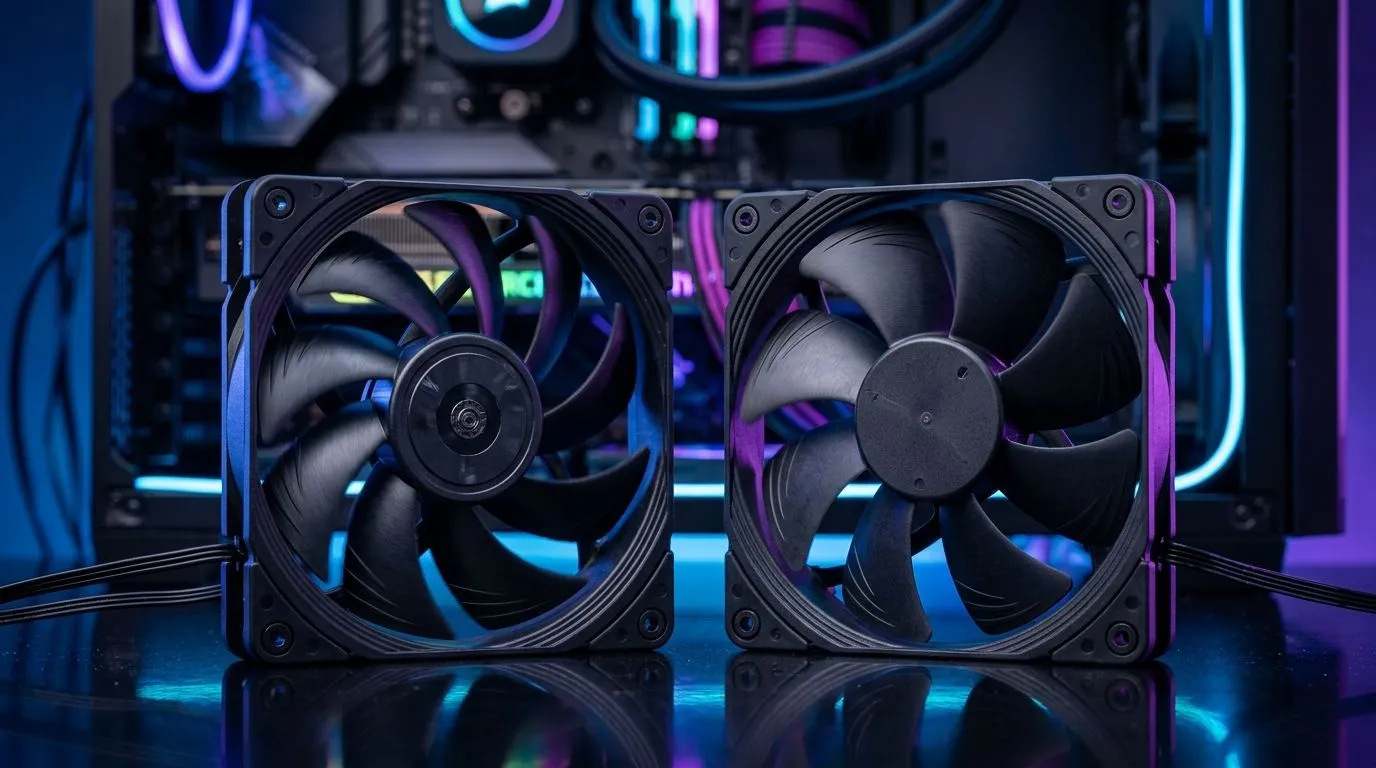
If you’ve ever wondered why one PC case runs cool while another cooks… you’re not imagining it. In South Africa, where load shedding and hot summer gaming sessions are real, fan selection matters more than most people think. 🔥
This guide breaks down High Airflow vs High Static Pressure Fans: Case Cooling Choice in plain English, so you can pick the right fan for your setup, your case, and your radiator. No guesswork.
High airflow fans are designed to move lots of air across open spaces. Think: a front-to-back path with minimal obstruction. These are typically ideal for case ventilation where fans have clear “lanes” to pull cool air in and exhaust warm air out.
High static pressure fans push air through resistance. That resistance might be from radiator fins, dust filters, or tight heatsink stacks. When airflow gets restricted, static pressure helps keep performance stable.
A good way to remember it:
If you’re mounting fans on a radiator or behind a filter, you’re dealing with flow resistance. Static pressure tends to be the better bet here because the fan has to “fight” through fins and mesh.
A GPU-heavy build often benefits from balanced case airflow first, especially if your case has big mesh areas. Meanwhile, dense CPU cooler setups and closed front panels favour fans that can maintain pressure under restrictions.
RGB is fun, but it shouldn’t cost you temps. Also, fan size impacts how much air gets moved at a given RPM. A 140mm fan can deliver strong results with lower noise compared to smaller options, depending on design.
Here’s what Evetech has in its case fan selection if you want to compare options side-by-side:
Size filters also help you match your case constraints:
Before you buy, look at your case front:
Even the right fans can underperform with a bad curve. Start with a balanced profile:
If all fans pull in, you’ll heat-soak. You typically want an intake/exhaust balance:
On your next upgrade, check your case fan mounting locations before you choose fan type. If your front is mostly open mesh, prioritise airflow fans for quieter movement. If you’re mounting on a radiator or behind a restrictive dust filter, choose static pressure fans first, then worry about RGB later. This prevents the common “installed everything… still temps high” moment. Provide your existing CPU cooler and radiator info to a technician if you’re unsure about mounting density.
If you’re building a value-first gaming PC in South Africa, the best move is not random. Decide where the resistance is:
If you want a fast decision checklist, use this:
Still not sure which direction to go? That’s normal. Hardware choices feel simple until you mount everything and run a stress test. The good news… you can get it right the first time with the right type.
Ready to Find Your Perfect Match? The Mac vs Windows debate is complex, but for maximum power, choice, and value in South Africa, Windows is hard to beat. Explore our massive range of laptop specials and find the perfect machine to conquer your world.
Use high airflow fans when your front intake and exhaust have low restriction, with minimal dust filtering and no tight radiator fins.
Choose high static pressure fans for radiators, heatsinks, dense filters, or restrictive airflow paths where resistance limits CFM delivery.
Not always. CFM is airflow under ideal conditions, while static pressure better predicts performance across filters, radiator fins, and obstructions.
Often, yes. High static pressure fans maintain airflow through radiator fin stacks, which can reduce GPU or CPU thermal throttling.
Start with high static pressure fans for thicker radiators and dense filters, then tune RPM and fan curves for noise vs temps.
Bottom intakes usually face more obstruction from filters and chassis design, so static pressure can outperform; test based on your case layout.
Yes. Use high airflow for open mesh areas and high static pressure where restrictions exist, keeping direction and fan curves consistent.
Push-pull can help, especially on radiators, but benefits depend on radiator thickness, fan RPM limits, and how much static pressure your setup needs.
Starfield Max Settings on RTX 5070. Tested & verified settings for best FPS and visual quality on SA hardware budgets.
Read more
When Will the RTX 6090 Launch in South Africa Detailed answer with SA data, expert analysis & practical recommendations for local buyers.

Top Valorant Settings for RTX 5070: FPS Optimisation picks evaluated on performance, value & SA availability with current Rand pricing from Evetech.

RDNA 3.5 Graphics in Ryzen AI 400? Can You Game. Plain-English explanation of what it means, why it matters & how it affects your buying decisions in SA.

GPU Price Index : December Report. Current stock data & price tracking for SA buyers. See what is available and where prices are heading.

Core i5-14600K + B760 + RTX 5060 Build Under. Full parts list, Rand pricing & expected performance. Build confidently with SA-available components.

RX 7600 Apex Legends at 4K: FPS Benchmark. Real-world benchmark data, FPS numbers & performance analysis. What SA gamers can actually expect.

RX 7900 XTX GTA 6 at 4K: FPS Benchmark & Optimal. Real-world benchmark data, FPS numbers & performance analysis. What SA gamers can actually expect.

Head-to-head comparison of RTX 5070 vs RX 9070 XT: Gaming Performance for SA gamers. Performance benchmarks, Rand pricing & which delivers better value.
Starfield Max Settings on RTX 5070. Tested & verified settings for best FPS and visual quality on SA hardware budgets.

Top RX 7800 XT Model Under R8,000 picks evaluated on performance, value & SA availability with current Rand pricing from Evetech.

RTX 5070 Valorant Optimised Settings: Graphics. Real-world benchmark data, FPS numbers & performance analysis. What SA gamers can actually expect.

Top Laptop with Core i7 + RX 7700S: Picks picks evaluated on performance, value & SA availability with current Rand pricing from Evetech.