


Humidity Damage to PC Components: Recovery Guide
Humidity Damage to PC Components: Recovery Guide. Everything you need to know with SA pricing, step-by-step instructions & expert recommendations.
Read moreDual BIOS on a modern GPU vs performance mode tuning: real-world performance, SA pricing, power draw and which one delivers better value for your build. The clear answer — without the fluff.
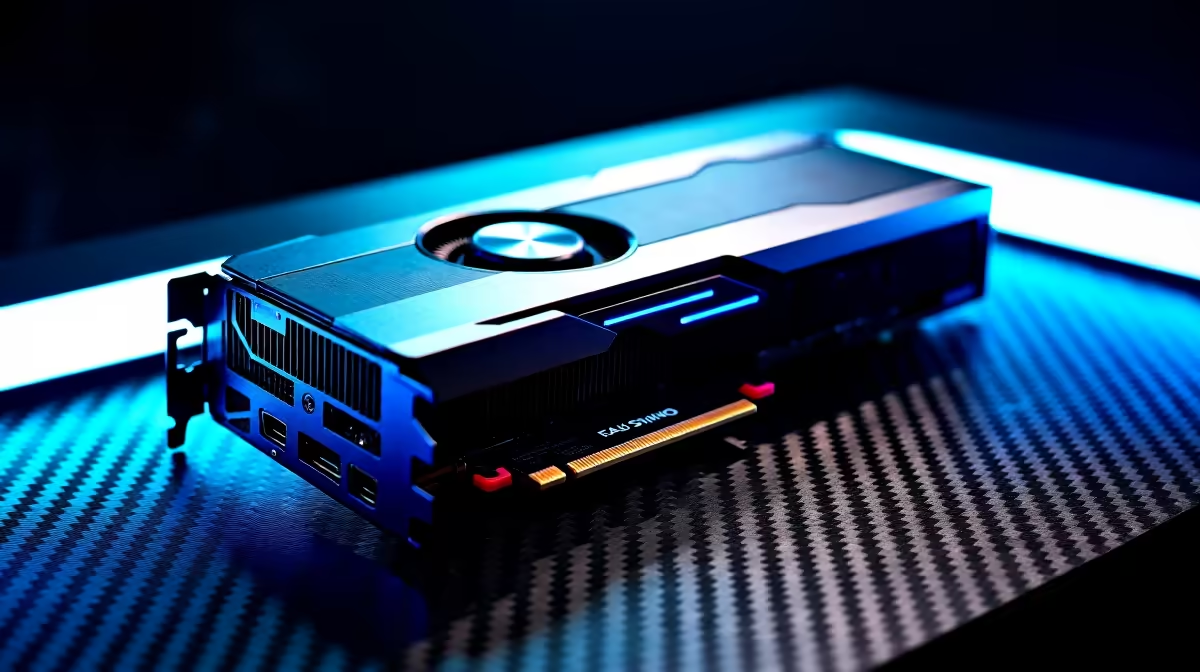
Summer in South Africa means two things... braais and sweating in your gaming room. When your PC sounds like a jet engine taking off, it ruins the vibe. Thankfully, many modern graphics cards have a hidden secret. Learning how to configure Dual BIOS on a modern GPU for silent mode vs performance mode tuning is easy. It instantly lets you choose between whisper-quiet cooling or maximum frame rates.
You do not need to be an IT expert to tweak your hardware. A simple flick of a switch can transform your gaming experience.
Most high-end graphics cards feature a tiny physical switch on the circuit board. This tiny switch holds two separate sets of instructions. These instructions control your fan speeds and core clock rates. Older Nvidia GeForce GTX graphics cards and modern RTX beasts often include this feature.
The default setting from the factory is usually 'OC' or Performance. The secondary setting is labelled 'Quiet' or Silent. Performance mode spins fans faster to keep temperatures low. This aggressive cooling allows for much higher boost clocks. Silent mode relaxes the fan curve significantly. This lets the card run slightly warmer but noticeably quieter. It is absolutely perfect for late-night gaming sessions.
You do not need complex software to make this switch. Configuring your graphics card BIOS requires just your fingers. Many gamers completely ignore this switch for years. They miss out on customising their PC acoustics.
First, shut down your PC completely. Unplug the power cable from the wall to be totally safe. Open your chassis and look along the top edge of your GPU. You will see a tiny toggle labelled 'OC / BIOS / Silent'. Gently flick it to your preferred side. Plug everything back in and boot up your machine. It really is that simple.
When dropping R15,000 on a component, you deserve total hardware control. If you are hunting for the best graphics card deals, always check the spec sheet. Look specifically for this hardware switch feature. It adds massive value and longevity to your setup. It is also a staple feature in our premium custom gaming PC deals.
Never flip the BIOS switch while your PC is running. The motherboard reads the BIOS upon booting. Flipping it while powered on can cause system instability or crashes. Always shut down first!
Once you boot into Windows, test your new configuration. Load up a demanding game and listen closely to your rig. If you selected silent mode, the fans might not even spin. They usually stay off until the card hits 60 degrees Celsius. If you chose performance mode, you will hear the fans ramp up. This maintains maximum boost clocks during intense gaming sessions.
Use monitoring software to check your temperatures. Watch how your core clocks behave under heavy load. You will clearly see the difference between the two profiles. Proper silent mode vs performance mode tuning gives you the best of both worlds.
If your current card lacks this feature, it might be time for an upgrade. Check out our latest daily specials to find a quieter replacement. You can get top-tier performance without breaking the bank.
Ready to Upgrade Your Graphics Power? ✨ Tuning your system is great, but sometimes you just need raw performance. Explore our massive range of graphics cards and find the perfect GPU to conquer your favourite games in total silence or maximum speed.
Dual BIOS on a modern GPU vs performance mode tuning is available at Evetech.co.za with local SA warranty, Rand pricing and nationwide delivery. Stock and pricing is updated in real time on the product page.
It depends on your workload and budget. We break down the key performance differences, SA pricing gap and the scenarios where each one is the smarter buy.
Real-world gaming performance varies by title and settings. The article covers head-to-head FPS benchmarks and the resolutions where the gap actually shows up.
We compare current Rand pricing from trusted SA retailers and show which option delivers more performance per Rand for your build tier.
Each option has clear wins and compromises covered in the article — from power draw and thermals to platform cost, upgrade path and feature set.
Humidity Damage to PC Components: Recovery Guide. Everything you need to know with SA pricing, step-by-step instructions & expert recommendations.
Read more
Gamer Spending Trends April : Complete Setups. Clear setup instructions with SA-specific considerations, troubleshooting tips & recommended components.
Read more
Setting Up DDR5 32GB Kit. Tested & verified settings for best FPS and visual quality on SA hardware budgets.
Read more
Tech Setup Guide for SPU Res Students. Clear setup instructions with SA-specific considerations, troubleshooting tips & recommended components.
Read more
Monster Hunter Wilds Ultrawide Support: 21:9 and. Clear setup instructions with SA-specific considerations, troubleshooting tips & recommended components.
Read more
Apple iPad Durability Guide: Cases, Screen. Practical breakdown of costs, regulations & whether it makes financial sense for SA buyers.
Read more
AMD RX 9050 XT: Rumoured Specs, Price & Release. SA-focused analysis with local pricing data, real-world insights & actionable buying advice.

Can RTX 4080 Super Run AI Workloads for SA Developers Detailed answer with SA data, expert analysis & practical recommendations for local buyers.

Can RTX 4090 Run AI Workloads for SA Developers Detailed answer with SA data, expert analysis & practical recommendations for local buyers.

Top Settings for Intel Arc B580 at Ultrawide 1440p picks evaluated on performance, value & SA availability with current Rand pricing from Evetech.

RTX 4060 CS2 Low Settings at 1080p: FPS Results. Real-world benchmark data, FPS numbers & performance analysis. What SA gamers can actually expect.

Visual Artifacts: Possible GPU Issue Issue #1. Diagnosis steps, proven fixes & when to seek professional help. SA-specific support info included.

Can the RTX 4090 Handle 1440p 144Hz Gaming. Performance testing verdict with real data & practical recommendations for SA buyers.

Top ASUS GPU Under R15000 picks evaluated on performance, value & SA availability with current Rand pricing from Evetech.

GTA 6 Max Settings on RTX 5070. Tested & verified settings for best FPS and visual quality on SA hardware budgets.

Cyberpunk 2077 Max Settings on RTX 5080. Tested & verified settings for best FPS and visual quality on SA hardware budgets.

Starfield Max Settings on RTX 5070 Ti. Tested & verified settings for best FPS and visual quality on SA hardware budgets.

Top RTX 5090 Under R5000 picks evaluated on performance, value & SA availability with current Rand pricing from Evetech.