

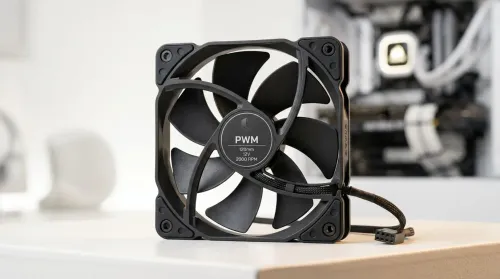
Smart PWM CPU Fan Control for Quiet Cooling
Learn how to balance noise vs cooling performance with smart PWM CPU fans—set curves, reduce buzz, and maintain safe temps. Get cooler, quieter builds in minutes 🧊🔇
Read moreCurious how wireless gaming headphones work? Dive into the tech behind lag-free audio! 🎧 We break down 2.4GHz vs. Bluetooth, explain latency, and explore what every South African gamer needs to know for a crystal-clear, competitive edge. Cut the cord with confidence! 🚀
Tired of getting snagged by a cable in a clutch moment? Wireless gaming headphones offer incredible freedom, but how do they actually work without turning your game audio into a laggy mess? In South Africa, where a stable connection is everything, understanding the tech behind the convenience is key. This guide breaks down exactly how wireless gaming headphones work, demystifying the magic so you can choose the perfect headset for your setup and budget. 🎧
At its heart, how a wireless gaming headset works comes down to two main technologies. They both cut the cord, but they do it in very different ways, each with its own pros and cons for gamers.
This is the gold standard for serious gaming. These headsets come with a small USB dongle that you plug into your PC or console. This dongle creates a direct, private 2.4GHz wireless link between your device and your headset. Think of it as your own personal radio station, dedicated purely to your game's audio.
This direct connection is why most high-performance wireless headsets use 2.4GHz tech. It delivers uncompressed, high-fidelity audio with extremely low latency.
You already know Bluetooth from connecting your phone to your car or a portable speaker. It's a universal standard that's fantastic for versatility. You can pair a Bluetooth headset with your PC, laptop, phone, or Nintendo Switch without needing a special dongle. The downside for gaming? Latency. While modern Bluetooth has improved, it can still introduce a noticeable delay between what you see and what you hear, which can be a problem in fast-paced games.
Latency is the delay between an action happening in your game and you hearing the sound. For gamers, low latency is non-negotiable. Hearing footsteps a fraction of a second too late can be the difference between winning a round and staring at a respawn screen.
This is where 2.4GHz RF technology shines. It offers "lossless" and near-instantaneous audio transmission, often with latency so low (under 30ms) that it's imperceptible to the human ear. It's the closest you can get to the zero-lag performance of a top-tier wired headset while enjoying total freedom of movement.
Your 2.4GHz headset shares its frequency with many other devices, like Wi-Fi routers and microwaves. To ensure the cleanest signal, plug your USB dongle into a front-panel USB port on your PC, away from other wireless devices. Using a USB extension cable to get the dongle closer to you can also work wonders!
Compatibility is a huge factor. A headset that works on PC might not work on your console, so it's crucial to know what you're buying.
A wireless headset is only useful if it's charged. Thankfully, modern battery tech is excellent. Most gaming headsets offer between 20 to 50 hours of playtime on a single charge, with some premium models pushing 100+ hours. This means your headset can easily survive several days of gaming... or a few brutal load shedding cycles. When you're comparing different headphone & headset options, keep a close eye on the advertised battery life to match your gaming habits.
Understanding how wireless gaming headphones work empowers you to make a smarter choice. It's not about which technology is "better," but which is better for you.
Ultimately, the best headset is one that fits your platform, playstyle, and budget. With the tech demystified, you're ready to find a great pair without breaking the bank by checking out the latest gaming headset deals.
Ready to Cut the Cord? Now that you know the tech behind the freedom, you can confidently choose the right gear. From ultra-low latency 2.4GHz models to versatile Bluetooth options, the perfect audio solution is waiting. Explore our massive range of gaming headset deals and find the perfect match to elevate your game.
Yes! Modern wireless gaming headphones using 2.4GHz RF technology offer ultra-low latency, making them excellent for competitive gaming where every millisecond counts.
A 2.4GHz headset uses a dedicated USB dongle for a low-latency, high-fidelity connection. Bluetooth is more versatile but generally has higher latency, making it less ideal.
High-quality gaming headsets using 2.4GHz RF have virtually unnoticeable input lag, often as low as 15-30ms, which is imperceptible to most gamers.
Battery life varies by model, but most wireless gaming headphones offer 15-30 hours of continuous use on a single charge. Some premium models can even exceed 50 hours.
Yes, devices like Wi-Fi routers and microwaves can cause signal interference. Look for headsets with frequency-hopping technology to maintain a stable connection.
Not necessarily. Many wireless headsets support lossless audio formats over their 2.4GHz connection, delivering sound quality identical to their wired counterparts.
Learn how to balance noise vs cooling performance with smart PWM CPU fans—set curves, reduce buzz, and maintain safe temps. Get cooler, quieter builds in minutes 🧊🔇
Read more
Wondering if a “48 hour” wireless gaming headset battery truly lasts? In daily use, your hours vary by settings and volume 🎧🔋. Here’s how long it lasts, what drains it fastest, and how to extend it.
Read more
Learn how to choose gaming headset audio quality in South Africa—plus mic clarity and comfort—so you hear every footstep and sound clear in-game 🎧🎙️. Use this buyer guide to match your budget and play style.
Read more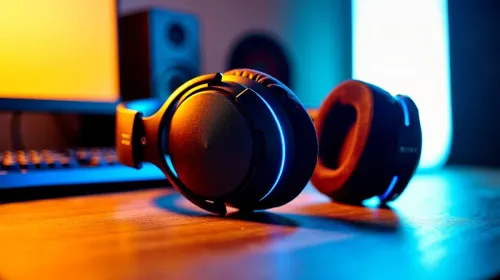
Dial in the best gaming headset setup for clear voice chat in South Africa. Fix mic issues, reduce background noise, and improve call clarity with practical settings and wireless stability 🎧🇿🇦
Read more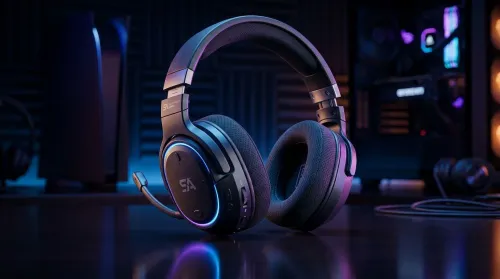
Choosing the best gaming headset features for Xbox and PC? Here’s what to look for in South Africa—comfort, mic quality, wireless range, and low-latency audio 🎧🇿🇦
Read more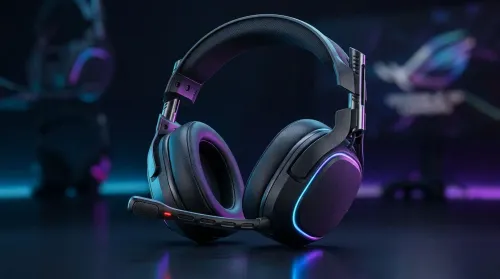
Gaming headset price in South Africa, from entry to premium in ZAR. Compare sound, mic, and comfort before you buy. ✅🎧 Save money with the right headset tier.
Read more
CS2 Low FPS: Monitor Bottleneck. Real-world benchmark data, FPS numbers & performance analysis. What SA gamers can actually expect.

Is AOC a Good Monitor Brand for Gaming in South Africa Detailed answer with SA data, expert analysis & practical recommendations for local buyers.

What Gaming Monitor Can You Get for R20,000. Full parts list, Rand pricing & expected performance. Build confidently with SA-available components.

What Gamers Actually Bought: November Report. Real purchase data from SA retailers revealing what local buyers are actually choosing and why.

Can the RX 7700 XT Handle 1440p 144Hz Gaming. Performance testing verdict with real data & practical recommendations for SA buyers.

Top Laptop with Core i7 + RX 7700S: Picks picks evaluated on performance, value & SA availability with current Rand pricing from Evetech.

RX 7700 XT Black Myth Wukong 2 FPS: Performance. Real-world benchmark data, FPS numbers & performance analysis. What SA gamers can actually expect.

RTX 6080 Gran Turismo 7 PC Performance: FPS Test. Real-world benchmark data, FPS numbers & performance analysis. What SA gamers can actually expect.

MacBook Pro 16-Inch M5 Max: Complete Specs,. Everything you need to know with SA pricing, step-by-step instructions & expert recommendations.

Travelling With a MacBook: Travellers. Everything you need to know with SA pricing, step-by-step instructions & expert recommendations.

Back-to-School Parent Guide: Laptops. Everything you need to know with SA pricing, step-by-step instructions & expert recommendations.

MacBook Air 13-Inch M5: Complete Specs, Features. Everything you need to know with SA pricing, step-by-step instructions & expert recommendations.