


GPU Setup Guide for SA Gamers
GPU Setup Guide Gamers. Clear setup instructions with SA-specific considerations, troubleshooting tips & recommended components.
Read moreHydraulic bearing fans are a low-maintenance cooling upgrade for South African gamers. Expect quieter RPM, better long-term stability, and less downtime with fewer replacements. 🎮🛠️
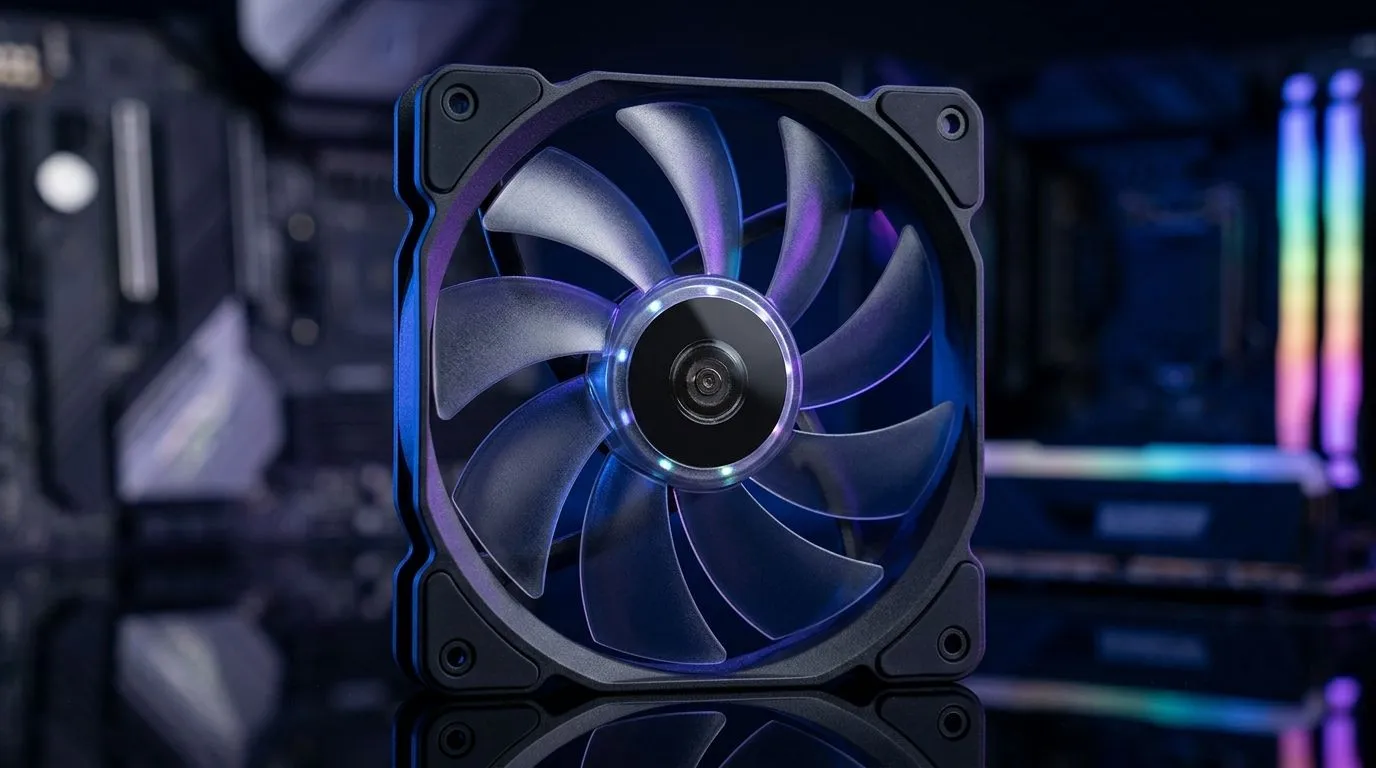
If your PC sounds like it’s winding up for a LAN party… but you don’t want extra maintenance, hydraulic bearing fans might be your sweet spot. They’re built to run quietly for longer, which matters in South African homes where dust, power fluctuations, and long gaming sessions are real. 🔧 In this Deep Dives guide, we’ll unpack how hydraulic bearings differ, what to buy, and how to set your airflow so your GPU stays cooler without fiddling every month.
Hydraulic bearing fans use oil-impregnated or fluid-based bearing tech. In plain terms: the fan has a more stable internal lubrication film than some cheaper bearing types. That usually helps with:
In a typical setup, case fans work hardest during:
Hydraulic bearings can help you avoid the “why is it louder now?” moment. ✨
Fan diameter affects airflow and noise. Generally, a larger fan can move more air at lower RPM, which often means less noise for the same cooling outcome. Here’s how to approach it:
They’re widely compatible and often easier to find at different price points.
If your case supports it, 140mm fans can be a calmer option for steady intake or exhaust.
When you’re shopping, filter by size and lighting requirements:
Good fan placement beats “buying the most fans”. Aim for a balanced intake and exhaust pattern. A simple rule:
In BIOS or via your motherboard software, set a conservative curve:
This reduces unnecessary high-speed spin-up. 🔧 Less noise, less wear.
On Windows, use motherboard or fan-control software to set a quieter baseline fan curve first, then test with a 10–15 minute gaming session. After that, adjust only one step at a time. Small changes prevent the ‘over-correcting’ spiral that makes fans cycle on and off.
If you’re ready to upgrade your airflow, you’ll find plenty of practical choices in Evetech’s case fan selection. Start with the full range here: Browse case fans for your next build
Prefer specific brands? You can narrow it down quickly: Corsair case fans for your setup
Or go for Deepcool options that fit modern value builds: Deepcool case fans
Want the aesthetic without overthinking it? Filter by RGB: RGB case fans
Or keep it clean with non-lighting fans: Non-RGB case fans
Need a specific size? Check 120mm first: 120mm case fans
And if your case supports it, compare 140mm for a quieter profile: 140mm case fans
Hydraulic bearing fans are a smart target if you want quieter cooling and less frequent “maintenance thinking”. Pair that with correct airflow direction and a stable fan curve, and your system will feel smoother through every raid, match, and late-night grind. 🎮
Ready to Find Your Perfect Match? The Mac vs Windows debate is complex, but for maximum power, choice, and value in South Africa, Windows is hard to beat. Explore our massive range of laptop specials and find the perfect machine to conquer your world.
Hydraulic bearing fans use an oil-impregnated, sealed bearing design that helps reduce friction and wear, leading to less cleaning and fewer replacements over time.
Yes, hydraulic bearing fans typically stay quieter longer than sleeve bearing fans because they maintain smoother rotation and resist early wear, especially in dusty setups.
Hydraulic bearing fans often offer excellent long-term stability with low maintenance. Ball bearings can be durable too, but the best choice depends on noise and heat conditions.
With reasonable airflow and clean intake paths, hydraulic bearing PC fans commonly deliver multi-year lifespan, with fewer performance dips than many low-end alternatives.
Most hydraulic bearing fans are sealed and do not require user lubrication. That is one reason they are a smarter low-maintenance investment for gamers.
Match fan size (120mm/140mm), intended airflow vs noise, and your case clearance. Look for consistent RPM control and a reliable static pressure rating if you use radiators.
Even low-maintenance fans benefit from simple habits: keep dust filters clean, ensure front-to-back airflow, and remove heavy dust buildup from intakes.
They can be worth it where dust is common. The smoother, sealed bearing design helps reduce wear and noise growth, lowering the need for frequent replacements.
GPU Setup Guide Gamers. Clear setup instructions with SA-specific considerations, troubleshooting tips & recommended components.
Read more
When Will the RTX 6090 Launch in South Africa Detailed answer with SA data, expert analysis & practical recommendations for local buyers.

Top Valorant Settings for RTX 5070: FPS Optimisation picks evaluated on performance, value & SA availability with current Rand pricing from Evetech.

RDNA 3.5 Graphics in Ryzen AI 400? Can You Game. Plain-English explanation of what it means, why it matters & how it affects your buying decisions in SA.

GPU Price Index : December Report. Current stock data & price tracking for SA buyers. See what is available and where prices are heading.

Core i5-14600K + B760 + RTX 5060 Build Under. Full parts list, Rand pricing & expected performance. Build confidently with SA-available components.

RX 7600 Apex Legends at 4K: FPS Benchmark. Real-world benchmark data, FPS numbers & performance analysis. What SA gamers can actually expect.

RX 7900 XTX GTA 6 at 4K: FPS Benchmark & Optimal. Real-world benchmark data, FPS numbers & performance analysis. What SA gamers can actually expect.

Head-to-head comparison of RTX 5070 vs RX 9070 XT: Gaming Performance for SA gamers. Performance benchmarks, Rand pricing & which delivers better value.
GPU Setup Guide Gamers. Clear setup instructions with SA-specific considerations, troubleshooting tips & recommended components.

Top RTX 5090 Under R12000 picks evaluated on performance, value & SA availability with current Rand pricing from Evetech.

Call of Duty Warzone 2 Settings on RX 7600. Real-world benchmark data, FPS numbers & performance analysis. What SA gamers can actually expect.

GTA 6 Settings on RTX 5070 Ti: Performance. Real-world benchmark data, FPS numbers & performance analysis. What SA gamers can actually expect.