Hydraulic Bearing vs Sleeve Bearing Fans: Which Lasts Longer?
If your PC is the loudest thing in your room, you’re not alone… and you’re probably choosing fans based on “how they look” instead of “how they age.” 🔧
South African gamers also push gear hard. Long sessions, hot summer nights, dust from braais and roads… it all adds up. So when you’re comparing options, a real question matters: Hydraulic Bearing vs Sleeve Bearing Fans: Which Lasts Longer? Let’s break it down clearly, so you can buy once and stop thinking about fan replacements.
What the bearing type actually changes (and why it matters)
Both fan types spin on a shaft, but the way that shaft is supported is different.
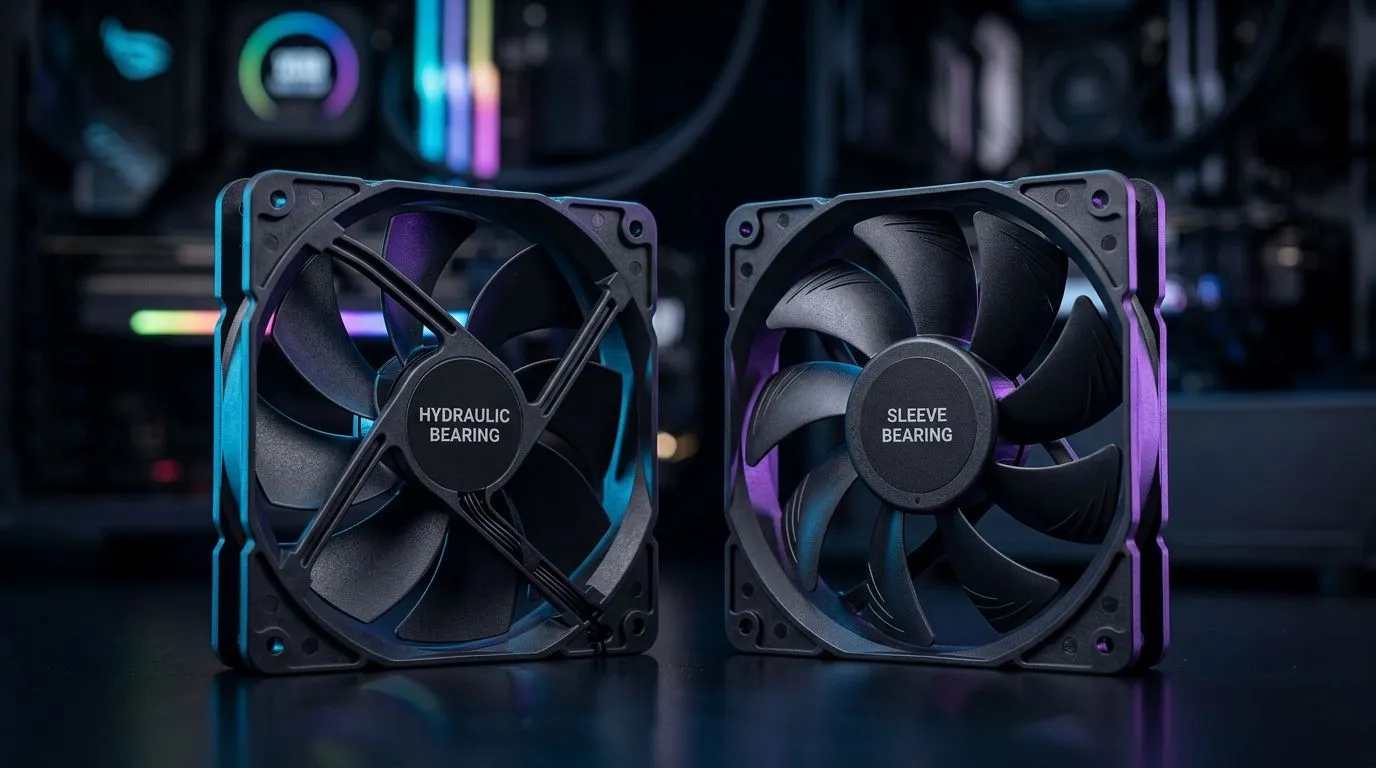
Hydraulic bearing fans (built for sustained wear)
Hydraulic bearing designs use oil-based lubrication to reduce friction. In practice, that typically means smoother operation and better longevity under continuous use. This is why many PC builders prefer them for rigs that run daily. ✨
Sleeve bearing fans (simple, but more sensitive)
Sleeve bearings rely on a lubrication film between the rotating shaft and bearing sleeve. They can be reliable, but they tend to be more affected by temperature changes and lubricant breakdown over time. In real-world home setups, that usually means they may not last as long as higher-end hydraulic designs.
What your environment does to fan life
In SA, heat and dust exposure are the “silent killers.” Elevated temps increase wear. Dust reduces airflow efficiency, which forces fans to spin harder at the same cooling demand. Over months, that can accelerate bearing stress. So even if two fans share similar specs, the one running cleaner and cooler often wins.
Longevity comparison you can use when shopping
When you’re deciding which one lasts longer, treat it like this:
- If your PC runs 6–12 hours daily, hydraulic bearings are often the safer bet for long service life.
- If your rig is mostly gaming weekends, sleeve bearings can still be fine, as long as you keep dust under control.
- If you’re building for quiet, quieter running and stable friction often make hydraulic fans feel more consistent.
For hands-on shopping, you can browse Evetech’s case fan selection here:
Picking the right size and airflow for your case
Fan bearing life isn’t the only variable. The “right” fan for your case reduces strain.
120mm vs 140mm (less stress often means longer life)
Larger fans can move air at lower RPM. Lower RPM typically means less mechanical stress over time.
If you want simple aesthetics, you can also filter for minimal lighting:
Productivity Pro Tip ⚡
Productivity Pro Tip ⚡
On Windows, use the PowerToys utility to keep fan control apps organised in one place. It helps you quickly check CPU temps and fan curves after gaming sessions, so you can catch rising noise early instead of waiting for a failure.
Maintenance tips that directly affect how long fans last
A fan that’s clean runs cooler and lasts longer. This is the part people skip.
Quick routine that actually helps
- Monthly dust check (or every 2–3 weeks if you live near dust).
- Don’t over-tighten screws. Warping the frame can add wobble.
- Keep airflow paths clear around the intake and exhaust.
- Set fan curves so they’re not screaming at idle.
If you’re unsure what fits your airflow plan, start by choosing fans by size first, then compare bearing type and noise expectations.
Ready to buy with confidence (and avoid repeat purchases)
The easiest way to “solve” longevity is to align bearing type, airflow, and maintenance. For most daily-use gaming PCs, Hydraulic Bearing vs Sleeve Bearing Fans: Which Lasts Longer? usually points to hydraulic bearings for longer service life, especially in warm, dusty environments.
CALLTOACTION
Ready to Find Your Perfect Match?
The Mac vs Windows debate is complex, but for maximum power, choice, and value in South Africa, Windows is hard to beat. Explore our massive range of laptop specials and find the perfect machine to conquer your world.