

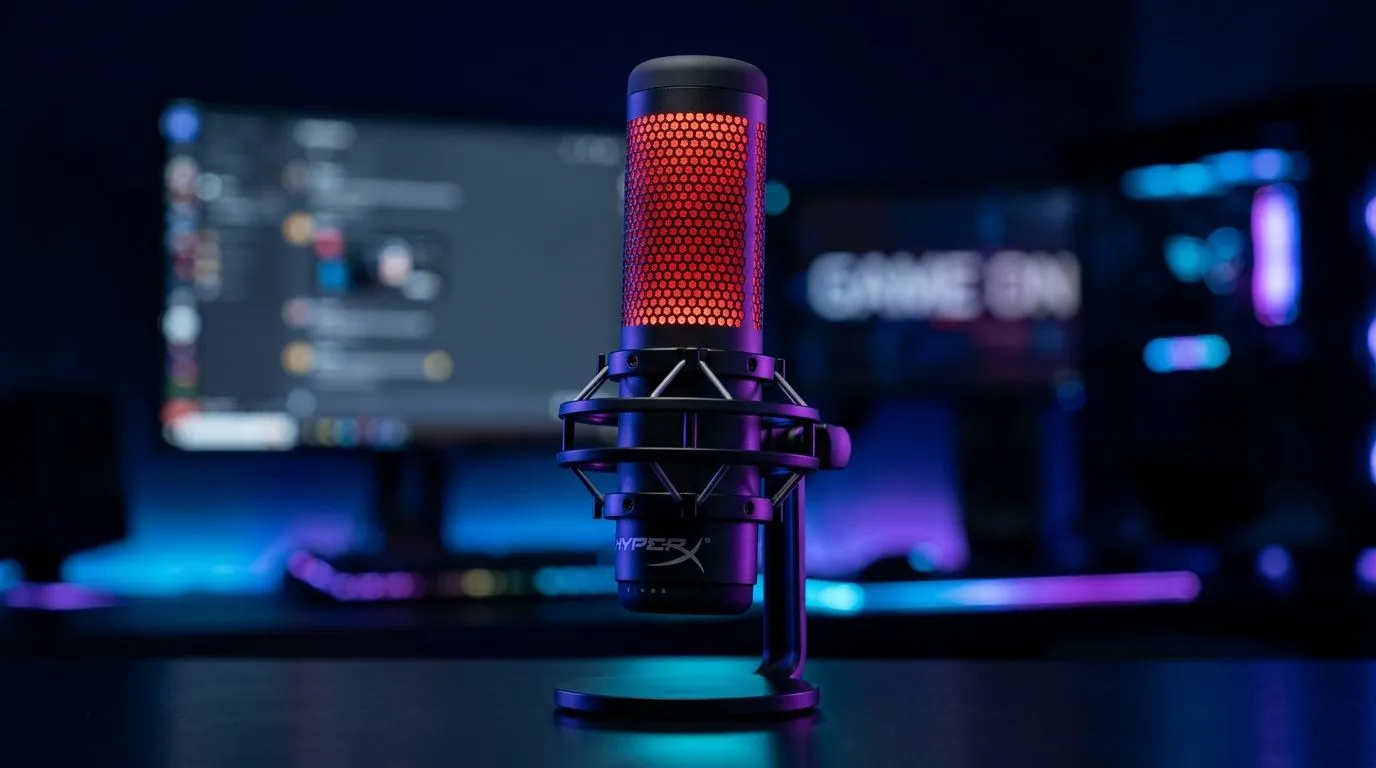
HyperX QuadCast 2 LED Mic Status Indicator: what the lights mean for streamers
If your HyperX QuadCast 2 suddenly changes colour mid-call, don’t panic. That little LED ring is doing more than looking slick on a battlestation... it’s telling you what the mic is doing right now. For South African streamers, remote workers, and Discord regulars, that matters. A quick light check can save you from muted voice chats, awkward “can you hear me?” moments, and missed stream cues 🔧
HyperX QuadCast 2 LED mic status indicator meanings
The HyperX QuadCast 2 uses its LED status indicator to give you a fast visual read on the mic’s state. In practical use, that usually means whether the mic is active, muted, or in a different mode tied to your input settings. HyperX’s official product information for the QuadCast line confirms that the mic includes status lighting and tap-to-mute functionality, which is the key reason the ring is so useful during live calls and streams.
Source: HyperX product documentation for QuadCast series, and HyperX support pages.
Call mode vs stream mode
When you’re on a work call, you want an instant read on whether your mic is live. During a stream, you want the same thing, but with more confidence because your audience will notice every slip. The QuadCast 2’s LED feedback helps bridge that gap. If the light behaviour changes, treat it as your first clue before opening software or checking Windows audio settings.
A good habit is to glance at the mic before joining any call. That tiny pause can save you from speaking into silence.
HyperX QuadCast 2 LED status indicator for everyday use
If you use a USB microphone daily, the status light becomes part of muscle memory. That’s especially true if your setup includes a boom arm, a second monitor, or a noisy room fan. The LED tells you the mic’s state at a glance, which is useful when your attention is split between OBS, Discord, and game chat.
For South African gamers building a streaming setup, it also helps to think beyond the mic itself. Pairing a good USB mic with reliable gear makes the whole desk feel cleaner and easier to manage. If you’re still choosing the rest of your setup, browse streaming essentials for your setup to see what sits alongside a solid microphone. And if you prefer premium peripherals, Corsair streaming gear is worth a look too.
Quick troubleshooting mindset
If the LED doesn’t match what you expect, try this order:
- Check whether the mic is muted.
- Confirm the input device in Windows sound settings.
- Reopen your streaming or call app.
- Test the mic in another USB port.
That simple sequence solves a lot of “my mic is fine, but nobody can hear me” moments.
Streaming sanity check ⚡
Before going live, tap-to-mute the mic once and watch the LED. Then unmute it and confirm the colour change. It’s a fast way to verify the mic, cable, and USB connection are all behaving before your audience arrives.
HyperX QuadCast 2 LED mic status indicator and your full desk setup
A mic rarely works alone. Most streamers need a webcam, decent lighting, and a clean audio chain to look and sound professional. That’s why it helps to think of the QuadCast 2 as part of a wider content-creation setup, not just a standalone purchase. If your face cam is soft or grainy, the whole stream feels less polished... even when your audio is great. For that part of the build, check out Evetech webcams for streaming and calls.
Lighting matters too. A microphone with a bright status indicator is helpful, but it should not be your only visual cue in a dim room. If you want to make your desk pop without overcomplicating things, Cololight accessories can add subtle colour and help your camera image feel more intentional ✨
HyperX QuadCast 2 LED mic status indicator tips for South African buyers
Before you buy, focus on the details that affect real use. A status light is handy, but the bigger question is whether the mic fits your workflow. Ask yourself:
What kind of user are you?
- If you game and chat often, instant mute feedback matters.
- If you stream, visual status reduces mistakes on air.
- If you work from home, a clear mic indicator helps during meetings.
What matters in South Africa?
- USB simplicity is useful when you want a plug-and-play desk.
- A tidy setup is easier to manage during load shedding backups.
- Buying from a local retailer means easier support and local pricing in ZAR.
If you’re building a setup from scratch, it helps to compare options side by side instead of buying in isolation. That way, your mic, camera, and desk lighting all work together from day one.
Ready to Find Your Perfect Match? The Mac vs Windows debate is complex, but for maximum power, choice, and value in South Africa, Windows is hard to beat. Explore our massive range of laptop specials and find the perfect machine to conquer your world.











