

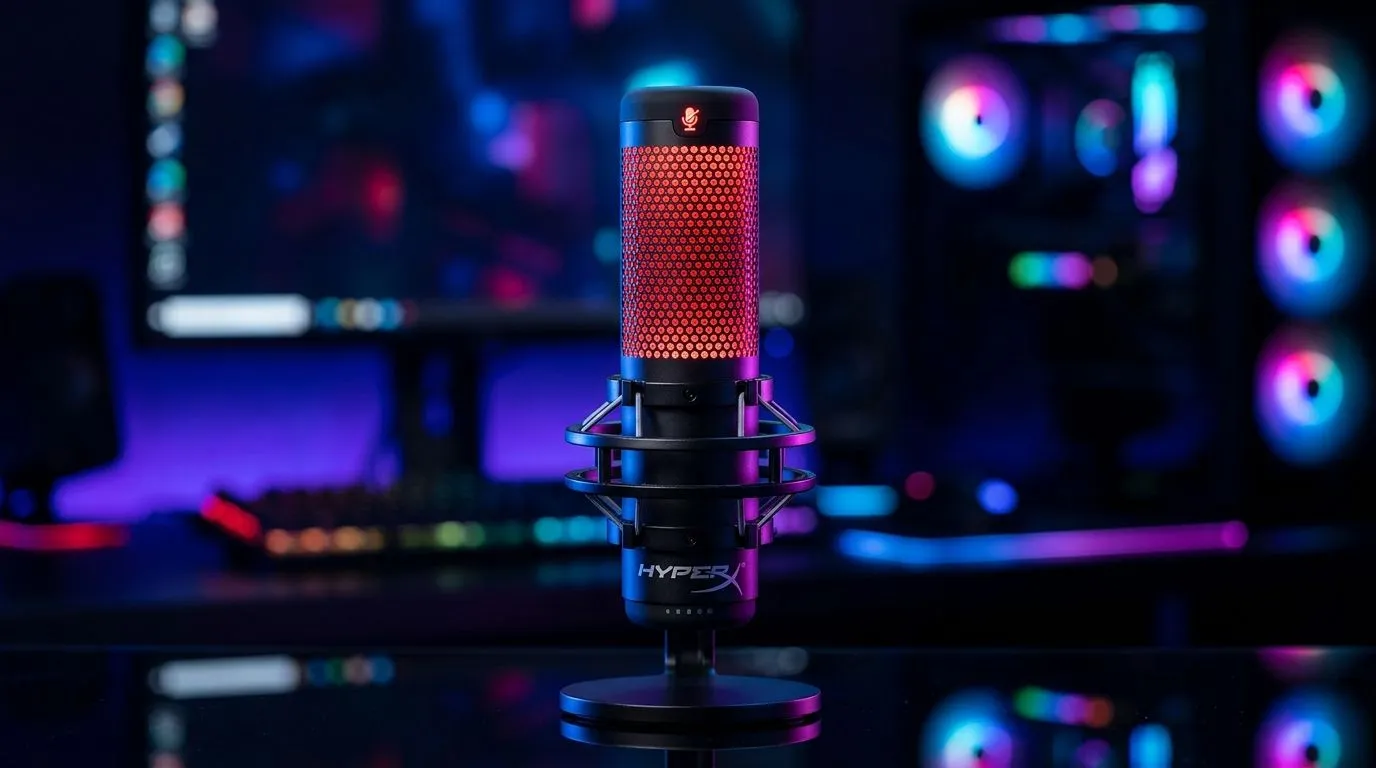
HyperX QuadCast 2 Tap-To-Mute Sensor: How It Works
If you’ve ever been mid-clutch, mid-commentary, or mid-rage at 11pm and realised your mic is live, you already understand why mute controls matter. The HyperX QuadCast 2 tap-to-mute sensor is built for exactly that moment. It gives streamers, students, and competitive gamers a fast, tactile way to cut audio without hunting for a software toggle. For South Africans juggling Discord, OBS, and a noisy room, that little tap can save the vibe instantly 🔧
HyperX QuadCast 2 Tap-To-Mute Sensor Explained
At a basic level, the HyperX QuadCast 2 tap-to-mute sensor is a touch-sensitive mute control built into the microphone body. Instead of pressing a physical switch, you tap the top area to silence the mic. Tap again, and you’re back on air. The appeal is speed. There’s no fumbling, no clicking, and no need to look away from your game or stream.
This design is especially useful for live creators. If a kettle boils, a sibling walks in, or a Discord call gets messy, the mute response is immediate. That means fewer accidental coughs, keyboard clacks, and background noise reaching your audience.
HyperX’s official product information for the QuadCast line highlights the tap-to-mute function as part of its creator-focused feature set. For the latest product details, always check the manufacturer or retailer listing before buying.
Why Tap-To-Mute Matters in Real Use
The smartest thing about the HyperX QuadCast 2 tap-to-mute sensor is that it supports muscle memory. After a few sessions, you stop thinking about it. You just tap, talk, and move on. That matters when your hands are busy with a controller or mouse.
A quick real-world example
Picture a streamer in Cape Town running a late-night Apex session. The team’s on a final push. Suddenly, someone shouts from the kitchen. A quick tap mutes the mic. No awkward apology. No audience confusion. No scrambling through software menus. That’s the practical value.
For buyers comparing streaming gear, it helps to think beyond the mic alone. A good setup usually includes a webcam, lighting, and perhaps a boom arm or stand. If you’re building a creator desk from scratch, start with dedicated streaming essentials and expand from there. Browse streaming essentials
HyperX QuadCast 2 Tap-To-Mute Sensor vs Other Creator Gear
Not every creator setup needs the same pieces. Some users want a premium microphone first. Others need better video quality or a cohesive desk aesthetic. If you’re weighing upgrades, compare how each part improves your workflow.
For example, brand-matched accessories can simplify the look and feel of a desk. If you already like Corsair’s ecosystem, it may be worth checking compatible creator hardware and accessories too. See Corsair streaming essentials
And if your face-cam still looks soft or grainy on calls and streams, your next upgrade might be a webcam rather than a microphone. Audio grabs attention, but video shapes first impressions. Shop webcams
HyperX QuadCast 2 Tap-To-Mute Sensor Tips for Better Sound 🔍
A touch-mute feature is useful, but it works best with a few good habits:
Keep your mic placement sensible
Place the mic where your mouth is clear, but your keyboard is not. That alone helps more than people expect.
Learn the mute feel
Tap the sensor a few times before going live. Build the habit so it becomes second nature.
Use monitoring wisely
If your mic supports monitoring through software or headphones, listen for background noise before streaming or recording.
Reduce desk clutter
Loose cables, rattling stands, and vibrating speakers can all affect your sessions. A cleaner desk often sounds cleaner too.
Creator Desk Tip ✨
Mount your microphone slightly off-axis and test your tap-to-mute routine before every stream. It reduces plosives, keeps your voice clear, and prevents that awkward first-minute panic when you realise your audio is still live.
HyperX QuadCast 2 Tap-To-Mute Sensor: Who Should Buy It?
This feature makes the most sense if you:
- Stream live on Twitch, YouTube, or TikTok
- Game while chatting on Discord
- Record voiceovers or podcasts at home
- Share a room and need quick silence
- Want a cleaner, faster workflow than software muting
If that sounds like you, the HyperX QuadCast 2 tap-to-mute sensor is less of a gimmick and more of a practical convenience. It keeps you focused on the content instead of the controls.
HyperX QuadCast 2 Tap-To-Mute Sensor: Final Thoughts
A great microphone should vanish into the background while you work. That’s exactly where tap-to-mute shines. It gives you instant control, lowers stress, and helps keep live audio tidy. For South African gamers and creators building a setup with real purpose, this is the sort of feature you appreciate more every week you use it. ✨
Ready to Find Your Perfect Match? The Mac vs Windows debate is complex, but for maximum power, choice, and value in South Africa, Windows is hard to beat. Explore our massive range of laptop specials and find the perfect machine to conquer your world.











