


Humidity Damage to PC Components: Recovery Guide
Humidity Damage to PC Components: Recovery Guide. Everything you need to know with SA pricing, step-by-step instructions & expert recommendations.
Read morei7 13700KF requires discrete graphics card — learn why Intel disabled integrated GPU on KF SKUs, what it means for your PC build, and which GPUs to pair. 🚀🛠️
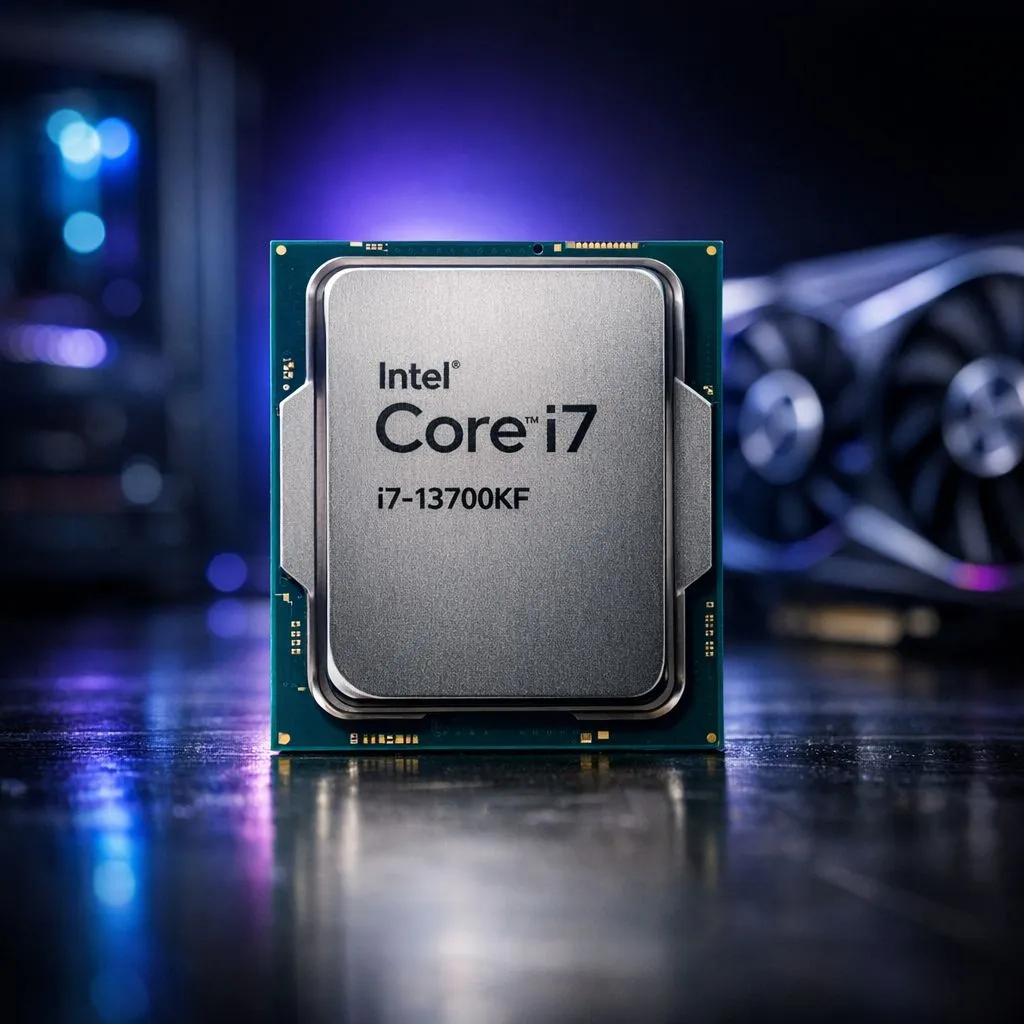
So, you’re speccing out a new PC build, and your eyes land on the Intel Core i7-13700KF. It’s a beast, promising incredible performance for gaming and content creation. But then you spot that little "F" at the end of its name and pause. What does it mean? It’s a small detail that has a huge impact on your build, and understanding it is key to saving some cash while building a monster rig.
The simple answer is in the name. In Intel's world, that "F" suffix signifies that the processor does not have integrated graphics (an iGPU). This means the CPU chip itself has no built-in way to create a visual signal for your monitor.
Here’s a quick breakdown of Intel’s naming scheme:
Because the i7-13700KF requires a discrete graphics card, you cannot simply plug your monitor into the motherboard's HDMI or DisplayPort slots. You won't get any picture. Instead, you must install a separate graphics card—like an NVIDIA GeForce or AMD Radeon—and connect your monitor to that. This is a crucial piece of information for any first-time builder exploring Intel's CPU lineup.
At first, needing a separate component might sound like a drawback. But is it really? For the target audience of the i7-13700KF… not at all. Think about it: if you’re buying a high-performance, overclockable i7 processor, you’re almost certainly planning to pair it with a powerful graphics card for high-refresh-rate gaming, streaming, or demanding creative work.
You were never going to rely on integrated graphics anyway.
By removing the iGPU, Intel can offer the "F" series processors at a slightly lower price point in ZAR compared to their non-F counterparts. That saving, even if it's a few hundred bucks, can be put towards a better GPU, faster RAM, or a bigger SSD. For a serious gamer, the fact that the i7-13700KF requires a discrete graphics card is actually a cost-saving feature, not a limitation. It’s a CPU that knows its audience and doesn't make you pay for a feature you won't use. It’s a popular choice alongside other powerful 14-core Intel CPUs for builders focused purely on performance.
For a CPU like the i7-13700KF, you'll want a GPU that can keep up. To avoid bottlenecks and get the most out of your investment, consider pairing it with an NVIDIA GeForce RTX 4070 SUPER or an AMD Radeon RX 7800 XT or higher. This ensures your graphics card isn't holding back your processor's immense gaming potential, especially at 1440p or 4K resolutions.
So, how does this processor compare to the alternatives? Its direct sibling, the i7-13700K, is identical in performance but includes integrated Intel UHD Graphics 770. This makes the 13700K a better choice if you're building a PC for productivity and won't be gaming, or if you want to build your PC now and add a powerful graphics card later when your budget allows.
Looking across the aisle, you'll see a similar strategy in AMD's CPU offerings. While many newer Ryzen chips include basic integrated graphics, their most powerful X3D gaming chips often don't, operating on the same principle: the target user will bring their own GPU. For those looking for a strong alternative, the AMD Ryzen 7 series offers fierce competition in the same performance bracket.
Ultimately, the Intel i7-13700KF requires a discrete graphics card by design. It’s not a flaw; it's a focused feature for PC enthusiasts and serious gamers who demand maximum performance. By trimming the fat and removing the onboard graphics, Intel delivers a top-tier, overclockable processor at a more attractive price for people who were always going to install a dedicated GPU. If that sounds like you, the 13700KF is one of the smartest choices you can make for the heart of your new gaming rig.
Ready to Build Your Beast? The i7-13700KF is a monster CPU for any serious gaming rig. Now that you know its secret, it's time to find the perfect components to pair it with. Explore our complete range of PC Components and build the machine you've been dreaming of.
No. The i7 13700KF does not include integrated graphics, so you need a discrete GPU for any video output.
Intel disables the iGPU on KF SKUs to segment SKUs and reduce cost for certain buyers, prioritizing CPU performance without integrated graphics.
No. The iGPU is physically disabled on the 13700KF; enabling it via BIOS or drivers is not possible.
Pair the 13700KF with mid to high-end GPUs like NVIDIA RTX 40 series or AMD RX 7000 series for balanced gaming performance.
Any compatible LGA1700 motherboard works; pick one with robust VRM and cooling if you plan to overclock the 13700KF.
Adding a discrete GPU increases upfront cost, but lets you choose performance tiers and upgrade the GPU later independently.
Yes. Creators benefit from the 13700KF's CPU cores, but they must budget for a discrete GPU for GPU acceleration in editing and rendering.
Humidity Damage to PC Components: Recovery Guide. Everything you need to know with SA pricing, step-by-step instructions & expert recommendations.
Read more
Gamer Spending Trends April : Complete Setups. Clear setup instructions with SA-specific considerations, troubleshooting tips & recommended components.
Read more
Setting Up DDR5 32GB Kit. Tested & verified settings for best FPS and visual quality on SA hardware budgets.
Read more
Tech Setup Guide for SPU Res Students. Clear setup instructions with SA-specific considerations, troubleshooting tips & recommended components.
Read more
Monster Hunter Wilds Ultrawide Support: 21:9 and. Clear setup instructions with SA-specific considerations, troubleshooting tips & recommended components.
Read more
Apple iPad Durability Guide: Cases, Screen. Practical breakdown of costs, regulations & whether it makes financial sense for SA buyers.
Read more
AMD RX 9050 XT: Rumoured Specs, Price & Release. SA-focused analysis with local pricing data, real-world insights & actionable buying advice.

Can RTX 4080 Super Run AI Workloads for SA Developers Detailed answer with SA data, expert analysis & practical recommendations for local buyers.

Can RTX 4090 Run AI Workloads for SA Developers Detailed answer with SA data, expert analysis & practical recommendations for local buyers.

Top Settings for Intel Arc B580 at Ultrawide 1440p picks evaluated on performance, value & SA availability with current Rand pricing from Evetech.

RTX 4060 CS2 Low Settings at 1080p: FPS Results. Real-world benchmark data, FPS numbers & performance analysis. What SA gamers can actually expect.

Visual Artifacts: Possible GPU Issue Issue #1. Diagnosis steps, proven fixes & when to seek professional help. SA-specific support info included.

Can the RTX 4090 Handle 1440p 144Hz Gaming. Performance testing verdict with real data & practical recommendations for SA buyers.

Top ASUS GPU Under R15000 picks evaluated on performance, value & SA availability with current Rand pricing from Evetech.

GTA 6 Max Settings on RTX 5070. Tested & verified settings for best FPS and visual quality on SA hardware budgets.

Cyberpunk 2077 Max Settings on RTX 5080. Tested & verified settings for best FPS and visual quality on SA hardware budgets.

Starfield Max Settings on RTX 5070 Ti. Tested & verified settings for best FPS and visual quality on SA hardware budgets.

Top RTX 5090 Under R5000 picks evaluated on performance, value & SA availability with current Rand pricing from Evetech.