

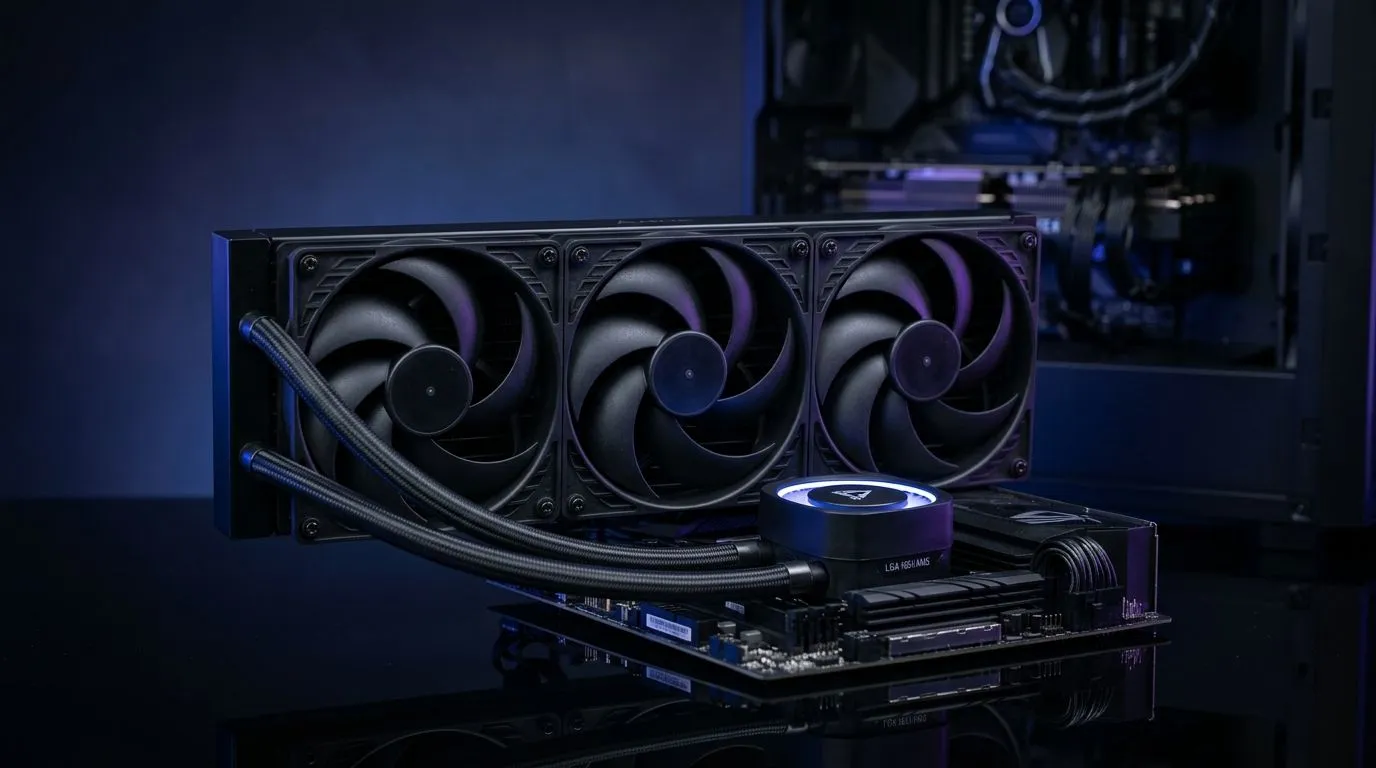
Why a 360mm AIO Liquid Cooler is Ideal for LGA 1851 and AM5 CPUs
South African gamers and tech enthusiasts know the thrill of pushing their rigs to the limit. But overheating CPUs can throttle performance fast. That’s why learning how to install a 360mm AIO liquid cooler on LGA 1851 and AM5 platforms is crucial. These powerful coolers keep temps low and noise minimal, ensuring your rig runs smooth during intense gaming sessions or heavy workloads ⚡. Ready to upgrade your cooling game?
If you’re new to AIO setups, Evetech offers a wide range of CPU coolers to explore before diving in.
Preparing Your System for the 360mm AIO Installation
Before powering down your PC, gather the necessary tools: a screwdriver, thermal paste (if not pre-applied), and cleaning supplies. Also, refer to your cooler’s manual for specific mount compatibility with the LGA 1851 or AM5 sockets.
Ensure your PC case supports a 360mm radiator. Not all cases accommodate the length and thickness, so check your chassis specs carefully. Evetech’s extensive catalog of liquid AIO coolers includes radiators sizes and compatibility info to guide your choice.
Power off and unplug your rig, then remove the existing CPU cooler. Cleaning the CPU surface thoroughly is vital to good thermal paste adhesion.
Step-by-Step Installation on LGA 1851 and AM5
- Mount the Backplate: Both LGA 1851 and AM5 sockets require a sturdy backplate for AIO stability. Use the backplate and screws provided with your cooler.
- Apply Thermal Paste: If your cooler doesn’t come with pre-applied paste, add a pea-sized amount on the CPU’s centre.
- Attach the Pump Block: Secure the pump over the CPU, tightening screws evenly in a cross pattern. This ensures optimal contact and heat transfer 🔧.
- Install the Radiator: Position the 360mm radiator at the front or top of your case. Make sure the fans align for optimal airflow—pulling cool air in or pushing hot air out as your case design dictates.
For a hands-on view, check out Evetech’s selection of 360mm AIO liquid coolers. Their product pages explain mounting guides and user reviews from local buyers.
Choosing a Brand: Corsair vs Deepcool for Your AIO Cooler
Corsair and Deepcool are two popular AIO brands favoured locally for performance and build quality. Corsair coolers often feature RGB lighting and quiet operation, perfect if aesthetics and silence matter. Deepcool offers competitive pricing and solid cooling capacity, making it an excellent budget choice.
You can browse Corsair’s full range through Evetech’s collection of Corsair liquid coolers, or alternatively explore Deepcool’s cooler selection to find an option within your budget and performance needs.
Installation Tip
Double-check all screws for tightness but don’t overtighten—this avoids damaging your motherboard. Also, route cables neatly to keep airflow unobstructed and your build clean.
Maintaining Your AIO Cooler for Longevity and Performance
360mm AIO liquid coolers offer near-maintenance-free operation but keeping dust out of the radiator is essential. Regularly blow compressed air through the radiator fins to maintain peak efficiency.
Also, keep watch on pump noise or temperature spikes which may signal wear or failure. An efficient liquid cooler can extend your CPU’s lifespan and improve game responsiveness.
If you want a smaller option or are limited by case size, browse Evetech’s selection of 240mm radiators for a compromise between cooling power and compatibility.
Upgrade Your Cooling Today Ready to keep your CPU cool and your rig quiet? Shop now at Evetech for a 360mm liquid cooler that fits your LGA 1851 or AM5 build perfectly.











