

Humidity Damage to PC Components: Recovery Guide
Humidity Damage to PC Components: Recovery Guide. Everything you need to know with SA pricing, step-by-step instructions & expert recommendations.
Read moreEvery spec on RX 9070 XT explained in plain English. What matters for gaming and creator work in 2026, what's marketing fluff, and how each number translates to real-world performance.
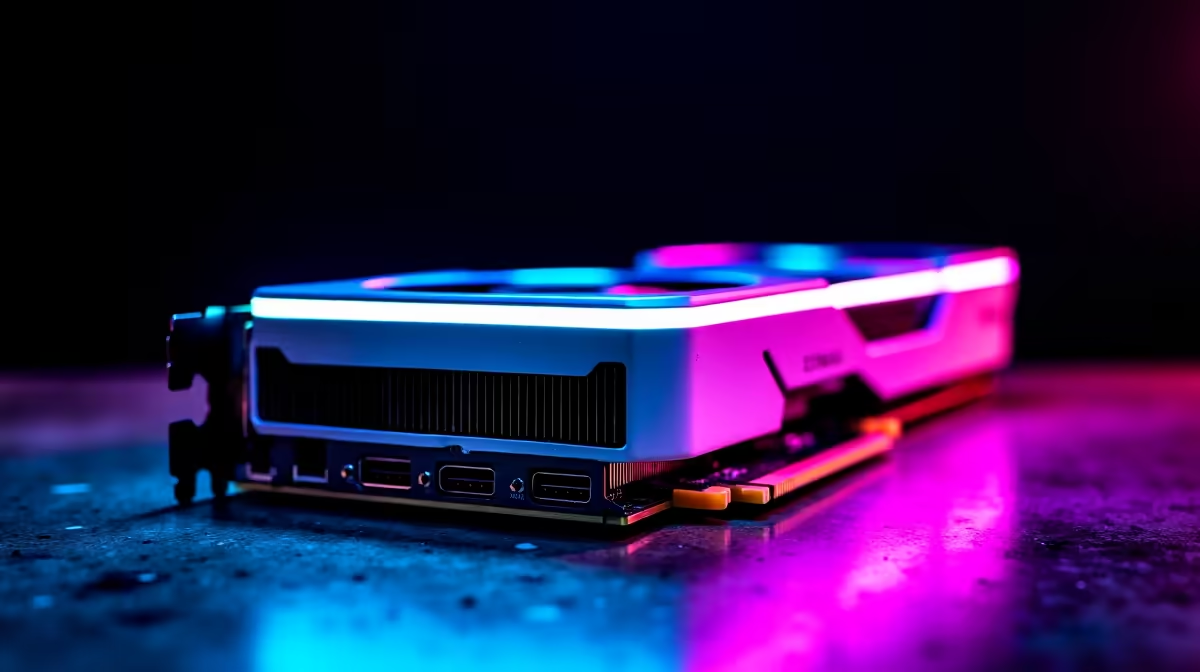
Summer gaming in South Africa usually means two things... sweating in front of your monitor and listening to your PC fans sound like a jet engine taking off. If you want top-tier 1440p or 4K frame rates without the deafening noise, you might be eyeing the latest hardware releases. But is Dual BIOS on the RX 9070 XT White OC Edition actually useful for switching between quiet and performance modes? Let us find out.
When you explore our dedicated graphics cards selection, you will notice premium models boast a tiny physical switch on the PCB. This switch holds two separate BIOS profiles. For the RX 9070 XT White OC Edition, these are typically labelled "P" for Performance and "Q" for Quiet.
Having Dual BIOS on the RX 9070 XT White OC Edition is not just a clever marketing gimmick. It fundamentally alters how the card behaves out of the box. Performance mode pushes clock speeds to the absolute limit. It aggressively ramps up the fan curve to keep the silicon cool. Quiet mode relaxes those fan speeds. It allows the card to run slightly warmer while drastically reducing noise output.
Do you really lose frames in Quiet mode? The short answer is no. The performance difference is usually within a tiny 1% to 2% margin. You might drop one or two frames in demanding AAA titles, but your ears will absolutely thank you. If you share a room or stream without a noise-cancelling mic, that silence is golden.
Never flip the BIOS switch while your PC is running. Always shut down your system completely, flip the switch on your GPU, and then power back up to ensure the new profile loads correctly without crashing your system.
However, if you are chasing every single frame for competitive esports, Performance mode is your best friend. It keeps temperatures lower during intense, marathon gaming sessions. If you are comparing this brilliant AMD beast to popular Nvidia GeForce options, you will find both camps offer similar dual-profile features on their top-tier partner cards.
Graphics cards are serious investments in South Africa. When you drop your hard-earned Rands on a premium component, you want maximum versatility. The dual BIOS feature gives you exactly that. It is literally like having two different GPUs in one sleek, white shroud.
If you are building a fresh rig, pairing this card with the right airflow case is crucial. You can often find incredible value by checking out our pre-built gaming PC deals which perfectly balance airflow and acoustics. Alternatively, if you are just upgrading your current setup, hunting down the absolute best graphics card deals can save you thousands of Rands.
Ultimately, the Dual BIOS on the RX 9070 XT White OC Edition is incredibly useful. It lets you tailor your gaming experience to your specific environment. Whether you need whisper-quiet operation while running on an inverter or maximum cooling on a 35-degree summer afternoon, the choice is yours. Do not forget to keep an eye on our latest tech specials to grab premium features without breaking the bank.
Ready to Upgrade Your Gaming Experience? Finding the perfect balance between raw power and silent operation is crucial for the ultimate setup. Explore our massive range of graphics card specials and find the perfect hardware to conquer your favourite games in style.
RX 9070 XT is available at Evetech.co.za with local SA warranty, Rand pricing and nationwide delivery. Stock and pricing is updated in real time on the product page.
The article breaks down the real-world impact on gaming FPS, creator workflows and everyday responsiveness — not just raw spec numbers.
Only a handful of specs meaningfully change your experience. The guide ranks them by real impact so you spend on what counts.
We cover upgrade headroom, platform longevity and the specific features worth paying extra for if you plan to keep this build for several years.
The article includes a clear generational uplift summary so you can judge whether upgrading from your current hardware is worthwhile.
Humidity Damage to PC Components: Recovery Guide. Everything you need to know with SA pricing, step-by-step instructions & expert recommendations.
Read more
Gamer Spending Trends April : Complete Setups. Clear setup instructions with SA-specific considerations, troubleshooting tips & recommended components.
Read more
Setting Up DDR5 32GB Kit. Tested & verified settings for best FPS and visual quality on SA hardware budgets.
Read more
Tech Setup Guide for SPU Res Students. Clear setup instructions with SA-specific considerations, troubleshooting tips & recommended components.
Read more
Monster Hunter Wilds Ultrawide Support: 21:9 and. Clear setup instructions with SA-specific considerations, troubleshooting tips & recommended components.
Read more
Apple iPad Durability Guide: Cases, Screen. Practical breakdown of costs, regulations & whether it makes financial sense for SA buyers.
Read more
AMD RX 9050 XT: Rumoured Specs, Price & Release. SA-focused analysis with local pricing data, real-world insights & actionable buying advice.

Can RTX 4080 Super Run AI Workloads for SA Developers Detailed answer with SA data, expert analysis & practical recommendations for local buyers.

Can RTX 4090 Run AI Workloads for SA Developers Detailed answer with SA data, expert analysis & practical recommendations for local buyers.

Top Settings for Intel Arc B580 at Ultrawide 1440p picks evaluated on performance, value & SA availability with current Rand pricing from Evetech.

RTX 4060 CS2 Low Settings at 1080p: FPS Results. Real-world benchmark data, FPS numbers & performance analysis. What SA gamers can actually expect.

Visual Artifacts: Possible GPU Issue Issue #1. Diagnosis steps, proven fixes & when to seek professional help. SA-specific support info included.

Can the RTX 4090 Handle 1440p 144Hz Gaming. Performance testing verdict with real data & practical recommendations for SA buyers.

Top ASUS GPU Under R15000 picks evaluated on performance, value & SA availability with current Rand pricing from Evetech.

GTA 6 Max Settings on RTX 5070. Tested & verified settings for best FPS and visual quality on SA hardware budgets.

Cyberpunk 2077 Max Settings on RTX 5080. Tested & verified settings for best FPS and visual quality on SA hardware budgets.

Starfield Max Settings on RTX 5070 Ti. Tested & verified settings for best FPS and visual quality on SA hardware budgets.

Top RTX 5090 Under R5000 picks evaluated on performance, value & SA availability with current Rand pricing from Evetech.