


GTA 6 Max Settings on RTX 5070: Complete Guide
GTA 6 Max Settings on RTX 5070. Tested & verified settings for best FPS and visual quality on SA hardware budgets.
Read moreKeyboard layout South Africa causing wrong characters or US/UK swaps? Learn quick fixes for layout selection, language settings, and driver tweaks to restore correct typing fast. 🔧⌨️
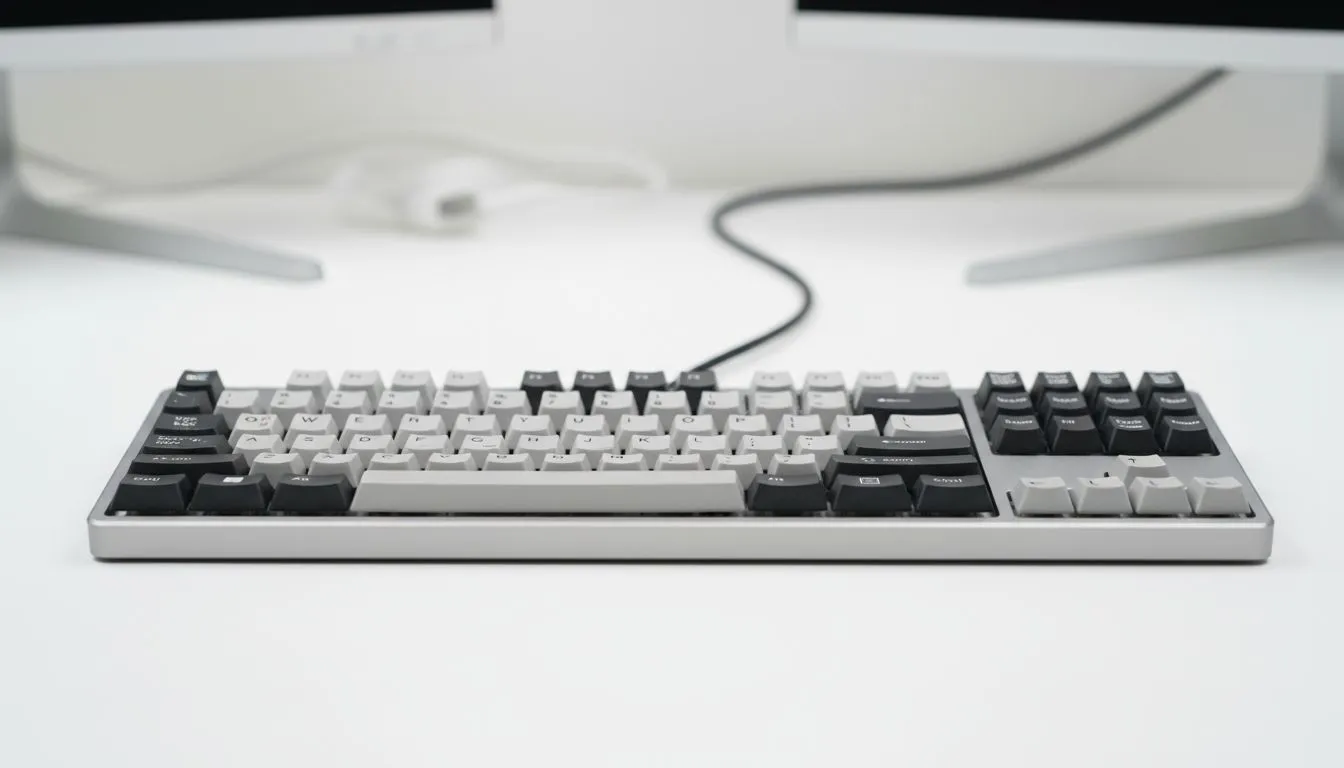
Ever tried to type an @ symbol only to see double quotes appear? It is a classic South African struggle. You have just unboxed a shiny new rig, but the keyboard layout is acting up. Understanding the difference between US and UK layouts is crucial for any local gamer. Let's fix those wrong characters and get your setup running perfectly. 🔧
In South Africa, most hardware follows the US ANSI standard. However, Windows often defaults to UK English during installation. This mismatch is why your symbols do not match the printing on the keycaps. If you are looking for the cheapest gaming keyboard in South Africa, you must ensure the software matches the physical hardware.
Fixing "wrong" characters is usually a software tweak rather than a hardware fault. If your Shift+2 gives you " instead of @, your PC thinks you are using a UK layout. To fix this, head to your Windows Language settings. Add "English (United States)" and set it as your primary input method.
For those who prefer premium switches, a Razer Gaming Keyboard usually follows the standard US ANSI layout. Once your Windows settings match this, every symbol will appear exactly where it should. It saves time and prevents frustration during intense matches or late-night assignments.
You can quickly swap between installed keyboard languages by pressing Windows Key + Spacebar. This is incredibly useful if you accidentally toggle layouts while gaming or if you need to switch between different regional settings for specific coding tasks.
The main difference lies in the Enter key and the Left Shift key. The US layout uses a horizontal bar for Enter... while the UK layout uses a large, upside-down L-shape. Enthusiasts often lean towards Glorious Keyboards for their hot-swappable customisation options, which typically adhere to the US standard favored in SA.
Connectivity also plays a role in your choice. Whether you choose Wireless for a clean desk or Wired for zero latency, the layout logic remains the same. Most local gamers find the US layout more natural because the symbols are easier to reach.
Investing in a quality board usually costs between 800 ZAR and 3,500 ZAR depending on the features. Always check the product images to see if the Enter key is a bar or a block. This simple check ensures your Keyboard Layout South Africa experience is seamless from the first click. 🚀
Ready to Find Your Perfect Match? Choosing the right layout is the first step toward a better typing experience. For the best deals and the widest selection of layouts in South Africa, we have you covered. Explore our massive range of gaming keyboards and find the perfect deck to dominate your game.
Incorrect layout or input language causes wrong characters. Check your keyboard layout South Africa and switch to the correct English variant.
Open Settings, Time & Language, Language, then Keyboard. Add the layout you need and use Win+Space or the language menu to toggle layouts.
UK layout places £, moves @ and #, and changes some punctuation keys. US vs UK keyboard layout differences affect typing and symbols.
Go to System Settings, Keyboard, Input Sources; add the correct English variant (South Africa, UK, or US) and remove the incorrect one.
Yes. OS updates or driver installs can reset layouts. Reinstall the keyboard driver or reset input settings to restore correct mapping.
Open Settings, Region & Language, Input Sources and add 'English (South Africa)' or the desired US/UK layout to match your keys.
Check language pack, confirm layout, disable layout hotkeys, update drivers, test another keyboard, and reboot to resolve keyboard mapping problems.
GTA 6 Max Settings on RTX 5070. Tested & verified settings for best FPS and visual quality on SA hardware budgets.
Read more
Cyberpunk 2077 Max Settings on RTX 5080. Tested & verified settings for best FPS and visual quality on SA hardware budgets.
Read more
Starfield Max Settings on RTX 5070 Ti. Tested & verified settings for best FPS and visual quality on SA hardware budgets.
Read more
Can RTX 4080 Super Run AI Workloads for SA Developers Detailed answer with SA data, expert analysis & practical recommendations for local buyers.

Can RTX 4090 Run AI Workloads for SA Developers Detailed answer with SA data, expert analysis & practical recommendations for local buyers.

Top Settings for Intel Arc B580 at Ultrawide 1440p picks evaluated on performance, value & SA availability with current Rand pricing from Evetech.

RX 7600 Overclocking Guide: Safe OC Settings for. Real-world benchmark data, FPS numbers & performance analysis. What SA gamers can actually expect.

RTX 4060 CS2 Low Settings at 1080p: FPS Results. Real-world benchmark data, FPS numbers & performance analysis. What SA gamers can actually expect.

Visual Artifacts: Possible GPU Issue Issue #1. Diagnosis steps, proven fixes & when to seek professional help. SA-specific support info included.

Can the RTX 4090 Handle 1440p 144Hz Gaming. Performance testing verdict with real data & practical recommendations for SA buyers.

Top ASUS GPU Under R15000 picks evaluated on performance, value & SA availability with current Rand pricing from Evetech.
GTA 6 Max Settings on RTX 5070. Tested & verified settings for best FPS and visual quality on SA hardware budgets.
Cyberpunk 2077 Max Settings on RTX 5080. Tested & verified settings for best FPS and visual quality on SA hardware budgets.
Starfield Max Settings on RTX 5070 Ti. Tested & verified settings for best FPS and visual quality on SA hardware budgets.

Top RTX 5090 Under R5000 picks evaluated on performance, value & SA availability with current Rand pricing from Evetech.