


GTA 6 Max Settings on RTX 5070: Complete Guide
GTA 6 Max Settings on RTX 5070. Tested & verified settings for best FPS and visual quality on SA hardware budgets.
Read moreLCD CPU coolers vs traditional heatsinks: are visual features worth it? Compare cooling, noise, value, and specs so you can choose the right cooler for your build. 🧊✨
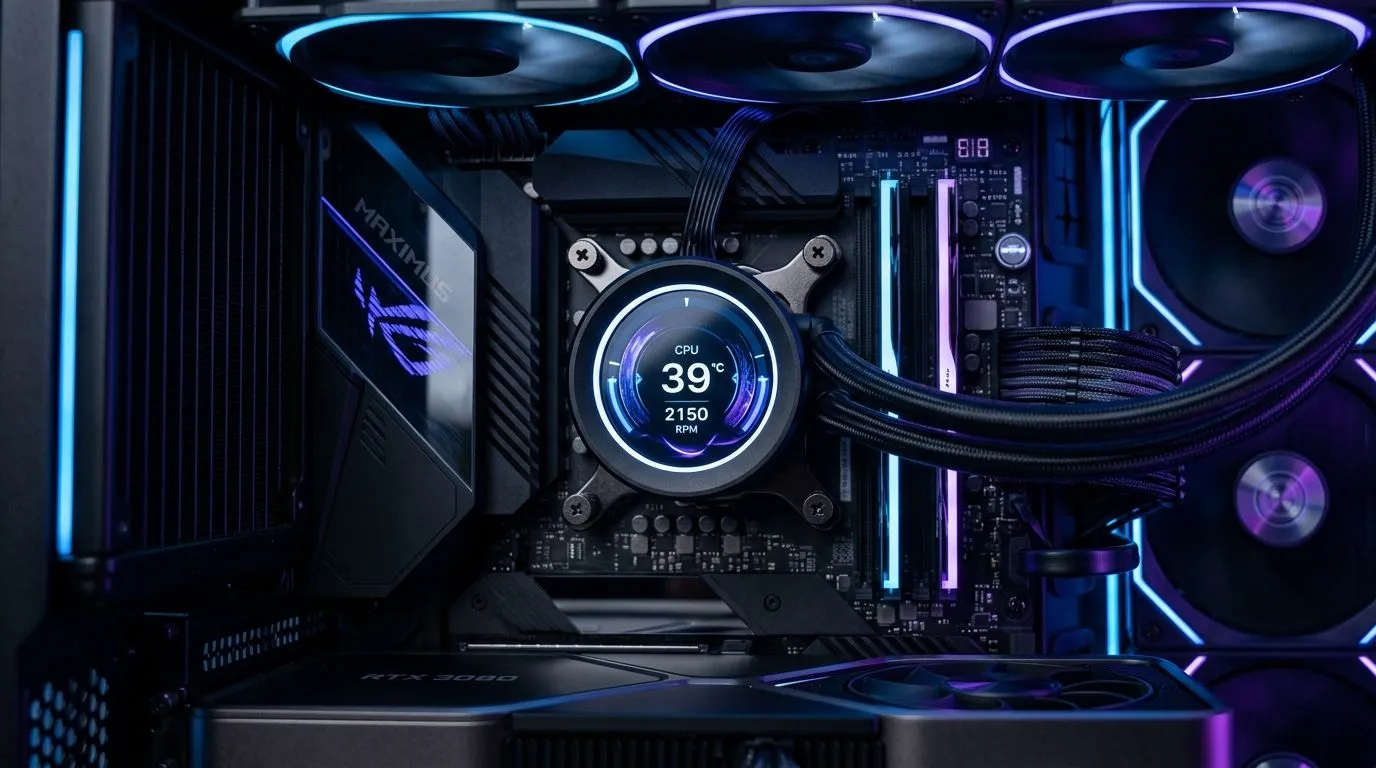
Walk into any South African PC shop and you’ll hear it… “Do you need the flashy LCD screen?” Gamers do want that aesthetic, sure. But cooling is the job that matters when your FPS is on the line. 🔧 In this Deep Dives guide, we’ll break down LCD CPU coolers vs traditional heatsinks, and help you choose based on noise, thermals, and practicality. Because lighting is fun… stable temps are better.
Traditional heatsinks prioritise thermal mass and airflow. An LCD CPU cooler keeps the same basic idea (a heatsink + cold plate + fan), but adds a display, usually on the pump or shroud. ✨ That means extra components, wiring, and software support.
Here’s the practical question: does the LCD improve cooling, or just the look?
For product selection, Evetech stocks multiple CPU cooler options in their catalogue, including air coolers and various styles that match different builds and budgets. 🔥
When you’re gaming (or running benchmarks), CPU temperatures depend on airflow and contact. Fans move heat away from the heatsink; the cold plate must sit flat; and the case needs intake and exhaust balance.
LCD coolers often pair with AIO-style liquid cooling. Traditional “heatsinks” can be air coolers or non-LCD solutions with similar mounting hardware. So the fair comparison is “cooler design + fan/pump spec,” not “LCD vs no LCD.”
What should you check before buying?
Evetech’s CPU cooler range makes it easy to filter by cooler type, fan size, and brand. 🚀
If you care about cable-free vibes, quick system monitoring, or you just love visual personalisation, LCDs can be worth it. Many users also like the ability to show CPU temps at a glance.
But if your priority is silent operation and low-fuss maintenance, an LCD may be unnecessary. A traditional air cooler can be incredibly dependable, especially for South African power stability realities, where you want straightforward hardware.
On Windows, set up a simple CPU temperature check using your motherboard monitoring or reputable tools, then run a 10 to 15 minute game session. If your temps climb sharply and stay there, tweak fan curves or check that your cooler mount is seated evenly.
If you want to browse the exact category, start here:
Those filters help you compare like-for-like, without getting distracted by the LCD factor.
If your CPU runs cool and you’re chasing a clean, personalised desk setup, LCD CPU coolers can absolutely be “worth it”… for the experience. ✨ But for raw thermal reliability, the deciding factors are contact, airflow, and the cooler’s core engineering.
If you’re unsure, match your budget to a cooler that fits your case and CPU first. Then decide whether the LCD is a bonus you actually want.
Ready to Find Your Perfect Match? The Mac vs Windows debate is complex, but for maximum power, choice, and value in South Africa, Windows is hard to beat. Explore our massive range of laptop specials and find the perfect machine to conquer your world.
Most LCD features don’t boost thermal performance. Cooling depends on fan size, contact plate, and heatpipe or radiator design, not the screen.
If you want aesthetics plus decent thermals, it can be worth it. For pure performance per dollar, many traditional heatsinks win.
Look at TDP rating, fan RPM and airflow (CFM), heatpipe count, base material, cooler height clearance, and mounting compatibility for your CPU.
They can, depending on fan curves and whether the display drivers add power draw. Compare noise ratings in reviews and watch fan settings.
Many support common Intel and AMD sockets, but not all. Check the cooler’s socket list and ensure case clearance before buying.
Use cooling benchmarks, thermal results under load, fan control options, warranty, and build quality, then weigh the display value against cost.
Yes. Choose efficient fans, prioritize case airflow, and set sensible fan curves; the LCD is usually an extra load, not a thermal blocker.
Consider a top-rated traditional air cooler or a simple high-airflow heatsink. You’ll often get lower temperatures for less money.
GTA 6 Max Settings on RTX 5070. Tested & verified settings for best FPS and visual quality on SA hardware budgets.
Read more
Cyberpunk 2077 Max Settings on RTX 5080. Tested & verified settings for best FPS and visual quality on SA hardware budgets.
Read more
Starfield Max Settings on RTX 5070 Ti. Tested & verified settings for best FPS and visual quality on SA hardware budgets.
Read more
AMD RX 9050 XT: Rumoured Specs, Price & Release. SA-focused analysis with local pricing data, real-world insights & actionable buying advice.

Can RTX 4080 Super Run AI Workloads for SA Developers Detailed answer with SA data, expert analysis & practical recommendations for local buyers.

Can RTX 4090 Run AI Workloads for SA Developers Detailed answer with SA data, expert analysis & practical recommendations for local buyers.

Top Settings for Intel Arc B580 at Ultrawide 1440p picks evaluated on performance, value & SA availability with current Rand pricing from Evetech.

RTX 4060 CS2 Low Settings at 1080p: FPS Results. Real-world benchmark data, FPS numbers & performance analysis. What SA gamers can actually expect.

Visual Artifacts: Possible GPU Issue Issue #1. Diagnosis steps, proven fixes & when to seek professional help. SA-specific support info included.

Can the RTX 4090 Handle 1440p 144Hz Gaming. Performance testing verdict with real data & practical recommendations for SA buyers.

Top ASUS GPU Under R15000 picks evaluated on performance, value & SA availability with current Rand pricing from Evetech.
GTA 6 Max Settings on RTX 5070. Tested & verified settings for best FPS and visual quality on SA hardware budgets.
Cyberpunk 2077 Max Settings on RTX 5080. Tested & verified settings for best FPS and visual quality on SA hardware budgets.
Starfield Max Settings on RTX 5070 Ti. Tested & verified settings for best FPS and visual quality on SA hardware budgets.

Top RTX 5090 Under R5000 picks evaluated on performance, value & SA availability with current Rand pricing from Evetech.