


Complete Guide: Setting Up Monitor Light
Setting Up Monitor Light. Tested & verified settings for best FPS and visual quality on SA hardware budgets.
Read moreBuild a quiet gaming PC in South Africa with low-noise high-RPM fans. Learn what to look for, how to size fans, and how to tame RPM noise—so your system stays smooth and silent 🎮🔇
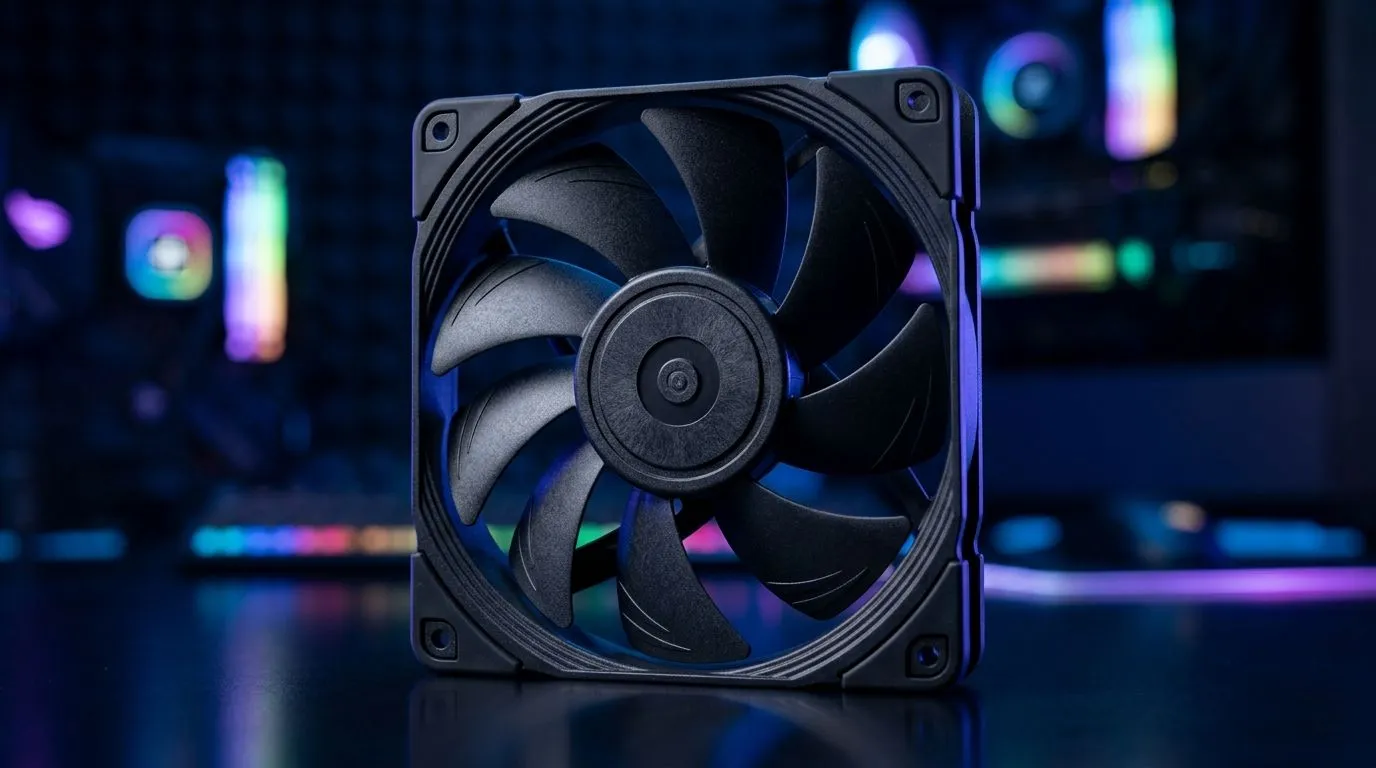
If your gaming PC sounds like a small jet engine, your gameplay experience takes the hit… even if your FPS is perfect. 🔇 In South Africa’s warmer months, fans also work harder, and that’s when noise climbs fast. The good news? With the right airflow and fan curve, you can keep temps safe without turning your desk into a wind tunnel.
This guide breaks down how to choose low-noise, high-RPM fans that still move serious air, and what to look for when shopping at Evetech. 🚀
“Low-noise” doesn’t mean “weak.” Modern fan design balances speed (RPM) with blade geometry and control circuitry. The trick is matching the fan to your case and your cooling layout.
Evetech stocks a broad selection of case fans, so you can filter by size and features before you buy: Browse case fans for your build
If your front panel has a mesh, or you’re running a radiator, you want fans that can maintain airflow against resistance. That’s where “high-RPM” matters… but only if the fan can do it without sounding harsh.
When you’re selecting from specific brands, this can help you compare like-for-like:
Even the best fan can sound bad with the wrong setup. Here’s what usually fixes “why is it loud?”
A 120mm fan has different airflow characteristics than a 140mm fan. In many builds, 140mm can move more air at lower RPM, which often reduces audible noise. Start by filtering by size on Evetech:
Set a curve that ramps fans gradually during gaming, not instantly at boot. If you have an AIO or radiator, let that component stabilise first. You’ll hear the difference within minutes of tuning.
RGB is fun, but it’s not a performance spec. If your goal is pure quiet, consider non-RGB models to avoid visual clutter and keep the setup straightforward:
tuning your fan curve, use a single “quiet test” method: run a lightweight game benchmark for 10 minutes, then check temps and noise at each step. Make one adjustment at a time, so you know exactly which change improved things. This avoids the trial-and-error spiral that ends with fans stuck at random speeds.
Before you add fans to cart, confirm these:
If you’re building in a warm room or you’re sensitive to noise (most SA gamers are), this checklist saves money and frustration.
Ready to Find Your Perfect Match? The Mac vs Windows debate is complex, but for maximum power, choice, and value in South Africa, Windows is hard to beat. Explore our massive range of laptop specials and find the perfect machine to conquer your world.
Low-noise high-RPM fans use better blade design and PWM control to reduce turbulence, so high airflow can run at lower audible noise when tuned.
For quieter builds, 140mm fans often move more air at lower RPM. Choose 120mm when space is limited and tune the fan curve for noise.
Use PWM fans, set a sensible fan curve, and keep temperatures within targets. Proper curves let fans ramp only when needed.
Yes. For radiators or restrictive front panels, higher static pressure helps airflow. Pair it with a tuned PWM curve to limit noise.
Aim for lower audible RPM during gaming and only allow higher RPM under heavy loads. Exact numbers depend on airflow needs and case cooling.
Often yes. PWM fans support finer speed control from the motherboard, which helps keep fans at the minimum speed needed for stable cooling.
Improve airflow paths, mount fans securely, check cable contact, and ensure dust is cleaned. Better balance and airflow reduce unnecessary RPM spikes.
Check availability of PWM models, verify airflow and noise ratings, and confirm compatible connectors so you can tune fan curves properly.
Setting Up Monitor Light. Tested & verified settings for best FPS and visual quality on SA hardware budgets.
Read more
Assassins Creed Shadows Ultrawide Support: 21:9. Clear setup instructions with SA-specific considerations, troubleshooting tips & recommended components.
Read more
Complete Gaming Setup Guide for the Collector. Clear setup instructions with SA-specific considerations, troubleshooting tips & recommended components.
Read more
Will the Steam Deck 2 Have an OLED Screen? Leaked. Plain-English explanation of what it means, why it matters & how it affects your buying decisions in SA.
Read more
Setting Up Ultrawide 144Hz. Tested & verified settings for best FPS and visual quality on SA hardware budgets.
Read more
Kingdom Come: Deliverance 2 Ultrawide Support. Clear setup instructions with SA-specific considerations, troubleshooting tips & recommended components.
Read more
When Will the RTX 6090 Launch in South Africa Detailed answer with SA data, expert analysis & practical recommendations for local buyers.

Top Valorant Settings for RTX 5070: FPS Optimisation picks evaluated on performance, value & SA availability with current Rand pricing from Evetech.

RDNA 3.5 Graphics in Ryzen AI 400? Can You Game. Plain-English explanation of what it means, why it matters & how it affects your buying decisions in SA.

GPU Price Index : December Report. Current stock data & price tracking for SA buyers. See what is available and where prices are heading.

Core i5-14600K + B760 + RTX 5060 Build Under. Full parts list, Rand pricing & expected performance. Build confidently with SA-available components.

RX 7600 Apex Legends at 4K: FPS Benchmark. Real-world benchmark data, FPS numbers & performance analysis. What SA gamers can actually expect.

RX 7900 XTX GTA 6 at 4K: FPS Benchmark & Optimal. Real-world benchmark data, FPS numbers & performance analysis. What SA gamers can actually expect.

Head-to-head comparison of RTX 5070 vs RX 9070 XT: Gaming Performance for SA gamers. Performance benchmarks, Rand pricing & which delivers better value.

Starfield Max Settings on RTX 5070. Tested & verified settings for best FPS and visual quality on SA hardware budgets.

Top RX 7800 XT Model Under R8,000 picks evaluated on performance, value & SA availability with current Rand pricing from Evetech.

RTX 5070 Valorant Optimised Settings: Graphics. Real-world benchmark data, FPS numbers & performance analysis. What SA gamers can actually expect.

Top Laptop with Core i7 + RX 7700S: Picks picks evaluated on performance, value & SA availability with current Rand pricing from Evetech.