


Complete Guide: Setting Up Monitor Light
Setting Up Monitor Light. Tested & verified settings for best FPS and visual quality on SA hardware budgets.
Read moreWant the MacBook Neo 13-inch features explained? Here’s what the 6-core CPU, 16-core Neural Engine, 5-core GPU, and Touch ID do for speed and AI. 🚀🔒
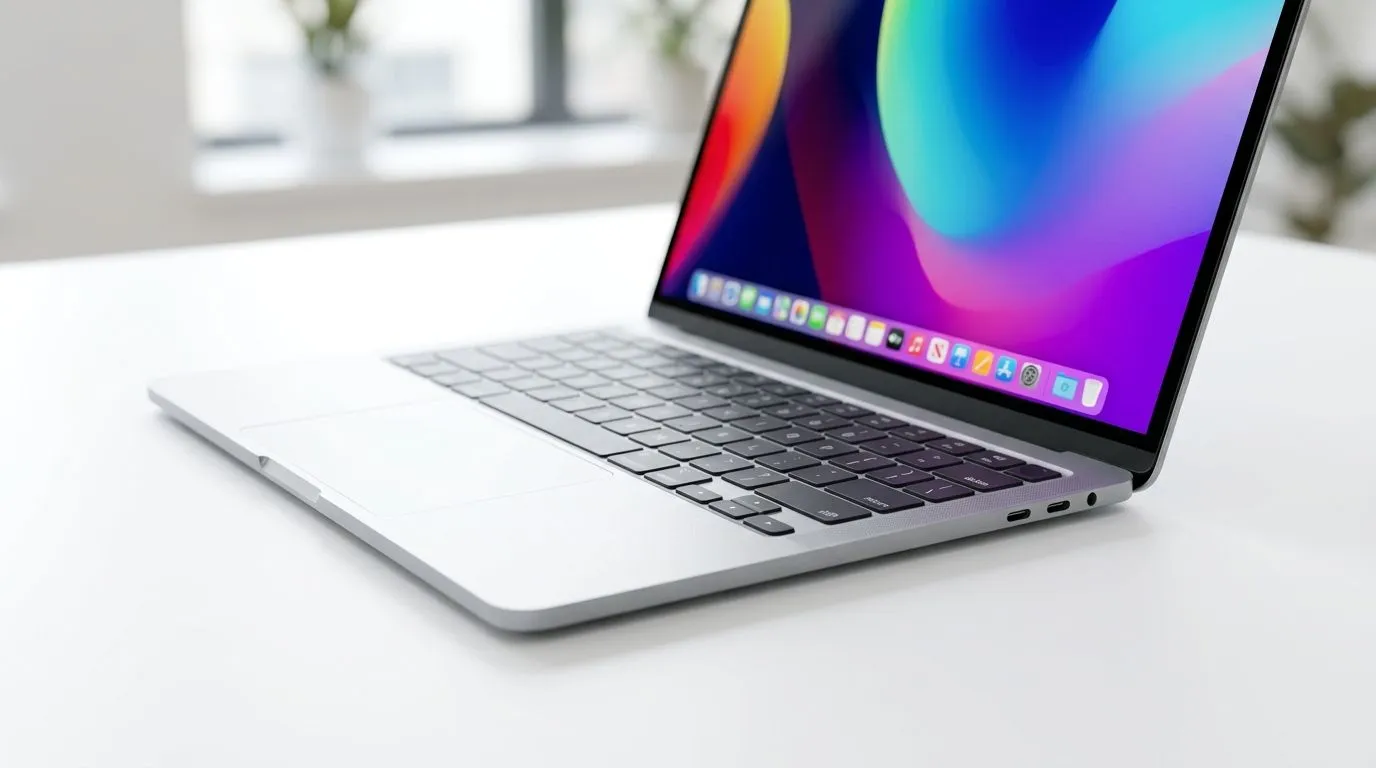
If you’ve been waiting for a compact MacBook that feels fast, secure, and easy to carry, the MacBook Neo 13-inch deserves a closer look ⚡. For students, creators, and everyday buyers in South Africa, the real question is not just “Is it small?” It’s “Does it actually deliver?” In this deep dive, we unpack the key features that matter most... and where they fit into real daily use.
The headline spec here is the 6-core CPU. In simple terms, more cores help a laptop handle multiple tasks with less lag. That matters when you’re bouncing between browser tabs, design work, streaming, and messaging. Apple’s official MacBook documentation explains that performance is tied to the chip architecture, memory, and storage working together, not just one number alone. For the Neo, that means the CPU is built for smooth everyday performance, not just synthetic benchmarks.
If you’re comparing options in the market, it helps to keep expectations grounded. A slim 13-inch machine is usually about efficiency and portability first. If you want to browse current MacBook options under R30,000, that’s a smart place to start before narrowing your shortlist.
Touch ID sounds small. It is not. On a daily basis, it removes friction. You unlock the laptop faster. You approve purchases faster. You sign in without typing passwords all the time. Apple’s support pages confirm Touch ID is designed for secure authentication using your fingerprint, which is far more convenient than memorising another password.
For South African households, that convenience matters. Shared spaces, busy offices, and coffee shop work sessions all benefit from faster access with fewer interruptions. If you are price-sensitive, you can also check the latest MacBooks around the R28,449 mark and compare what fits your budget best.
For most buyers, memory is where the purchase becomes practical. Apple recommends enough unified memory for the tasks you plan to run, especially if you keep multiple apps open. If your day includes Chrome, Teams, WhatsApp, Adobe tools, or study platforms, more memory gives you breathing room.
That is why many buyers look at 16GB MacBook listings first. It is a sensible middle ground for long-term use. If you want a larger display for split-screen work, you can also browse 16GB models with a 15.3-inch screen. Bigger screens help with timelines, spreadsheets, and side-by-side documents.
Compare your workflow before your specs. If you mostly browse, stream, and study, the lighter configuration may be enough. If you edit photos, work with large files, or keep many apps open, prioritise more memory first.
Evetech buyers often want clear value, not vague hype. If you are still undecided, the broader MacBook range at Evetech lets you compare the Neo against other models in one place. You can also filter for the newer Apple M5 MacBooks if you want to compare chip generations directly.
For buyers who want a premium laptop that balances portability and ease of use, the Neo’s appeal is obvious. It is not trying to be a desktop replacement. It is trying to be the laptop you carry every day without thinking twice.
The best way to judge this MacBook is by use case. If you value speed, security, and a neat portable form factor, the Neo makes sense. If your budget is tight, compare current prices carefully in ZAR. If you want the simplest path, start with the listings above and work backwards from your real needs. That is how smart tech buying happens... especially in South Africa ✨
Ready to Find Your Perfect Match? The Mac vs Windows debate is complex, but for maximum power, choice, and value in South Africa, Windows is hard to beat. Explore our massive range of laptop specials and find the perfect machine to conquer your world.
The 6-core CPU helps handle multitasking and faster app switching on the MacBook Neo 13, especially when you run multiple workflows at once.
The 16-core Neural Engine accelerates on-device machine learning tasks, making features like image processing and AI-assisted workflows feel more responsive.
The 5-core GPU targets smoother graphics for everyday creative tasks and many games, with better performance when paired with the right apps.
Touch ID adds quick secure sign-in, authorization for purchases, and faster unlocking, so you spend less time typing passwords.
For general speed, CPU cores matter most; for AI features, the Neural Engine cores deliver the biggest gains on the MacBook Neo 13.
Yes—many AI tasks can run on-device thanks to the Neural Engine, which helps with responsiveness and privacy compared to fully cloud-based processing.
Pick based on workload: multitaskers prioritize the 6-core CPU, creators and AI users benefit from the 16-core Neural Engine and 5-core GPU.
Touch ID helps secure sign-ins and approvals for payments and sensitive actions, improving protection while keeping access fast.
Setting Up Monitor Light. Tested & verified settings for best FPS and visual quality on SA hardware budgets.
Read more
Assassins Creed Shadows Ultrawide Support: 21:9. Clear setup instructions with SA-specific considerations, troubleshooting tips & recommended components.
Read more
Complete Gaming Setup Guide for the Collector. Clear setup instructions with SA-specific considerations, troubleshooting tips & recommended components.
Read more
Will the Steam Deck 2 Have an OLED Screen? Leaked. Plain-English explanation of what it means, why it matters & how it affects your buying decisions in SA.
Read more
Setting Up Ultrawide 144Hz. Tested & verified settings for best FPS and visual quality on SA hardware budgets.
Read more
Kingdom Come: Deliverance 2 Ultrawide Support. Clear setup instructions with SA-specific considerations, troubleshooting tips & recommended components.
Read more
When Will the RTX 6090 Launch in South Africa Detailed answer with SA data, expert analysis & practical recommendations for local buyers.

Top Valorant Settings for RTX 5070: FPS Optimisation picks evaluated on performance, value & SA availability with current Rand pricing from Evetech.

RDNA 3.5 Graphics in Ryzen AI 400? Can You Game. Plain-English explanation of what it means, why it matters & how it affects your buying decisions in SA.

GPU Price Index : December Report. Current stock data & price tracking for SA buyers. See what is available and where prices are heading.

Core i5-14600K + B760 + RTX 5060 Build Under. Full parts list, Rand pricing & expected performance. Build confidently with SA-available components.

RX 7600 Apex Legends at 4K: FPS Benchmark. Real-world benchmark data, FPS numbers & performance analysis. What SA gamers can actually expect.

RX 7900 XTX GTA 6 at 4K: FPS Benchmark & Optimal. Real-world benchmark data, FPS numbers & performance analysis. What SA gamers can actually expect.

Head-to-head comparison of RTX 5070 vs RX 9070 XT: Gaming Performance for SA gamers. Performance benchmarks, Rand pricing & which delivers better value.

Starfield Max Settings on RTX 5070. Tested & verified settings for best FPS and visual quality on SA hardware budgets.

Top RX 7800 XT Model Under R8,000 picks evaluated on performance, value & SA availability with current Rand pricing from Evetech.

RTX 5070 Valorant Optimised Settings: Graphics. Real-world benchmark data, FPS numbers & performance analysis. What SA gamers can actually expect.

Top Laptop with Core i7 + RX 7700S: Picks picks evaluated on performance, value & SA availability with current Rand pricing from Evetech.