Pick the wrong graphics card for an external GPU enclosure and the problem is rarely raw speed. It is the moment you unplug the cable and the laptop locks up, or the screen goes black after a driver update. Choosing NVIDIA or AMD in your eGPU matters less for benchmark numbers than for how cleanly the card cooperates with your operating system when you connect and disconnect it.
Quick Answer
Both NVIDIA and AMD cards up to four slots wide fit enclosures like the Razer Core X V2, so physical fit is rarely the issue. The real difference is driver behaviour and hot-plug reliability, which varies by vendor and operating system. Check how your specific OS handles each vendor's eGPU support before committing.
The Hardware Fit Is the Easy Part
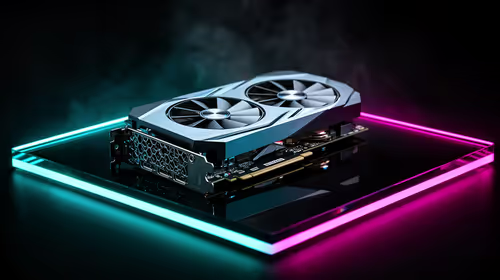
Modern eGPU enclosures are generously sized. The Razer Core X V2, for example, accepts cards up to four slots wide from either vendor, so a chunky triple-fan flagship from NVIDIA or AMD physically drops in without drama. Power delivery, cooling clearance, and the Thunderbolt or USB4 connection to your laptop are vendor-neutral.
That means the decision is not "which card fits" but "which card behaves" once it is connected and the operating system has to manage it as a device that can appear and disappear.
You can see the enclosures and docking hardware that make this possible in the docking station range at Evetech, which is where the eGPU connection actually lives.
Driver Behaviour: Where Vendors Diverge
On Windows
Windows has the broadest eGPU support, and both NVIDIA and AMD drivers handle external cards. The friction tends to appear around updates and rendering paths: which GPU renders a given application, how the system behaves when an external display is attached to the eGPU versus driving the laptop's internal panel, and how cleanly a driver update goes when an external card is in the mix. Both vendors work, but the experience is smoother when you keep drivers current and connect the eGPU before booting where possible.
Windows 10 and 11 both support the GPU instance hot-plug mechanism that eGPUs rely on, but the quality of that support also depends on the laptop's Thunderbolt firmware. Keeping Thunderbolt firmware updated alongside GPU drivers reduces the number of edge cases where Windows loses track of the external card during a session.
On macOS
This is the sharpest divide. Apple's recent Macs run on Apple Silicon, which does not support external GPUs in the way older Intel Macs did with AMD cards. NVIDIA has long had no macOS driver support. If you are on a Mac, the eGPU landscape is very different from Windows, and you should confirm what your specific machine and macOS version actually support before buying anything.
On Linux
Linux eGPU support exists but demands more setup. AMD's open-source driver stack is often praised for predictable behaviour, while NVIDIA's proprietary driver works but can need more careful configuration for hot-plug and display routing. Current NVIDIA drivers on Linux 6.12 and newer have improved hot-plug stability, though unplugging while processes are actively using the GPU can still cause instability on some setups. AMD's open driver reduces that risk but is not immune. If Linux is your platform, research the current state for your exact distribution.
Hot-Plug: The Reliability Question
Hot-plug means connecting or disconnecting the eGPU while the system is running, ideally without a crash. This is where reliability differences bite hardest, and they depend on the combination of vendor, operating system, and even the specific laptop's Thunderbolt implementation.
The safest habit, regardless of vendor, is to connect the eGPU before powering on and to use the operating system's "safely remove" or eject flow before unplugging. Treating the enclosure like a removable drive rather than yanking the cable avoids the worst of the crashes. If true plug-and-play hot-swapping matters to you, test it specifically on your hardware and OS before relying on it, because behaviour is not uniform across setups.
Practical Advice by Use Case
If you mainly dock at a desk and rarely disconnect, hot-plug reliability matters less and you can pick the card on performance and price. If you genuinely plan to connect and disconnect daily, prioritise the vendor and OS combination with the smoothest documented hot-plug behaviour on your machine, even over a small performance gap.
Performance Through Thunderbolt
One point applies to both vendors: the Thunderbolt or USB4 link has less bandwidth than a desktop PCIe slot, so an eGPU does not deliver the card's full desktop performance, especially when driving the laptop's internal screen. Attaching a monitor directly to the eGPU recovers a good portion of that loss. This bottleneck affects NVIDIA and AMD cards alike, so it is not a deciding factor between them. To see how the latest cards from both vendors stack up on raw capability, the GPU best sellers list is a useful reference once you have settled the driver question.
Frequently Asked Questions
Does NVIDIA or AMD work better in an eGPU?
Neither is universally better; it depends on your operating system. On Windows both work well. On macOS the situation favours AMD on older Intel Macs and rules out NVIDIA, while Apple Silicon does not support external GPUs in the traditional way. Match the vendor to your platform.
Can I hot-plug an eGPU safely?
Sometimes, but it varies by vendor, OS, and laptop. The safest approach is to connect before booting and use the system's eject flow before unplugging. If reliable hot-swapping is essential, test it on your exact hardware first rather than assuming it works.
Will any graphics card fit a Razer Core X V2?
The enclosure accepts cards up to four slots wide from both NVIDIA and AMD, so most flagship triple-fan cards fit. Always confirm the card's length, width, and power requirements against the enclosure's specification before buying.
Does an eGPU give full desktop performance?
No. The Thunderbolt or USB4 connection has less bandwidth than a desktop PCIe slot, so performance is reduced, particularly when driving the laptop's built-in screen. Connecting an external monitor directly to the eGPU recovers much of that loss.
Do eGPUs work with Apple Silicon Macs?
Not in the traditional sense. Apple Silicon does not support external GPUs the way older Intel Macs did with AMD cards. If you are on a recent Mac, confirm exactly what your machine and macOS version support before investing in an enclosure and card.
Building an eGPU setup? Start with the right connection in the docking station range at Evetech (https://www.evetech.co.za/PC-Components/buy-docking-station-362), then match a card to the driver and hot-plug behaviour your operating system handles best.