


GTA 6 Max Settings on RTX 5070: Complete Guide
GTA 6 Max Settings on RTX 5070. Tested & verified settings for best FPS and visual quality on SA hardware budgets.
Read moreDiscover the best NVMe SSD South Africa has to offer! 🚀 This guide breaks down everything from blistering speeds and PCIe generations to finding the perfect drive for your gaming rig or workstation. Upgrade your PC's performance and slash loading times. Find your ideal NVMe SSD today! 💻
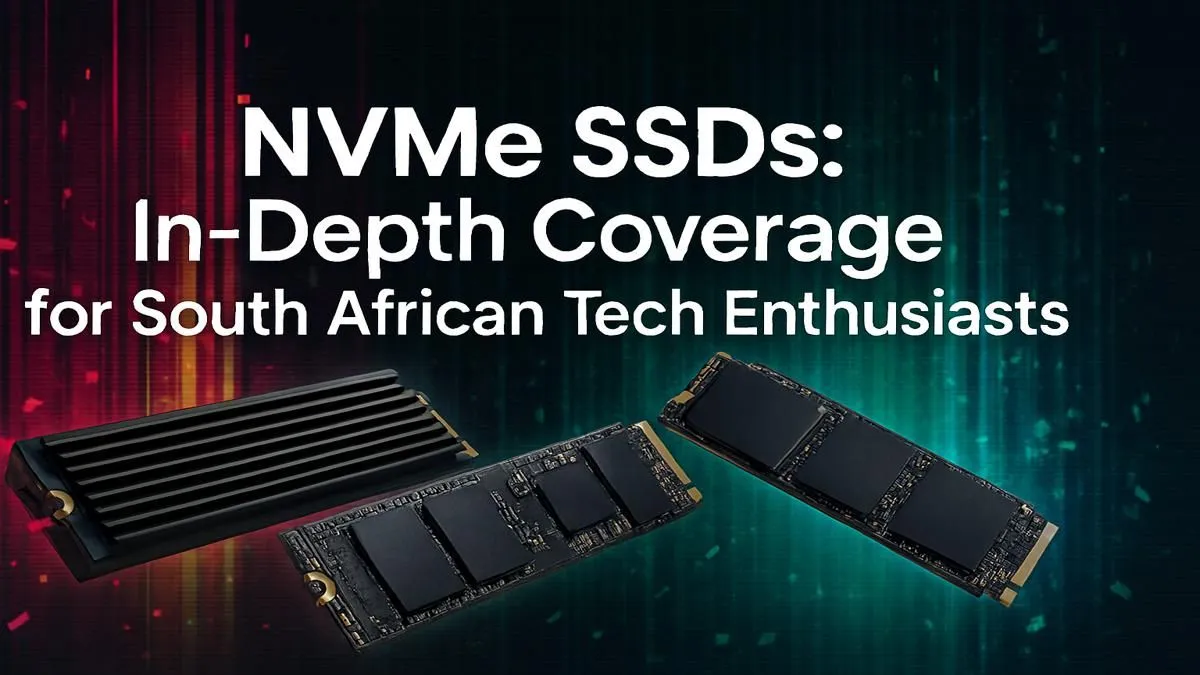
Tired of watching loading screens while your mates are already dropping into the action? In a world of instant everything, waiting for your PC to catch up feels... ancient. For gamers and creators across Mzansi, the solution is lightning-fast storage. This guide is your ultimate resource for choosing the perfect NVMe SSD in South Africa for 2025, helping you slash load times and unlock your PC’s true potential. Let's get you back in the game, faster. ⚡
First, let's clear up the alphabet soup. What makes an NVMe (Non-Volatile Memory Express) drive so special?
Think of it like this: a traditional hard drive is a winding farm road. A standard SATA SSD is a smooth tarred road. But an NVMe SSD? That's a multi-lane German autobahn directly connected to your PC's processor.
Instead of using the old SATA interface, which was designed for spinning disks, NVMe drives plug directly into your motherboard's PCIe slot. This direct line to the CPU cuts out the middleman, delivering speeds that are leagues ahead of older tech. While even a basic SATA 2.5-inch SSD is a huge upgrade from a hard drive, NVMe is the true performance king.
When you start shopping for an NVMe SSD in South Africa, you'll see terms like "Gen3," "Gen4," and "Read/Write Speeds." It's less complicated than it sounds.
This basically refers to the "generation" of the PCIe slot your SSD uses. Each new generation roughly doubles the potential speed.
Before you buy, check your motherboard's specifications to see which PCIe generation it supports. A Gen4 NVMe SSD will work in a Gen3 slot, but it will be limited to Gen3 speeds. You don't want to pay for speed you can't use!
With game sizes ballooning, 1TB is the new baseline for a primary gaming drive. It gives you enough room for your operating system, key applications, and a healthy library of your favourite titles. A 2TB drive is ideal if you hate uninstalling games or do a lot of video work. For those on a tighter budget, a 500GB NVMe SSD for your OS and most-played game is still a massive improvement.
So, you're convinced. You need that speed. The good news is that prices have become incredibly competitive. Finding a great deal on an NVMe SSD in South Africa is easier than ever.
Keep an eye on trusted brands like Samsung, Crucial, WD (Western Digital), and Kingston. They offer a great balance of performance, reliability, and local warranty support. It's often worth paying a few hundred Rand more for a drive with a good DRAM cache, as this helps maintain high speeds during sustained file transfers.
To find the latest prices and promotions, it's always a good idea to check out a dedicated deals page. You can often find excellent value on last-generation tech or seasonal sales that make your upgrade even sweeter. Exploring the best SSD deals can help you snag a top-tier drive without breaking the bank. ✨
Ultimately, the best drive for you depends on your budget and needs. Whether you're building a new rig or giving an old one a serious boost, the upgrade to an NVMe is one of the most impactful changes you can make. The difference isn't just noticeable... it's transformative. From booting your PC to loading the final boss, everything is just faster. Evetech stocks a massive range of SSDs to suit any build or budget.
Ready for Hyperspeed? Stop waiting and start playing. Explore our massive range of high-performance NVMe SSDs and find the perfect drive to supercharge your PC today. Shop the best NVMe SSDs in South Africa for performance that leaves lag in the dust.
The primary benefit is speed. NVMe SSDs connect via the PCIe bus, offering significantly faster read/write speeds than SATA SSDs, resulting in quicker boot times and app loading.
Absolutely. For gamers, an NVMe SSD dramatically reduces game loading screens and improves texture streaming. It's a key part of modern PC builds for a smoother experience.
Check your motherboard's manual or specifications for an 'M.2 slot' that supports 'PCIe' or 'NVMe'. Most modern motherboards from the last 5-7 years include at least one.
PCIe 4.0 offers roughly double the theoretical transfer speed of PCIe 3.0. While both are fast, PCIe 4.0 is ideal for enthusiasts demanding peak performance in their PC builds.
Yes, the NVMe SSD installation guide is straightforward. It involves locating the M.2 slot on your motherboard, inserting the drive at an angle, and securing it with a small screw.
Reputable online tech retailers offer competitive pricing and a wide selection of NVMe SSDs from top brands, often with exclusive deals and local warranties for buyers.
GTA 6 Max Settings on RTX 5070. Tested & verified settings for best FPS and visual quality on SA hardware budgets.
Read more
Cyberpunk 2077 Max Settings on RTX 5080. Tested & verified settings for best FPS and visual quality on SA hardware budgets.
Read more
Starfield Max Settings on RTX 5070 Ti. Tested & verified settings for best FPS and visual quality on SA hardware budgets.
Read more
AMD RX 9050 XT: Rumoured Specs, Price & Release. SA-focused analysis with local pricing data, real-world insights & actionable buying advice.

Can RTX 4080 Super Run AI Workloads for SA Developers Detailed answer with SA data, expert analysis & practical recommendations for local buyers.

Can RTX 4090 Run AI Workloads for SA Developers Detailed answer with SA data, expert analysis & practical recommendations for local buyers.

Top Settings for Intel Arc B580 at Ultrawide 1440p picks evaluated on performance, value & SA availability with current Rand pricing from Evetech.

RTX 4060 CS2 Low Settings at 1080p: FPS Results. Real-world benchmark data, FPS numbers & performance analysis. What SA gamers can actually expect.

Visual Artifacts: Possible GPU Issue Issue #1. Diagnosis steps, proven fixes & when to seek professional help. SA-specific support info included.

Can the RTX 4090 Handle 1440p 144Hz Gaming. Performance testing verdict with real data & practical recommendations for SA buyers.

Top ASUS GPU Under R15000 picks evaluated on performance, value & SA availability with current Rand pricing from Evetech.
GTA 6 Max Settings on RTX 5070. Tested & verified settings for best FPS and visual quality on SA hardware budgets.
Cyberpunk 2077 Max Settings on RTX 5080. Tested & verified settings for best FPS and visual quality on SA hardware budgets.
Starfield Max Settings on RTX 5070 Ti. Tested & verified settings for best FPS and visual quality on SA hardware budgets.

Top RTX 5090 Under R5000 picks evaluated on performance, value & SA availability with current Rand pricing from Evetech.