


Starfield Max Settings on RTX 5070: Complete Guide
Starfield Max Settings on RTX 5070. Tested & verified settings for best FPS and visual quality on SA hardware budgets.
Read moreNVMe vs SATA SSD explained with real-world gaming and workload results ⚡ Find out where NVMe feels faster, when SATA still makes sense, and how to choose the right upgrade.
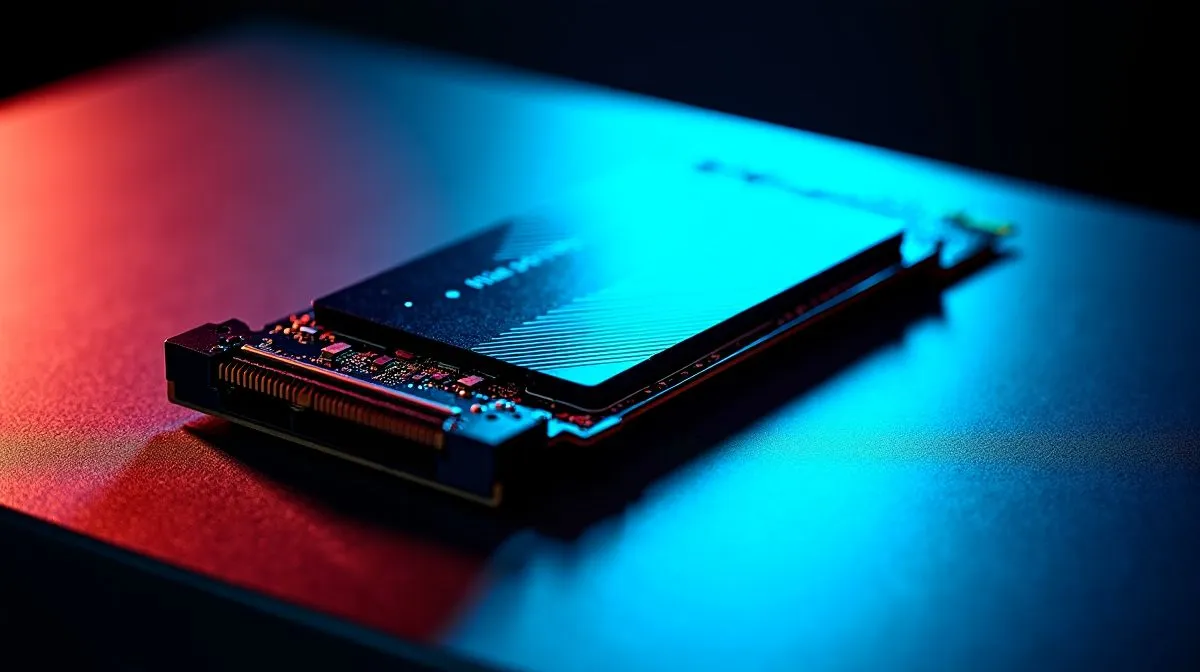
Tired of staring at loading screens while your squad is already dropping into the map? When every second counts, the NVMe vs SATA SSD debate is more than just tech jargon... it is the difference between snagging the best loot or heading straight back to the lobby. Let us break down the real-world speed differences for gaming so you can stretch your hard-earned ZAR further and properly optimise your rig.
To grasp the NVMe vs SATA SSD battle, you need to look at how they connect to your motherboard. SATA drives use an older interface originally designed for spinning hard drives. Because of this, they are physically capped at around 550MB/s. That is still vastly quicker than a traditional mechanical drive, but it is the absolute speed limit for that specific technology.
Whether you are reviving an older gaming laptop or building a fresh desktop, browsing through high-performance Solid State Drives is the smartest first step for a snappy system.
On the other hand, NVMe drives plug directly into your motherboard's PCIe slots. This direct lane to your CPU means modern Gen4 and Gen5 drives can push speeds well beyond 7000MB/s. But does a drive that is ten times faster on paper actually give you ten times the gaming performance?
In pure gaming terms, the NVMe vs SATA SSD gap is noticeable but not always life-changing for older titles. If you are playing lightweight esports games like CS2 or Valorant, a SATA drive will load your maps in a matter of seconds. When you boot up your PC, you want to be gaming immediately. An NVMe drive will boot Windows slightly faster, which is handy when you are trying to squeeze in a quick match before loadshedding hits.
For budget-conscious builders who want to maximise their ZAR, an ADATA SSD offers brilliant value and totally acceptable load times. If you prefer battle-tested reliability for a mid-range rig, a Kingston drive will keep your system running smoothly without breaking the bank.
However, the landscape is shifting rapidly. Modern open-world games stream massive high-resolution textures on the fly. In these visually intense titles, an NVMe drive eliminates texture pop-in and drastically reduces fast-travel stutter.
For the ultimate balance of speed and budget, install your Windows OS and primary competitive games on a fast NVMe drive, and use a cheaper, high-capacity SATA SSD for your massive single-player library.
Microsoft's DirectStorage API is starting to become the new standard for PC gaming. This technology allows your graphics card to pull data directly from your NVMe drive, bypassing the CPU entirely. This means near-instantaneous load times and incredibly smooth transitions between massive game worlds... something older drives simply cannot handle.
To take full advantage of this next-gen tech, you will want a premium CORSAIR NVMe pushing peak PCIe Gen4 speeds. Furthermore, since modern AAA titles easily eat up 150GB each, grabbing a massive 2TB SSD ensures you never have to delete your favourite games just to install a new update.
When looking at real-world speed differences for gaming, SATA is great for budget mass storage, but NVMe is the undisputed king of performance.
Ready to Eliminate Loading Screens? The NVMe vs SATA SSD choice dictates how fast you get into the action. For maximum speed, reliability, and value in South Africa, an NVMe upgrade is a no-brainer. Explore our massive range of solid state drives and find the perfect storage to conquer your world.
Yes, NVMe is faster in file transfers and some load times, but many games only show small gains over a SATA SSD.
Usually no. NVMe improves storage speed, not GPU performance, so FPS gains are typically minimal.
NVMe offers much higher bandwidth, which helps in large file transfers and heavy workloads, while SATA still feels fast for basic use.
Yes. A SATA SSD is still a solid choice for gaming if you want fast boot times and shorter load screens at a lower cost.
NVMe is better for demanding workloads like editing, large project files, and cache-heavy tasks because it moves data much faster.
Upgrade if you handle large files, multitask heavily, or want the best storage performance. For casual gaming, SATA may be enough.
Starfield Max Settings on RTX 5070. Tested & verified settings for best FPS and visual quality on SA hardware budgets.
Read more
When Will the RTX 6090 Launch in South Africa Detailed answer with SA data, expert analysis & practical recommendations for local buyers.

Top Valorant Settings for RTX 5070: FPS Optimisation picks evaluated on performance, value & SA availability with current Rand pricing from Evetech.

RDNA 3.5 Graphics in Ryzen AI 400? Can You Game. Plain-English explanation of what it means, why it matters & how it affects your buying decisions in SA.

GPU Price Index : December Report. Current stock data & price tracking for SA buyers. See what is available and where prices are heading.

Core i5-14600K + B760 + RTX 5060 Build Under. Full parts list, Rand pricing & expected performance. Build confidently with SA-available components.

RX 7600 Apex Legends at 4K: FPS Benchmark. Real-world benchmark data, FPS numbers & performance analysis. What SA gamers can actually expect.

RX 7900 XTX GTA 6 at 4K: FPS Benchmark & Optimal. Real-world benchmark data, FPS numbers & performance analysis. What SA gamers can actually expect.

Head-to-head comparison of RTX 5070 vs RX 9070 XT: Gaming Performance for SA gamers. Performance benchmarks, Rand pricing & which delivers better value.
Starfield Max Settings on RTX 5070. Tested & verified settings for best FPS and visual quality on SA hardware budgets.

Top RX 7800 XT Model Under R8,000 picks evaluated on performance, value & SA availability with current Rand pricing from Evetech.

RTX 5070 Valorant Optimised Settings: Graphics. Real-world benchmark data, FPS numbers & performance analysis. What SA gamers can actually expect.

Top Laptop with Core i7 + RX 7700S: Picks picks evaluated on performance, value & SA availability with current Rand pricing from Evetech.