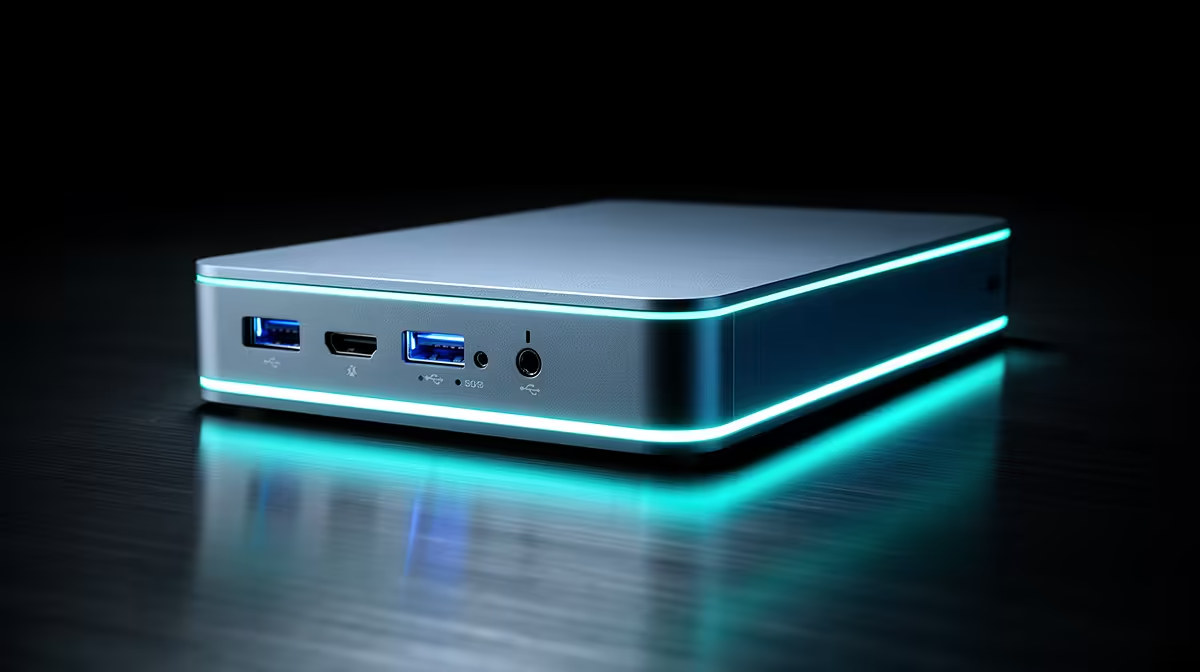
Bolting an external graphics card to a laptop or mini PC for local AI runs into one unavoidable tax: the connection between the GPU and the rest of the system is narrower than a desktop's internal slot, and that narrowing costs you performance. The two connectors fighting for this job are OCuLink and Thunderbolt 5, and despite Thunderbolt 5 carrying the higher headline bandwidth, real testing shows OCuLink consistently loses less performance. For local inference, where every gigabyte per second of data movement matters, that gap decides the winner.
Quick Answer
OCuLink behaves like a direct PCIe link and loses only a small slice of performance against a native desktop slot, typically in the high single digits. Thunderbolt 5, despite a higher rated bandwidth, runs through controllers that add overhead, so real-world tests show it lagging a desktop by roughly a fifth or more in demanding cases. For near-desktop external GPU inference, OCuLink is the clear pick.
Why the Connection Matters for AI
A desktop GPU sits in a full-width PCIe slot with a direct, high-bandwidth path to the processor and system memory. An external GPU has to push all that traffic through a cable and a connector, and that link is almost always narrower than the internal slot. The question is not whether you lose performance, but how much.
For AI specifically, two movements matter. First, how quickly model weights load from system memory into the GPU's own video memory. Second, how fast the GPU then churns through tokens once those weights are in place. Both depend on the bandwidth and latency of the link. This is why advice built on gaming frame rates can mislead, because the bottleneck for inference sits in a different place from the bottleneck for games.
OCuLink: A Direct PCIe Line
OCuLink's advantage is architectural simplicity. It carries PCIe lanes directly to the GPU with no protocol translation in between, so the external card talks to the system almost as if it were in an internal slot. There is no controller at each end adding its own overhead.
Real-world throughput
In testing, OCuLink moves data at around 6.6 gigabytes per second in each direction. Measured against a true internal slot, the performance gap is modest, landing in the high single digits in many tests rather than anything dramatic. For someone who wants external flexibility without paying a heavy speed penalty, that is about as close to desktop behaviour as an external link gets.
The trade-offs
OCuLink is not flawless. It usually requires a specific port on the host, it lacks the hot-plug convenience and single-cable elegance of Thunderbolt, and it does not carry power or video back the way Thunderbolt does. It is the enthusiast's choice: more setup friction in exchange for more performance.
Thunderbolt 5: Convenient but Taxed
Thunderbolt 5 carries a higher rated bandwidth on paper and wins on convenience, with a single cable handling data, power, and display, plus easy hot-plugging. For a clean, portable setup it is genuinely attractive.
Where the overhead bites
The problem is that Thunderbolt relies on a controller at each end of the link, and those controllers introduce overhead and latency that eat into the theoretical bandwidth. Measured throughput comes in noticeably below OCuLink, around 5.6 to 5.8 gigabytes per second in testing, and the performance lag against a desktop slot stretches into the high teens or beyond in demanding scenarios. The headline number is higher, but the delivered performance is lower.
When it still makes sense
If your priority is a tidy, single-cable connection and you accept a larger performance cost, Thunderbolt 5 is reasonable. It also suits hosts that simply do not have an OCuLink port. You are paying for convenience with throughput.
Picking for Local AI
For local inference the decision is straightforward. If your goal is the closest thing to desktop performance from an external card, and your host has the port for it, OCuLink is the better connector by a clear margin. Choose Thunderbolt 5 only when convenience and cable simplicity outweigh the performance you give up, or when OCuLink is not an option on your machine.
Whichever link you choose, the GPU inside the enclosure still does the heavy lifting, so match the card to the models you want to run. The most popular complete PC builds show which GPUs are pairing well in full systems, and a purpose-configured AI-ready PC sidesteps the external-link tax entirely if portability is not essential.
Where the Loss Actually Hurts
It helps to know which part of inference the link penalises, because it is not uniform. The connection is busiest when weights are loaded from system memory into the GPU's video memory at the start of a run, and whenever data has to cross back and forth during generation. A model that loads once and then runs entirely inside the GPU's own memory feels the link far less than one that constantly shuttles data across it.
This has a practical consequence. If your model fits comfortably inside the external GPU's video memory, the link tax is smallest, because the heavy work stays on the card. If you are running a model so large that it spills back toward system memory, the narrow external link becomes the bottleneck and the penalty grows. So the worst case for an eGPU is a model that does not quite fit the card, where every overflow has to crawl across the cable. Sizing the GPU's memory to your model is therefore doubly important on an external setup: it keeps the work local and hides the link's weakness.
Practical Buying Advice for an eGPU
Beyond the connector, a few realities shape a sensible external GPU purchase. The enclosure needs a power supply rated for the card you intend to fit, since a hungry GPU will trip an underpowered box. Cooling inside the enclosure matters during long inference sessions, just as it would in a desktop, because a throttling card erases the performance the link preserved. And the host machine has to actually expose the right port, which is the single most common thing people get wrong.
Check the host before the enclosure
Confirm your laptop or mini PC physically has an OCuLink port or a Thunderbolt 5 port before buying anything, since neither connector is universal and an enclosure is useless without a matching host. For a machine that has neither, an external GPU simply is not on the table, and a dedicated desktop becomes the better route. Working the decision in this order, host first, then connector, then card, saves you from an expensive mismatch.
Frequently Asked Questions
Why does Thunderbolt 5 lose more performance despite higher bandwidth?
Because it routes traffic through a controller at each end, which adds overhead and latency. OCuLink carries PCIe lanes directly with no such translation, so even though Thunderbolt 5's rated bandwidth is higher, its delivered throughput in testing is lower.
How much performance does an eGPU lose versus a desktop?
It depends on the link. OCuLink typically lags a native desktop slot by only high single digits in many tests, while Thunderbolt 5 can lag by the high teens or more in demanding cases. The exact figure varies with the card and workload.
Is OCuLink worth the extra setup hassle?
For performance-focused local AI, usually yes. You give up Thunderbolt's single-cable convenience and hot-plugging, but you keep far more of the GPU's real performance. If you value speed over neatness, OCuLink earns its friction.
Can I use an eGPU with any laptop?
Only if the laptop has the right port. OCuLink needs a specific OCuLink connector, while Thunderbolt 5 needs a Thunderbolt 5 port. Check your machine's ports before buying an enclosure, since neither works without matching hardware on the host.
Does the eGPU link affect how big a model I can run?
The link affects speed, not capacity. The model size you can run is set by the GPU's video memory, not the connection. A slower link makes loading and inference slower, but it does not change whether a given model fits in the card's memory.
Weighing an external GPU against a dedicated build for your AI work? Explore the AI PC range at Evetech and choose the path that keeps your inference fast.