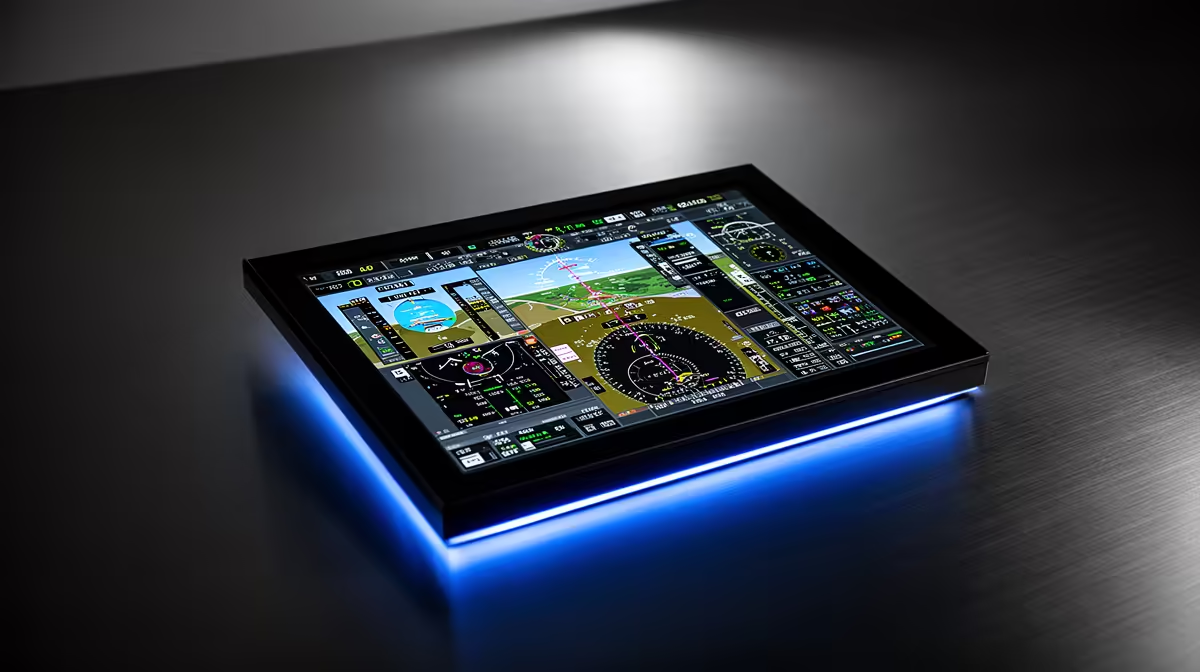
Ever felt the rush of a night approach into Cape Town International? The cockpit glow is vital for immersion. Modern setups now use OLED for crispness. Understanding OLED flight display basics: what a flight management screen tracks is the first step toward a pro-level home cockpit. It is about more than just pretty colours... it is about precision data.
The Advantage of OLED in Aviation Simulation
When you dive into high-fidelity flight simulation, you quickly realise that a standard monitor isn't enough. OLED technology has shifted the landscape in South Africa. It offers true blacks that make night flying look incredible. But before you buy, you need to know the basics to ensure your setup is functional. If you are looking to upgrade, you can find professional flight simulator gear that brings this data to your fingertips. 🚀
OLED panels provide an infinite contrast ratio. In a dark room, the black parts of the screen emit no light. This means the glow of the instrument panel looks realistic... rather than a grey, washed-out mess. This level of detail helps with situational awareness during instrument-only flights.
OLED flight display basics: what a flight management screen tracks
A Flight Management Computer (FMC) is the brain of the aircraft. It tracks your flight plan, vertical navigation, and fuel consumption. Seeing these digits clearly on an OLED screen ensures no errors during high-stress landings. Many enthusiasts who enjoy high-speed sim racing find that the precision required for flight is a natural next step. The contrast of an OLED ensures that even the smallest text remains legible.
The flight management screen, often referred to as the CDU (Control Display Unit), tracks vital statistics. It monitors your Gross Weight and Cost Index. It also calculates the Top of Descent, which is crucial for a smooth arrival. On a standard LCD, these small green or white characters can sometimes blur. On an OLED, the self-emissive pixels ensure every coordinate is razor-sharp. ⚡
OLED Maintenance Tip ⚡
To prevent burn-in on your flight displays, use the 'hide taskbar' feature in Windows. You should also lower the brightness of static elements like the FMC bezel when you are not actively inputting coordinates. This simple step helps maintain the longevity of your high-contrast panel.
Building Your Ultimate Simulation Rig
Setting up a full cockpit requires more than just a screen. You need mounts, brackets, and specific simulation gear and accessories to keep everything stable. 🔧
Choosing the right display size is also key. A 7-inch or 10-inch OLED panel is often used for dedicated FMC units. Larger screens are better for the Primary Flight Display. By separating these screens, you reduce the need to constantly zoom in and out with your mouse. This allows you to focus on the joy of flying. ✨
In the South African simulation community, we value hardware that survives the heat and provides consistent performance. Choosing an OLED display is an investment in your hobby that pays off every time you hit the runway.
Ready to Elevate Your Flight Experience?
Mastering your cockpit starts with the right hardware. For the best performance, visual clarity, and value in South Africa, our simulation range is second to none. Explore our massive range of flight simulator gear and find the perfect display to conquer the skies.