


Complete Guide: Setting Up Monitor Light
Setting Up Monitor Light. Tested & verified settings for best FPS and visual quality on SA hardware budgets.
Read moreOn-ear volume control vs in-line volume control: find out which is faster during play 🎧⚡ See which design boosts speed, comfort, and control in real use.
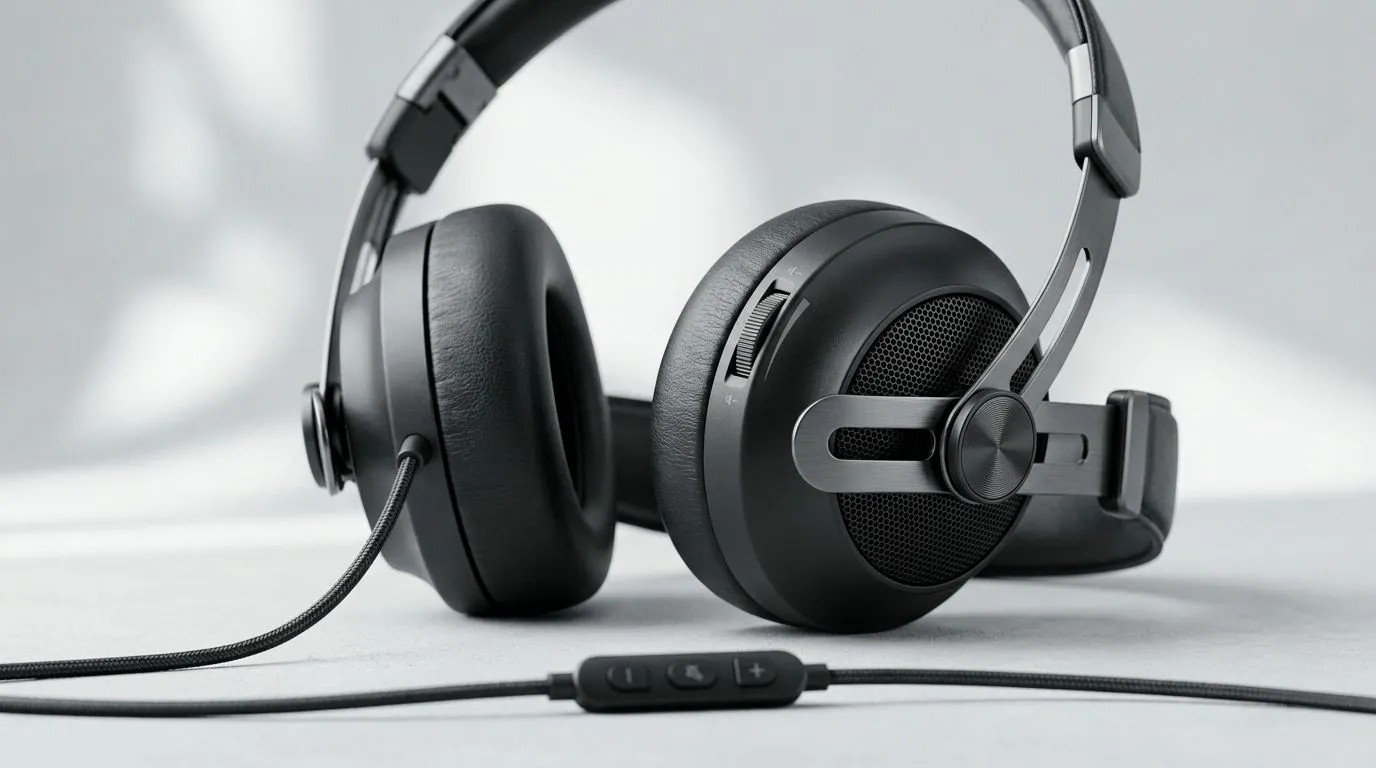
If you’ve ever been mid-raid and realised your audio is too loud or too quiet… you already know why control speed matters. For South African gamers and streamers, the choice is simple: on-ear volume control or in-line volume control. But which one lets you react faster without taking your hands off your aim? Let’s break down the real-world difference, then help you pick a headset that fits how you play.
On-ear volume control usually means you can adjust volume directly on the earcup. It’s close to your face, so it’s fast to reach without hunting around the cable.
In-line volume control is typically a dial or slider on the headset cable. It’s convenient when your headset is resting where the cable is easy to grab… but in fast moments, you may need to glance down or move your hand to find the control.
In practice, “faster” depends on where your hands naturally sit:
On-ear controls tend to be more “locked in” because they’re fixed to the headset. In-line controls can be great, but they’re more exposed to snagging. Also, if the cable shifts when you lean back, your volume dial might move too… and you don’t want random changes during ranked.
Imagine you’re halfway through a CS:GO-style round. You hear footsteps but your team’s voice is drowning them out. If your control is on the earcup, you can tweak instantly. If it’s on the cable, you might spend that precious second locating the slider. Over time, that difference adds up.
Before buying, check how the cable routes on your desk or chair. If you use a thick desk mat or your chair pulls the cable forward, in-line control can feel awkward. If your headset sits consistently, on-ear control usually wins for speed.
On Windows, use the PowerToys FancyZones utility to create custom snap layouts for your windows. It's a lifesaver for managing multiple apps on an ultrawide monitor, letting you organise your timeline, preview window, and asset folders perfectly for video editing. }
If you want a practical starting point, compare popular gaming headsets in Evetech’s range and choose based on how you reach your volume control.
On-ear volume control is generally faster because it’s always where your hand already is. In-line volume control can be faster if the cable naturally sits near your dominant hand during play. Either way, your best test is comfort and reach, not spec sheets.
Ready to Find Your Perfect Match? The Mac vs Windows debate is complex, but for maximum power, choice, and value in South Africa, Windows is hard to beat. Explore our massive range of laptop specials and find the perfect machine to conquer your world.
Usually yes. On-ear volume control is easier to reach by feel, so you can adjust faster during play.
It can be, if you want simple, familiar controls. In-line volume control works well, but it may take longer to find.
On-ear controls are often more practical for fast adjustments, while in-line controls can feel cleaner on lighter headsets.
Yes. On-ear volume control can reduce cable reaching, while in-line volume control may add small weight to the cable.
A volume wheel on the earcup is easy to locate quickly, making it a strong choice for fast in-game volume changes.
Yes. In-line volume control is common and convenient for calls, music, and general use outside gaming.
Setting Up Monitor Light. Tested & verified settings for best FPS and visual quality on SA hardware budgets.
Read more
Assassins Creed Shadows Ultrawide Support: 21:9. Clear setup instructions with SA-specific considerations, troubleshooting tips & recommended components.
Read more
Complete Gaming Setup Guide for the Collector. Clear setup instructions with SA-specific considerations, troubleshooting tips & recommended components.
Read more
Will the Steam Deck 2 Have an OLED Screen? Leaked. Plain-English explanation of what it means, why it matters & how it affects your buying decisions in SA.
Read more
Setting Up Ultrawide 144Hz. Tested & verified settings for best FPS and visual quality on SA hardware budgets.
Read more
Kingdom Come: Deliverance 2 Ultrawide Support. Clear setup instructions with SA-specific considerations, troubleshooting tips & recommended components.
Read more
When Will the RTX 6090 Launch in South Africa Detailed answer with SA data, expert analysis & practical recommendations for local buyers.

Top Valorant Settings for RTX 5070: FPS Optimisation picks evaluated on performance, value & SA availability with current Rand pricing from Evetech.

RDNA 3.5 Graphics in Ryzen AI 400? Can You Game. Plain-English explanation of what it means, why it matters & how it affects your buying decisions in SA.

GPU Price Index : December Report. Current stock data & price tracking for SA buyers. See what is available and where prices are heading.

Core i5-14600K + B760 + RTX 5060 Build Under. Full parts list, Rand pricing & expected performance. Build confidently with SA-available components.

RX 7600 Apex Legends at 4K: FPS Benchmark. Real-world benchmark data, FPS numbers & performance analysis. What SA gamers can actually expect.

RX 7900 XTX GTA 6 at 4K: FPS Benchmark & Optimal. Real-world benchmark data, FPS numbers & performance analysis. What SA gamers can actually expect.

Head-to-head comparison of RTX 5070 vs RX 9070 XT: Gaming Performance for SA gamers. Performance benchmarks, Rand pricing & which delivers better value.

Starfield Max Settings on RTX 5070. Tested & verified settings for best FPS and visual quality on SA hardware budgets.

Top RX 7800 XT Model Under R8,000 picks evaluated on performance, value & SA availability with current Rand pricing from Evetech.

RTX 5070 Valorant Optimised Settings: Graphics. Real-world benchmark data, FPS numbers & performance analysis. What SA gamers can actually expect.

Top Laptop with Core i7 + RX 7700S: Picks picks evaluated on performance, value & SA availability with current Rand pricing from Evetech.