

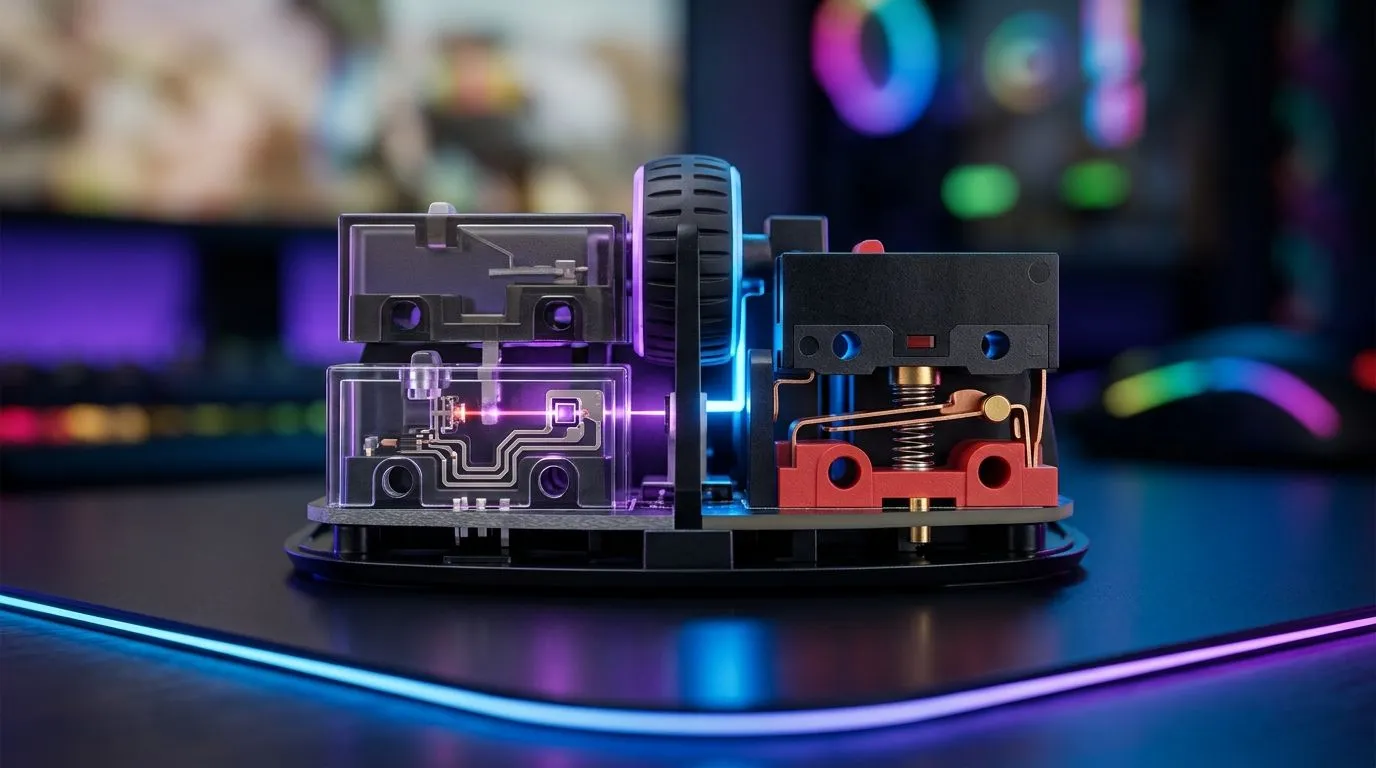
South African gamers know the feeling... you flick your mouse and expect instant response, especially in a clutch moment. When your crosshair lands first, it feels like skill. But inside the mouse, the switch under your finger plays a bigger role than most buyers realise. In this deep dive on optical vs mechanical micro switches in gaming mice, we’ll break down what actually changes, why it matters, and how to choose the right feel for your setup 🔧
Optical vs Mechanical Micro Switches in Gaming Mice: The Core Difference
At a simple level, both switch types register a click. The difference is how they do it.
Mechanical micro switches use physical metal contacts. Press down, the contacts meet, and the click is registered. That design has been common for years, and it gives many gamers that familiar tactile snap.
Optical switches use light. When you click, a beam is interrupted and the mouse registers the input electronically. Less direct physical contact usually means less wear on the contact points over time.
For a practical overview of gaming mouse categories and features, Evetech’s gaming mouse range is a useful place to compare models by style and use case.
Optical vs Mechanical Micro Switches in Gaming Mice: Feel, Speed, and Durability
The first thing most players notice is feel. Mechanical switches often feel firmer and more traditional. Optical switches can feel a touch cleaner or more immediate, depending on the mouse design.
Speed is where marketing gets noisy, so keep it simple. Both are fast enough for competitive play. In real use, sensor quality, shape, weight, and grip comfort often matter more than the switch type alone.
Durability is where optical switches usually earn attention. With fewer contact points, they can reduce one common cause of double-click issues. That said, build quality still matters. A well-made mechanical switch can also last a long time. The exact lifespan depends on the switch design and manufacturer, so check the product page before buying.
If you prefer a more traditional setup, browse wired mouse options. Wired mice still make sense for players who want zero charging hassle and consistent desk performance.
Optical vs Mechanical Micro Switches in Gaming Mice: Which One Suits You?
There’s no universal winner. The best choice depends on how you play.
Pick optical switches if you want...
- Lower wear on click contacts
- A more modern switch feel
- A mouse that may resist double-click issues better over time
Pick mechanical switches if you want...
- A classic click sensation
- More familiar feedback
- A wider pool of budget-friendly options
A useful rule of thumb: if you buy mice often and like trying new gear, either type can work. If you keep a mouse for years, durability and consistency become more important. That is where switch type can influence long-term value.
Optical vs Mechanical Micro Switches in Gaming Mice: Don’t Ignore the Rest of the Mouse
It’s easy to obsess over switches and miss the bigger picture. Shape matters. Weight matters. Skates matter. And the cable or wireless connection matters too.
A comfortable mouse can improve aim confidence far more than a fancy spec sheet. If your hand cramps after two maps, the “better” switch won’t save the session. That’s why it helps to compare mice by category, not only by internals.
If you’re exploring accessories too, check mouse accessories for grips, pads, and add-ons that can improve comfort and control. For players who want cable-free freedom, wireless mouse choices are worth a look as well.
Mouse Buying Tip ⚡
When comparing gaming mice, test the grip shape and button feel first. A switch can be excellent on paper, but if the shell cramps your hand, you will notice that every match. Comfort beats hype.
Optical vs Mechanical Micro Switches in Gaming Mice: Buying Smart in South Africa
In South Africa, value matters. Power cuts, desk setups, and budget all affect the final choice. That’s why it makes sense to look at the full package, not one feature alone.
If you are hunting for real value, keep an eye on best gaming mouse deals. A discounted mouse with the right shape and reliable switches is often a better buy than a pricey model with flashy branding.
As a buyer, ask three questions:
- Does it feel good in my hand?
- Is the click style what I prefer?
- Does the price make sense in ZAR for my budget?
Answer those honestly, and the choice becomes much easier.
Optical vs Mechanical Micro Switches in Gaming Mice: Final Take
If you want a short answer, here it is: optical switches usually lean toward consistency and reduced contact wear, while mechanical micro switches offer a familiar, tactile click that many gamers still enjoy. The best gaming mouse is the one that fits your hand, your games, and your budget.
So don’t buy on buzzwords alone. Compare the shape, the sensor, the connection type, and the switch feel together. That’s how you get a mouse that actually earns its place on your desk ✨
Ready to Find Your Perfect Match? The Mac vs Windows debate is complex, but for maximum power, choice, and value in South Africa, Windows is hard to beat. Explore our massive range of laptop specials and find the perfect machine to conquer your world.











