


GTA 6 Max Settings on RTX 5070: Complete Guide
GTA 6 Max Settings on RTX 5070. Tested & verified settings for best FPS and visual quality on SA hardware budgets.
Read moreEvery spec on vrm explained in plain English. What matters for gaming and creator work in 2026, what's marketing fluff, and how each number translates to real-world performance.
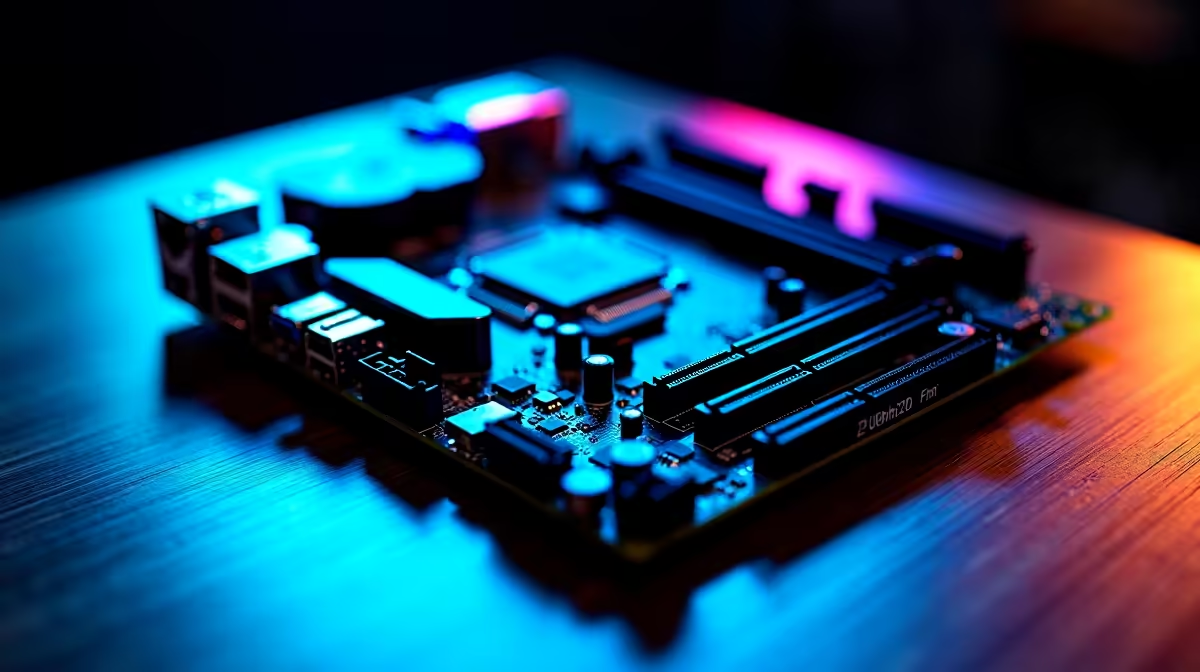
Building a small-form-factor Intel gaming build is like packing a V8 engine into a hatchback. It looks incredible on your desk... but the heat can be brutal. South African summers do not play nice with cramped PC cases. If you want top-tier performance without thermal throttling, you need a solid strategy. Let us explore how to master your thermals and keep your mini-ITX rig icy ❄️.
When you cram high-end Intel processors into a tiny chassis, temperatures spike fast. Optimising airflow is not just about slapping in more fans. It is about creating a clear path for cool air to enter and hot exhaust to leave. Without this, your CPU will drop its clock speeds to survive.
South African summers can easily push room temperatures past thirty degrees Celsius. This means your baseline cooling needs are already higher than average. If you prefer avoiding the hassle of building from scratch, you can always browse the best gaming PC deals for pre-built rigs that already have their thermals sorted.
But for the DIY enthusiasts, mastering positive or negative pressure is key. In most mini-ITX setups, a negative pressure setup works wonders. Exhaust fans pull hot air out... naturally drawing in cool air through mesh panels.
Your Voltage Regulator Modules are the unsung heroes of your motherboard. They deliver stable power to your Intel CPU. When pushed hard during intense gaming sessions, they get incredibly hot. Poor VRM cooling can cause system instability or sudden crashes.
To combat this, ensure your CPU cooler does not block ambient airflow. Low-profile downdraft coolers are excellent here. They push air directly onto the motherboard heatsinks. Another brilliant trick is undervolting your processor ⚡. By slightly reducing the core voltage in your BIOS, you lower the overall heat output. This takes a massive load off your VRMs without sacrificing any gaming performance.
Keep your cables neatly tied down. In a small-form-factor case, a messy cable job acts like a wall. It blocks cool air from reaching your VRMs and graphics card.
Picking the right components makes a massive difference 🚀. Blower-style GPUs help push hot air straight out of the back of the case. You should also look out for high-static pressure fans. They force air through tight gaps much better than standard airflow fans.
When spending your hard-earned ZAR, prioritise quality thermal paste. A premium compound transfers heat from the CPU to the cooler much faster. Building a custom liquid loop is another option, though it gets expensive. If you are hunting for affordable cooling upgrades, keep an eye on our specials page. You can save some valuable money on premium fans and AIO liquid coolers.
Sometimes building a tiny desktop is not the right fit for your lifestyle. If you need ultimate portability and built-in cooling solutions, a modern gaming notebook might be the answer. These devices are engineered specifically to handle immense heat in a compact shell ✨. You can easily explore our wide range of laptops for sale in South Africa. This is perfect if you want high frame rates on the go without the DIY stress.
Ready to Upgrade Your Setup? Whether you are tweaking a small-form-factor Intel gaming build or looking for a brand-new powerhouse, we have you covered. Explore our massive range of gaming PCs and find the perfect machine to conquer your world.
The products, tools and accessories referenced in this article are stocked at Evetech.co.za with local SA warranty, ZAR pricing and nationwide delivery.
The article breaks down the real-world impact on gaming FPS, creator workflows and everyday responsiveness — not just raw spec numbers.
Only a handful of specs meaningfully change your experience. The guide ranks them by real impact so you spend on what counts.
We cover upgrade headroom, platform longevity and the specific features worth paying extra for if you plan to keep this build for several years.
The article includes a clear generational uplift summary so you can judge whether upgrading from your current hardware is worthwhile.
GTA 6 Max Settings on RTX 5070. Tested & verified settings for best FPS and visual quality on SA hardware budgets.
Read more
Cyberpunk 2077 Max Settings on RTX 5080. Tested & verified settings for best FPS and visual quality on SA hardware budgets.
Read more
Starfield Max Settings on RTX 5070 Ti. Tested & verified settings for best FPS and visual quality on SA hardware budgets.
Read more
AMD RX 9050 XT: Rumoured Specs, Price & Release. SA-focused analysis with local pricing data, real-world insights & actionable buying advice.

Can RTX 4080 Super Run AI Workloads for SA Developers Detailed answer with SA data, expert analysis & practical recommendations for local buyers.

Can RTX 4090 Run AI Workloads for SA Developers Detailed answer with SA data, expert analysis & practical recommendations for local buyers.

Top Settings for Intel Arc B580 at Ultrawide 1440p picks evaluated on performance, value & SA availability with current Rand pricing from Evetech.

RTX 4060 CS2 Low Settings at 1080p: FPS Results. Real-world benchmark data, FPS numbers & performance analysis. What SA gamers can actually expect.

Visual Artifacts: Possible GPU Issue Issue #1. Diagnosis steps, proven fixes & when to seek professional help. SA-specific support info included.

Can the RTX 4090 Handle 1440p 144Hz Gaming. Performance testing verdict with real data & practical recommendations for SA buyers.

Top ASUS GPU Under R15000 picks evaluated on performance, value & SA availability with current Rand pricing from Evetech.
GTA 6 Max Settings on RTX 5070. Tested & verified settings for best FPS and visual quality on SA hardware budgets.
Cyberpunk 2077 Max Settings on RTX 5080. Tested & verified settings for best FPS and visual quality on SA hardware budgets.
Starfield Max Settings on RTX 5070 Ti. Tested & verified settings for best FPS and visual quality on SA hardware budgets.

Top RTX 5090 Under R5000 picks evaluated on performance, value & SA availability with current Rand pricing from Evetech.