

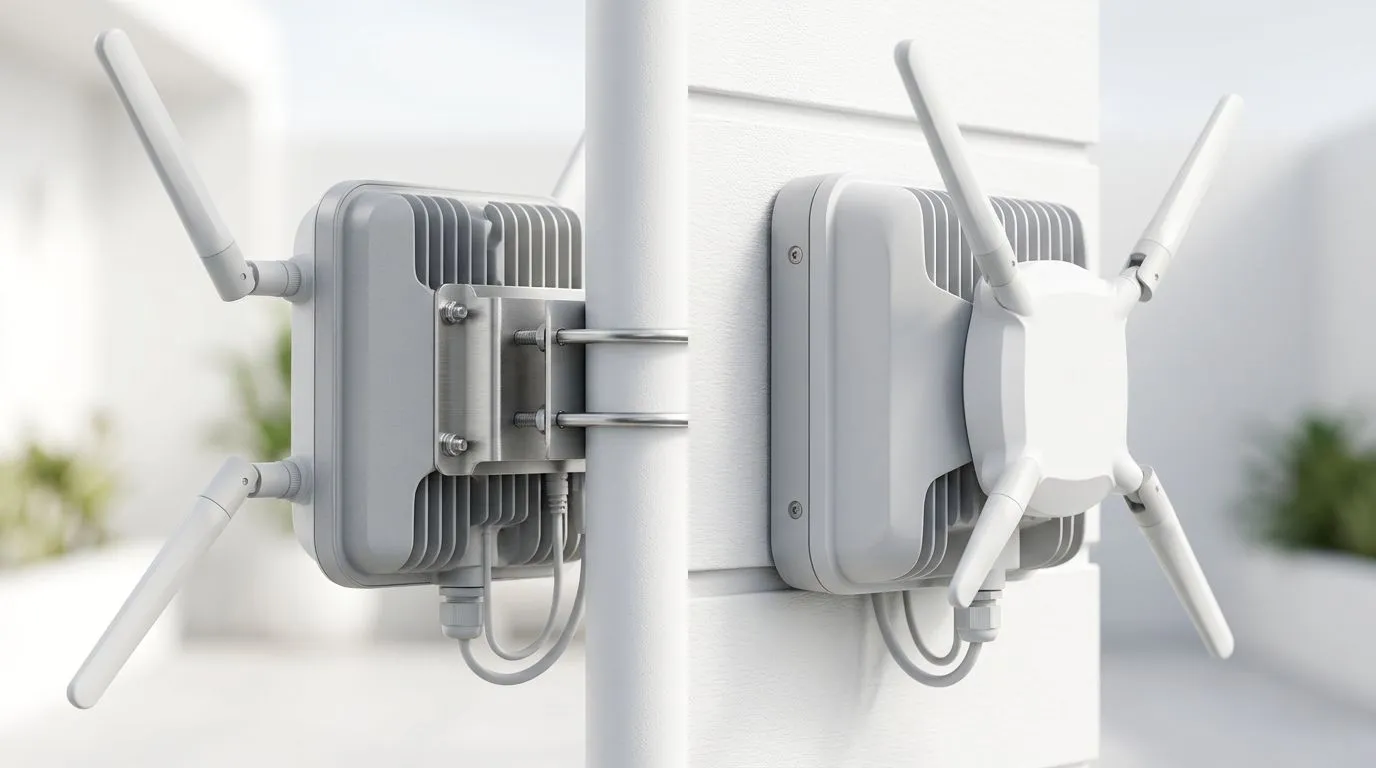
Outdoor Access Point Installation: Pole vs Wall-Mounted Guide (South African Guide) 🏠📶
If your Wi-Fi drops the moment you step outside, you’re not alone… and it’s not always “your ISP”. In SA homes, outbuilding walls, windy patios, and metal security gates all fight your signal. The good news? The install method makes a real difference. 🔧
This guide explains Outdoor Access Point Installation: Pole vs Wall-Mounted Guide so you can choose the right placement, avoid common mistakes, and get stable coverage for gaming, streaming, and VoIP. Whether you’re extending from a lounge router or covering a backyard braai area, you’ll know what to mount, where to aim, and how to fine-tune.
Outdoor Access Point Installation: Pole vs Wall-Mounted Guide (Quick Decision) ✅✨
Both mounting options can work. The “best” choice depends on line-of-sight and how much the environment blocks the signal.
Pole-mount: best when you need clear “airtime”
A pole usually gives you:
- Higher elevation above walls and trees
- Cleaner line-of-sight to clients like laptops on the patio
- Less signal loss from thick masonry
Wall-mount: best when you need a simple, secure install
A wall-mount typically gives you:
- Easier cable routing (often through existing conduit)
- A solid mounting surface near power and network points
- A neat, compact setup for smaller outdoor areas
The big trade-off: height vs stability
In SA, we often battle wind. A pole can be perfect for height, but it must be braced properly. A wall mount is stable, but coverage can suffer if the access point sits behind a wall edge.
Outdoor Access Point Installation: Pole vs Wall-Mounted Guide (What placement really affects) 🔍
Line-of-sight beats “more power”
Even powerful radios struggle when the signal must punch through:
- brick and plaster
- garden trees
- garages and boundary walls
Placement that improves the “view” of your outdoor devices often does more than upgrading hardware.
Angle matters more than you think
If the access point has antennas or directional behaviour, aiming it towards your outdoor seating area can reduce dead zones. Don’t just mount it “where there’s a bracket”. Aim for where you actually game.
Weatherproofing and cable path
Outdoor gear needs protection from:
- rain and condensation
- UV exposure
- water ingress around connectors
If you’re unsure about outdoor networking components, browse Evetech’s wireless networking range here: https://www.evetech.co.za/components/wireless-networking-136.aspx
Outdoor Access Point Installation: Pole vs Wall-Mounted Guide (Step-by-step install planning) 🧰⚡
Step 1: Map your coverage zone
Start with a rough floor plan:
- Where is your gaming desk or TV?
- Where do guests sit?
- How far is the access point from those spots?
Then note obstacles between the access point and those spots.
Step 2: Choose how you extend your network
Most outdoor installs fall into one of two setups:
- Extend Wi-Fi with extenders / mesh nodes
- Run wired backhaul to an outdoor unit (best performance when possible)
If you’re extending wirelessly, Evetech has a focused selection of wireless range extenders here: https://www.evetech.co.za/PC-Components/wireless-range-extenders-140.aspx
If you’re building from a stronger base, consider upgrading your core router as well. Start with a router option from: https://www.evetech.co.za/PC-Components/buy-wireless-routers-138.aspx
And if you’re upgrading connectivity for specific devices, these wireless adapters can help clients connect properly: https://www.evetech.co.za/PC-Components/buy-wireless-adapters-139.aspx
Step 3: Plan power and surge protection
Outdoor installs should include proper protection for the power and network path where feasible. Lightning and power spikes are real risks in many SA areas.
Outdoor Access Point Installation: Pole vs Wall-Mounted Guide (Pole mounting do’s and don’ts) 🗼
Pole do’s
- Mount high enough to clear walls and nearby structures.
- Use corrosion-resistant fittings (outdoor rated and suitable for your climate).
- Brace the pole if it’s exposed to wind.
Pole don’ts
- Don’t mount too close to metal features like fence frames without testing signal changes.
- Don’t route cables loosely where they can chafe against straps or brackets.
Outdoor Access Point Installation: Pole vs Wall-Mounted Guide (Wall mounting do’s and don’ts) 🧱
Wall do’s
- Mount near the existing network point to reduce cable runs.
- Keep the access point away from “dead corners” like behind gutters.
- If your outdoor area is along one side of the house, aim the unit accordingly.
Wall don’ts
- Don’t place it behind thick internal walls that the outdoor clients will “see through”.
- Avoid mounting under eaves where water collects near connectors.
Outdoor Access Point Installation: Pole vs Wall-Mounted Guide (Pro testing checklist) ✅
Before you call it done, test like a real player:
- Stand where you game or stream.
- Run a speed test, then check latency consistency.
- Move 2 to 3 metres and repeat.
- Check one device on 5 GHz (if supported) and another on 2.4 GHz.
If your indoor Wi-Fi is stable but outdoor isn’t, it’s often placement, height, or backhaul setup, not your “download speed”.
Productivity Pro Tip ⚡
Keep a phone in your testing zone and walk the same path you normally take outside. When the signal drops, note what’s between you and the access point (wall, tree line, metal gate). This small habit helps you fix placement and aiming without guessing.
Outdoor Access Point Installation: Pole vs Wall-Mounted Guide (Don’t buy twice: common mistakes) 🚀
- Mounting at eye-level, not coverage-level Outdoors, elevation often wins. If you can’t mount higher, you’ll need cleaner line-of-sight.
- Ignoring backhaul reality Wireless backhaul can work, but it can reduce throughput. Wired backhaul usually gives the most consistent gaming experience.
- Overlooking cable and connector protection A “water-resistant” install that isn’t sealed properly can degrade over time. Test after rain if you can.
- Choosing hardware without matching your environment Your hardware should suit distance and obstacles. If you’re building a system, start with the right wireless products from Evetech’s category: https://www.evetech.co.za/components/wireless-networking-136.aspx
Outdoor Access Point Installation: Pole vs Wall-Mounted Guide (Choosing the right mount for your home) 🎯
If your backyard has open space and you want the strongest outdoor coverage, pole mounting is usually the smarter path. If you’re working with a small patio, limited space, or you want a clean install near existing cabling, wall mounting often makes the most sense.
Either way, aim for:
- higher elevation
- line-of-sight to outdoor clients
- properly protected cabling
- realistic testing after installation
Want help building the full setup? Buying the right extender, router, and adapters together saves time and frustration.
Ready to Find Your Perfect Match? The Mac vs Windows debate is complex, but for maximum power, choice, and value in South Africa, Windows is hard to beat. Explore our massive range of laptop specials and find the perfect machine to conquer your world.











