


PCIe 5.0 vs PCIe 4.0 for Cinematic Story Games in SA
PCIe 5.0 and PCIe 4.0 differ most in lane support, compatibility, and upgrade value for cinematic story games. SA buyers should match the choice to their actual hardware and games.
Read moreConnecting a display to the eGPU card's own outputs eliminates the return-trip bandwidth cost of sending completed frames back over the link to the laptop panel. On TB5 the saved bandwidth goes back to GPU-to-CPU data rather than carrying rendered frames.
Spend serious money on an external graphics card and then run your games on the laptop's own screen, and you throw away a large slice of the performance you paid for. Pairing an external monitor with your eGPU by plugging the display straight into the card's own outputs, rather than the laptop panel, is the single setup choice that decides whether the enclosure earns its keep. It is not a minor tweak. On the right link it is the difference between a real upgrade and a disappointing one.
Connect your monitor directly to the eGPU card's DisplayPort or HDMI outputs, not the laptop screen. Doing so skips the return trip that rendered frames otherwise make back across the cable, freeing that bandwidth for actual GPU work. In 2026 testing, a directly connected external monitor delivered roughly 27 percent more performance over Thunderbolt 5 than running on the laptop's own display.
An eGPU connects to your laptop over a single cable, usually Thunderbolt, and that cable has finite bandwidth. How you use it decides your frame rate.
When the monitor plugs into the eGPU card's own outputs, the rendered frame goes straight from the card to the screen. It never has to travel back to the laptop. The cable's bandwidth is spent almost entirely on useful GPU-to-CPU traffic, the data the system genuinely needs to move.
When you use the laptop's built-in screen instead, every finished frame has to make a return trip: the eGPU renders it, then sends the completed image back across the same cable to the laptop so the internal panel can show it. That return trip competes for the very bandwidth the GPU needs to do its job. You are paying the link twice, once to feed the card and once to carry its output home.
People obsess over Thunderbolt versions, but the connection method often matters more than the generation. A directly connected monitor on an older link can beat a laptop-screen setup on a newer one, because eliminating the return trip frees more usable bandwidth than a modest speed bump adds. The bottleneck is how you spend the bandwidth, not only how much you have.
Real-world 2026 testing makes the gap concrete rather than theoretical.
On Thunderbolt 5, a monitor wired directly to the GPU returned about 27 percent higher performance than running the same card on the laptop's display. With the external monitor connected straight to the card, an eGPU consistently delivers somewhere in the region of 60 to 85 percent of a native desktop GPU's performance at 1440p, which is the band that makes an eGPU genuinely worthwhile.
Run that same card to the laptop panel and the picture changes sharply. The average frame rate gain over the laptop's integrated graphics can shrink to single digits, and the 1 percent lows, the dips that you actually feel as stutter, often get worse because frame delivery becomes inconsistent. You can end up with a costly external card that barely outperforms the chip already inside the laptop.
Thunderbolt 5 offers a large jump in usable bandwidth for GPU traffic, which cuts the performance penalty of the external link compared with Thunderbolt 3 and 4. But that headroom only pays off when you are not wasting it carrying frames backwards. Free the link with a direct monitor connection and the newer standard's bandwidth goes where it helps.
Getting this right is mostly about the physical connection and a couple of settings.
Run your DisplayPort or HDMI cable from the monitor into the outputs on the graphics card itself, the ports on the back of the card inside the enclosure, not the laptop's video output. This is the whole point of the exercise.
Once the external monitor is the primary display fed by the card, the laptop screen is no longer in the rendering path for that output, which is exactly what you want. Running games full screen on the external monitor keeps frames off the return trip.
The enclosure quality and the dock or cabling matter. A docking station or enclosure with proper outputs and a solid Thunderbolt implementation keeps the link stable under load. The docking station range at Evetech is worth a look when you are matching an enclosure and connectivity to your laptop's port.
There is no point pairing a top-tier card with a constrained link and then bottlenecking it further with the wrong monitor connection. Choose a card whose output the link can actually deliver, then connect the monitor directly so it performs near its potential. Comparing the best-selling graphics cards helps you find a sensible match for an external setup rather than over-buying a card the link cannot feed.
Anyone running a thin-and-light or work laptop who wants desktop-class graphics at a fixed desk is the prime candidate. The eGPU plus external monitor combination gives you portability during the day and real gaming or rendering power when you dock at home. The catch is that it only works as intended with the monitor wired to the card. Get that one detail wrong and the whole proposition falls apart, which is why this single connection choice deserves more attention than almost any other part of the setup.
Because it skips the return trip. Frames go straight from the card to the monitor instead of travelling back across the cable to the laptop panel, which frees that bandwidth for the GPU's actual workload.
2026 testing showed roughly 27 percent more performance on Thunderbolt 5 with a directly connected external monitor versus the laptop screen. A direct setup typically reaches 60 to 85 percent of native desktop GPU performance at 1440p.
The connection method often matters more. A directly connected monitor frees usable bandwidth that a newer Thunderbolt generation alone may not, so how you connect can outweigh which version you have.
Yes, but keep games running full screen on the external monitor fed by the card so frames stay off the return trip. The laptop panel is fine for secondary windows that the card is not rendering.
Not equally. You want an enclosure or dock with proper card outputs and a solid Thunderbolt implementation that holds the link stable under load, since a weak connection undercuts the whole benefit.
Building an eGPU rig that actually performs? Pair the right card with the right connectivity from the docking station range at Evetech and wire your monitor straight to the card to get every frame you paid for.
Because it skips the return trip. Frames go straight from the card to the monitor instead of travelling back across the cable to the laptop panel, which frees that bandwidth for the GPU's actual workload.
2026 testing showed roughly 27 percent more performance on Thunderbolt 5 with a directly connected external monitor versus the laptop screen. A direct setup typically reaches 60 to 85 percent of native desktop GPU performance at 1440p.
The connection method often matters more. A directly connected monitor frees usable bandwidth that a newer Thunderbolt generation alone may not, so how you connect can outweigh which version you have.
Yes, but keep games running full screen on the external monitor fed by the card so frames stay off the return trip. The laptop panel is fine for secondary windows that the card is not rendering.
Not equally. You want an enclosure or dock with proper card outputs and a solid Thunderbolt implementation that holds the link stable under load, since a weak connection undercuts the whole benefit.
PCIe 5.0 and PCIe 4.0 differ most in lane support, compatibility, and upgrade value for cinematic story games. SA buyers should match the choice to their actual hardware and games.
Read more
ATX 3.1 vs ATX 3.0 for streaming on Twitch and YouTube buyers - what changes is mostly about compatibility, budget, upgrade path, and setup fit. SA buyers should check device support and real needs before expecting a clear win from either option.
Read more
OLED vs Mini-LED for video editing in 4k is mainly about fit, features, compatibility, cost, and upgrade path, not one automatic winner. SA buyers should match the choice to the setup.
Read more
The real world difference between IPS and VA for streaming on Twitch and YouTube is colour consistency versus contrast. For SA creators, match the panel to OBS previews, chat visibility, camera work, and long editing sessions after live streams.
Read more
IPS vs OLED for Couch Co-Op Gaming comes down to contrast, motion, burn-in care, refresh needs, desk use, and game type. SA buyers should match the choice to their setup instead of assuming one option always wins.
Read more
FSR 4 and FSR 3.1 affect competitive esports only if they preserve clarity, latency, and stable frame pacing. SA players should compare response feel, motion quality, and support in the specific titles they grind.
Read more
Wi-Fi 7 vs Wi-Fi 6e for cinematic story games comes down to router support, latency goals, device compatibility, and coverage. SA buyers should match the choice to the real network setup.

The real world difference between PCIe 5.0 and PCIe 4.0 for MMO and live-service games is usually about loading, patches, and headroom. SA players should weigh NVMe speed, GPU lanes, CPU limits, and platform cost.

Windows 11 gaming laptop dead pixel checks begin with a full-screen colour test. This how to fix dead pixel windows 11 gaming laptop guide helps SA users compare settings, drivers, external screens, and warranty routes.

AM5 motherboard stuck pixel fixes in South Africa start with panel, cable, GPU output, and Windows checks. Use a clean test path before blaming the motherboard or replacing screen hardware.

FPS drops blamed on a wireless mouse often point to input, driver, USB, network, or system-load checks. Use a quick SA-friendly troubleshooting flow to isolate software, firmware, thermals, storage, and game settings before replacing hardware.

How to fix fps drops on steam deck starts with power profile, shader cache, storage health, and per-game settings. For South Africa, check charger quality, heat, and download stability before assuming the handheld needs repair. Retest after updates.

How to fix low FPS after an RTX 5080 build upgrade starts with driver cleanup, display settings, thermals, and power mode. For SA gamers, verify GPU usage, PCIe speed, RAM profile, and CPU limits before changing parts.

Hollow Knight Silksong at 4K needs a GPU matched to settings, VRAM, CPU balance, and monitor goals. Use this SA guide to compare tiers without treating FPS target or prices as fixed.
How to fix FPS drops after a Ryzen 9 9950X3D starts with BIOS, chipset, EXPO, power, and GPU driver checks. It helps isolate upgrade stutter on high-end SA gaming rigs before you change hardware, reinstall Windows, or retune cooling.
PCIe 5.0 and PCIe 4.0 differ most in lane support, compatibility, and upgrade value for cinematic story games. SA buyers should match the choice to their actual hardware and games.
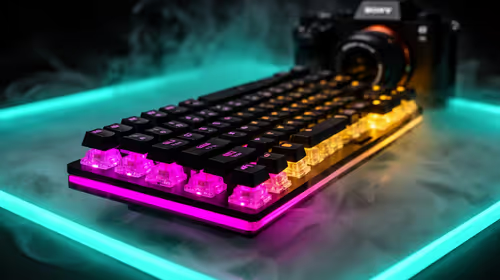
FPS drops Windows 11 mechanical keyboard issues can come from USB polling, keyboard utilities, power settings, or overlays. This gaming checklist helps test input-device causes before deeper GPU or CPU troubleshooting.
ATX 3.1 vs ATX 3.0 for streaming on Twitch and YouTube buyers - what changes is mostly about compatibility, budget, upgrade path, and setup fit. SA buyers should check device support and real needs before expecting a clear win from either option.